📖 Lesson content
Summary
When building a RAG pipeline, you'll quickly discover that semantic search alone doesn't always return the best results. Sometimes you need exact keyword matches that semantic search might miss. The solution is to combine semantic search with lexical search using a technique called BM25.
The Problem with Semantic Search Alone
Let's say you're searching for a specific incident ID like "INC-2023-Q4-011" in a document. While this exact term appears multiple times in relevant sections, semantic search might return unrelated sections that seem semantically similar but don't actually contain the specific information you need.
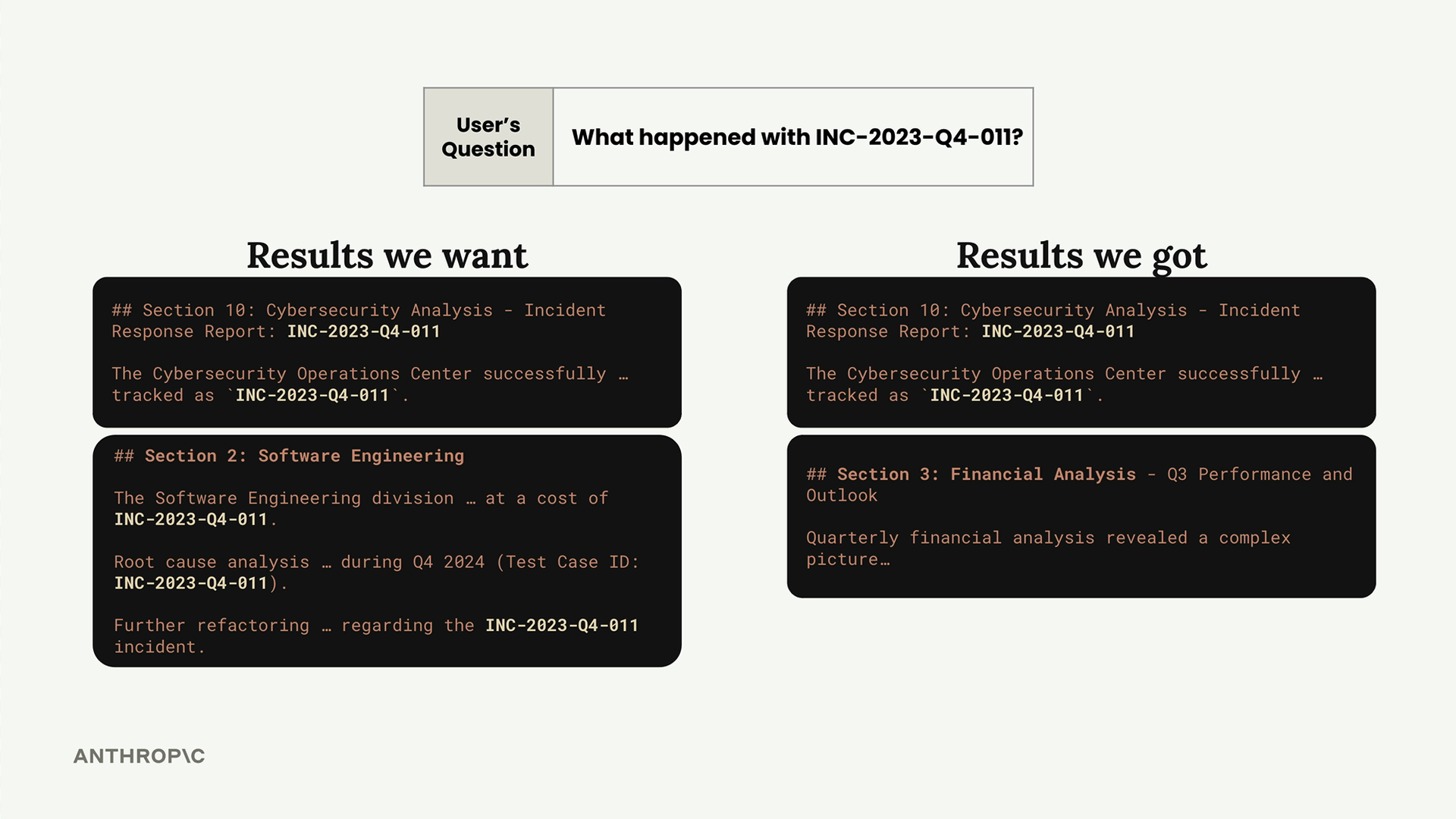
This happens because semantic search focuses on meaning rather than exact text matches. When you need precise keyword matching, you need a different approach.
Hybrid Search Strategy
The solution is to run both semantic and lexical searches in parallel, then merge the results. This gives you the best of both worlds:
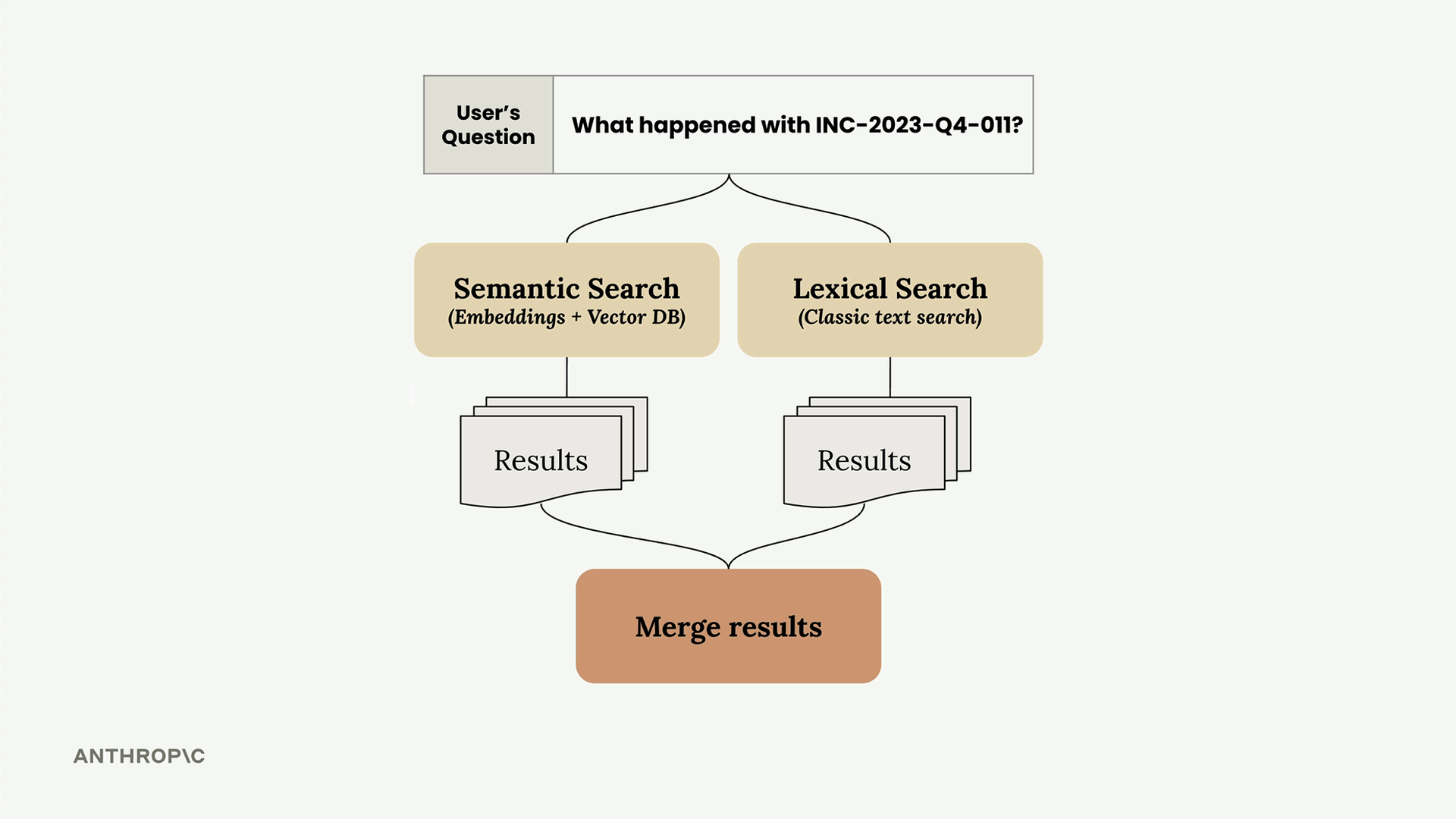
- Semantic search - Finds conceptually related content using embeddings
- Lexical search - Finds exact keyword matches using classic text search
- Merged results - Combines both approaches for better overall relevance
How BM25 Works
BM25 (Best Match 25) is a popular algorithm for lexical search in RAG pipelines. Here's how it processes a search query:
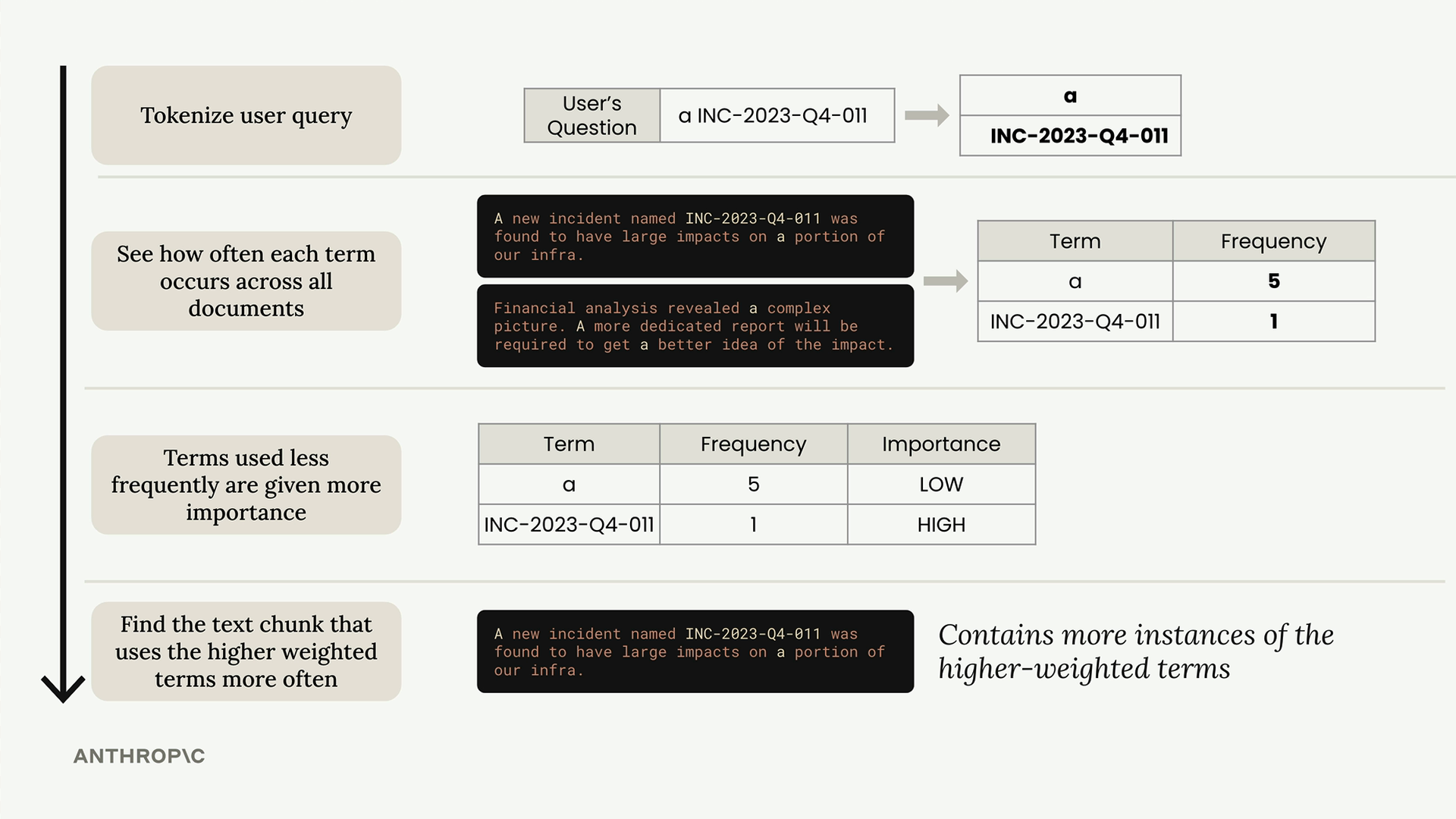
The algorithm follows these key steps:
- Tokenize the query - Break the user's question into individual terms
- Count term frequency - See how often each term appears across all documents
- Weight terms by rarity - Terms used less frequently get higher importance scores
- Score documents - Find text chunks that contain more instances of the higher-weighted terms
The key insight is that rare terms like "INC-2023-Q4-011" are much more important for search relevance than common words like "a" or "the".
Implementing BM25 Search
Here's how to set up a BM25 search system:
store = BM25Index()

for chunk in chunks:
    store.add_document({"content": chunk})

results = store.search("What happened with INC-2023-Q4-011?", 3)
The BM25 implementation maintains a similar API to your vector store, with add_document() and search() methods. This consistency makes it easy to use both systems together.
Better Search Results
When you run the same query through BM25 that failed with semantic search alone, you get much better results. The algorithm correctly prioritizes sections that contain the exact incident ID, ranking them higher than sections that might be semantically related but don't contain the specific term you're looking for.
The search results now properly surface the Software Engineering section and Cybersecurity section that actually discuss the incident, rather than returning unrelated content like Financial Analysis.
Next Steps
Now that you have both semantic and lexical search systems working independently, the next step is to merge their results. This hybrid approach will give you the semantic understanding of embeddings combined with the precision of keyword matching, creating a more robust search experience for your RAG pipeline.
Downloads
🔁 Related lessons
- Next: A multi-search RAG pipeline
- Previous: Implementing the RAG flow
- Same section: Overview of Claude Models · Accessing the API · Making a request
- Part of paths: Path C
- Reference docs: Glossary · Skills atlas · By use-case
📚 Source & attribution
- Original Anthropic Academy lesson: https://anthropic.skilljar.com/claude-in-amazon-bedrock/276776
- © 2025 Anthropic. Educational fair-use only.