(Show All)_ · **Lesson 5/6** · [🌐 Vietnamese](../../vi/05-sharing-skills/vi.md)
← Previous · 📋 Course TOC · Next →
Sharing skills
👨💻 Track: Developer Track · 📚 Course: Introduction to Agent Skills · ⏱ 20 minutes · 🧭
Path C
📖 Lesson content
What you'll learn
Estimated time: 20 minutes
By the end of this lesson you'll be able to:
- Share skills with your team by committing them to a Git repository
- Distribute skills across projects through plugins and marketplaces
- Deploy skills organization-wide using enterprise managed settings
- Configure custom subagents to use specific skills
Sharing skills
(4 minutes)
Skills become much more valuable when they're shared across a team or organization. This video covers the three main distribution methods — repository commits, plugins, and enterprise managed settings — and explains how to configure custom subagents to use skills. You'll learn which approach fits which scenario and how to handle an important gotcha: subagents don't inherit skills automatically.
Key takeaways
- Project skills in
.claude/skillsare shared automatically through Git — anyone who clones the repo gets them - Plugins let you distribute skills across repositories via marketplaces for broader community use
- Enterprise managed settings deploy skills organization-wide with the highest priority, ideal for mandatory standards and compliance
- Subagents don't automatically see your skills — you must explicitly list skills in a custom agent's frontmatter
skillsfield - Built-in agents (Explorer, Plan, Verify) can't access skills at all — only custom subagents defined in
.claude/agentscan
Skills become much more valuable when they're shared. A PR review skill that only you use is helpful, but that same skill shared across your entire team standardizes code review and creates a consistent experience across your organization. Let's look at the different ways you can distribute skills.
Committing Skills to Your Repository
The simplest sharing method is committing skills directly to your repository. Place them in .claude/skills, and anyone who clones the repo gets those skills automatically — no extra installation needed.
When you push updates, everyone gets them on the next pull. This approach works well for:
- Team coding standards
- Project-specific workflows
- Skills that reference your codebase structure
The .claude directory contains your agents, hooks, skills, and settings — all version-controlled and shared with the team through normal Git workflows.
Distributing Skills Through Plugins
Plugins are a way to extend Claude Code with custom functionality designed to be shared across teams and projects. In your plugin project, create a skills directory that follows a similar file structure to the .claude directory — each skill gets its own folder with a SKILL.md file inside.
After you distribute your plugin to a marketplace, other users can discover and install it into Claude Code for themselves.
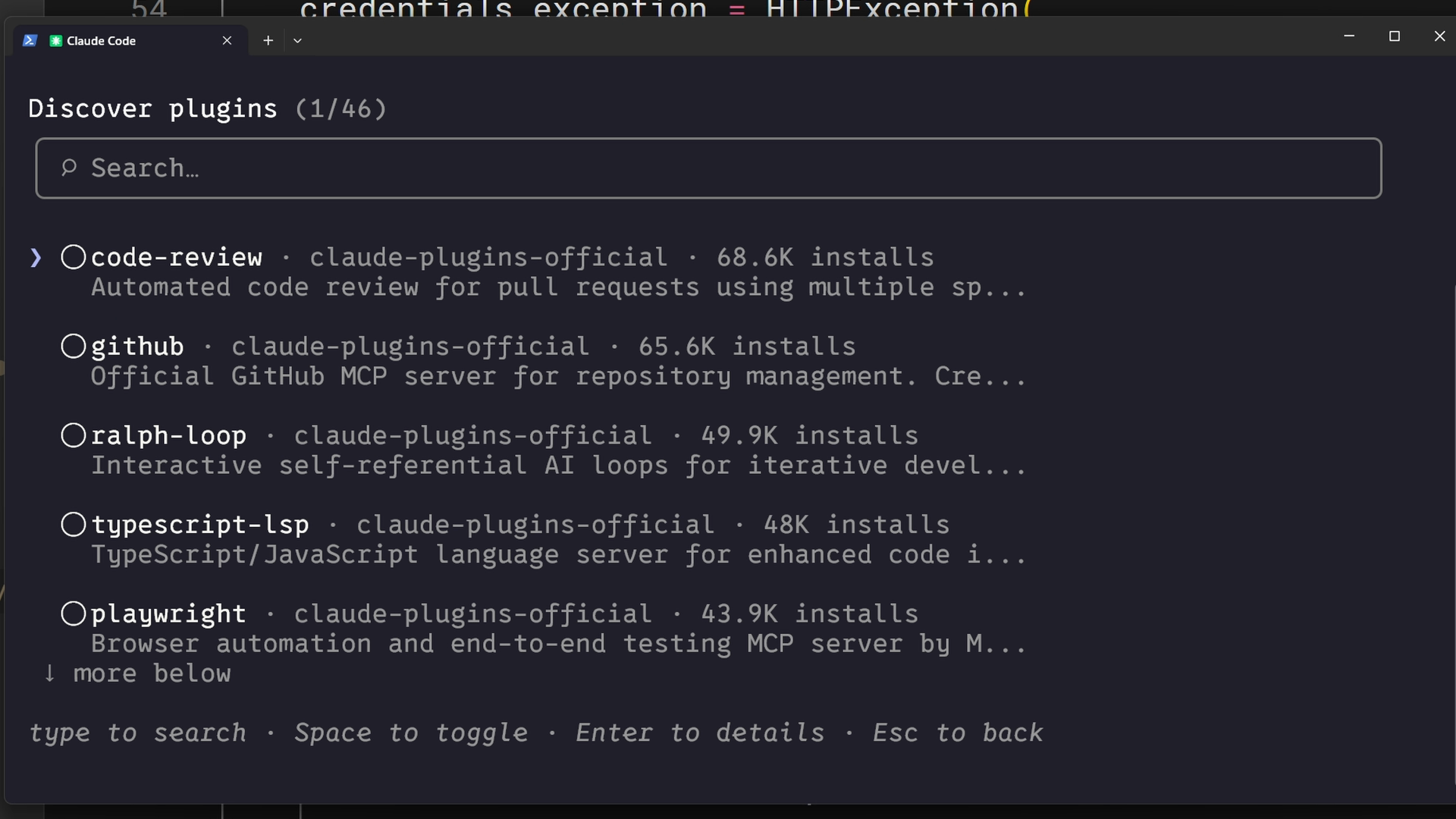
This approach is best when your skills aren't too project-specific and can be useful to community members beyond your immediate team.
Enterprise Deployment Through Managed Settings
Administrators can deploy skills organization-wide through managed settings. Enterprise skills take the highest priority — they override personal, project, and plugin skills with the same name.
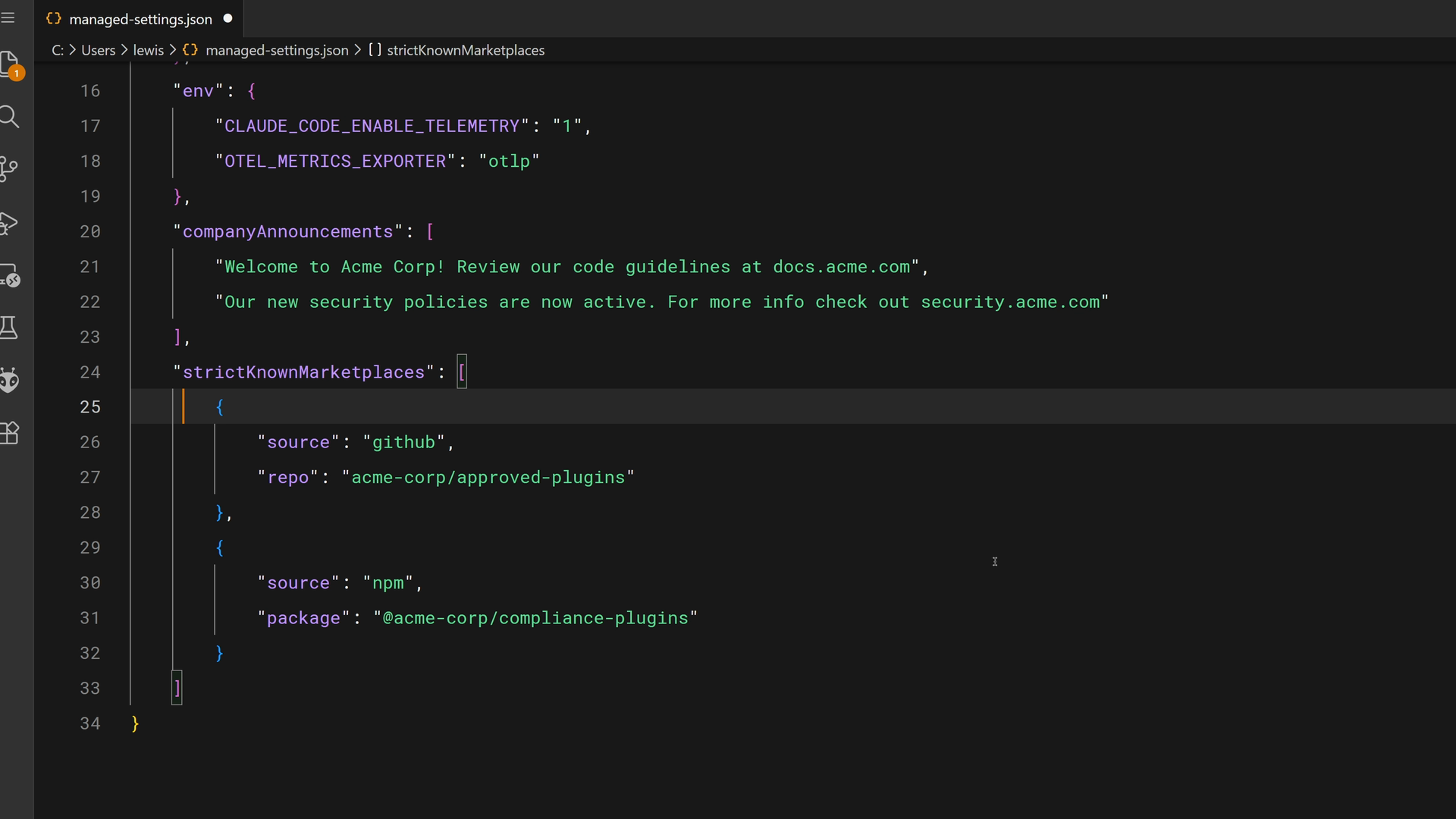
The managed settings file supports features like strictKnownMarketplaces to control where plugins can be installed from:
"strictKnownMarketplaces": [
  {
    "source": "github",
    "repo": "acme-corp/approved-plugins"
  },
  {
    "source": "npm",
    "package": "@acme-corp/compliance-plugins"
  }
]
This is the right choice for mandatory standards, security requirements, compliance workflows, and coding practices that must be consistent across the organization. The keyword here is "must."
Skills and Subagents
Here's something that surprises people: subagents don't automatically see your skills. When you delegate a task to a subagent, it starts with a fresh, clean context.
There are important distinctions to understand:
- Built-in agents (like Explorer, Plan, and Verify) can't access skills at all
- Custom subagents you define can use skills, but only when you explicitly list them
- Skills are loaded when the subagent starts, not on demand like in the main conversation
To create a custom subagent with skills, add an agent markdown file in .claude/agents. You can use the /agents command in Claude Code to create one interactively:
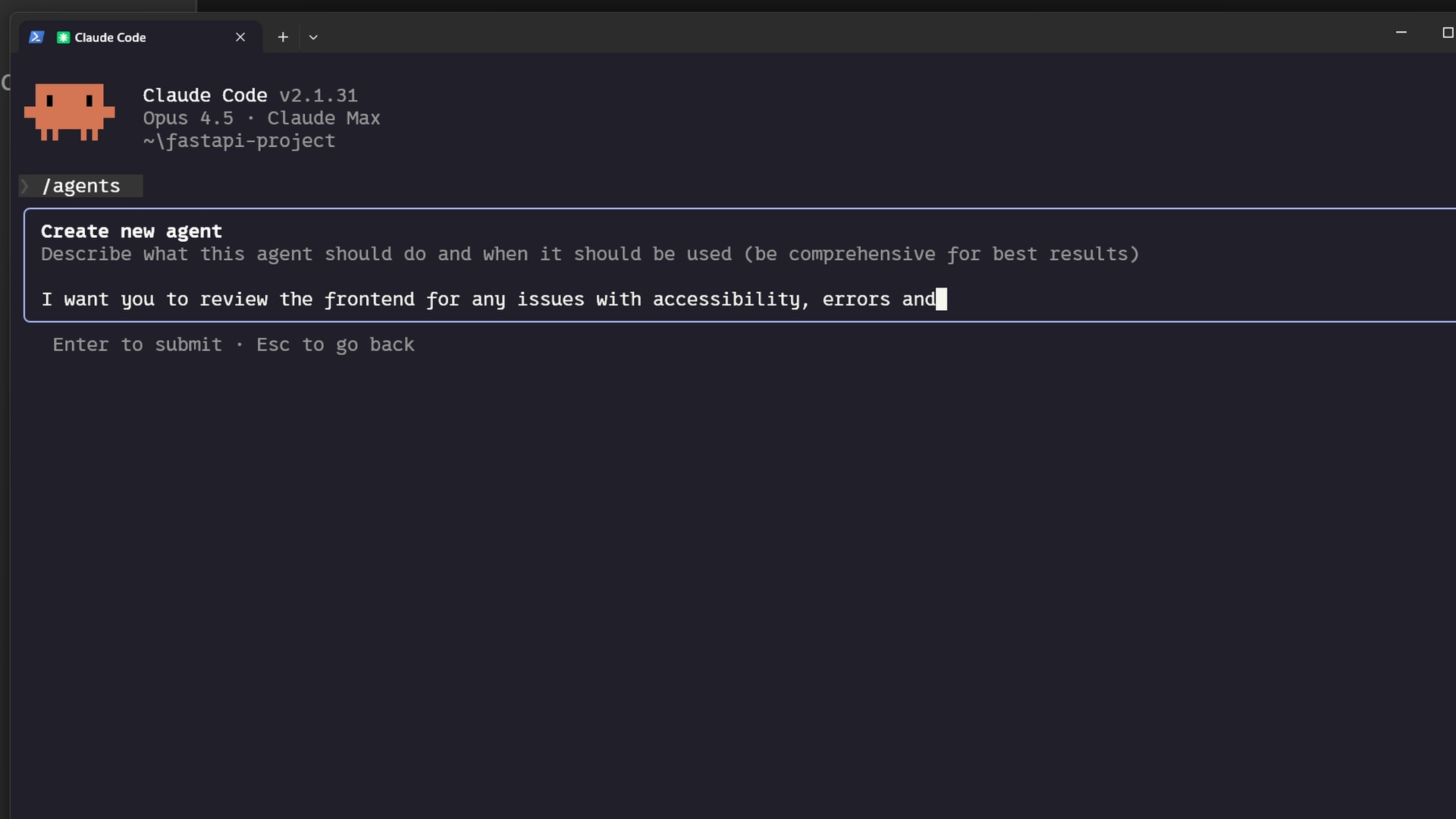
The generated agent file includes a skills field that lists which skills to load. Here's what the frontmatter looks like:
---
name: frontend-security-accessibility-reviewer
description: "Use this agent when you need to review frontend code for accessibility..."
tools: Bash, Glob, Grep, Read, WebFetch, WebSearch, Skill...
model: sonnet
color: blue
skills: accessibility-audit, performance-check
---
When you delegate to this subagent, it has both skills loaded and applies them to every review. First make sure the skills exist in your .claude/skills directory, then either create a new subagent or add the skills field to an existing agent's markdown file.
This pattern works really well when:
- You want isolated task delegation with specific expertise
- Different subagents need different skills (frontend reviewer vs. backend reviewer)
- You want to enforce standards in delegated work without relying on prompts
Lesson reflection
- Which sharing method (repository, plugin, enterprise) makes the most sense for the skills you've been thinking about building?
- Do you have workflows where custom subagents with specific skills would improve consistency in delegated work?
What's next
In the final lesson, you'll learn how to troubleshoot common skill issues — from skills that don't trigger, to priority conflicts, to runtime errors — with a practical checklist you can reference anytime.
Feedback
As you progress through the course, we'd love to hear how you're using skills in your work, plus any feedback you may have. Share your feedback here.
🎬 Video transcript
Source video:
OCBi3eScNLk
📜 Click to expand transcript (cleaned + AI-translated)
Sharing Skills in Claude Code
Skills become more valuable when shared. A PR review skill that only you use is helpful, but the same skill shared across your team standardizes code reviews and provides a consistent experience across your organization, which is much better. Here are the ways you can share your skills.
Committing Skills to a Repository
The simplest sharing method is committing skills directly to your repository. Place them in the .claude/skills directory. Anyone who clones the repository gets these skills automatically with no extra installation required. It integrates seamlessly with your existing workflow: when you push an update, everyone gets it on their next pull. This works well for team coding standards, project-specific workflows, and skills that reference your specific codebase structure.
Distributing Skills via Plugins
Another way to distribute your skills is through plugins. Think of plugins as ways to extend Claude Code with custom functionality designed to be shared across teams and projects.
In your plugin project, create a directory called skills. This follows a similar file structure to the .claude directory in a standard project, where each skill is defined in a .md file. After you distribute your plugin to a marketplace, other users can download it into Claude Code for their own use. This is the best approach if your skills have functionality that isn't project-specific and can be used by the wider community.
Enterprise and Organization-Wide Deployment
Administrators can deploy skills organization-wide through managed settings. Enterprise skills take the highest priority; they override personal, project, and plugin skills with the same name. This is intended for mandatory standards, security requirements, compliance workflows, and coding practices that must be consistent across the entire organization.
Using Skills with Sub-agents
One thing that often surprises people is that sub-agents do not automatically see your skills. When you delegate a task to a sub-agent, it starts with a fresh, clean context. Built-in agents, like the Explorer, Plan, and Verify agents, cannot access skills at all.
Only custom sub-agents you define can use skills, and only when you explicitly list them. To create a custom sub-agent with skills:
- Add an
agent.mdfile in.claude/agents. - Use the
skillsfield to list which skills to load.
These skills are loaded when the sub-agent starts. Unlike the main conversation, they are not loaded "on demand," so take that into consideration. First, ensure the skills exist, then create the sub-agent using the Claude Code sub-agent creator. If you have an existing sub-agent, simply go to the agent.md file, add the skills field, and list your skills. When you delegate to that sub-agent, it will have those skills loaded and can apply them to every single review.
Best Practices for Skill Delegation
This pattern works exceptionally well when you want isolated task delegation with specific expertise. For example, you might want different skills for a frontend reviewer versus a backend reviewer. This allows you to enforce standards and delegate work without relying solely on complex prompts.
Key Takeaways:
- Project Directories: Use for immediate team access.
- Plugins: Use for cross-repository distribution.
- Enterprise Deployment: Use for organization-wide mandatory standards.
- Sub-agents: They do not inherit skills automatically. You must list them explicitly in the sub-agent's
skillsfield within.claude/agents. - Relevance: Only list skills that are always relevant to the sub-agent's specific purpose, as they load at startup.
🔁 Related lessons
- Next: Troubleshooting skills
- Previous: Skills vs. other Claude Code features
- Same section: What are skills? · Creating your first skill · Configuration and multi-file skills
- Part of paths: Path C
- Reference docs: Glossary · Skills atlas · By use-case
📚 Source & attribution
- Original Anthropic Academy lesson: https://anthropic.skilljar.com/introduction-to-agent-skills/434529
- © 2025 Anthropic. Educational fair-use only.