(Show All)_ · **Lesson 6/6** · [🌐 Vietnamese](../../vi/06-troubleshooting-skills/vi.md)
← Previous · 📋 Course TOC · Next: —
Troubleshooting skills
👨💻 Track: Developer Track · 📚 Course: Introduction to Agent Skills · ⏱ 15 minutes · 🧭
Path C
📖 Lesson content
What you'll learn
Estimated time: 15 minutes
By the end of this lesson you'll be able to:
- Use the skills validator to catch structural issues before debugging
- Diagnose and fix common skill triggering and loading problems
- Resolve skill priority conflicts between enterprise, personal, project, and plugin skills
- Debug runtime errors including missing dependencies, permissions, and path issues
Troubleshooting skills
(4 minutes)
When skills don't work as expected, the problem usually falls into a few predictable categories. This video walks through each one — from skills that don't trigger to priority conflicts to runtime failures — and gives you a systematic troubleshooting approach. You'll also learn about the skills validator tool and how to use claude --debug to diagnose loading issues.
Key takeaways
- Start with the skills validator tool — it catches structural problems before you spend time debugging other things
- If a skill doesn't trigger, the cause is almost always the description — add trigger phrases that match how you actually phrase requests
- If a skill doesn't load, check that
SKILL.mdis inside a named directory (not at the skills root) and the file name is exactlySKILL.md - If the wrong skill gets used, your descriptions are too similar — make them more distinct
- For runtime errors, check dependencies, file permissions (
chmod +x), and path separators (use forward slashes everywhere)
When skills don't work, the problem usually falls into one of a few categories: the skill doesn't trigger, doesn't load, has conflicts, or fails at runtime. The good news is that most fixes are pretty straightforward.
Use the Skills Validator
The first thing to try is the agent skills verifier command. Installation steps vary by operating system, but using uv is the easiest way to get it set up quickly.
Once installed, either navigate to your skill directory or run the command from anywhere. The validator will catch structural problems before you spend time debugging other things.
Skill Doesn't Trigger
Your skill exists and passes validation, but Claude isn't using it when you expect. The cause is almost always the description.
Claude uses semantic matching, so your request needs to overlap with the description's meaning. If there's not enough overlap, no match. Here's what to do:
- Check your description against how you're actually phrasing requests
- Add trigger phrases users would actually say
- Test with variations like "help me profile this," "why is this slow?", "make this faster"
- If any variation fails to trigger, add those keywords to your description
Skill Doesn't Load
If your skill doesn't appear when you ask Claude "what skills are available," check these structural requirements:
- The
SKILL.mdfile must be inside a named directory, not at the skills root - The file name must be exactly
SKILL.md— all caps on "SKILL", lowercase "md"
Run claude --debug to see loading errors. Look for messages mentioning your skill name. Sometimes this alone will point you straight to the problem.
Wrong Skill Gets Used
If Claude uses the wrong skill or seems confused between skills, your descriptions are probably too similar. Make them distinct. Being as specific as possible doesn't just help Claude decide when to use your skill — it also prevents conflicts with other similar-sounding skills.
Skill Priority Conflicts
If your personal skill is being ignored, an enterprise or higher-priority skill might have the same name.
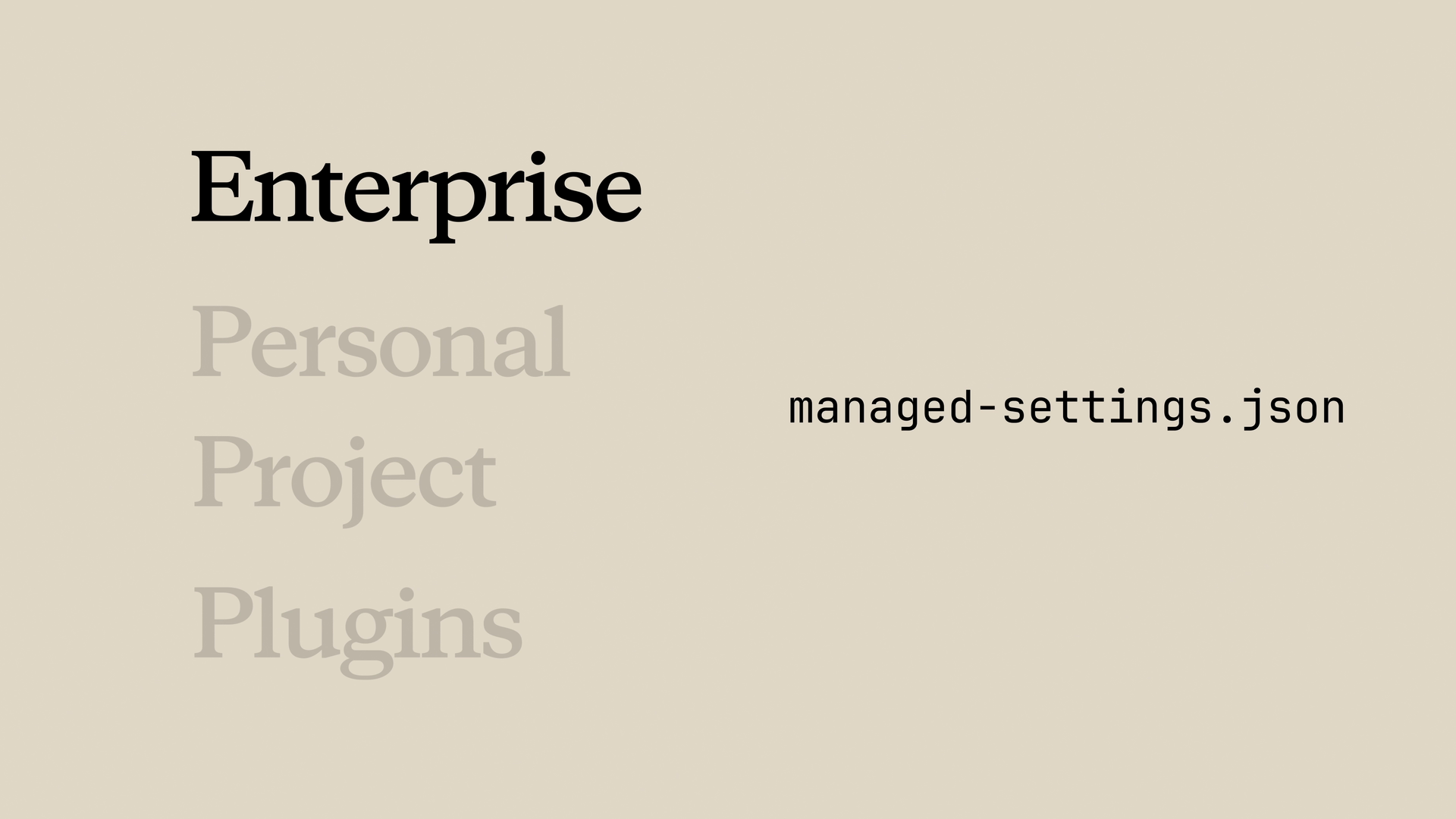
For example, if there's an enterprise "code-review" skill and you also have a personal "code-review" skill, the enterprise one wins every time. Your options:
- Rename your skill to something more distinct (this is usually the easier path)
- Talk to your admin about the enterprise skill
Plugin Skills Not Appearing
Installed a plugin but can't see its skills? Clear the cache, restart Claude Code, and reinstall.
If skills still don't appear after that, the plugin structure might be wrong. This is when the validator tool really earns its keep.
Runtime Errors
The skill loads but fails during execution. A few common causes:
- Missing dependencies: If your skill uses external packages, they must be installed. Add dependency info to your skill description so Claude knows what's needed.
- Permission issues: Scripts need execute permission. Run
chmod +xon any scripts your skill references. - Path separators: Use forward slashes everywhere, even on Windows.
Quick Troubleshooting Checklist
- Not triggering? Improve your description and add trigger phrases.
- Not loading? Check your path, file name, and YAML syntax.
- Wrong skill used? Make descriptions more distinct from each other.
- Being shadowed? Check the priority hierarchy and rename if needed.
- Plugin skills missing? Clear cache and reinstall.
- Runtime failure? Check dependencies, permissions, and paths.
Lesson reflection
- Have you encountered any of these troubleshooting scenarios in your own work? Which fix would have saved you the most time?
- How would you set up a process to validate skills before sharing them with your team?
Course wrap-up
Congratulations on completing Introduction to Agent Skills! You've learned how to create, configure, share, and troubleshoot skills in Claude Code. As you start building skills for your own workflows, remember that the best skills come from real pain points — start with the instructions you find yourself repeating most often.
Feedback
We'd love to hear how you're using skills in your work, plus any feedback about this course. Share your feedback here.
🎬 Video transcript
Source video:
YBa1cwaG7is
📜 Click to expand transcript (cleaned + AI-translated)
Troubleshooting Claude Agent Skills
When skills don't work, the problem usually falls into one of a few categories: the skill doesn't trigger, doesn't load, has conflicts, or fails during execution. Most fixes are pretty straightforward.
Using the Agent Skills Verifier
The first thing you can do is try the Agent Skills Verifier command. Depending on your operating system, installation steps will differ, but we recommend using uv as it's the easiest way to get it installed fast. Once installed, either navigate to your skill directory or run this command from anywhere.
Resolving Triggering Issues
If your skill exists and passes the validator, but Claude isn't using it when expected, the cause is almost always the description. Claude uses semantic matching, so your request needs to overlap with the description's meaning. If there's not enough overlap, there is no match.
Check your description against how you are phrasing requests. Add trigger phrases users would actually say and test with variations such as:
- "Help me profile this."
- "Why is this slow?"
- "Make this faster."
If any of these fail to trigger the skill, add those specific keywords to your description.
Fixing Loading and Path Errors
If your skill doesn't appear when you ask Claude "What skills are available?", check the following:
- Structure: Skills must be in the right location with the right structure.
- Naming: The
SKILL.mdfile must be inside of a named directory, not at the skills root. - Filename: The file name must be exactly
SKILL.md(all caps for "SKILL", lowercase "md").
Run claude-debug to see loading errors. Look for messages mentioning your skill name; sometimes this will solve the problem for you immediately.
Handling Skill Conflicts and Priority
If Claude uses the wrong skill or seems confused, your descriptions are probably too similar. Make them distinct. Being as specific as possible doesn't just help Claude decide when to use your skill, it also prevents conflicts with other similar-sounding skills.
If your personal skill is being ignored, an enterprise or higher priority skill might have the same name. For example, if there is an "Enterprise Code Review" and you also have a "Personal Code Review," the enterprise one will win every time. Your solution is to rename your skill to something more distinct. While you could talk to your admin about the enterprise skill, you will have a better chance of success by simply renaming your own.
Plugin and Execution Failures
If you installed a plugin but can't see the skills:
- Clear the cache.
- Restart Claude.
- Reinstall.
If skills still don't appear, the plugin structure might be wrong. This is when the validator tool is most useful.
If the skill loads but fails during execution:
- Dependencies: If your skill uses external packages, they must be installed. Add this info to your description.
- Permissions: Scripts need execute permission.
- Paths: Use forward slashes (
/) everywhere in your paths, even on Windows.
Troubleshooting Checklist
- Not triggering? Improve your description and trigger phrases.
- Not loading? Check your path, file name, and syntax.
- Wrong skill used? Make your descriptions more distinct.
- Being shut out? Check the priority and rename the skill if needed.
- Plugins missing? Clear your cache and reinstall.
- Runtime failure? Check dependencies, permissions, and paths.
🔁 Related lessons
- Previous: Sharing skills
- Same section: What are skills? · Creating your first skill · Configuration and multi-file skills
- Part of paths: Path C
- Reference docs: Glossary · Skills atlas · By use-case
📚 Source & attribution
- Original Anthropic Academy lesson: https://anthropic.skilljar.com/introduction-to-agent-skills/434530
- © 2025 Anthropic. Educational fair-use only.