(Show All)_ · **Lesson 2/6** · [🌐 Vietnamese](../../vi/02-creating-your-first-skill/vi.md)
← Previous · 📋 Course TOC · Next →
Creating your first skill
👨💻 Track: Developer Track · 📚 Course: Introduction to Agent Skills · ⏱ 20 minutes · 🧭
Path C
📖 Lesson content
What you'll learn
Estimated time: 20 minutes
By the end of this lesson you'll be able to:
- Create a skill from scratch with proper frontmatter structure
- Test and verify that a skill loads correctly in Claude Code
- Explain how Claude Code matches incoming requests to available skills
- Describe the skill priority hierarchy (Enterprise, Personal, Project, Plugins)
Creating your first skill
(4 minutes)
This video walks through building a skill from scratch — a personal PR description skill that works across all your projects. You'll see exactly how to structure the SKILL.md file, test it, and understand how Claude Code discovers and matches skills to your requests. The video also covers the priority hierarchy that determines which skill wins when names conflict.
Key takeaways
- A skill is a directory containing a
SKILL.mdfile with metadata (name, description) in frontmatter and instructions below - Claude loads only skill names and descriptions at startup, then matches incoming requests against those descriptions using semantic matching
- You get a confirmation prompt before Claude loads the full skill content into context
- Priority for name conflicts: Enterprise → Personal → Project → Plugins
- To update a skill, edit its
SKILL.md. To remove one, delete its directory. Always restart Claude Code for changes to take effect
Let's walk through creating a skill from scratch, then look at how Claude Code actually loads and matches skills behind the scenes.
Creating a Skill
We'll build a personal skill that teaches Claude how to write PR descriptions in a consistent format. Since it's a personal skill, it lives in your home directory and works across all your projects.
First, create a directory for your skill inside the skills folder. The directory name should match your skill name:
mkdir -p ~/.claude/skills/pr-description
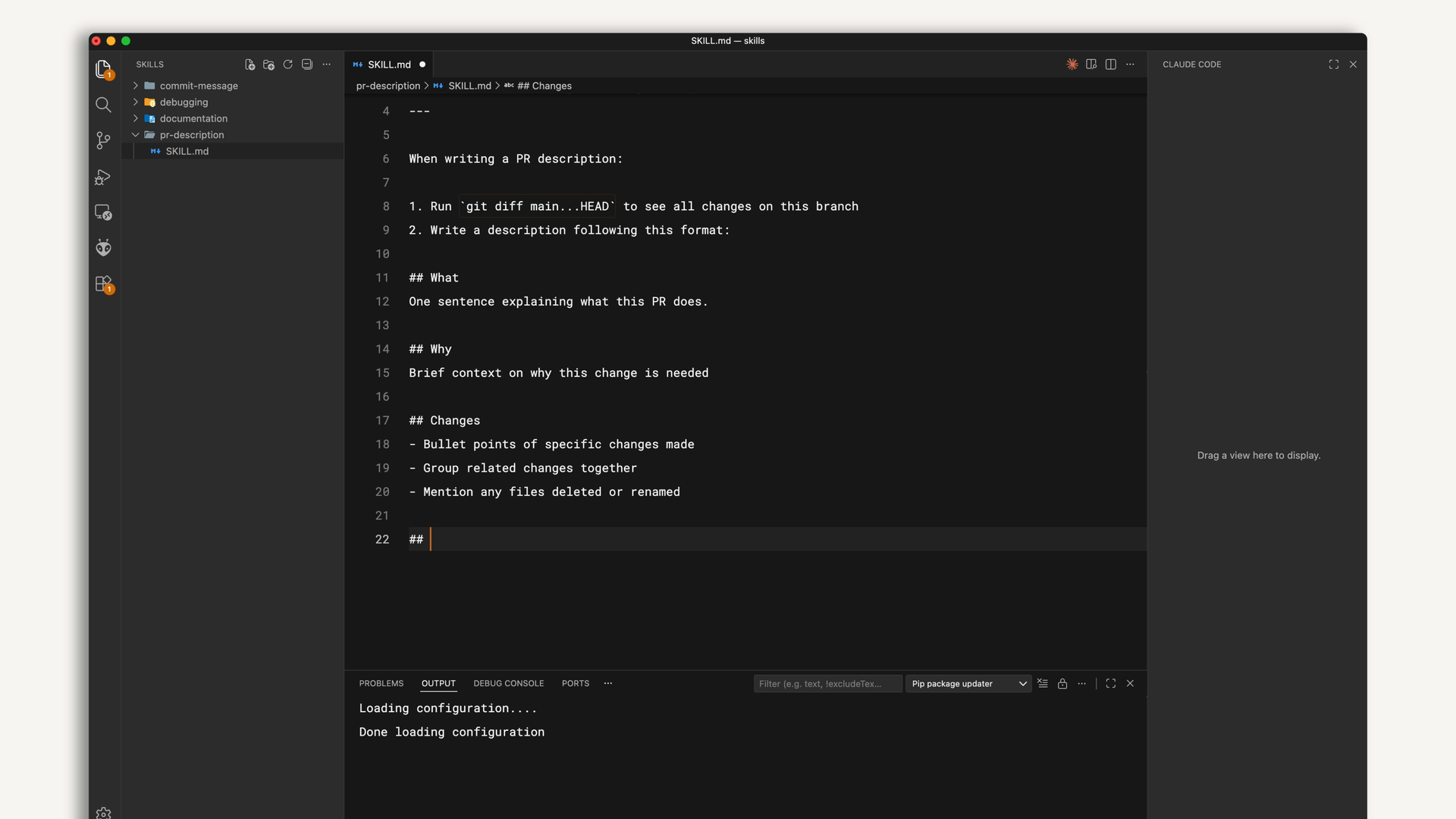
Then create a SKILL.md file inside that directory. The file has two parts separated by frontmatter dashes:
---
name: pr-description
description: Writes pull request descriptions. Use when creating a PR, writing a PR, or when the user asks to summarize changes for a pull request.
---

When writing a PR description:

1. Run `git diff main...HEAD` to see all changes on this branch
2. Write a description following this format:

## What
One sentence explaining what this PR does.

## Why
Brief context on why this change is needed

## Changes
- Bullet points of specific changes made
- Group related changes together
- Mention any files deleted or renamed
The name identifies your skill. The description tells Claude when to use it — this is the matching criteria. Everything after the second set of dashes is the instructions Claude follows when the skill is activated.
Testing Your Skill
Claude Code loads skills at startup, so restart your session after creating one. You can verify it's available by checking the available skills list.
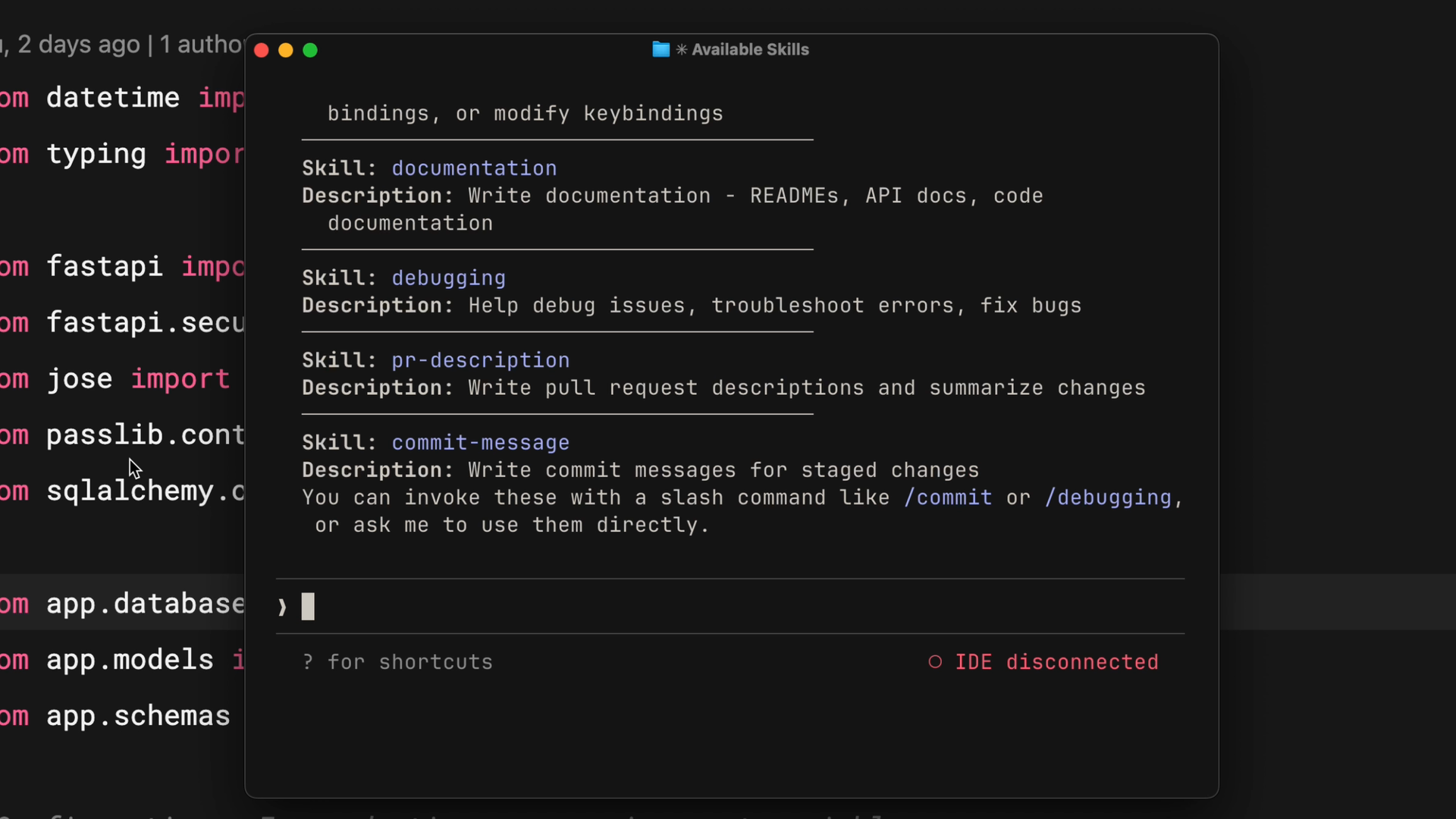
You should see your skill listed. To test it, make some changes on a branch and say something like "write a PR description for my changes." Claude will indicate it's using the PR description skill, check your diff, and write a description following your template — same format every time.
How Skill Matching Works
When Claude Code starts, it scans four locations for skills but only loads the name and description — not the full content. This is an important detail.
When you send a request, Claude compares your message against the descriptions of all available skills. For example, "explain what this function does" would match a skill described as "explain code with visual diagrams" because the intent overlaps.
Once a match is found, Claude asks you to confirm loading the skill. This confirmation step keeps you aware of what context Claude is pulling in. After you confirm, Claude reads the complete SKILL.md file and follows its instructions.
Skill Priority
If you clone a repository that has a skill with the same name as one of your personal skills, which one wins? There's a clear priority order:
- Enterprise — managed settings, highest priority
- Personal — your home directory (
~/.claude/skills) - Project — the
.claude/skillsdirectory inside a repository - Plugins — installed plugins, lowest priority
This lets organizations enforce standards through enterprise skills while still allowing individual customization. If your company has an enterprise "code-review" skill and you create a personal "code-review" skill with the same name, the enterprise version takes precedence.
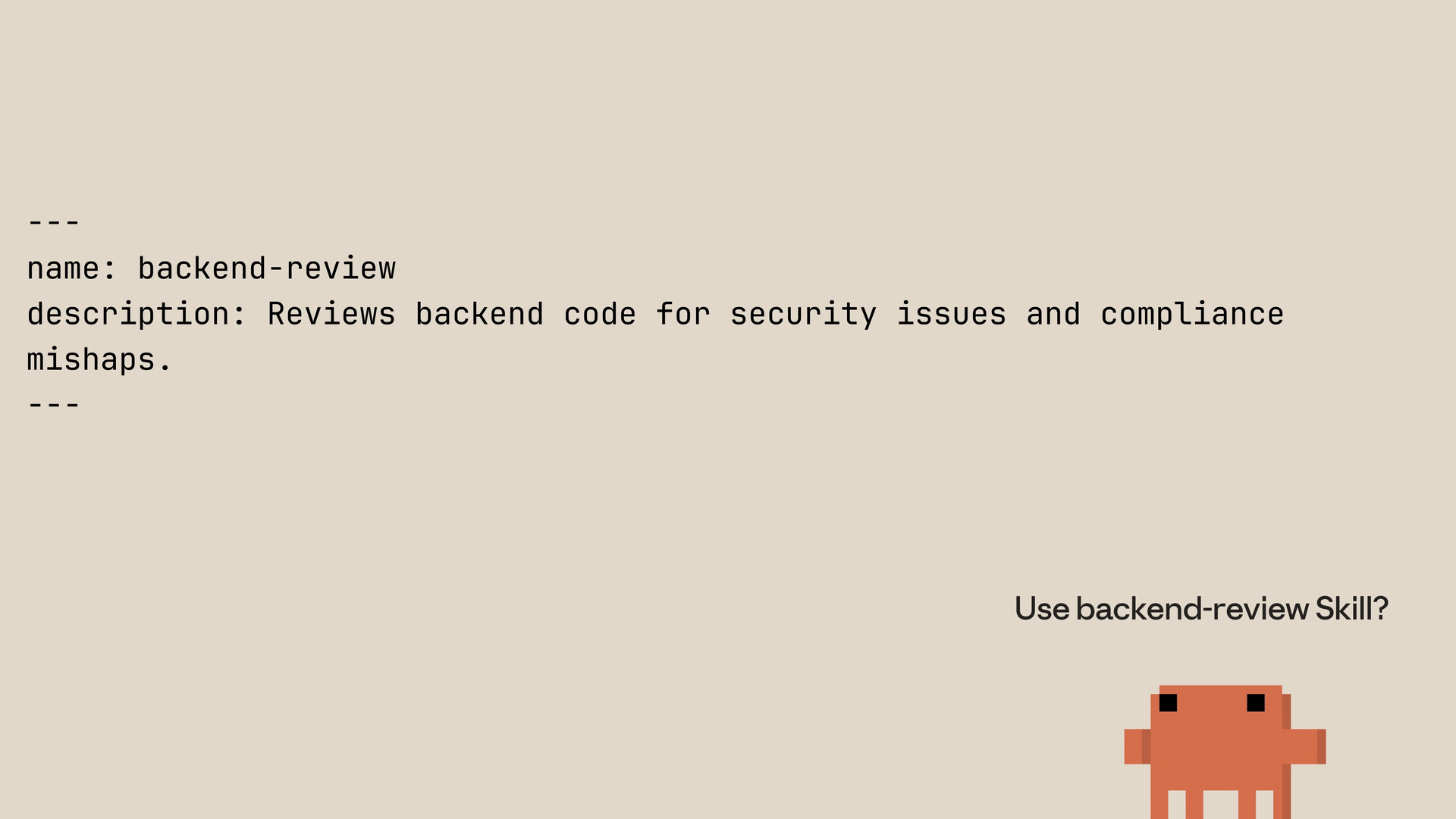
To avoid conflicts, use descriptive names. Instead of just "review," use something like "frontend-review" or "backend-review."
Updating and Removing Skills
To update a skill, edit its SKILL.md file. To remove one, delete its directory. Restart Claude Code after any changes for them to take effect.
Lesson reflection
- What's one task in your daily workflow that you could turn into a skill right now? What would the description look like?
- How might the priority hierarchy affect your team's skill management strategy? Would you rely more on personal or project-level skills?
What's next
In the next lesson, you'll learn about advanced configuration options including metadata fields, tool restrictions with allowed-tools, and how to structure larger skills using progressive disclosure and multi-file organization.
Feedback
As you progress through the course, we'd love to hear how you're using skills in your work, plus any feedback you may have. Share your feedback here.
🎬 Video transcript
Source video:
Wx6_vjFFyHM
📜 Click to expand transcript (cleaned + AI-translated)
Introduction to Creating Skills in Claude Code
Let's create a skill. This skill will teach Claude how we would like it to explain code using visual diagrams and analogies. Then, we'll look at what happens under the hood when Claude uses it.
Setting Up Your First Skill
First, let's create a directory for your skill. We're going to be making a personal skill, so it will live across many projects. Therefore, it will go in your home directory. Take into consideration that we're creating a directory with the skill name inside of the skills directory.
Skill File Structure and Metadata
Now, create the skill. The name identifies your skill, and the description tells Claude when to use it—this serves as the matching criteria. Everything after the second set of dashes is the instructions that Claude follows.
Claude Code loads skills at startup, so you must restart your session after creating one. Then, verify it's available; you should see the skill (e.g., PR description) in the list.
Testing and Practical Usage
Now, test it. Make some changes on a branch and say: "Write a PR description for my changes." Claude will then show you that it's using the PR description skill. After that, it will check your diff and write a description following your template, ensuring the same format every single time.
How Claude Code Processes Skills
When Claude Code starts, it scans four locations for skills:
- Enterprise paths
- Personal Claude skills (your home directory)
- Project Claude skills (the
.claudedirectory inside your repository) - Installed plugins
It loads only the name and description of your skill, not the full content. This is important for efficiency. When you send a request, Claude compares it to the descriptions of your skills. For example, "Explain what this function does" matches a skill described as "explain code with visual diagrams" because the intent overlaps.
Claude will then ask you to confirm loading the skill. This confirmation step keeps you aware of what context Claude is using. After you confirm, Claude reads the complete file and follows its instructions.
Skill Priority and Conflict Resolution
If you clone a Git repository and have an overlapping skill name, which one wins? Here is the priority list:
- Enterprise: Lives in managed settings (Highest priority).
- Personal: Lives in your root directory configuration.
- Project: The Claude directory inside of your repository.
- Plugins: Where you store plugins obtained online (Lowest priority).
This hierarchy lets organizations enforce standards while allowing individual customization through differently named skills. If your company has an "Enterprise Code Review" skill and you create a "Personal Code Review" skill, the Enterprise version takes precedence. To avoid conflicts, use descriptive names. Instead of "Review," use "Frontend PR Review" or "Security Review."
Managing and Updating Skills
To update a skill, simply edit its skill.md file. To remove one, delete the corresponding directory. Remember to restart Claude Code after any changes for them to take effect.
In summary, creating a skill involves making a directory with a skill.md file containing metadata and instructions. Claude loads names and descriptions at startup, matches incoming requests against those descriptions, and asks for confirmation before loading the full content. Priority rules handle name conflicts: Enterprise overrides Personal, Personal overrides Project, and Project overrides Plugins.
🔁 Related lessons
- Next: Configuration and multi-file skills
- Previous: What are skills?
- Same section: What are skills? · Configuration and multi-file skills · Skills vs. other Claude Code features
- Part of paths: Path C
- Reference docs: Glossary · Skills atlas · By use-case
📚 Source & attribution
- Original Anthropic Academy lesson: https://anthropic.skilljar.com/introduction-to-agent-skills/434527
- © 2025 Anthropic. Educational fair-use only.