📖 Lesson content
Summary
Agents represent a shift from the structured workflows we've explored earlier. While workflows excel when you know the exact steps needed to complete a task, agents shine when the path forward isn't clear. Instead of defining a rigid sequence, you give Claude a goal and a set of tools, then let it figure out how to combine those tools to achieve the objective.
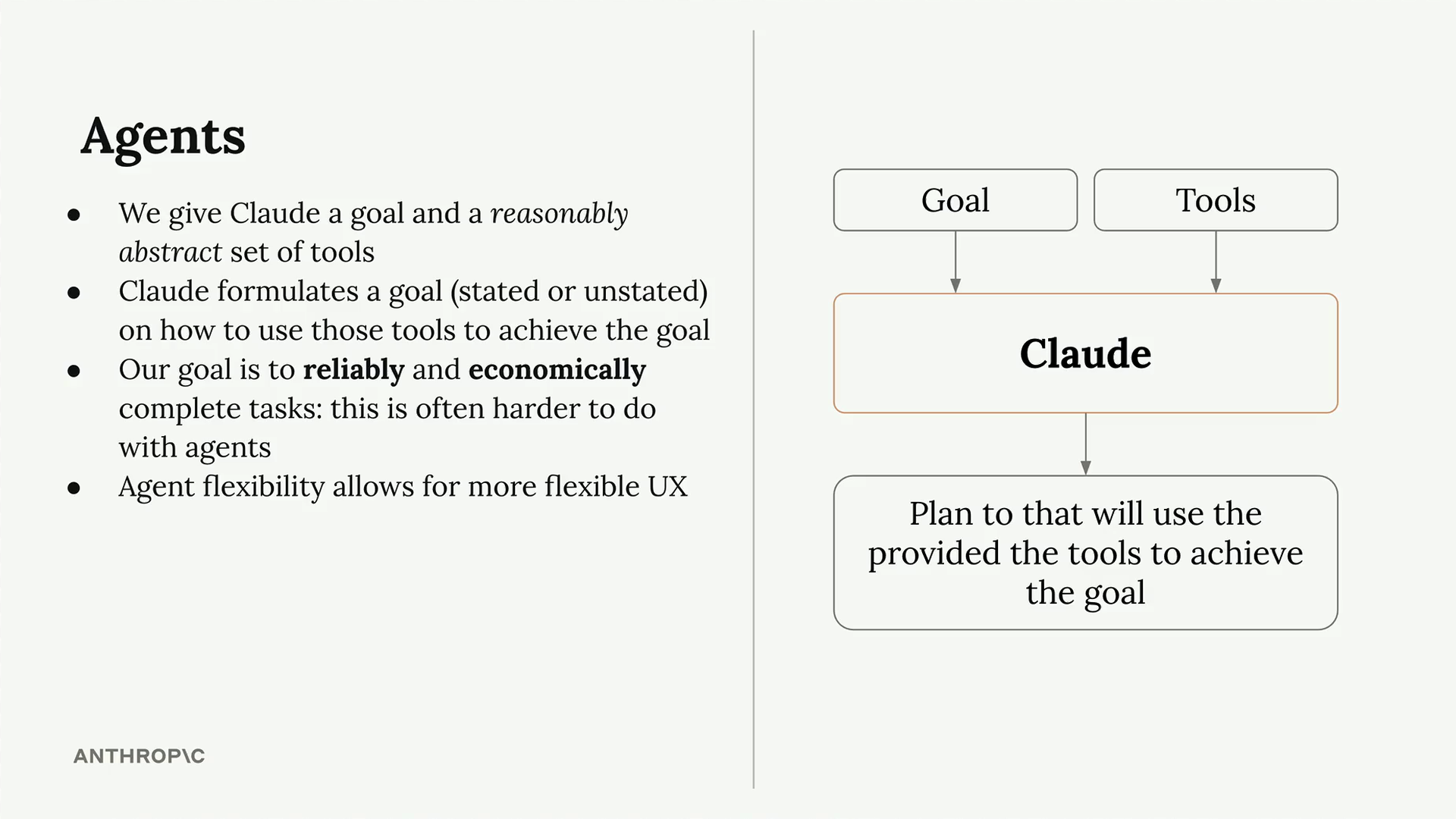
This flexibility makes agents attractive for developers. You can build an agent once, ensure it works reasonably well, and then deploy it to handle a wide variety of tasks. However, this approach comes with significant drawbacks around reliability and cost that we'll explore later.
How Tools Make the Agent
The real power of agents lies in their ability to combine simple tools in unexpected ways. Consider a basic set of datetime tools we covered earlier in the course:
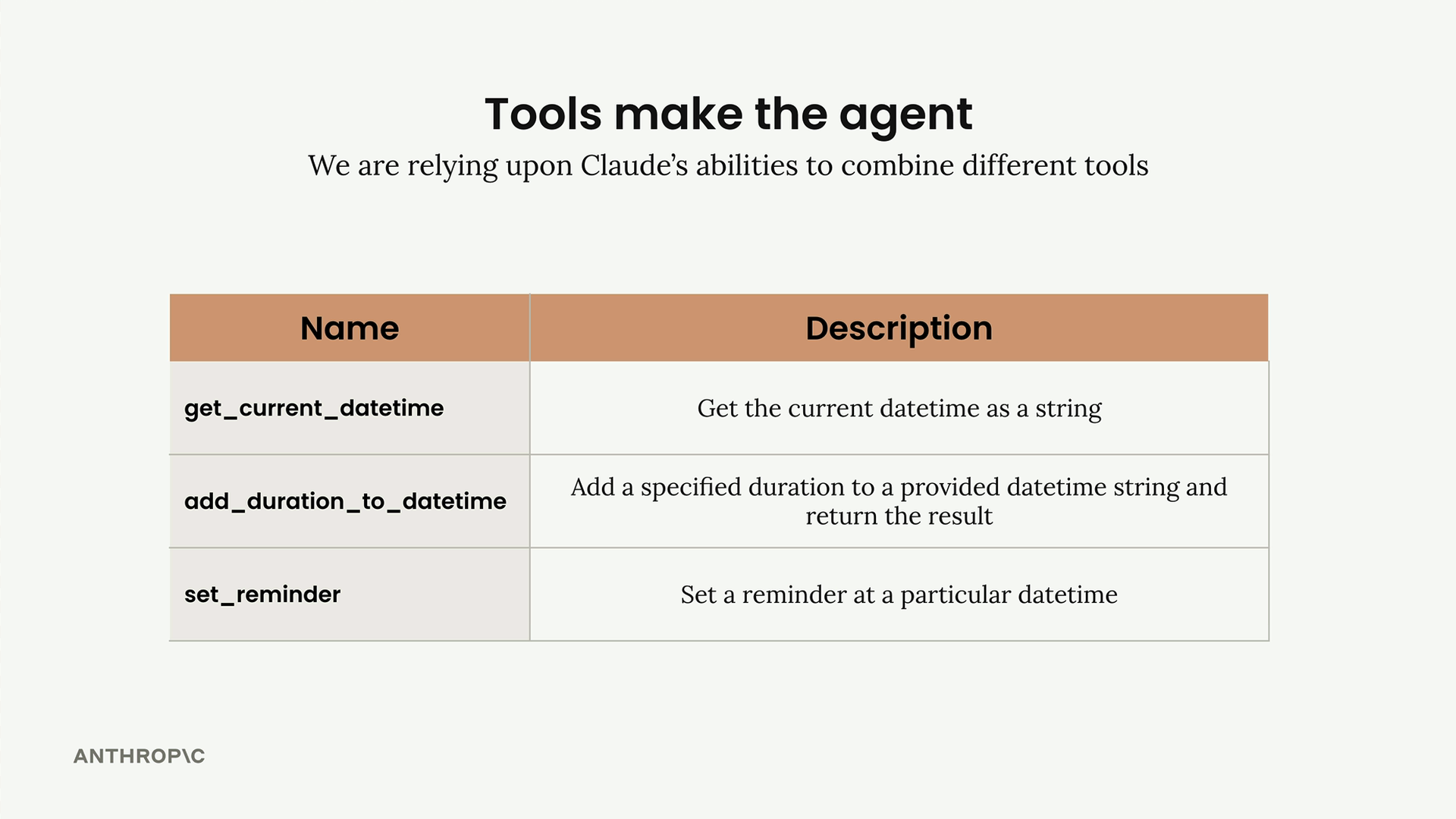
get_current_datetime- Returns the current date and timeadd_duration_to_datetime- Adds time to a given dateset_reminder- Creates a reminder for a specific time
Each tool is simple on its own, but Claude can combine them to handle diverse requests:
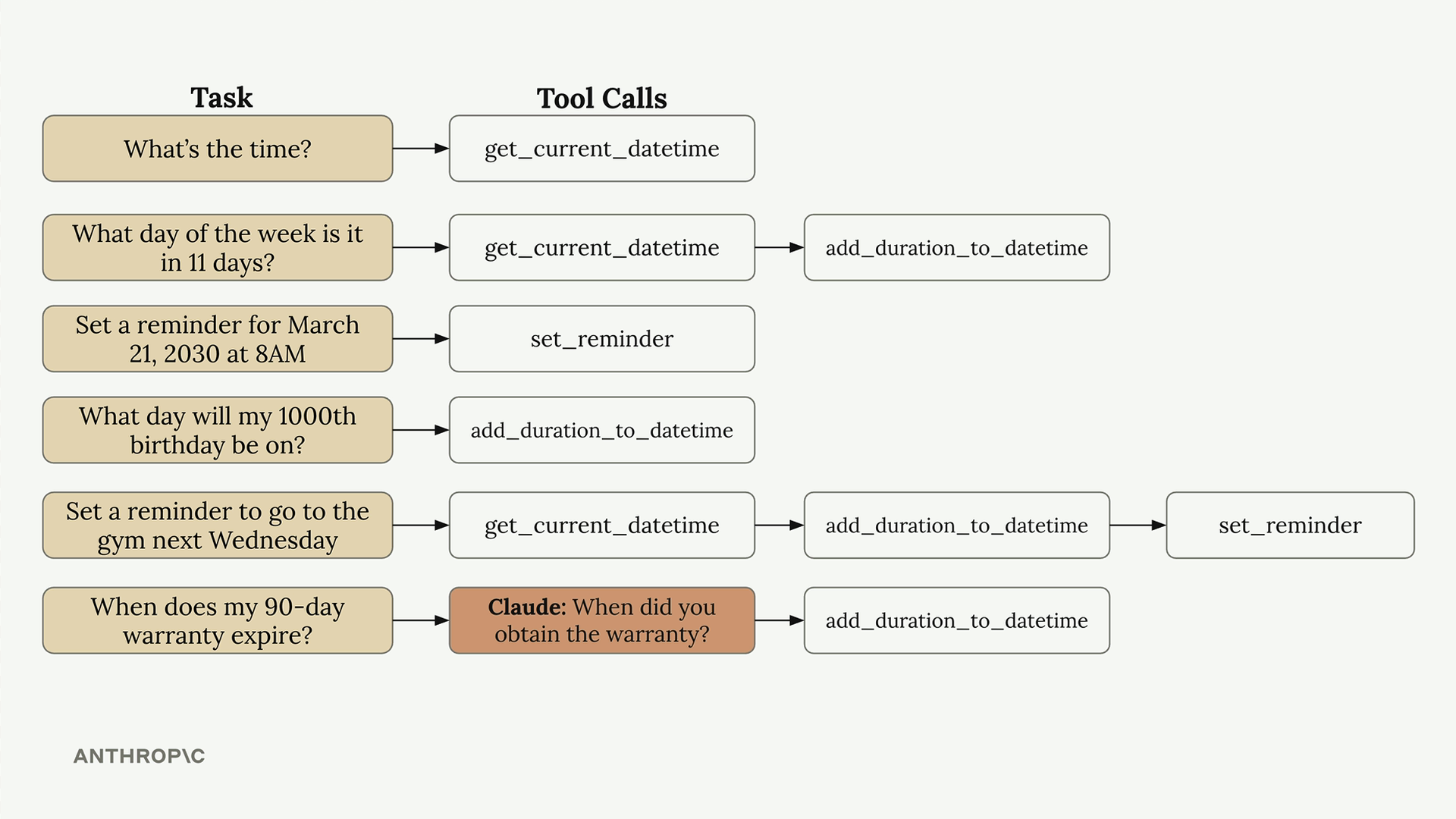
For "What's the time?", Claude simply calls get_current_datetime. For "What day of the week is it in 11 days?", it chains get_current_datetime followed by add_duration_to_datetime. More complex requests like "Set a reminder to go to the gym next Wednesday" require all three tools in sequence.
Claude can even recognize when it needs additional information. When asked "When does my 90-day warranty expire?", it first asks the user when they obtained the warranty, then uses that information with add_duration_to_datetime to calculate the expiration date.
Tools Should Be Abstract
The key insight for building effective agents is providing reasonably abstract tools rather than hyper-specialized ones. Claude Code demonstrates this principle perfectly.
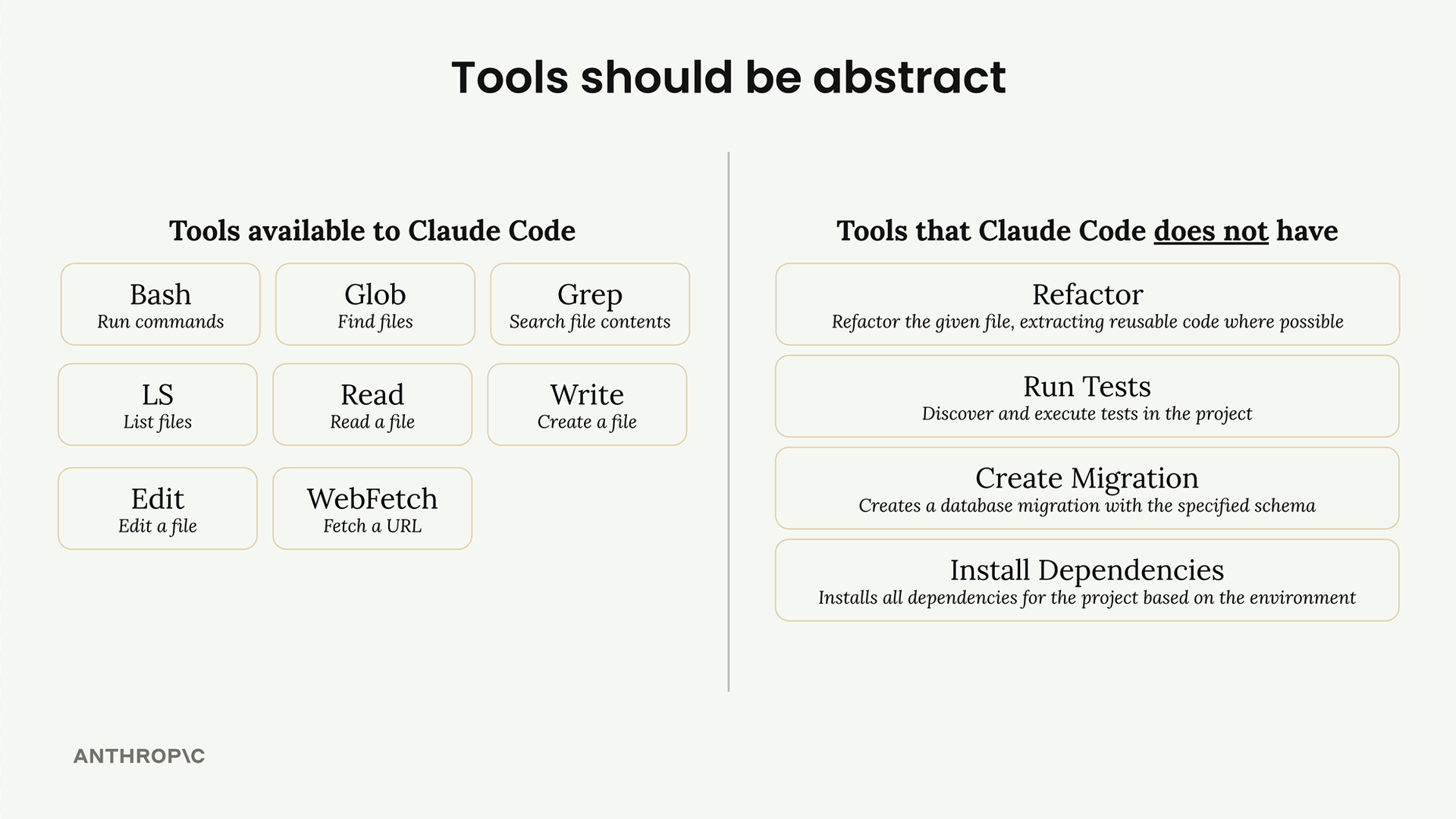
Claude Code has access to generic, flexible tools:
bash- Run commandsglob- Find filesgrep- Search file contentsread- Read a filewrite- Create a fileedit- Edit a filewebfetch- Fetch a URL
Notice what Claude Code doesn't have - specialized tools like "Refactor" or "Run Tests" or "Install Dependencies". Instead, it figures out how to accomplish these tasks by combining the basic tools available. To install dependencies, it reads project files to understand the configuration, then uses bash to run the appropriate installation commands.
Best Practice: Provide Reasonably Abstract Tools
When building agents, focus on tools that Claude can combine creatively rather than tools that solve one specific problem. Consider a social media video creation agent:
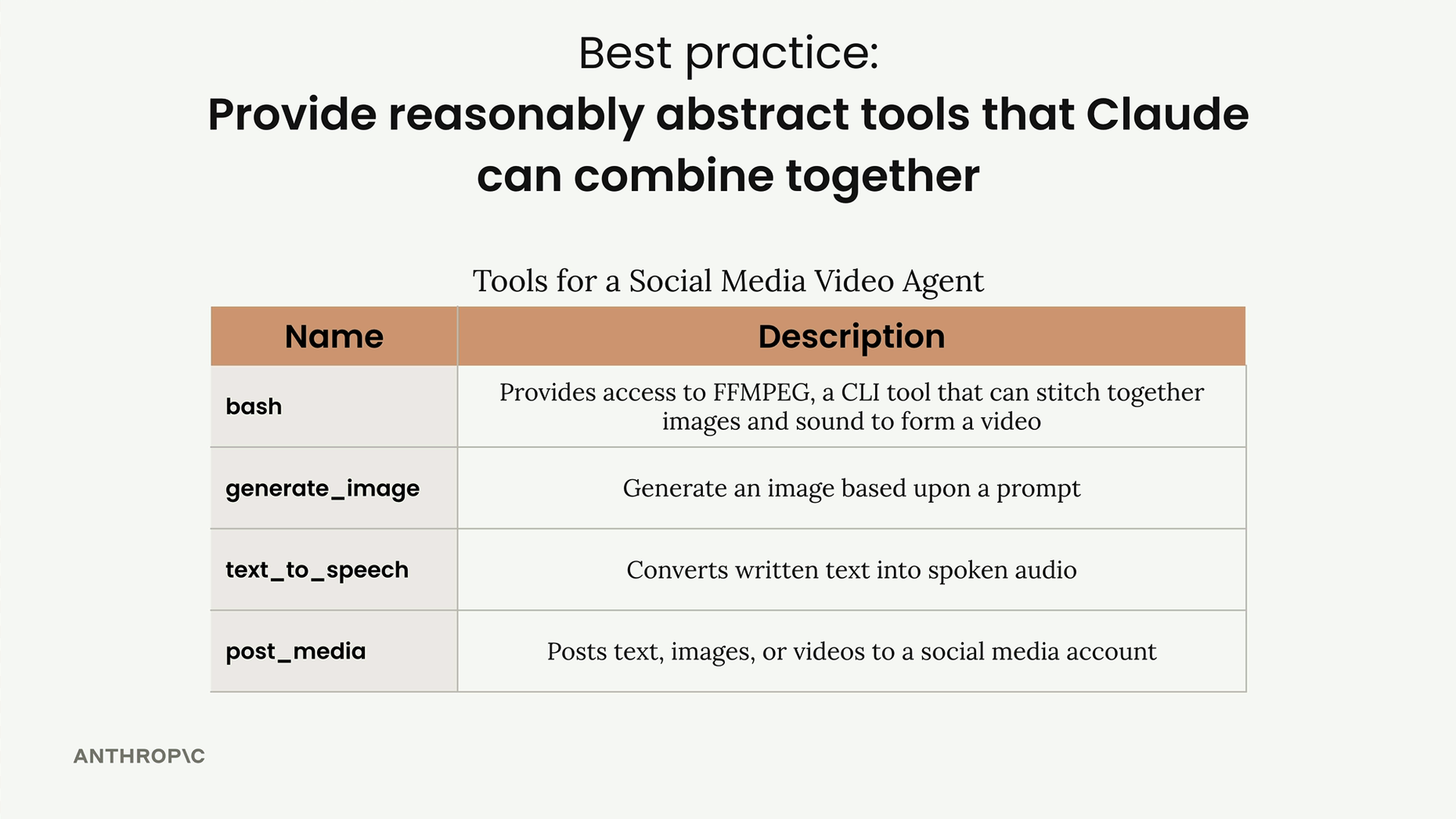
Effective tools for this agent might include:
bash- Provides access to FFMPEG for video processinggenerate_image- Creates images from text promptstext_to_speech- Converts text to audiopost_media- Publishes content to social media
This tool set enables both simple and complex interactions. A user might request "Create and post a video on Python programming," and the agent handles everything automatically. Alternatively, the interaction could be more collaborative:
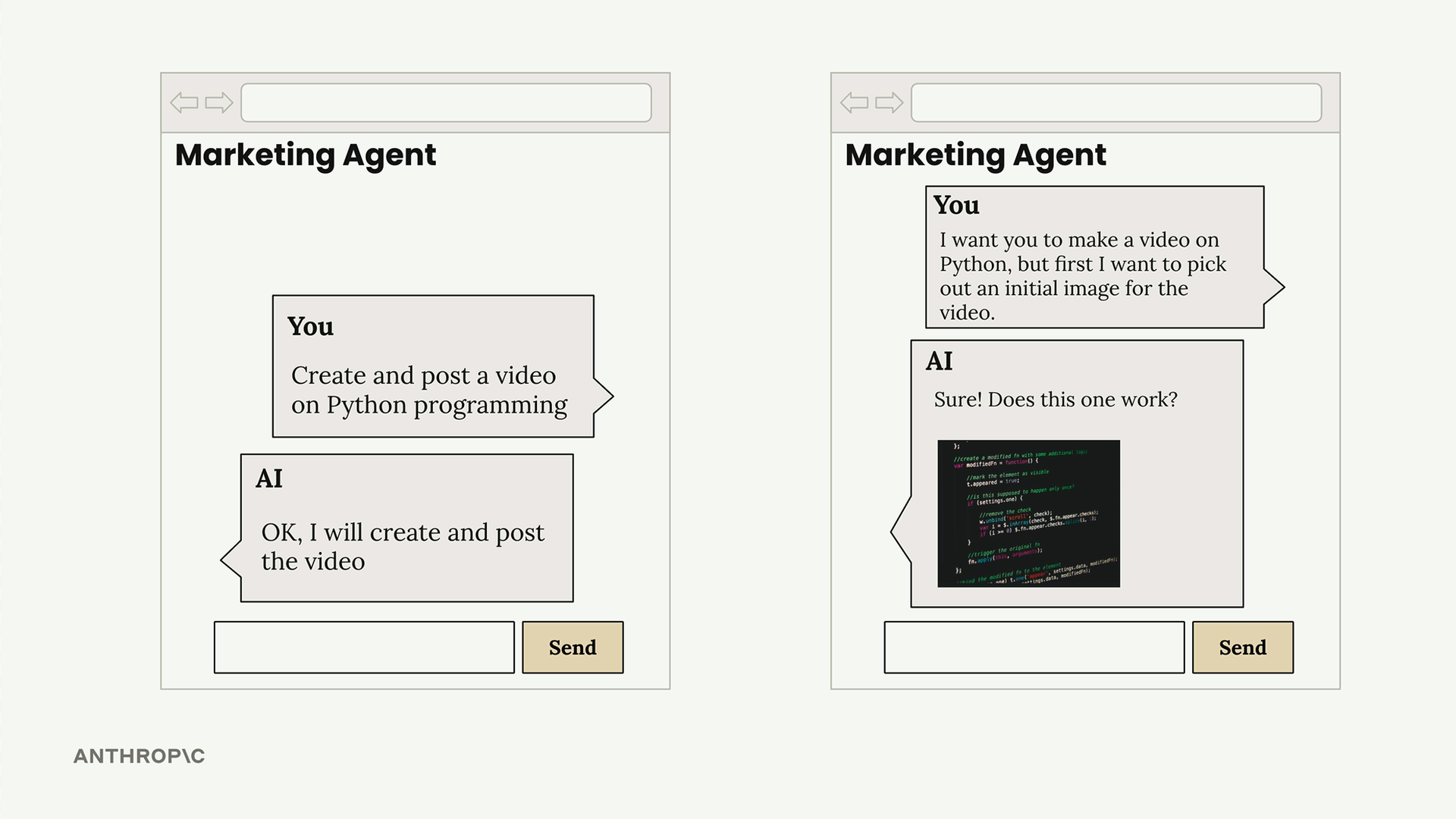
The user might say "I want you to make a video on Python, but first I want to pick out an initial image for the video." The agent can generate a sample image, show it to the user for approval, then proceed with video creation once confirmed.
This flexibility emerges naturally from providing the right level of abstraction in your tools. Each tool should be general enough to be useful in multiple contexts, but specific enough to accomplish meaningful work when combined with others.
🔁 Related lessons
- Next: Environment inspection
- Previous: Routing workflows
- Same section: Making a request · Multi-turn conversations · Chat exercise
- Part of paths: Path C
- Reference docs: Glossary · Skills atlas · By use-case
📚 Source & attribution
- Original Anthropic Academy lesson: https://anthropic.skilljar.com/claude-with-google-vertex/289243
- © 2025 Anthropic. Educational fair-use only.