📖 Lesson content
Summary
Now it's time to get hands-on with the Anthropic Python SDK and make your first request to Claude through Vertex AI. We'll walk through three essential steps: installing the SDK, creating a client, and making your first API call.
Installing the Anthropic Python SDK
First, you'll need to install the Anthropic SDK with Vertex AI support. In your Jupyter notebook, run this magic command:
%pip install "anthropic[vertex]"
The [vertex] part ensures you get the specific components needed to connect to Google Cloud's Vertex AI platform.
Creating an API Client
Next, import and create a client instance specifically designed for Vertex AI:
from anthropic import AnthropicVertex

client = AnthropicVertex(region="global", project_id="your-project-id")
model = "claude-sonnet-4@20250514"
You'll need to replace "your-project-id" with your actual Google Cloud project ID, which you can find in the Google Cloud Console's project selector. Setting the model as a variable saves you from typing it repeatedly throughout your notebooks.
Understanding the Create Function
The core of making requests to Claude is the create function, which requires three key parameters:
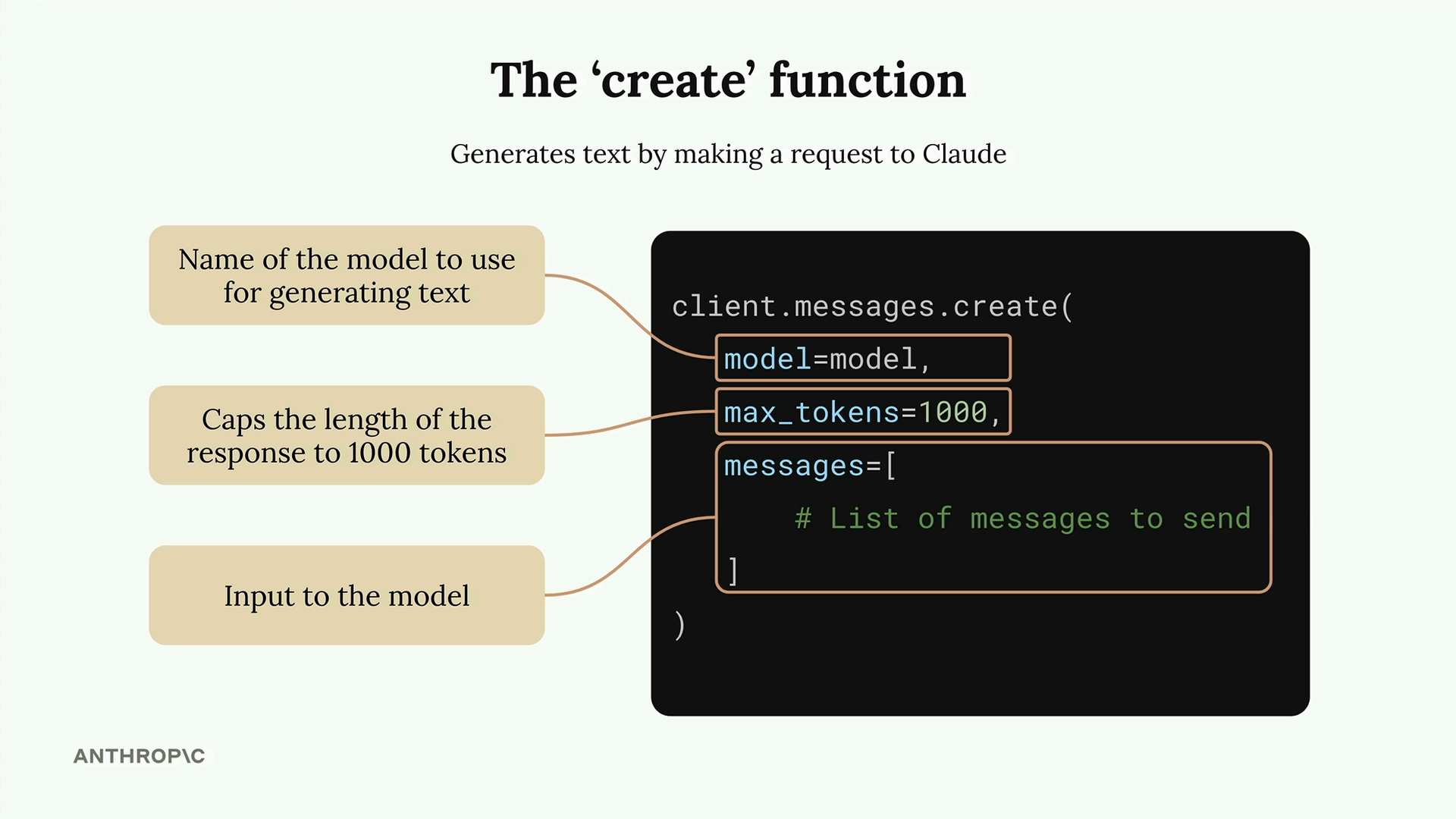
- model - The name of the Claude model you want to use
- max_tokens - A safety limit on response length (Claude won't try to hit this target, it just won't exceed it)
- messages - The conversation history you're sending to Claude
Think of max_tokens as a budget rather than a goal. If you set it to 1000, Claude will write whatever response it thinks is appropriate, but stop if it would exceed 1000 tokens.
Understanding Messages
Messages represent the back-and-forth conversation between you and Claude, just like in a chat application:
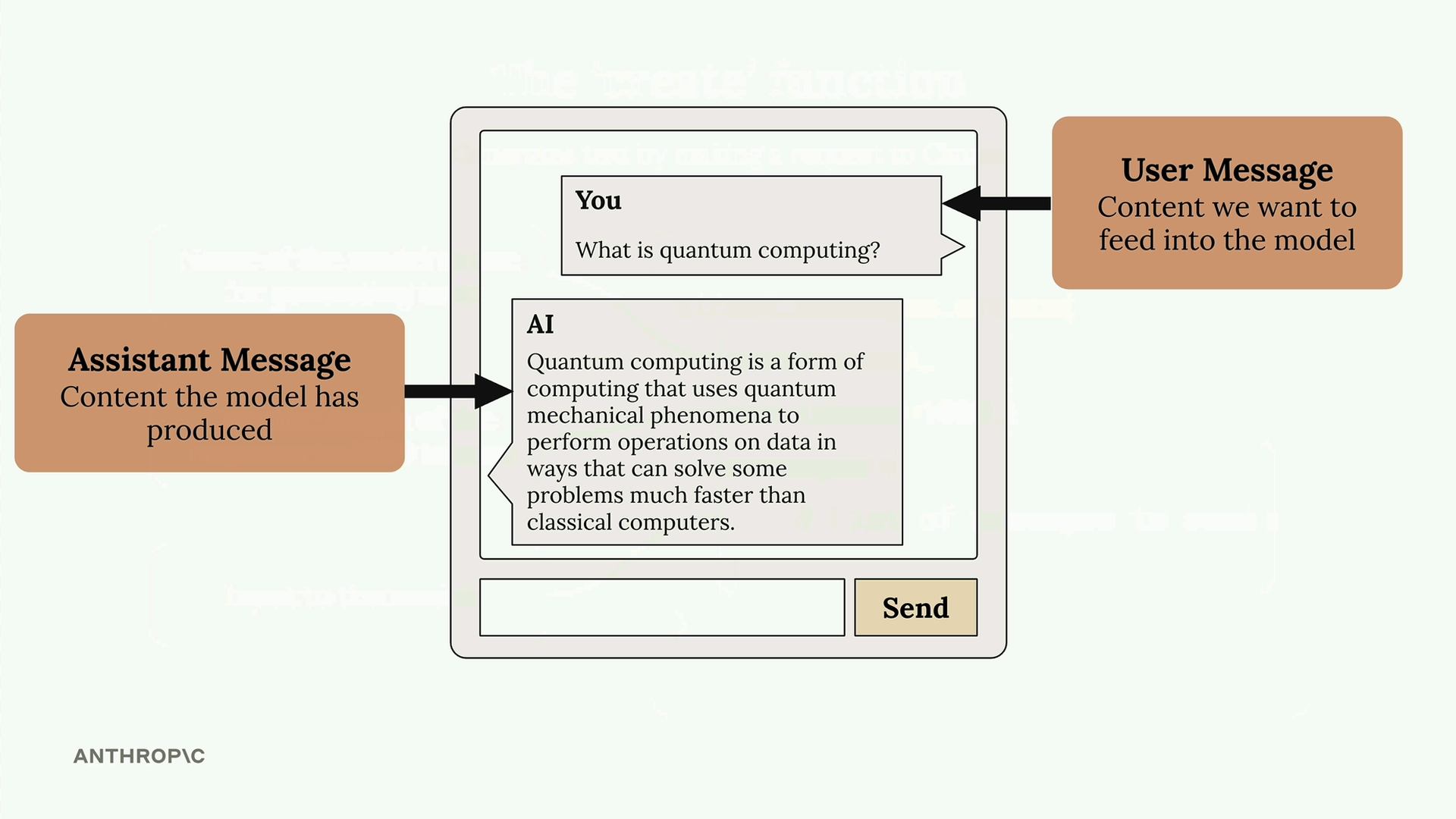
There are two types of messages:
- User messages - Content written by humans that you want to feed into Claude
- Assistant messages - Content that Claude has generated and sent back to you
Making Your First Request
Here's how to structure a basic request:
message = client.messages.create(
    model=model,
    max_tokens=1000,
    messages=[
        {
            "role": "user",
            "content": "What is quantum computing? Answer in one sentence"
        }
    ]
)
Each message is a dictionary with a role (either "user" or "assistant") and content (the actual text).
Extracting the Response
When you run the request, you'll get back a complex response object with lots of metadata. To get just the text that Claude generated, use:
message.content[0].text
This gives you clean, readable output instead of the full response object with all its technical details. You'll use this pattern frequently when working with Claude's responses.
🔁 Related lessons
- Next: Multi-turn conversations
- Previous: Vertex AI Setup
- Same section: Multi-turn conversations · Chat exercise · System prompts
- Part of paths: Path C
- Reference docs: Glossary · Skills atlas · By use-case
📚 Source & attribution
- Original Anthropic Academy lesson: https://anthropic.skilljar.com/claude-with-google-vertex/289155
- © 2025 Anthropic. Educational fair-use only.