📖 Lesson content
In the next video we will be making a request to Vertex AI in order to call a Claude model. To do so, you need to go through a little bit of setup.
Step One: Ensure Anthropic models are enabled in Vertex
- In your browser, navigate to https://console.cloud.google.com/vertex-ai/dashboard
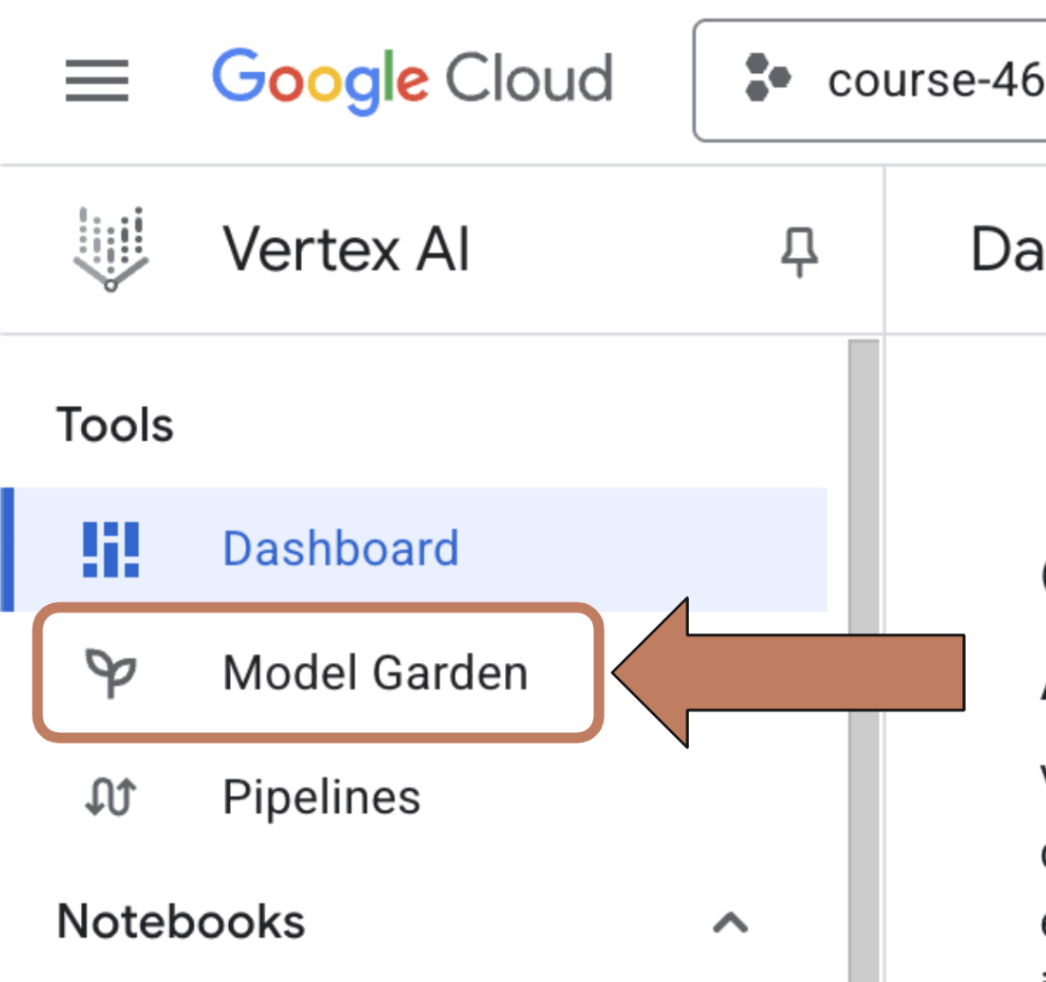
- In the left hand nav, click on 'Model Garden'
- In the 'Search models' box, enter 'Anthropic'
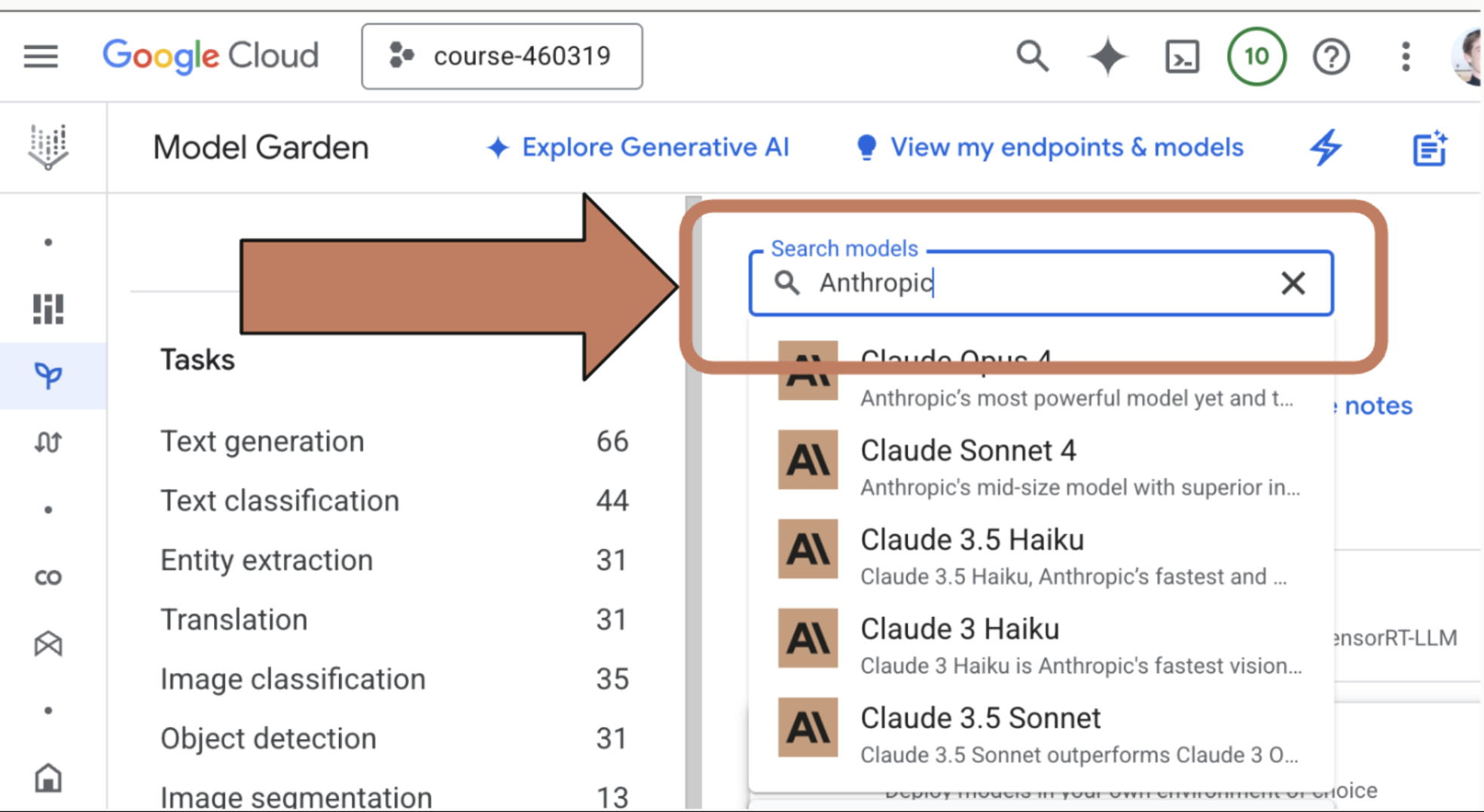
- Click on the model that you want to use.
Step Two: Enable the Model
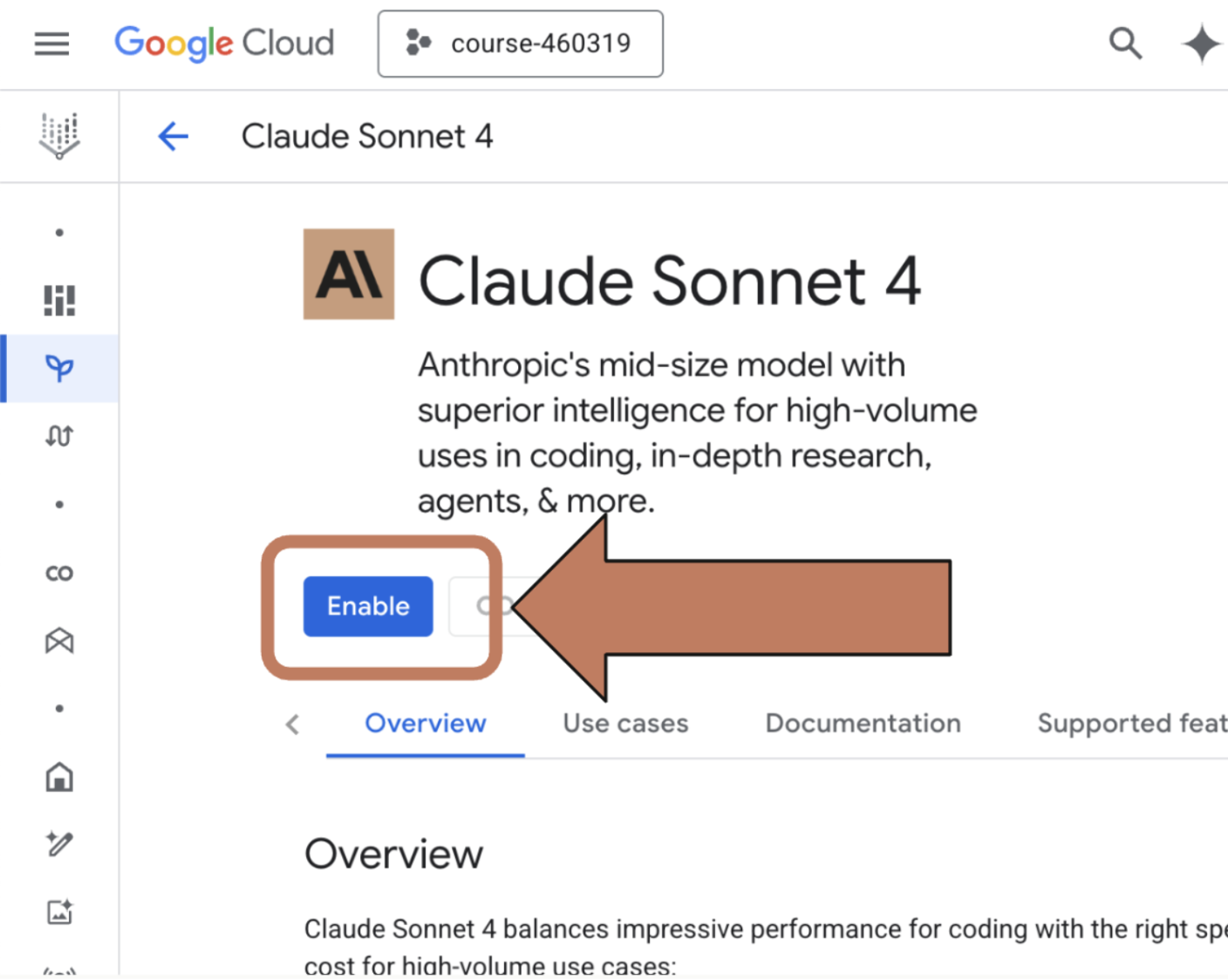
- Once you've found the model you want to use, you may need to enable it. On the model information page, click the 'Enable' button
- If you don't see an 'Enable' button then you already have access to the model
Step Three: Install the gcloud CLI
If you don't already have the gcloud CLI installed, follow the directions here to install and authenticate with the CLI: https://cloud.google.com/sdk/docs/install
Step Four: Login and set up authentication with the gcloud CLI
If you have not already logged in to the gcloud CLI, do so by running:
gcloud init
gcloud auth login
Then, set your project ID and set your default credentials:
gcloud config set project YOUR_PROJECT_ID
gcloud auth application-default login
That's it! The Anthropic SDK will automatically use these credentials when attempting to access Vertex.
🔁 Related lessons
- Next: Making a request
- Previous: Accessing the API
- Part of paths: Path C
- Reference docs: Glossary · Skills atlas · By use-case
📚 Source & attribution
- Original Anthropic Academy lesson: https://anthropic.skilljar.com/claude-with-google-vertex/307525
- © 2025 Anthropic. Educational fair-use only.