📖 Lesson content
Summary
When building applications with Claude, understanding the complete request lifecycle helps you architect better systems and debug issues more effectively. Let's walk through what happens when a user sends a message to your AI-powered chat application.
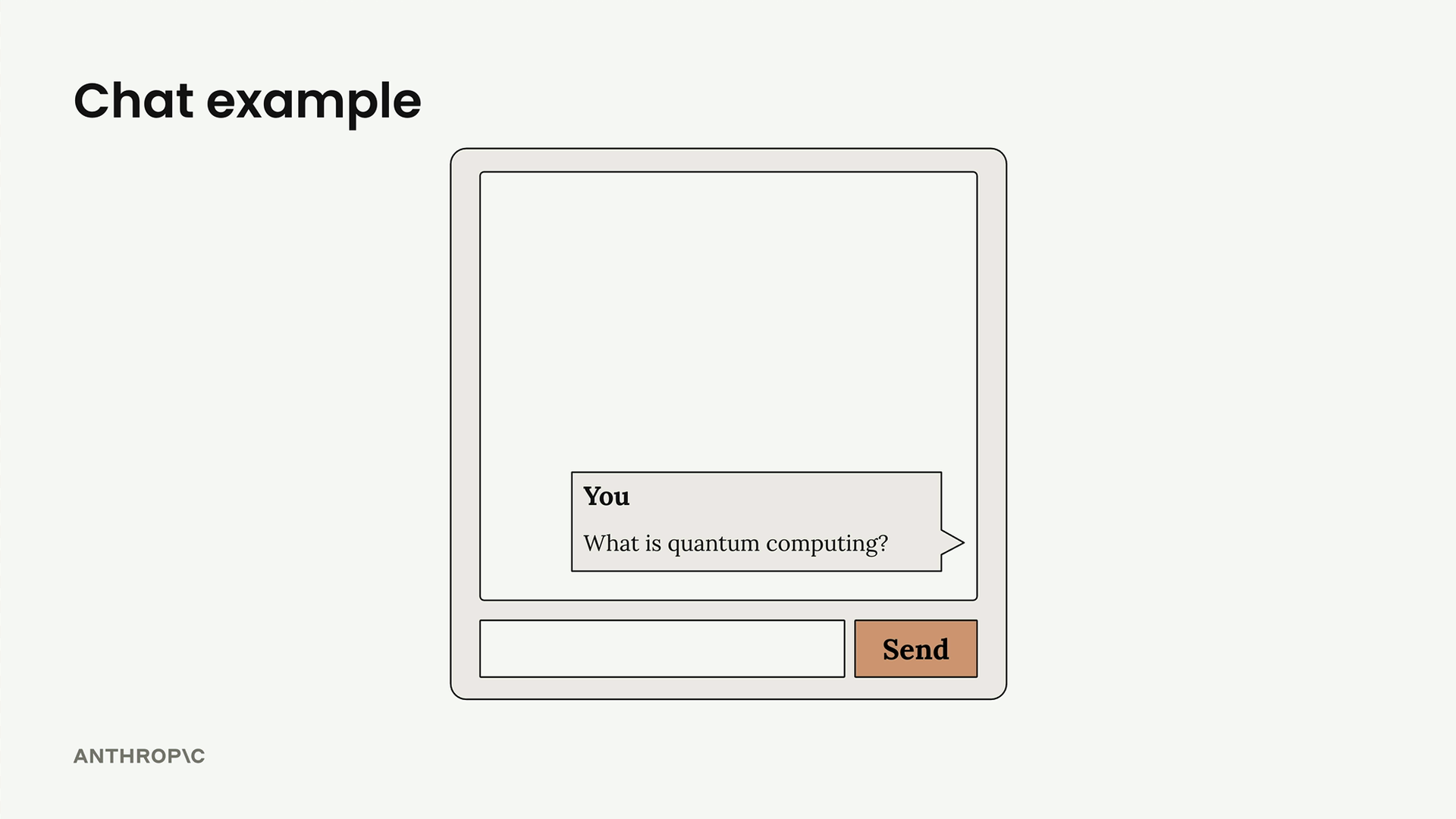
The Complete Request Flow
The journey from user input to AI response involves five distinct steps: Request to Server, Request to Vertex, Model Processing, Response to Server, and Response to Client. Each step plays a crucial role in delivering that "magical" response users expect.
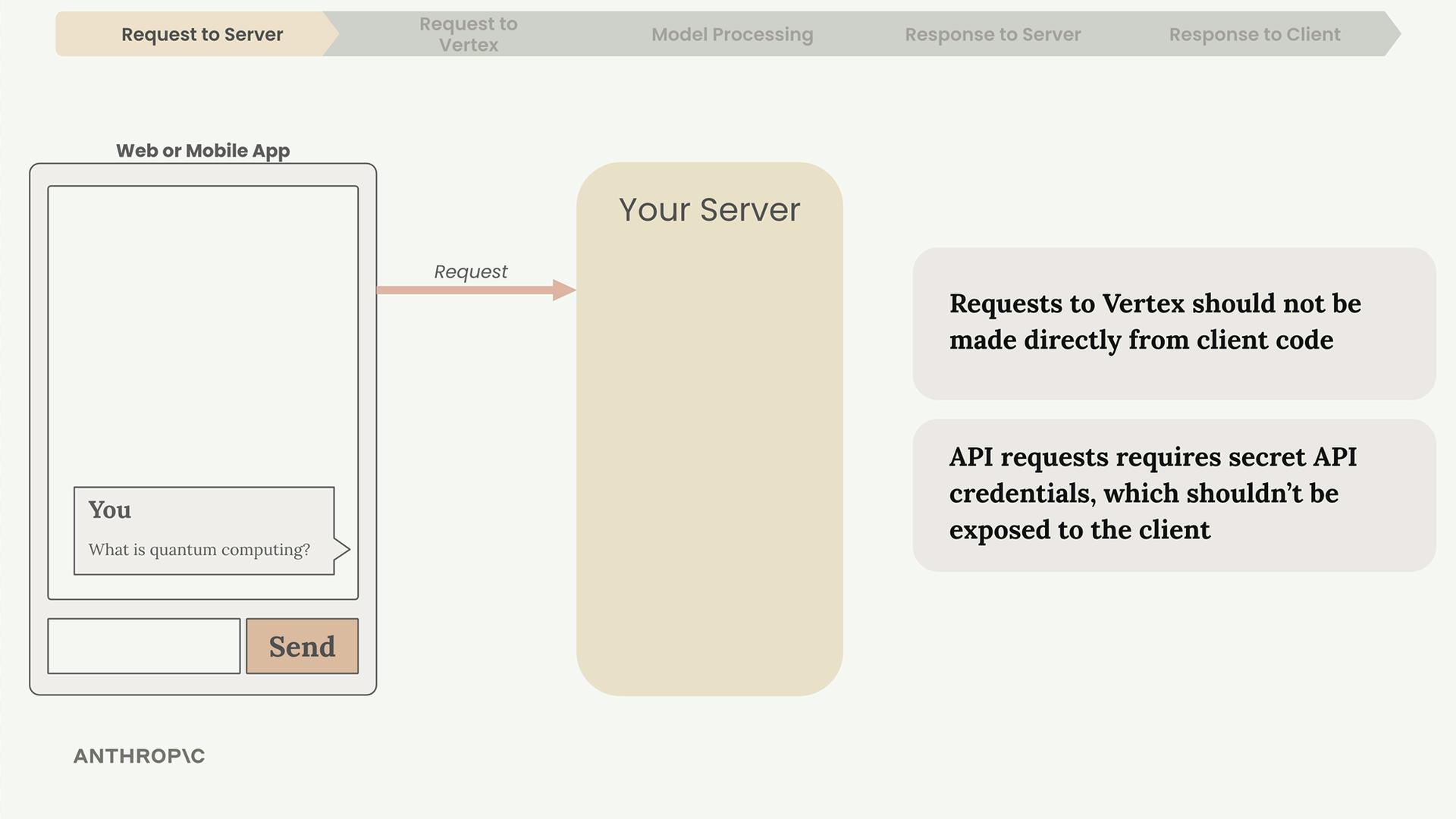
Why You Need a Server
Never make API requests directly from client-side code. Here's why:
- API requests require secret credentials that must stay secure
- Exposing credentials in client code makes them visible to anyone
- Your server acts as a secure intermediary between your app and Vertex
Always route requests through your own server that you control and secure.
Making the API Request
Your server communicates with Vertex using either Anthropic's SDKs or Google's official Vertex SDKs. Anthropic provides official SDKs for Python, TypeScript, Go, and Ruby.
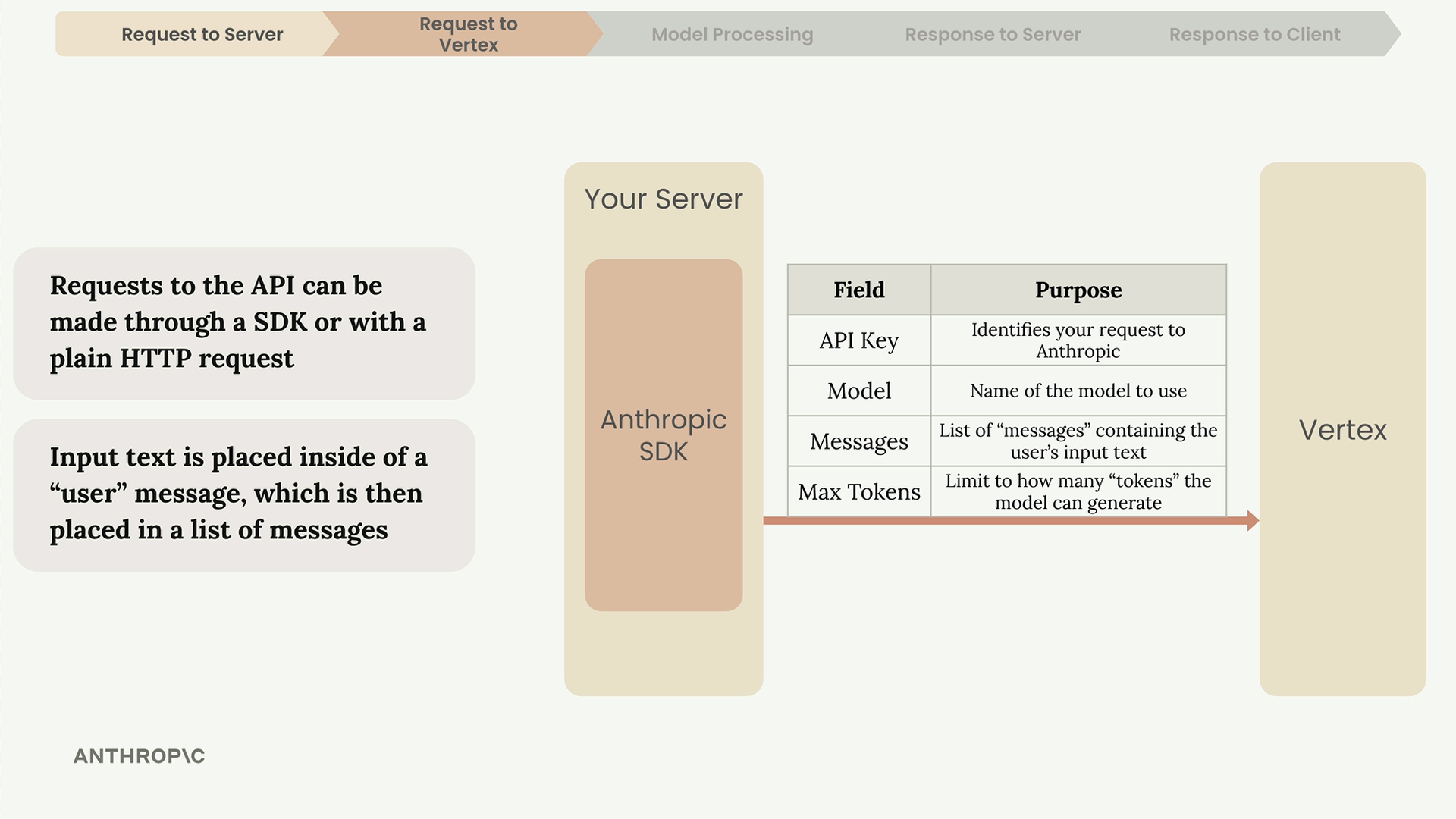
Every request must include these key fields:
- API Key - Identifies your request to Anthropic
- Model - Name of the specific model to use
- Messages - List containing the user's input text
- Max Tokens - Limits how many tokens the model can generate
The user's input gets placed inside a "user" message, which then goes into a list of messages sent to the API.
Inside Claude: Text Generation Process
Once Vertex receives your request, Claude processes it through four stages: Tokenization, Embedding, Contextualization, and Generation.
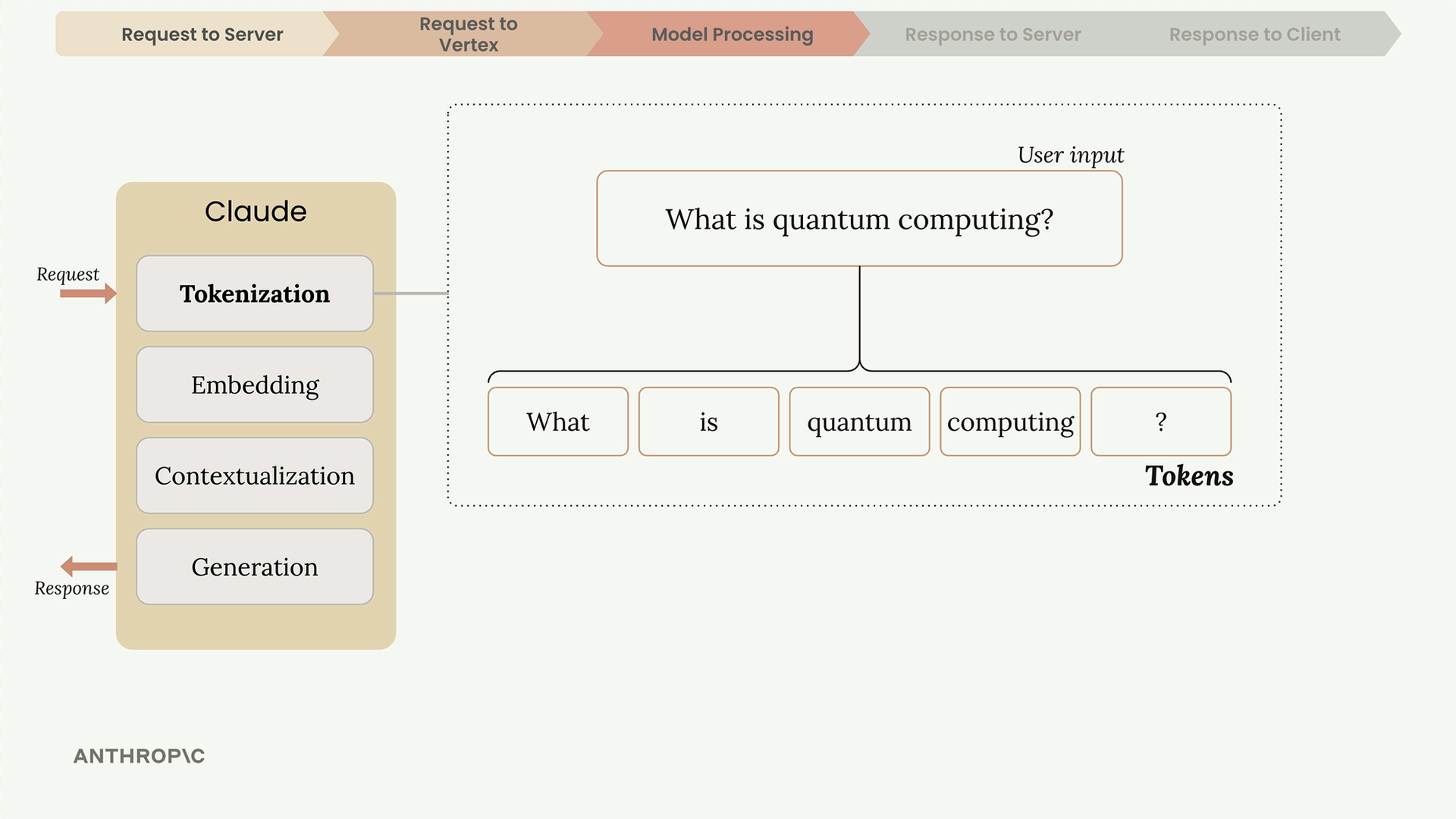
Tokenization
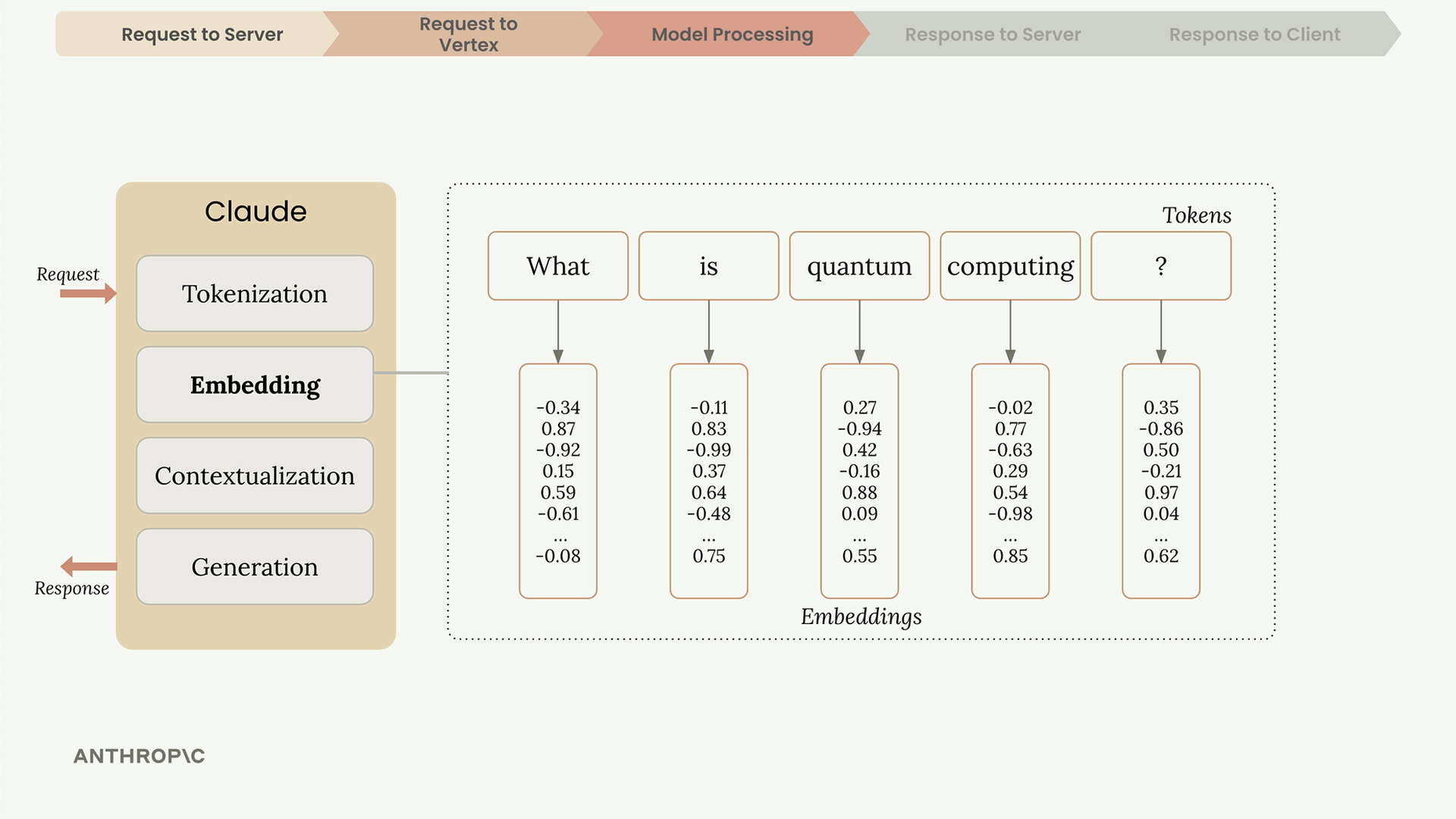
Claude first breaks down the input text into smaller chunks called tokens. These can be whole words, parts of words, spaces, or symbols. For simplicity, think of each word as one token.
Embedding
Each token gets converted into an embedding - a long list of numbers that represents all possible meanings of that word. Think of embeddings as number-based definitions.
Contextualization
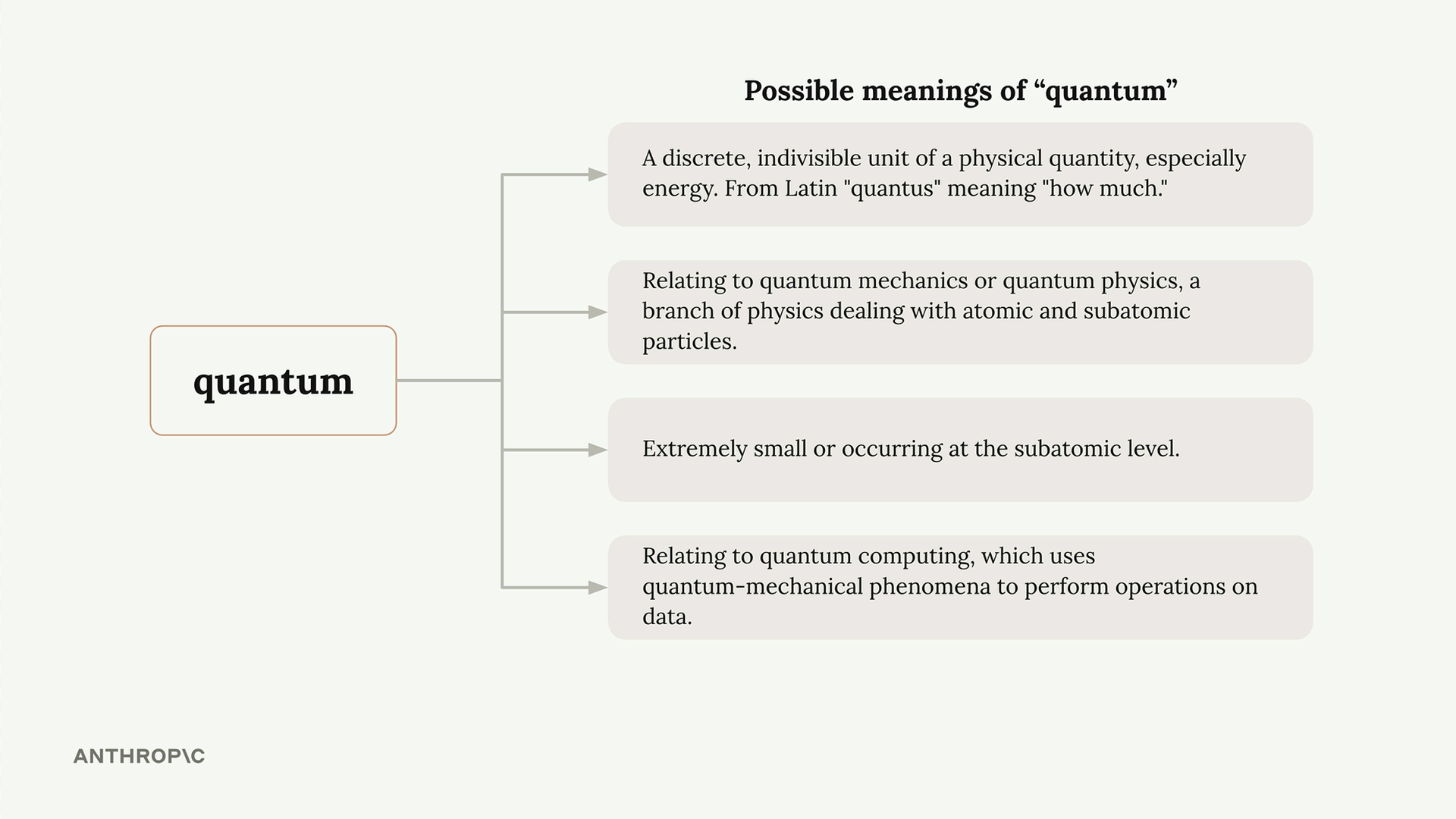
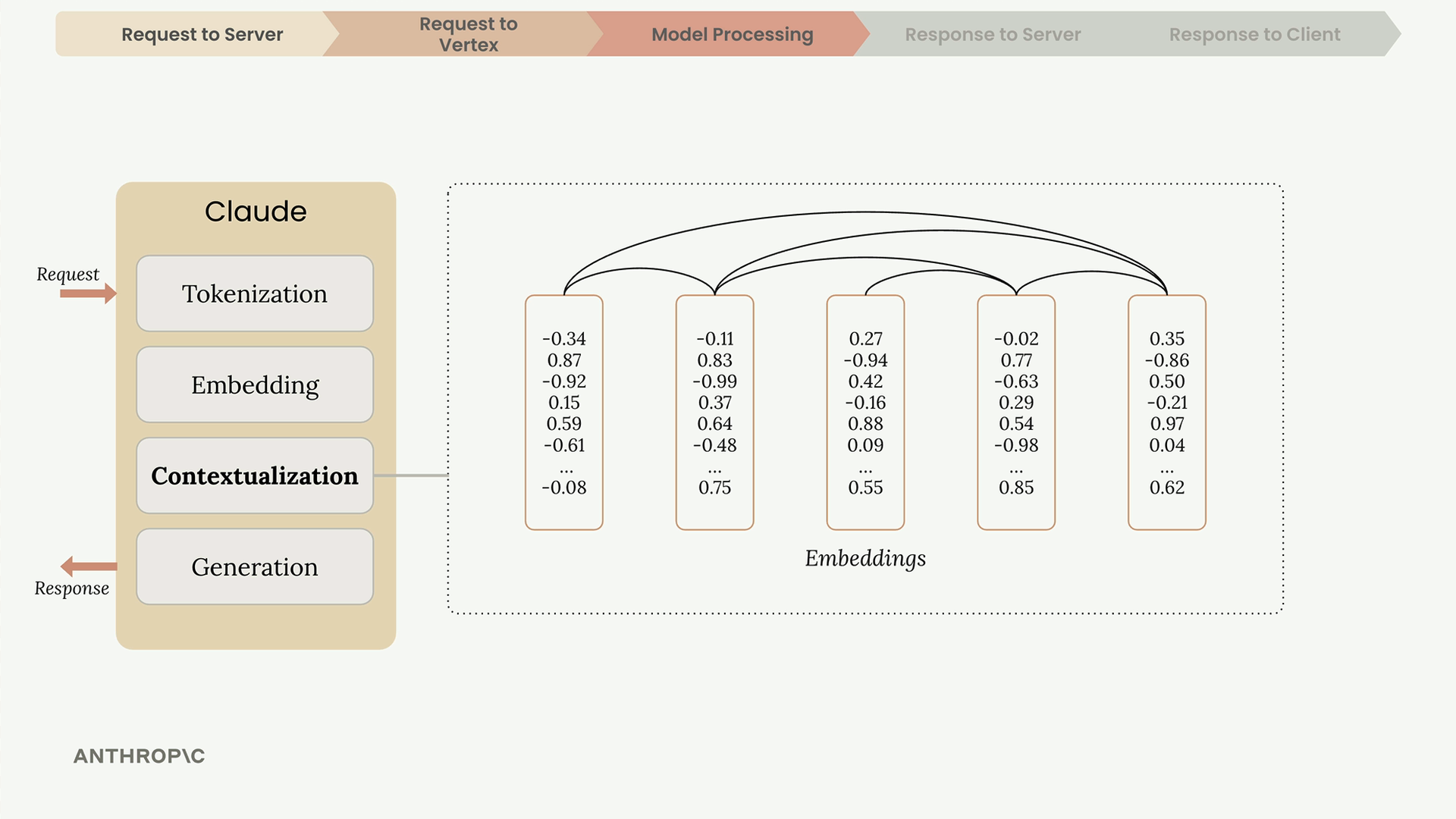
Since words can have multiple meanings, Claude uses context to determine the right interpretation. The word "quantum" could refer to physics, computing, or just mean "very small" - context from surrounding words clarifies the intended meaning.
During contextualization, each embedding gets adjusted based on its neighbors, highlighting the meaning that makes most sense given the context.
Generation
The contextualized embeddings pass through an output layer that produces probabilities for each possible next word. Claude doesn't always pick the highest probability word - it uses a mix of probability and randomness to create more natural, varied responses.
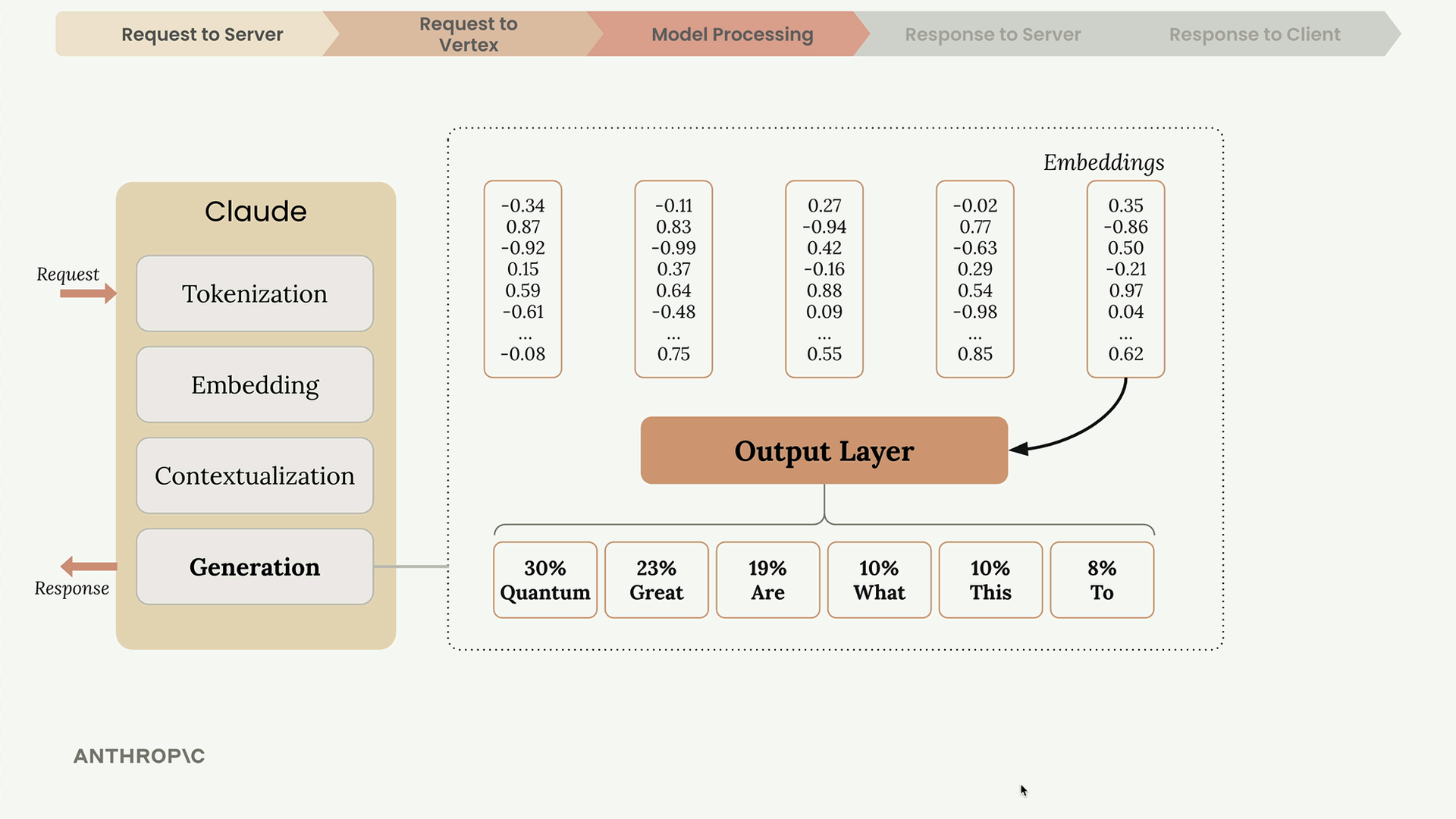
After selecting a word, Claude adds it to the sequence and repeats the entire process for the next word.
When Generation Stops
After generating each token, Claude checks several conditions to decide whether to continue:
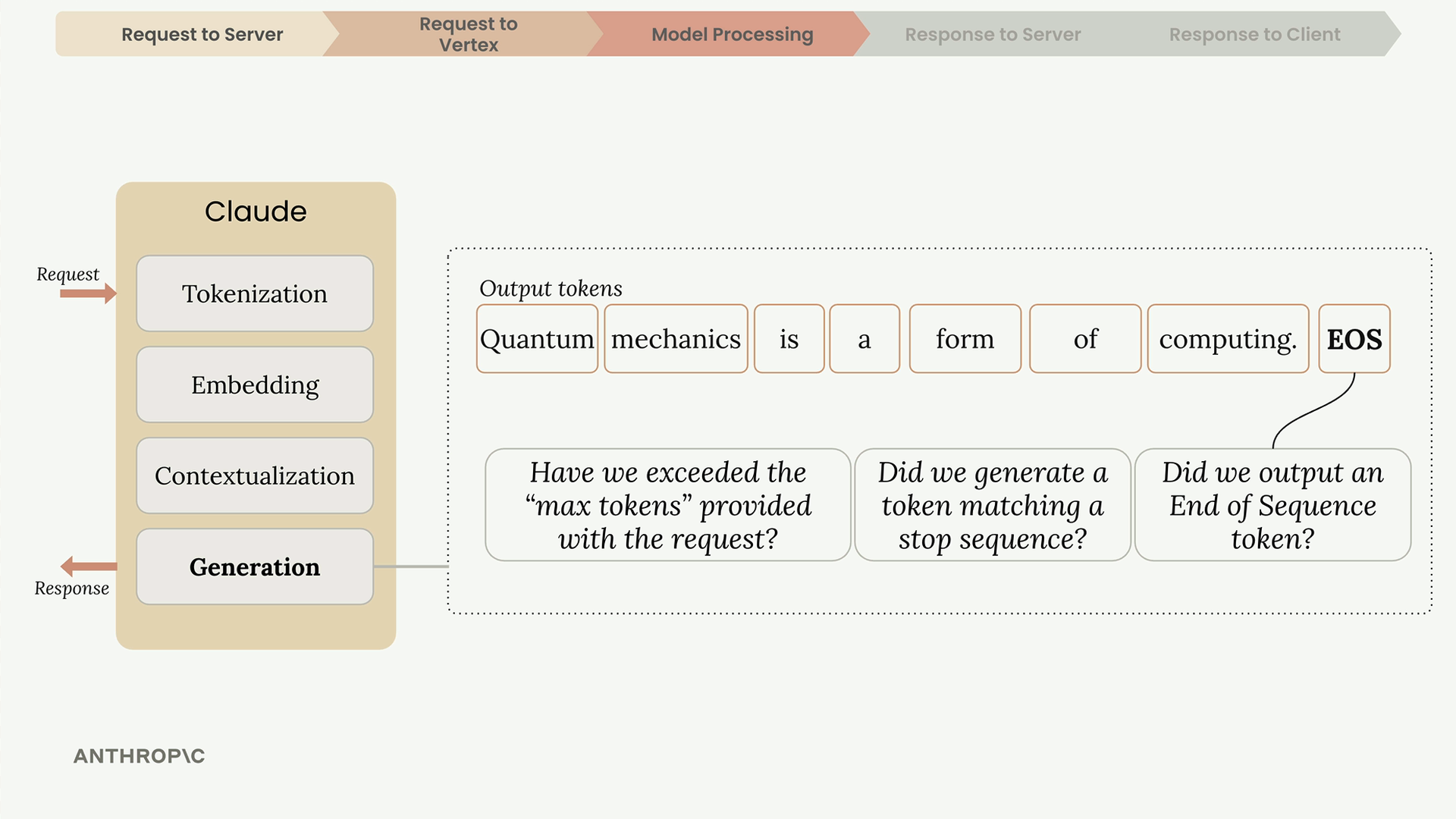
- Max tokens reached - Has it hit the limit you specified?
- Natural ending - Did it generate an end-of-sequence token?
- Stop sequence - Did it encounter a predefined stop phrase?
The end-of-sequence token is a special signal (not visible text) that Claude uses to indicate it has reached a natural conclusion.
The Response
Once generation completes, Vertex sends a response back to your server containing:
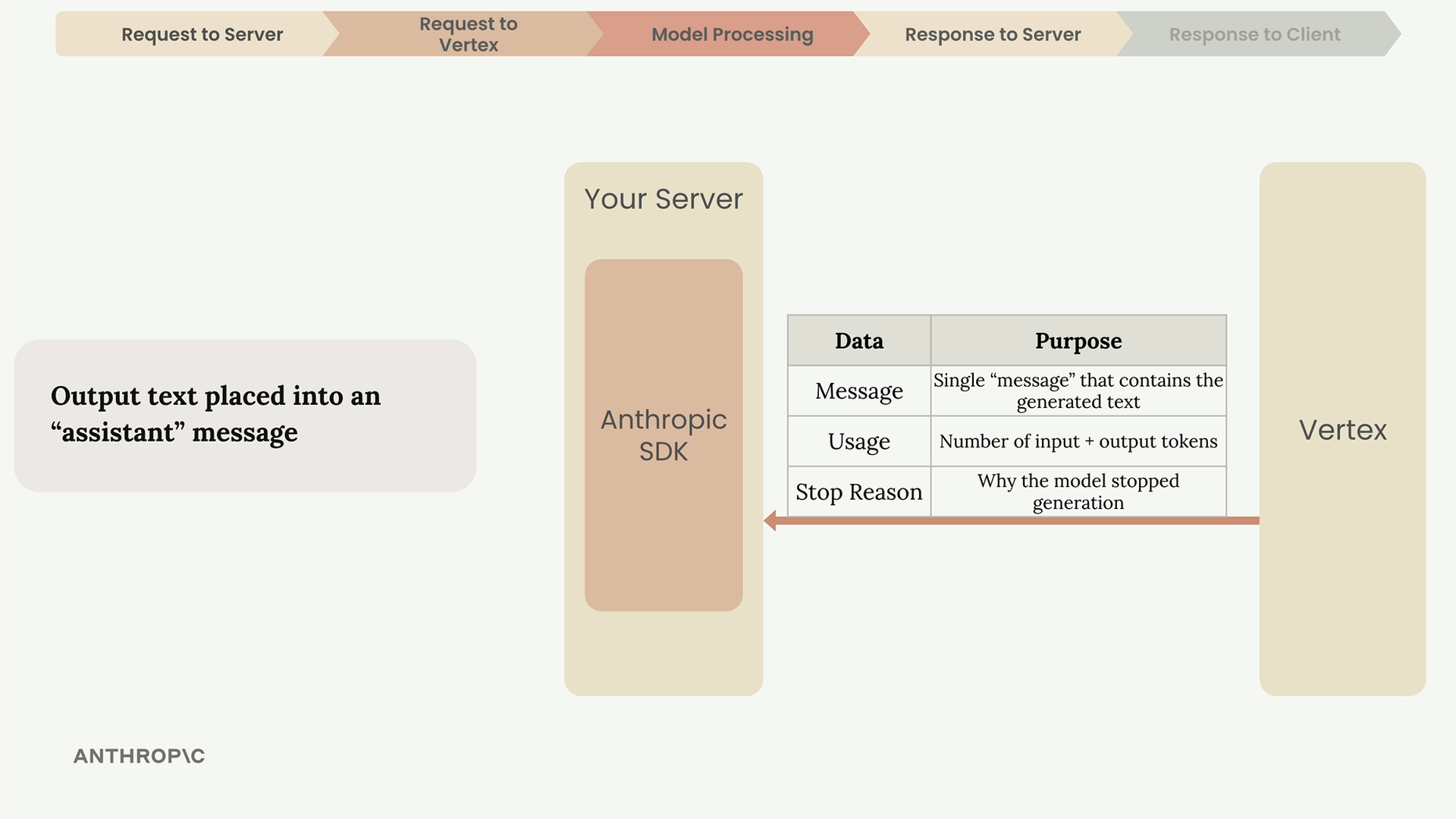
- Message - The generated text
- Usage - Count of input and output tokens
- Stop Reason - Why the model stopped generating
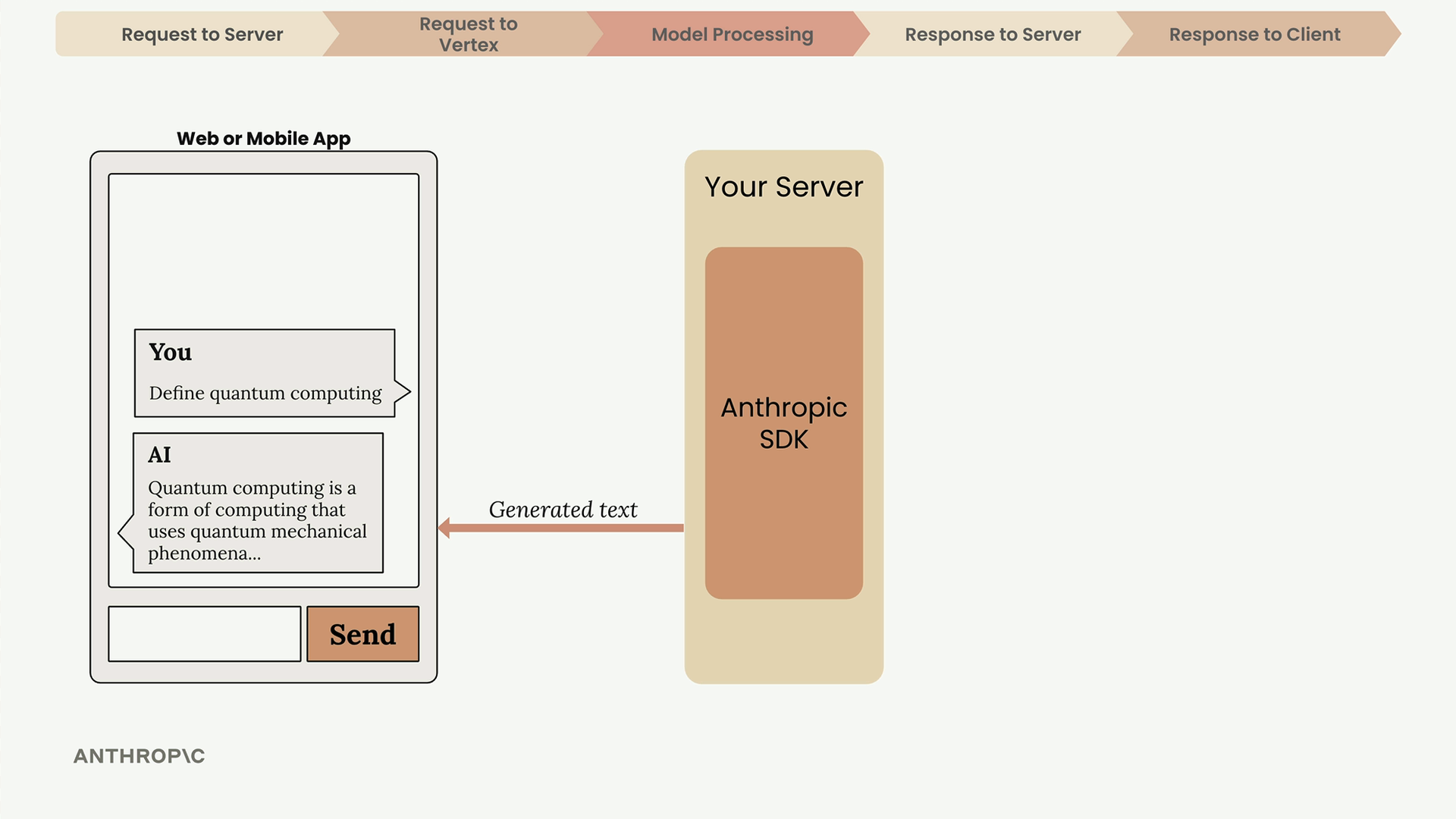
Your server then forwards the generated text to your client application, where it appears in the chat interface.
The Complete Picture
This entire process - from user input through tokenization, embedding, contextualization, generation, and back to the user - happens in seconds. Understanding this flow helps you build more robust applications and troubleshoot issues when they arise.
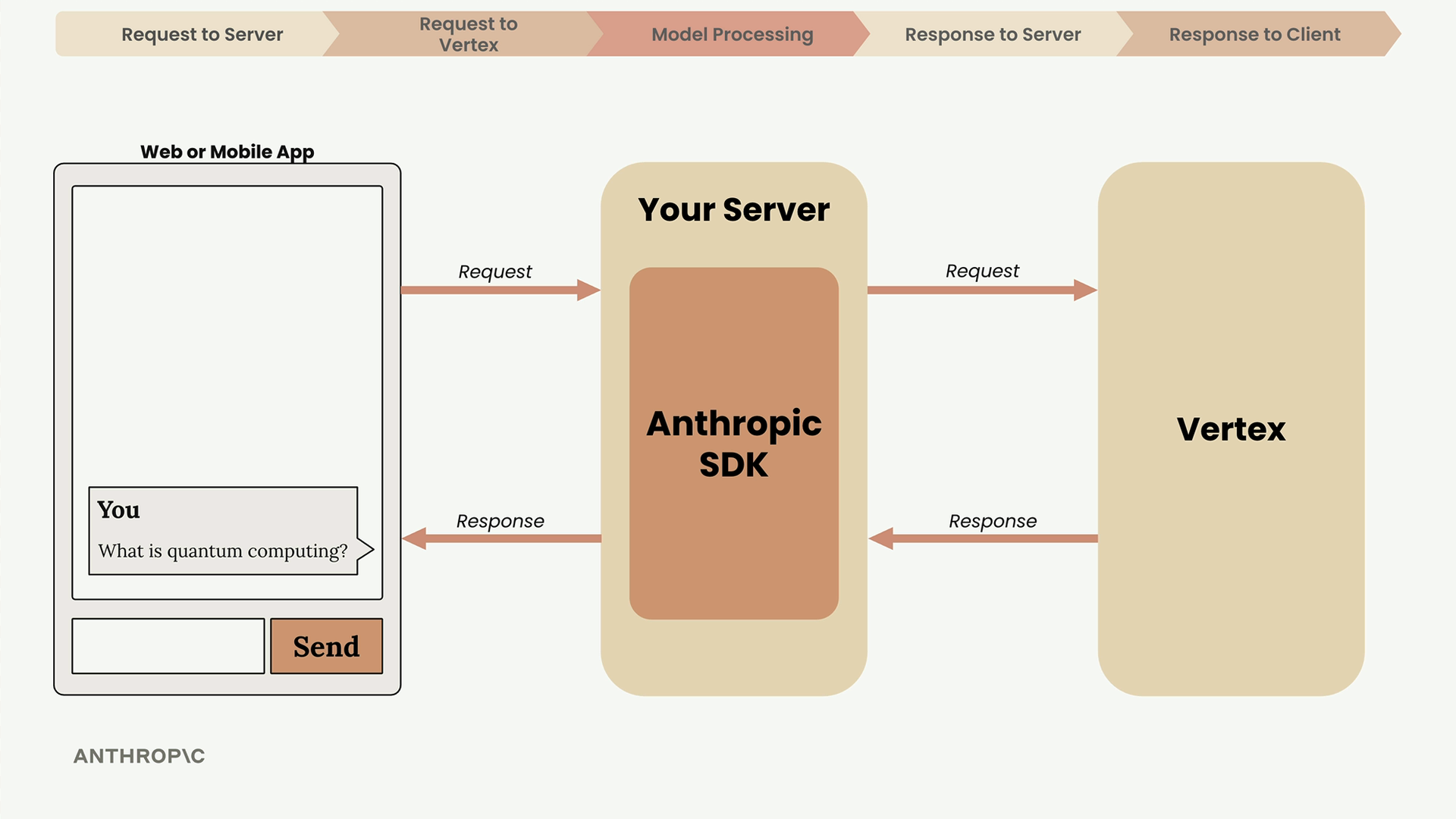
The key takeaway: always use a server as an intermediary, understand that text generation is an iterative process, and pay attention to the response metadata to monitor usage and understand model behavior.
🔁 Related lessons
- Next: Vertex AI Setup
- Previous: Overview of Claude models
- Same section: Welcome to the course · Overview of Claude models
- Part of paths: Path C
- Reference docs: Glossary · Skills atlas · By use-case
📚 Source & attribution
- Original Anthropic Academy lesson: https://anthropic.skilljar.com/claude-with-google-vertex/289151
- © 2025 Anthropic. Educational fair-use only.