📖 Lesson content
Summary
When building AI applications, you'll often need different approaches for different types of user requests. A routing workflow solves this by categorizing user input first, then directing it to specialized processing pipelines.
The Problem with One-Size-Fits-All Prompts
Consider a social media marketing tool that generates video scripts from user topics. If someone enters "programming" versus "surfing", you'd want very different outputs:
- Programming topic - Educational script with clear definitions, examples, and structured explanations
- Surfing topic - Entertainment-focused script with engaging hooks and trendy language, not technical definitions
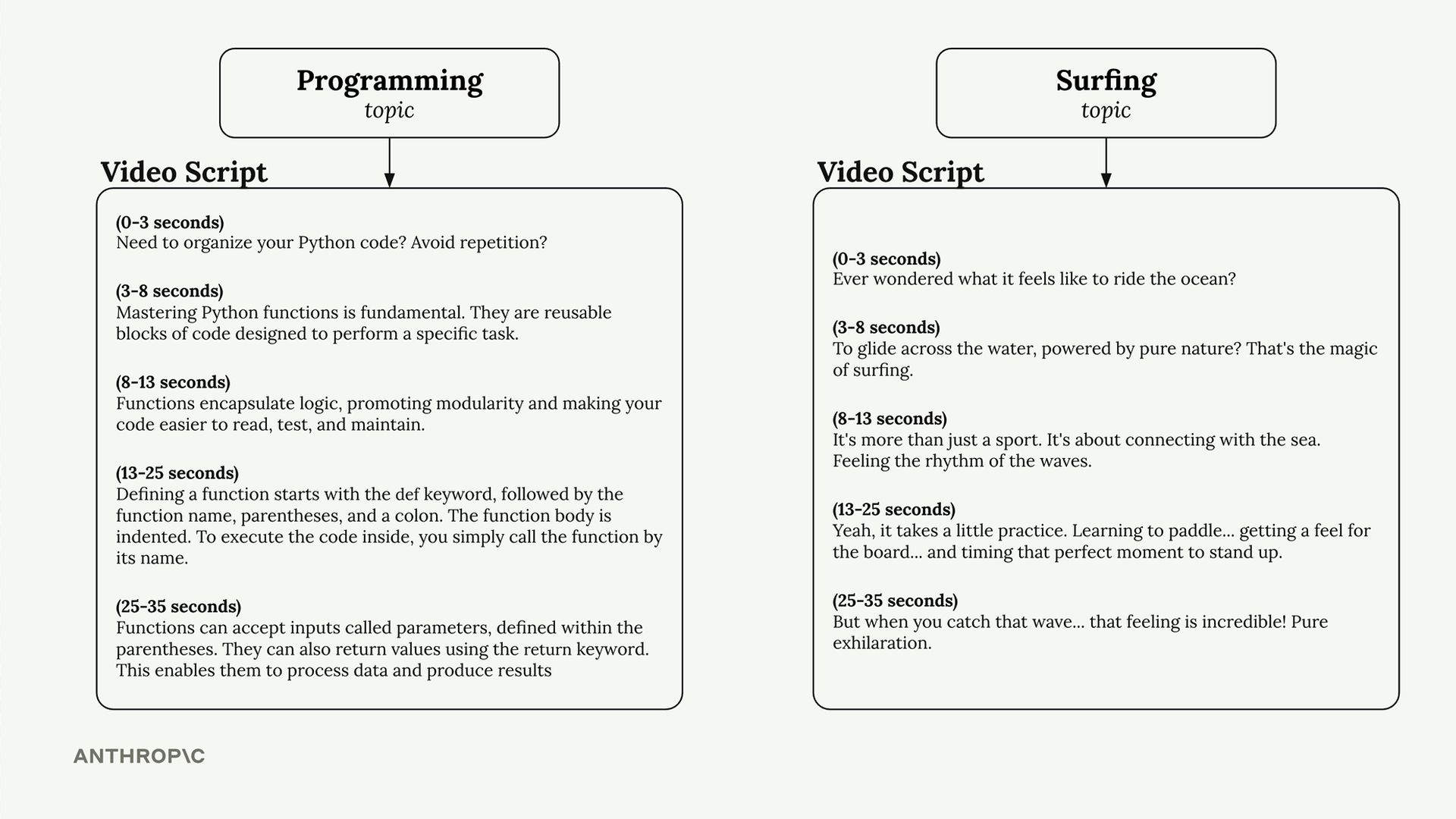
Using the same generic prompt for both topics would produce mediocre results that don't match the content's natural style.
Setting Up Content Categories
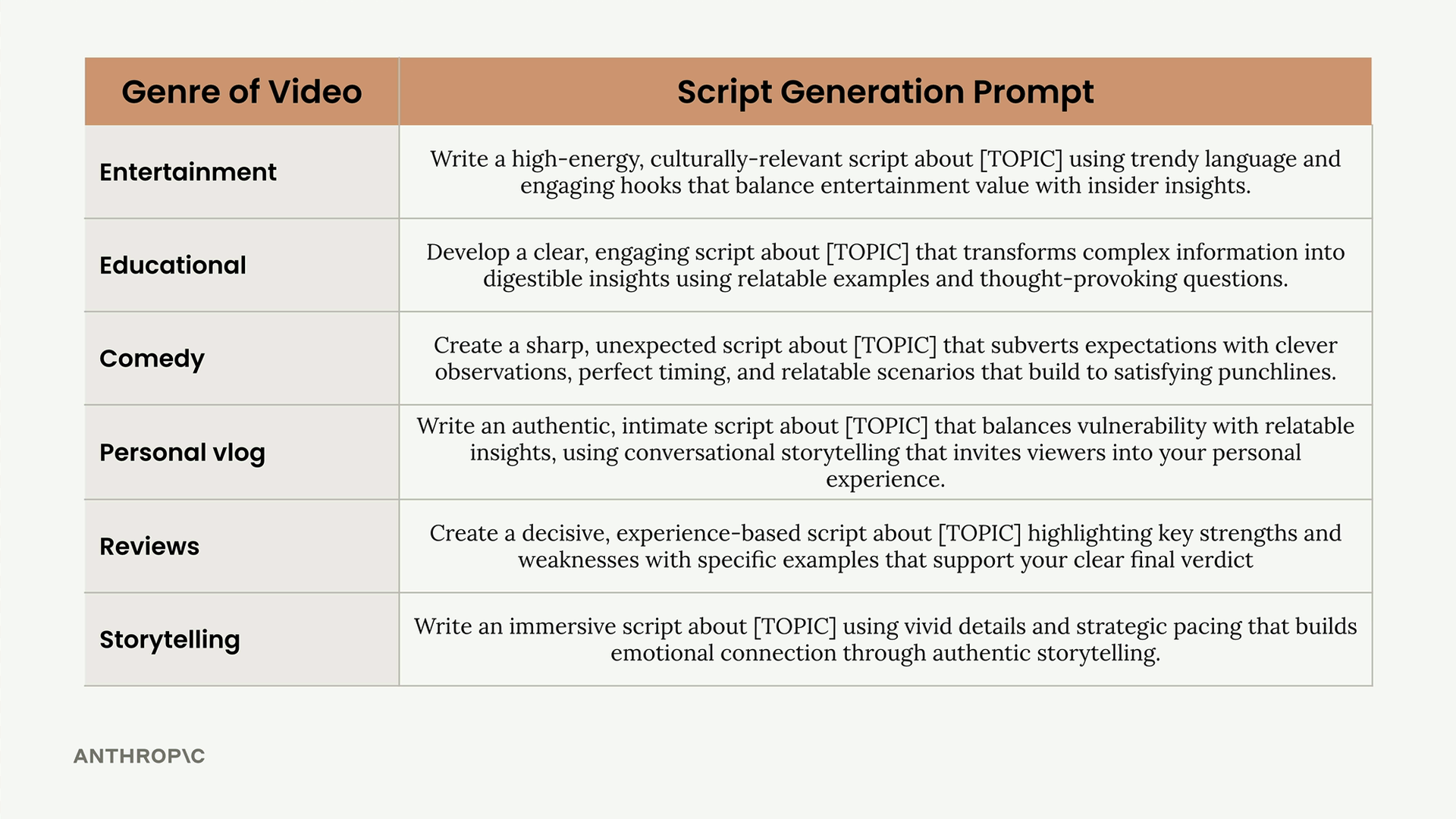
Start by defining the different types of content your application might need to handle. For video scripts, you might use categories like:
- Entertainment
- Educational
- Comedy
- Personal vlog
- Reviews
- Storytelling
Creating Specialized Prompts
For each category, write a specific prompt that captures the right tone and approach. Here's what the educational prompt might look like:
Develop a clear, engaging script about [TOPIC] that transforms complex information into digestible insights using relatable examples and thought-provoking questions.
Compare that to an entertainment prompt:
Write a high-energy, culturally-relevant script about [TOPIC] using trendy language and engaging hooks that balance entertainment value with insider insights.
The Two-Step Process
A routing workflow uses two separate calls to Claude:
Step 1: Categorization
Send the user's topic to Claude with a categorization prompt asking it to classify the content type.
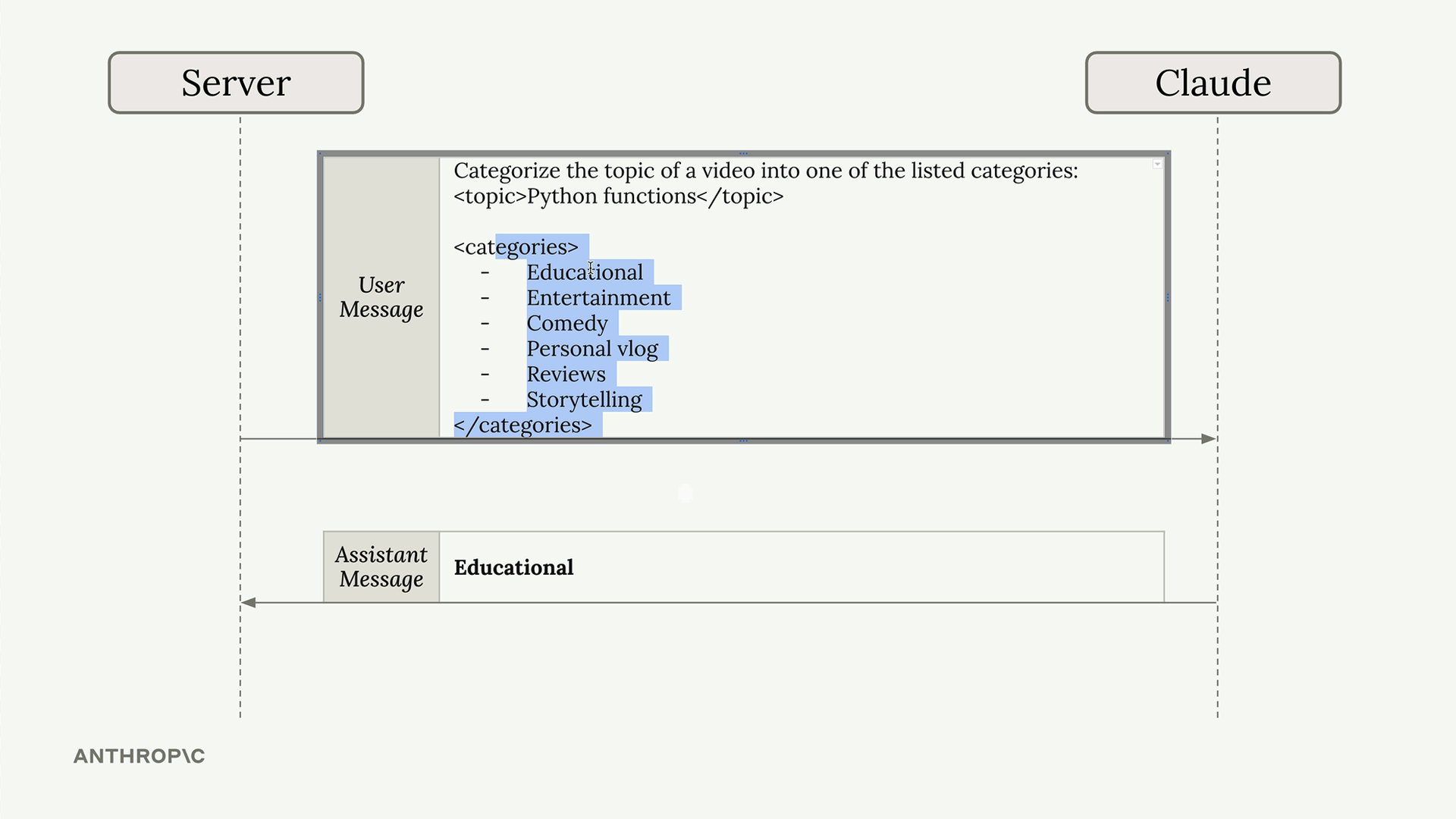
For example, "Python functions" would likely be categorized as "Educational".
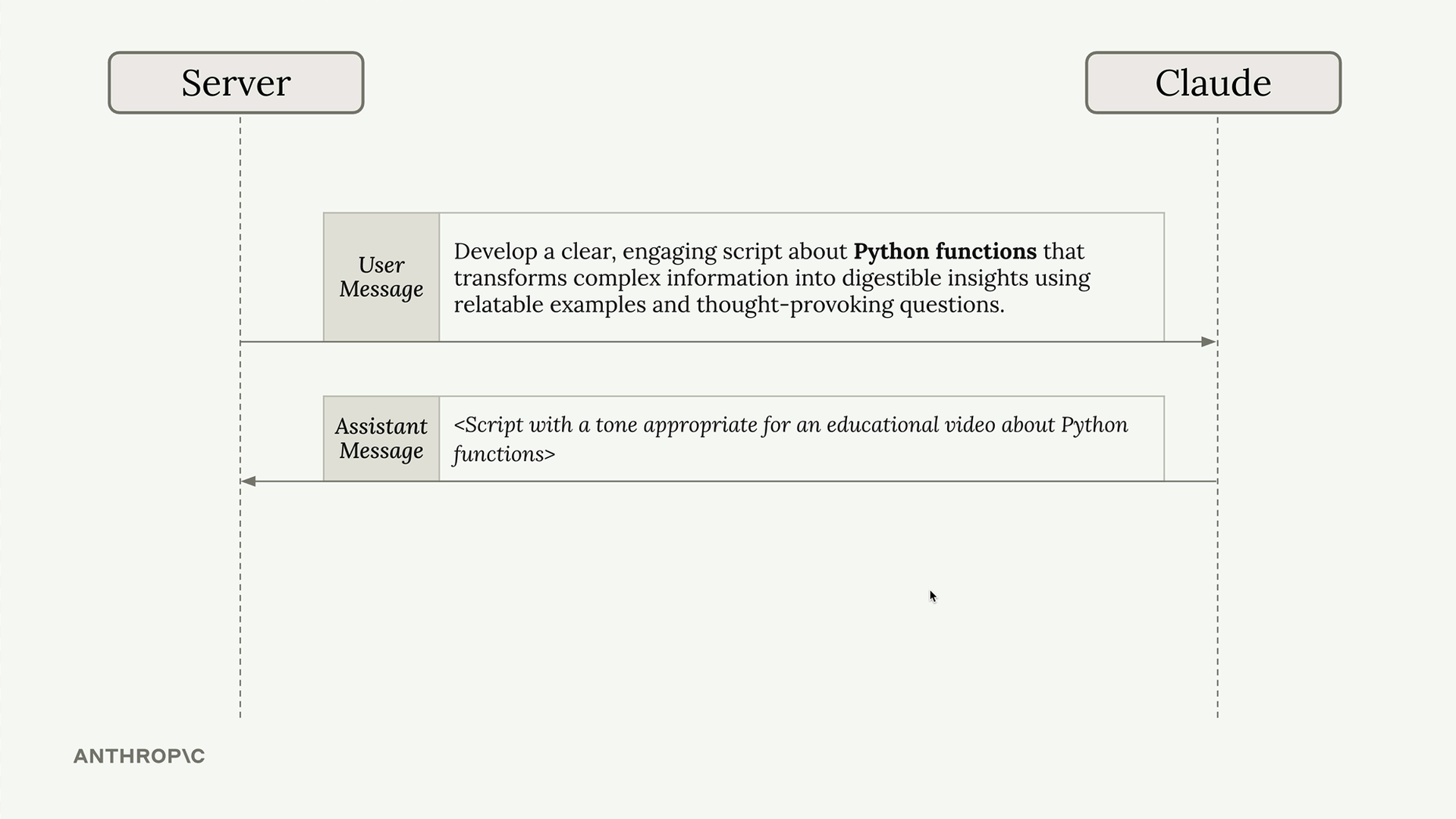
Step 2: Specialized Processing
Based on Claude's categorization, use the appropriate specialized prompt to generate the actual content.
Routing Workflow Architecture
The general pattern looks like this:
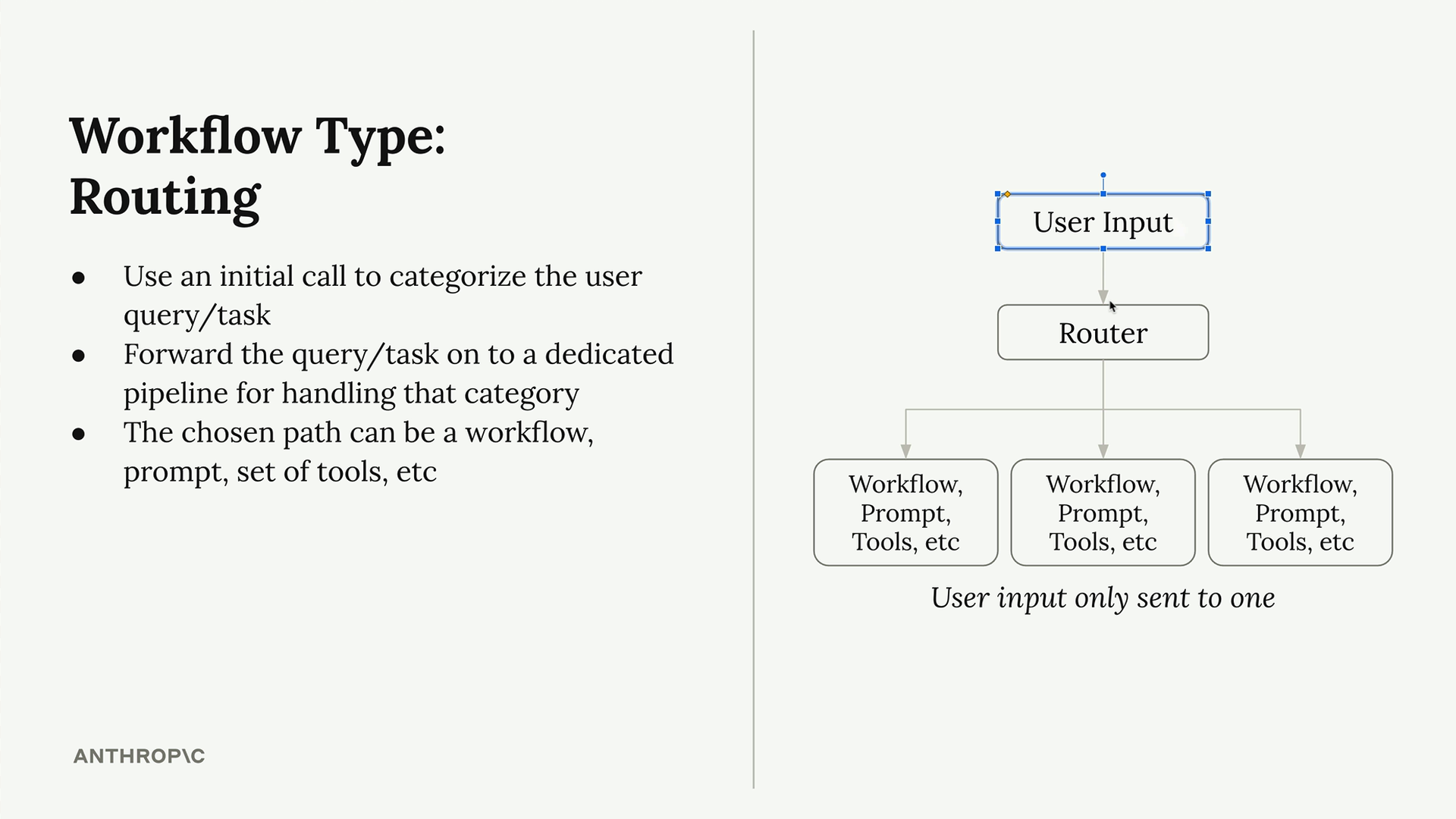
- User provides input
- Router (usually Claude) categorizes the request
- Input gets forwarded to exactly one specialized pipeline
- Each pipeline has its own workflow, prompts, or tools
Key Benefits
- Better output quality - Each category gets prompts designed for that specific use case
- Specialized tools - Different categories can use different APIs, databases, or processing steps
- Scalable design - Easy to add new categories without affecting existing ones
- Cost efficiency - Only run the processing that's actually needed
When to Use Routing
Routing workflows work best when:
- Your application handles distinctly different types of requests
- Different request types need different processing approaches
- You want to optimize for quality over simplicity
- You can clearly define 3-10 meaningful categories
The upfront complexity of building multiple specialized pipelines pays off with significantly better results than trying to handle everything with a single generic approach.
🔁 Related lessons
- Next: Agents and tools
- Previous: Chaining workflows
- Same section: Making a request · Multi-turn conversations · Chat exercise
- Part of paths: Path C
- Reference docs: Glossary · Skills atlas · By use-case
📚 Source & attribution
- Original Anthropic Academy lesson: https://anthropic.skilljar.com/claude-with-google-vertex/289242
- © 2025 Anthropic. Educational fair-use only.