📖 Lesson content
Summary
Claude operates blindly - it needs to be able to observe the environment around it to understand the results of its actions. This concept, called environment inspection, is crucial for building effective AI agents.
Why Environment Inspection Matters
Think about Claude's perspective when using computer tools. When it clicks a button or types text, the interface changes, but Claude doesn't inherently know how. A button click might navigate to a new page or open a menu. Without being able to "see" what happened, Claude can't determine if its action was successful or plan its next move effectively.
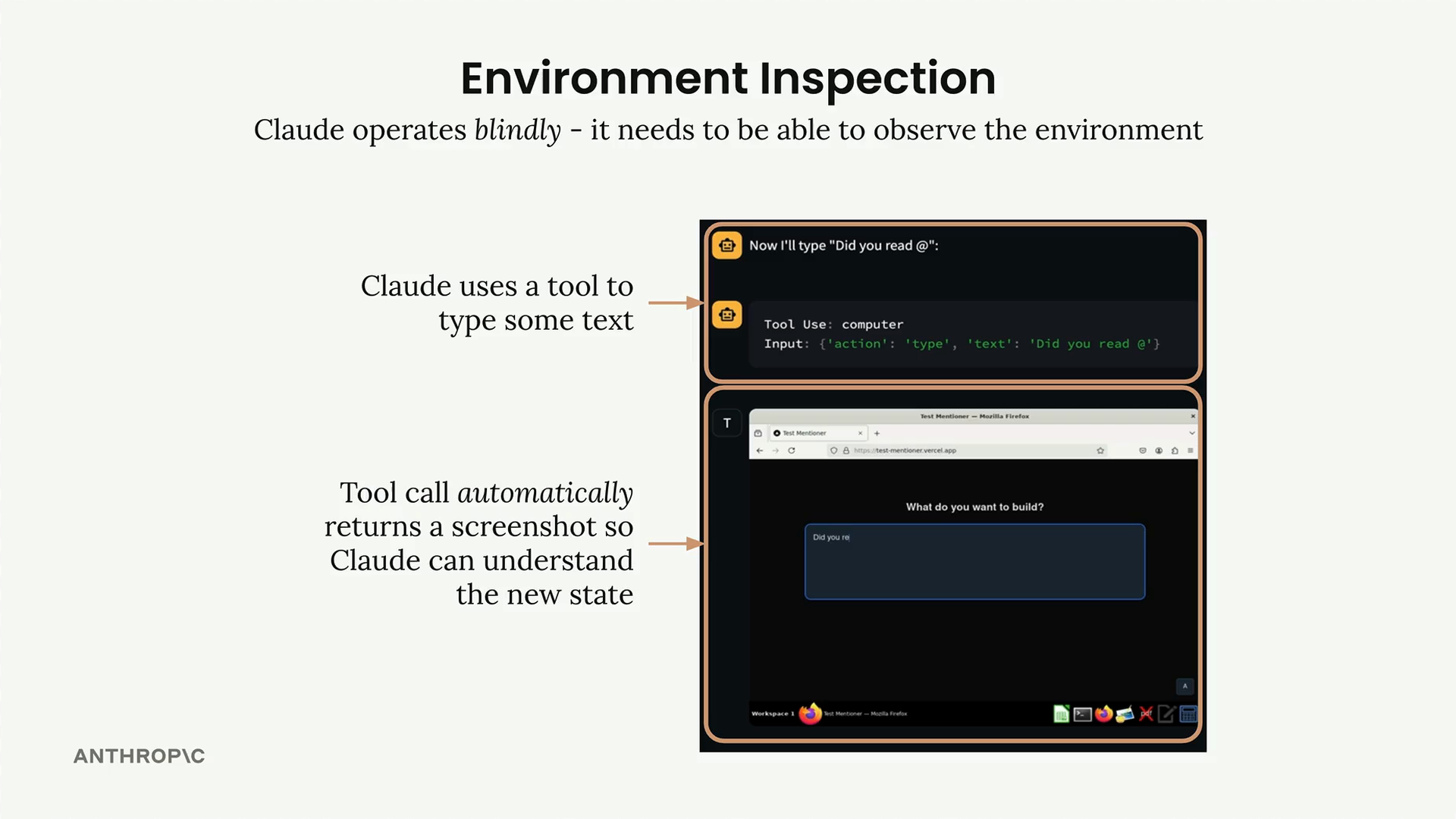
This is why computer use tools automatically return screenshots after each action. Claude uses these visual snapshots to understand the new state of the environment and gauge its progress toward completing tasks.
Reading Before Writing
The same principle applies to file operations. Before Claude can modify code, it needs to understand what currently exists in the file. This might seem obvious, but it's a critical step that many developers overlook when building agents.
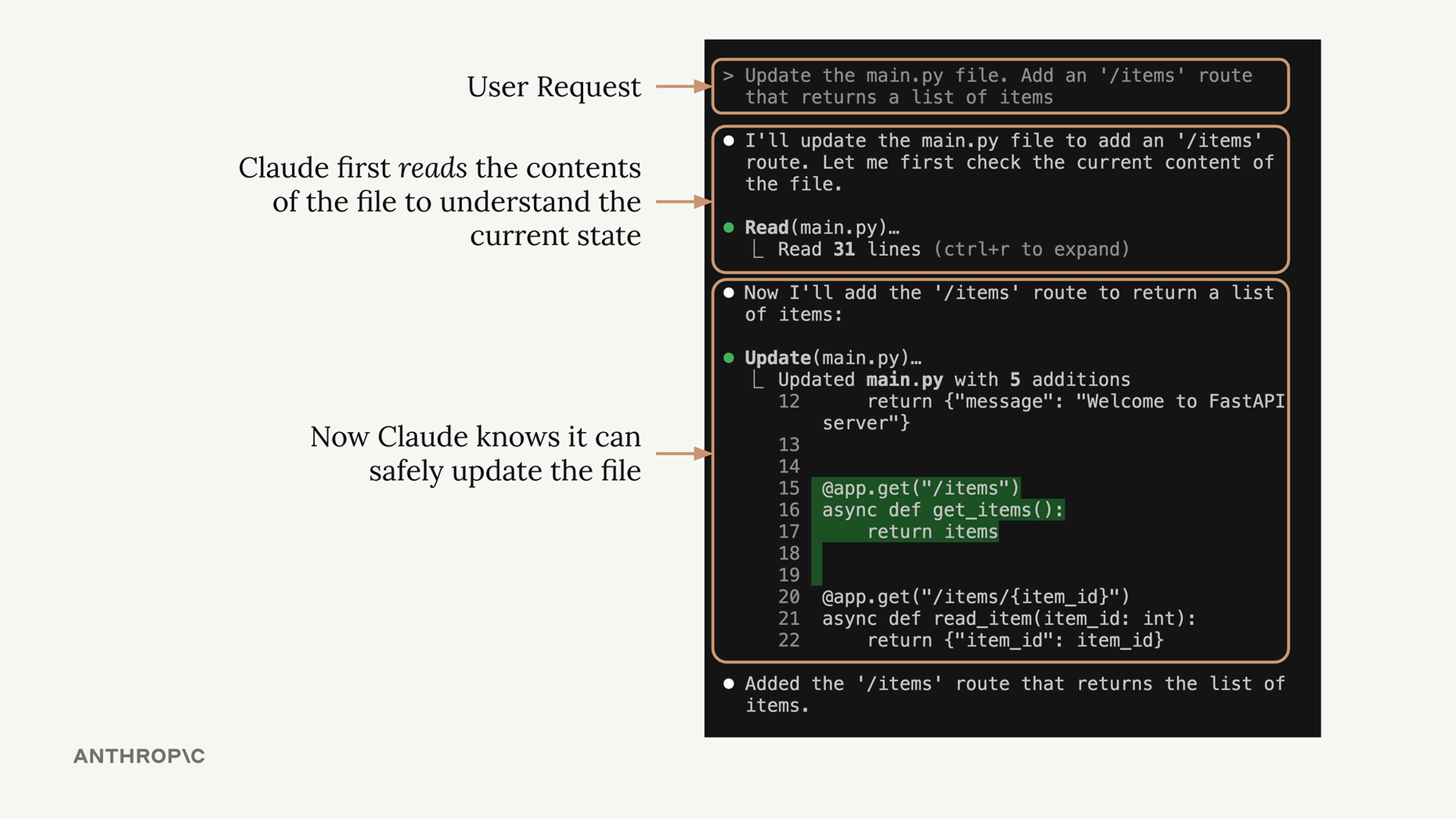
In this example, Claude first reads the contents of main.py to understand the current structure before safely adding new routes. This inspection step prevents errors and ensures the modifications fit properly with existing code.
Practical Applications
Environment inspection becomes especially valuable in complex workflows. Consider an agent that creates videos and posts them to social media. The agent might need to:
- Generate video content using various tools
- Verify the output quality and timing
- Check that audio and visual elements align correctly
- Confirm successful posting to social platforms
System Prompts for Inspection
You can guide Claude to inspect its environment through system prompts. For a video creation agent, you might include instructions like:
- Use the bash tool to run whisper.cpp and generate caption files with timestamps to verify dialog placement
- Use FFmpeg to extract screenshots from the video at regular intervals to confirm visual quality
- Check file sizes and formats before attempting uploads
These inspection steps help Claude catch errors early and ensure the final output meets expectations. By building environment inspection into your agents, you create more reliable and self-correcting systems that can handle unexpected results gracefully.
Remember: every action an agent takes should be followed by some form of verification or inspection to confirm the desired outcome was achieved.
🔁 Related lessons
- Next: Workflows vs agents
- Previous: Agents and tools
- Same section: Making a request · Multi-turn conversations · Chat exercise
- Part of paths: Path C
- Reference docs: Glossary · Skills atlas · By use-case
📚 Source & attribution
- Original Anthropic Academy lesson: https://anthropic.skilljar.com/claude-with-google-vertex/289237
- © 2025 Anthropic. Educational fair-use only.