📖 Lesson content
Summary
When working with Claude's tool calling capabilities, you might notice that Claude can include multiple tool use blocks in a single assistant message. This allows Claude to run several tools in parallel rather than making separate requests for each one. However, getting Claude to actually do this consistently can be challenging in practice.
The Problem with Multiple Tool Calls
Let's say you ask Claude to set two reminders for the same date. Theoretically, Claude should be able to send back a single response containing two tool use blocks - one for each reminder. But in reality, Claude often sends separate responses instead.
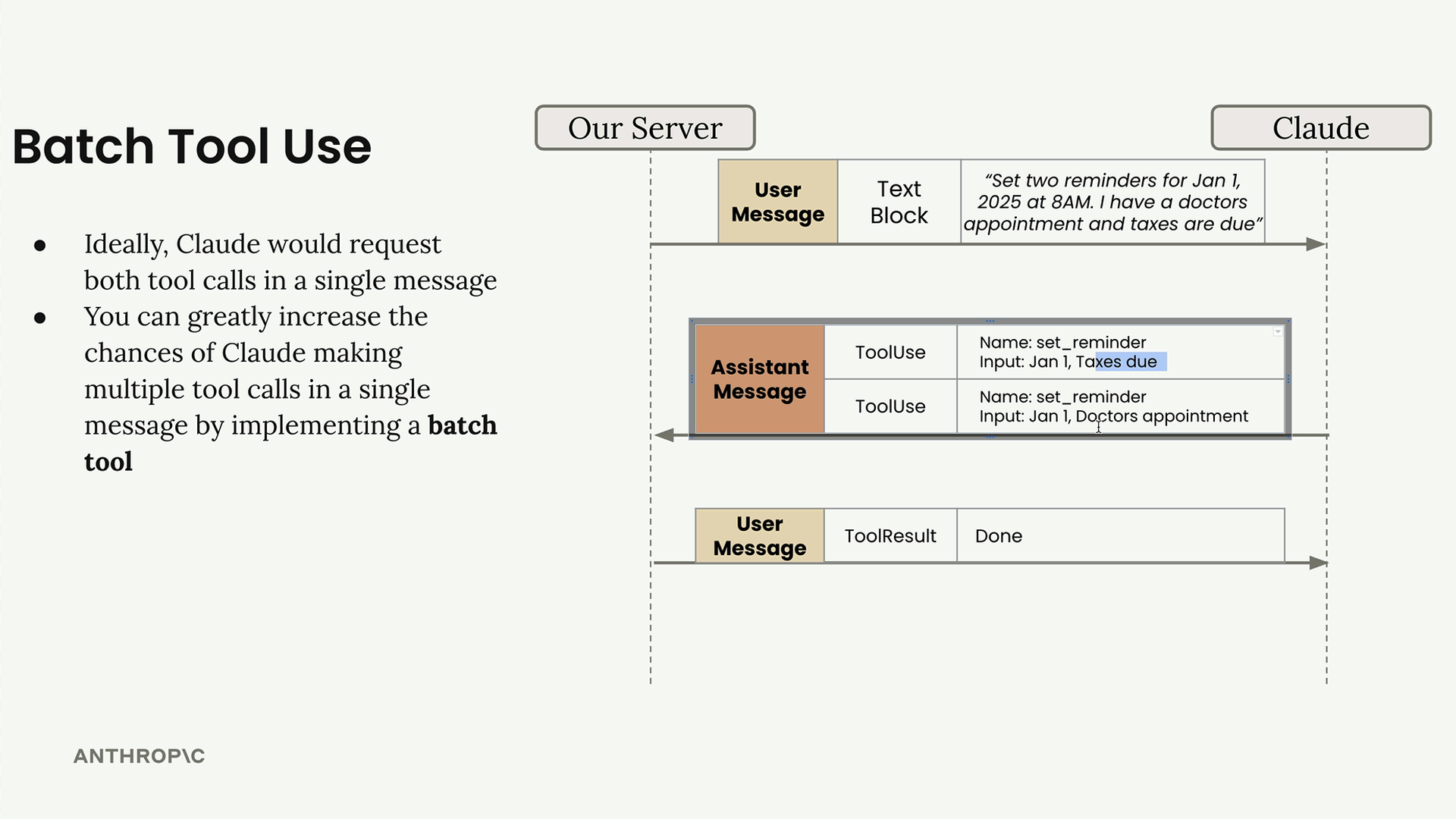
What typically happens is Claude makes the first tool call, waits for the result, then makes the second tool call in a follow-up message. This creates unnecessary back-and-forth communication when the operations could have been done simultaneously.
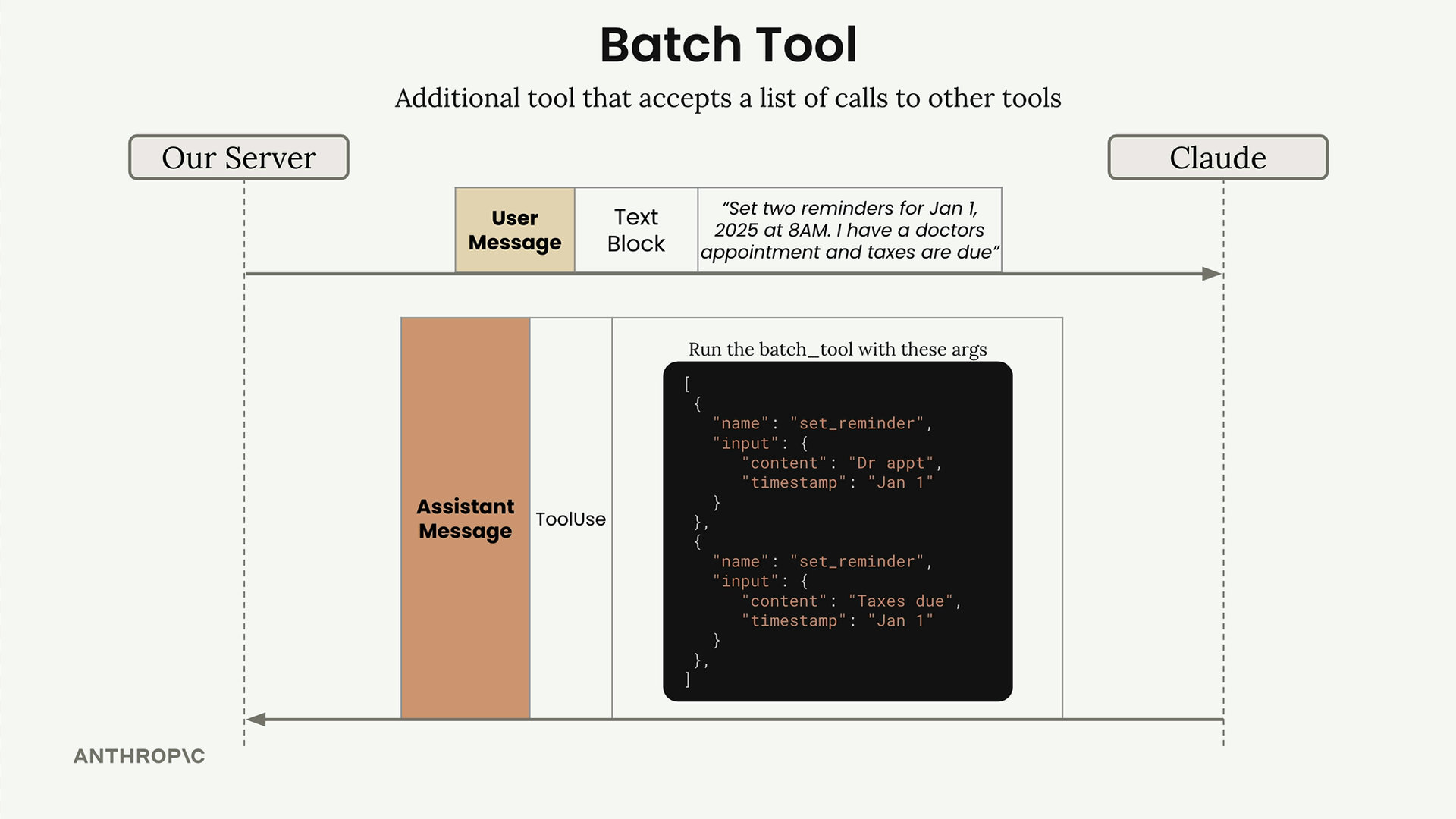
The Batch Tool Solution
The solution is to implement a "batch tool" - a special tool that accepts a list of other tool calls to execute simultaneously. This is essentially a workaround that tricks Claude into making multiple tool calls at once.
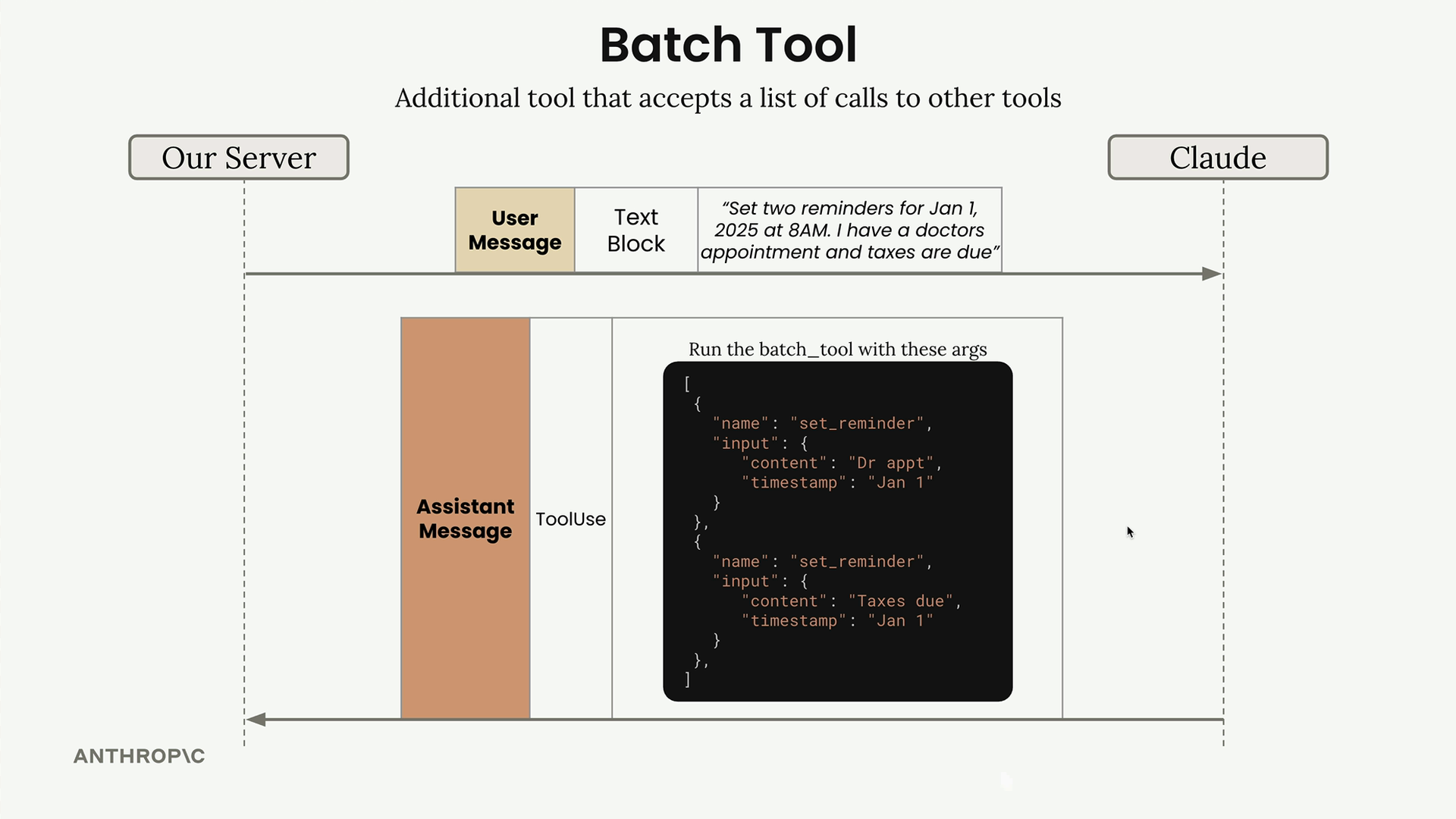
Here's how it works:
- You define a batch tool schema that tells Claude it can run multiple other tools in parallel
- Instead of calling tools directly, Claude calls the batch tool with a list of tool invocations
- Your code processes this list and executes each tool call
- You return the combined results back to Claude
Implementing the Batch Tool Schema
The batch tool schema defines how Claude should structure its requests when it wants to run multiple tools:
batch_tool_schema = {
    "name": "batch_tool",
    "description": "Invoke multiple other tool calls simultaneously",
    "input_schema": {
        "type": "object",
        "properties": {
            "invocations": {
                "type": "array",
                "description": "The tool calls to invoke",
                "items": {
                    "type": "object",
                    "properties": {
                        "name": {
                            "type": "string",
                            "description": "The name of the tool to invoke"
                        },
                        "arguments": {
                            "type": "object",
                            "description": "The arguments to pass to the tool"
                        }
                    }
                }
            }
        }
    }
}
Processing Batch Tool Calls
When Claude uses the batch tool, you need to process the list of invocations and execute each one. Here's the implementation:
def run_batch(invocations=[]):
    batch_output = []

    for invocation in invocations:
        name = invocation["name"]
        args = json.loads(invocation["arguments"])

        tool_output = run_tool(name, args)

        batch_output.append({
            "tool_name": name,
            "output": tool_output
        })

    return batch_output
You'll also need to update your main tool routing function to handle batch tool calls:
def run_tool(tool_name, tool_input):
    if tool_name == "get_current_datetime":
        return get_current_datetime(**tool_input)
    elif tool_name == "add_duration_to_datetime":
        return add_duration_to_datetime(**tool_input)
    elif tool_name == "set_reminder":
        return set_reminder(**tool_input)
    elif tool_name == "batch_tool":
        return run_batch(**tool_input)
Results
With the batch tool implemented, Claude is much more likely to group related operations together. Instead of making separate requests for each reminder, Claude will use the batch tool to set both reminders simultaneously.
The conversation flow becomes much cleaner - one request from the user, one response from Claude with the batch tool call, and one follow-up with all the results. This reduces latency and makes your application more efficient.
While it might seem like a workaround (and it is), the batch tool pattern is an effective way to encourage Claude to think about operations that can be parallelized and execute them more efficiently.
🔁 Related lessons
- Next: Tools for structured data
- Previous: Using multiple tools
- Same section: Making a request · Multi-turn conversations · Chat exercise
- Part of paths: Path C
- Reference docs: Glossary · Skills atlas · By use-case
📚 Source & attribution
- Original Anthropic Academy lesson: https://anthropic.skilljar.com/claude-with-google-vertex/289189
- © 2025 Anthropic. Educational fair-use only.