📖 Lesson content
Summary
Adding multiple tools to your Claude implementation becomes straightforward once you have the core tool-handling infrastructure in place. This tutorial shows how to integrate additional tools by following a simple pattern.
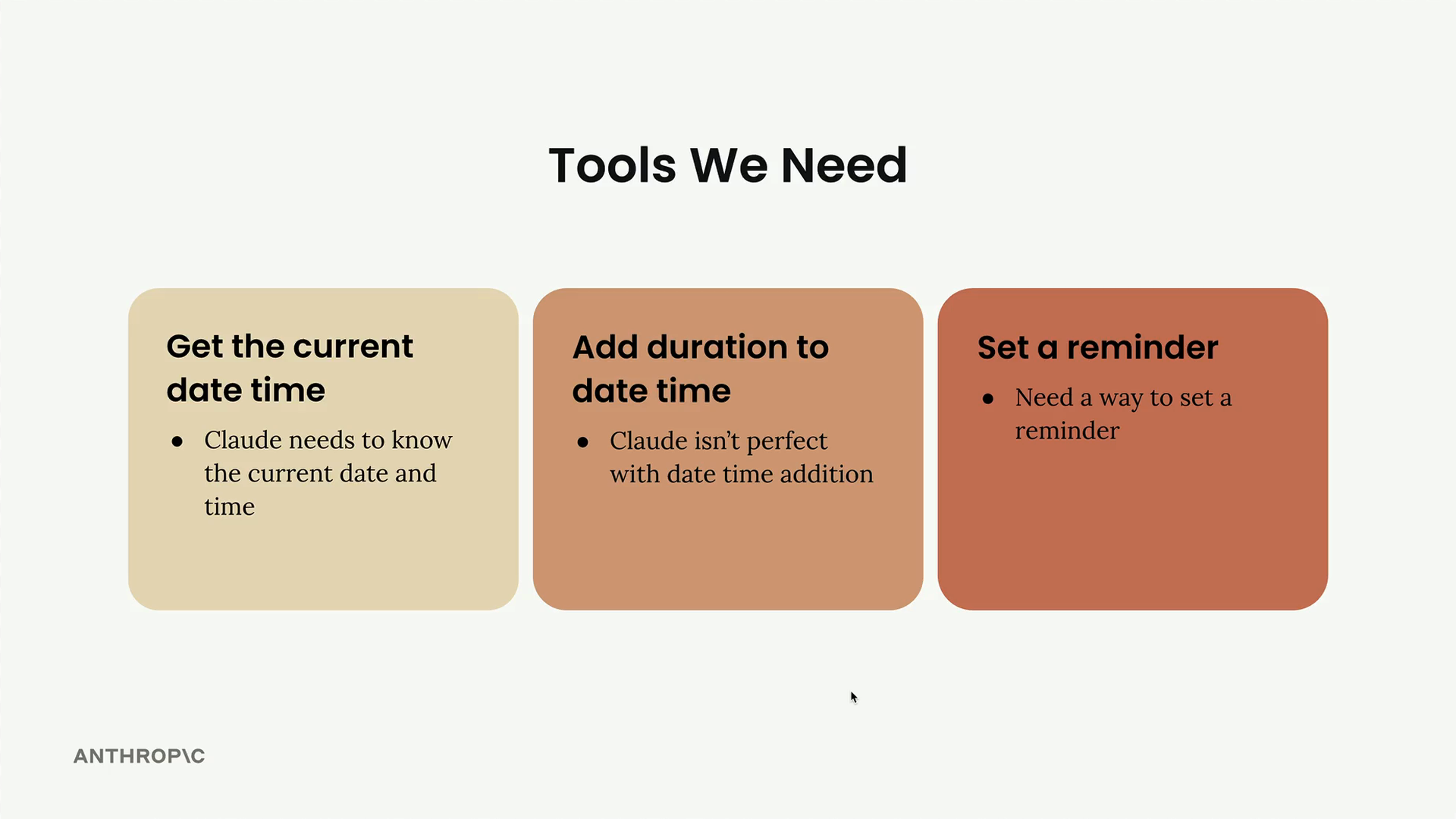
The Tools We're Adding
We need three main capabilities for our reminder system:
- Get current date time - Claude needs to know the current date and time
- Add duration to date time - Claude isn't perfect with date time addition
- Set a reminder - Need a way to set a reminder
The good news is that most of the implementation work is already done. The add_duration_to_datetime function handles various time units (seconds, minutes, hours, days, weeks, months) and returns properly formatted datetime strings.
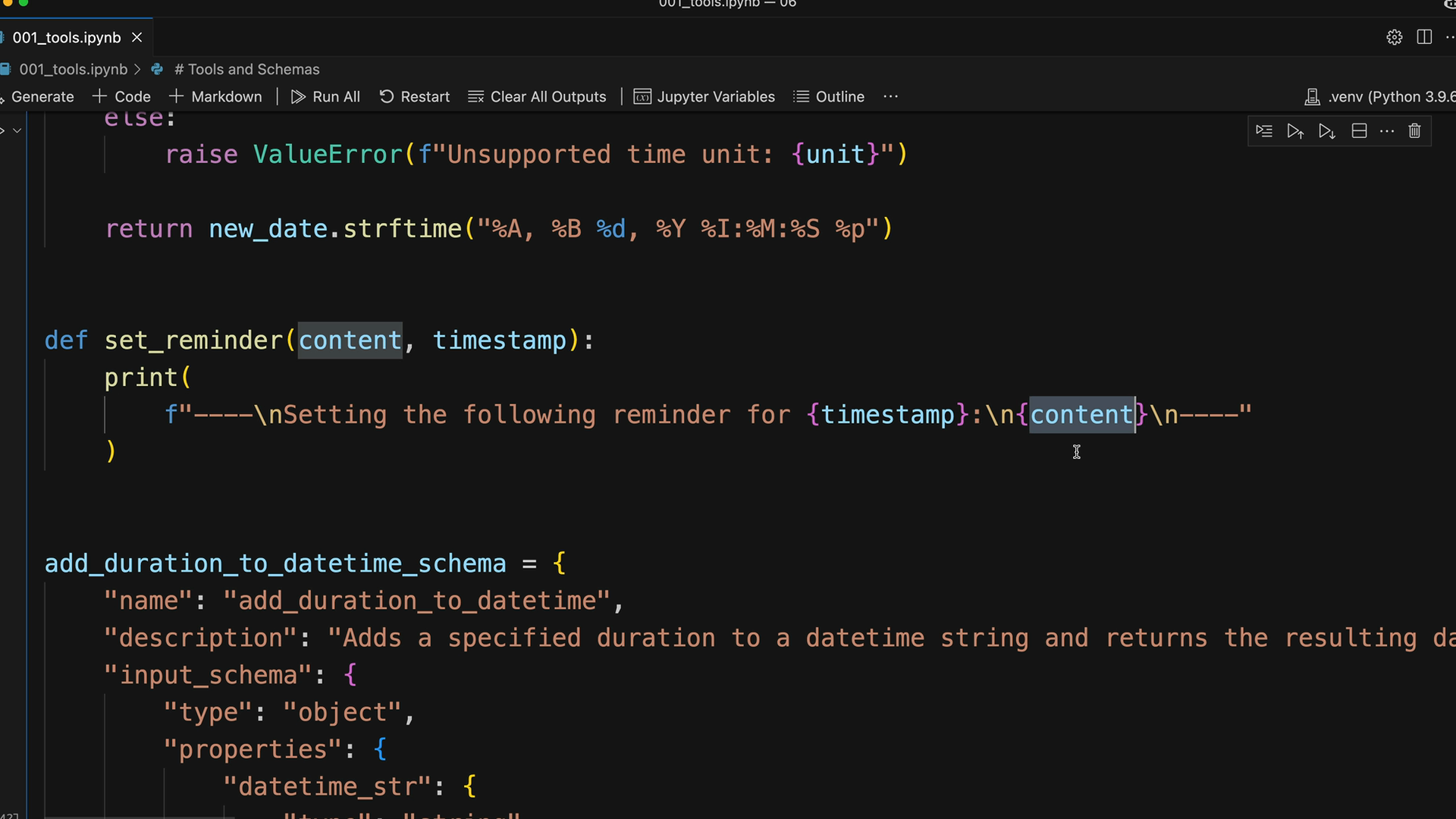
The set_reminder function is a simple placeholder that prints out confirmation details rather than actually setting system reminders.
Adding Tools to the Conversation
The process follows the same pattern we established earlier. First, update the run_conversation function to include the new tool schemas:
response = chat(messages, tools=[
    get_current_datetime_schema,
    add_duration_to_datetime_schema,
    set_reminder_schema
])
This tells Claude about all available tools it can use during the conversation.
Handling Tool Execution
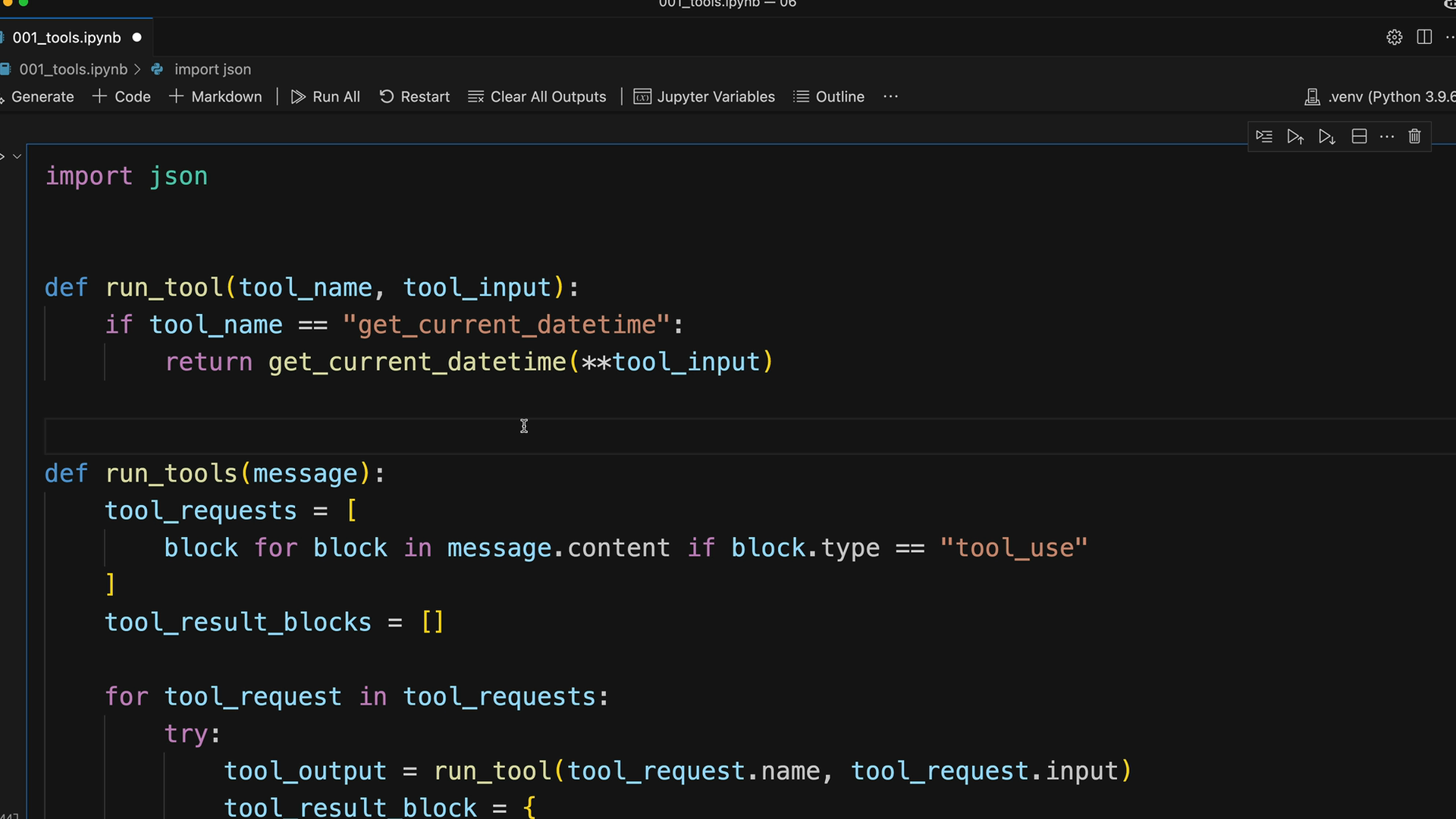
Next, update the run_tool function to handle the new tool calls:
def run_tool(tool_name, tool_input):
    if tool_name == "get_current_datetime":
        return get_current_datetime(**tool_input)
    elif tool_name == "add_duration_to_datetime":
        return add_duration_to_datetime(**tool_input)
    elif tool_name == "set_reminder":
        return set_reminder(**tool_input)
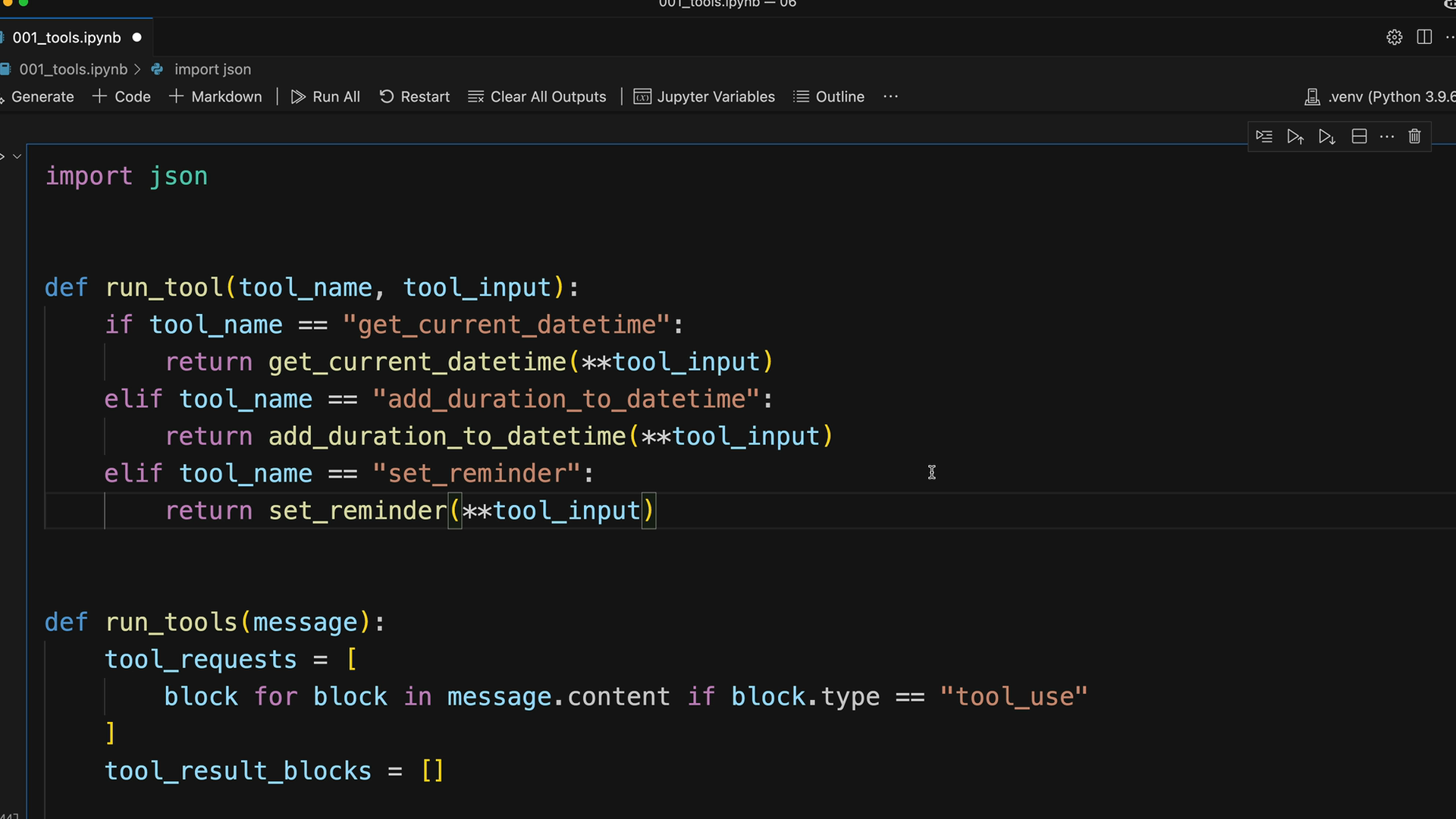
The pattern is consistent: check the tool name, call the corresponding function with the provided input, and return the result.
Testing Multiple Tool Usage
Let's test with a complex request that requires multiple tools: "Set a reminder for my doctors appointment. Its 177 days after Jan 1st, 2050."
This request forces Claude to:
- Calculate the date 177 days after January 1st, 2050
- Set a reminder for that calculated date
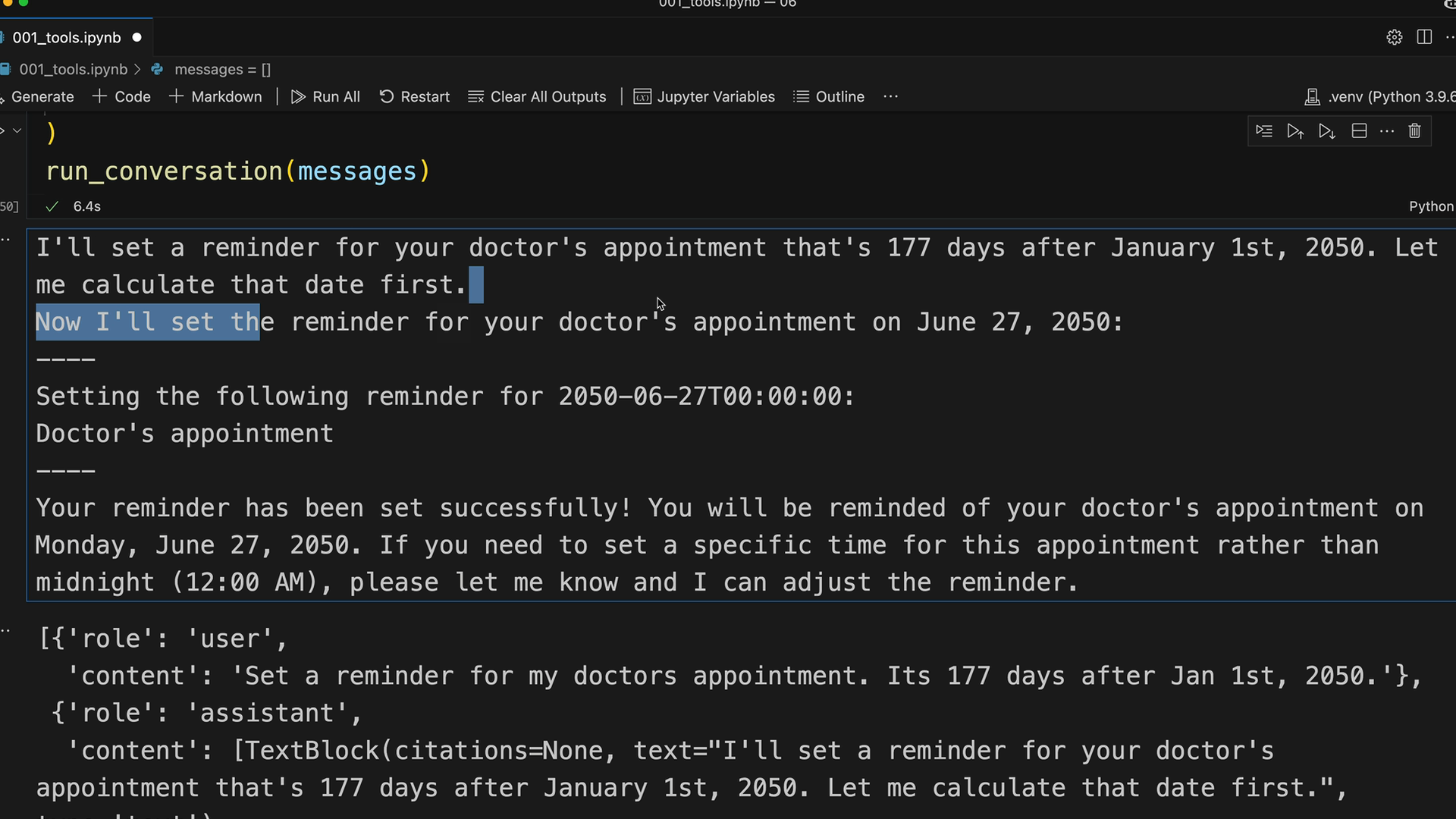
Claude handles this by first explaining what it needs to do, then using the add_duration_to_datetime tool to calculate June 27, 2050, and finally calling set_reminder with the correct date.
Understanding the Message Flow
Looking at the conversation history reveals how Claude manages multiple tools in a single response. The assistant message contains both a text block explaining the process and a tool use block for the first calculation.
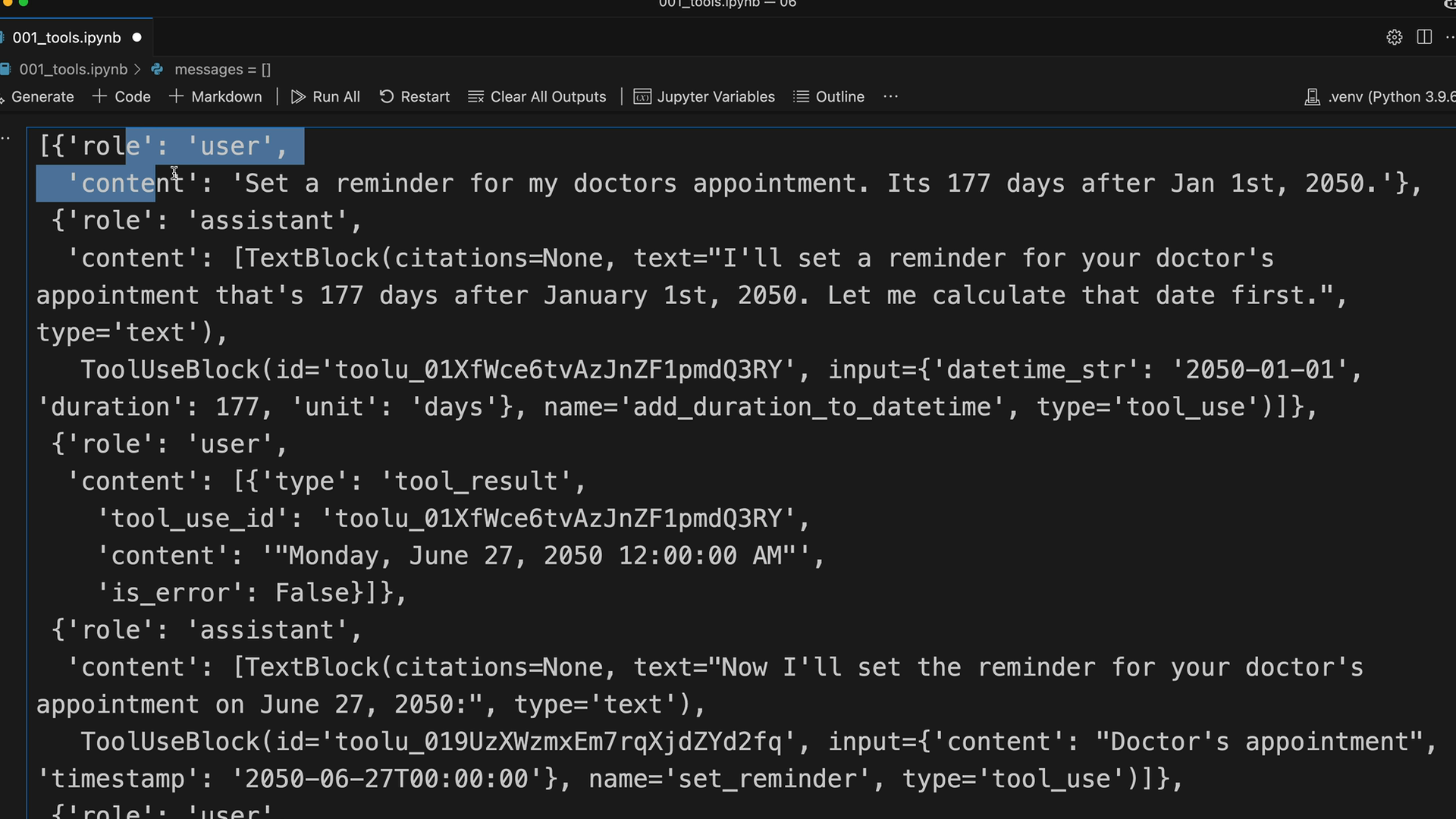
After receiving the tool result, Claude continues with another message containing both text and another tool use block for setting the reminder. This demonstrates how Claude can chain multiple tool calls together to complete complex tasks.