📖 Lesson content
Summary
Building a conversation system with tools requires implementing a loop that keeps calling Claude until it stops requesting tool usage. When Claude no longer asks for tools, that signals it has a final response ready for the user.
Detecting Tool Requests
The key to knowing whether Claude wants to use a tool lies in the stop_reason field of the response message. When Claude decides it needs to call a tool, this field gets set to "tool_use". This gives us a clean way to check if we need to continue the conversation loop:
if response.stop_reason != "tool_use":
    break  # Claude is done, no more tools needed
The Conversation Loop
The main conversation function follows a simple pattern:
def run_conversation(messages):
    while True:
        response = chat(messages, tools=[get_current_datetime_schema])
        add_assistant_message(messages, response)
        print(text_from_message(response))

        if response.stop_reason != "tool_use":
            break

        tool_results = run_tools(response)
        add_user_message(messages, tool_results)

    return messages
This loop continues until Claude provides a final answer without requesting any tools.
Handling Multiple Tool Calls
Claude can request multiple tools in a single response. The message content contains a list of blocks, and we need to process each tool use block separately:
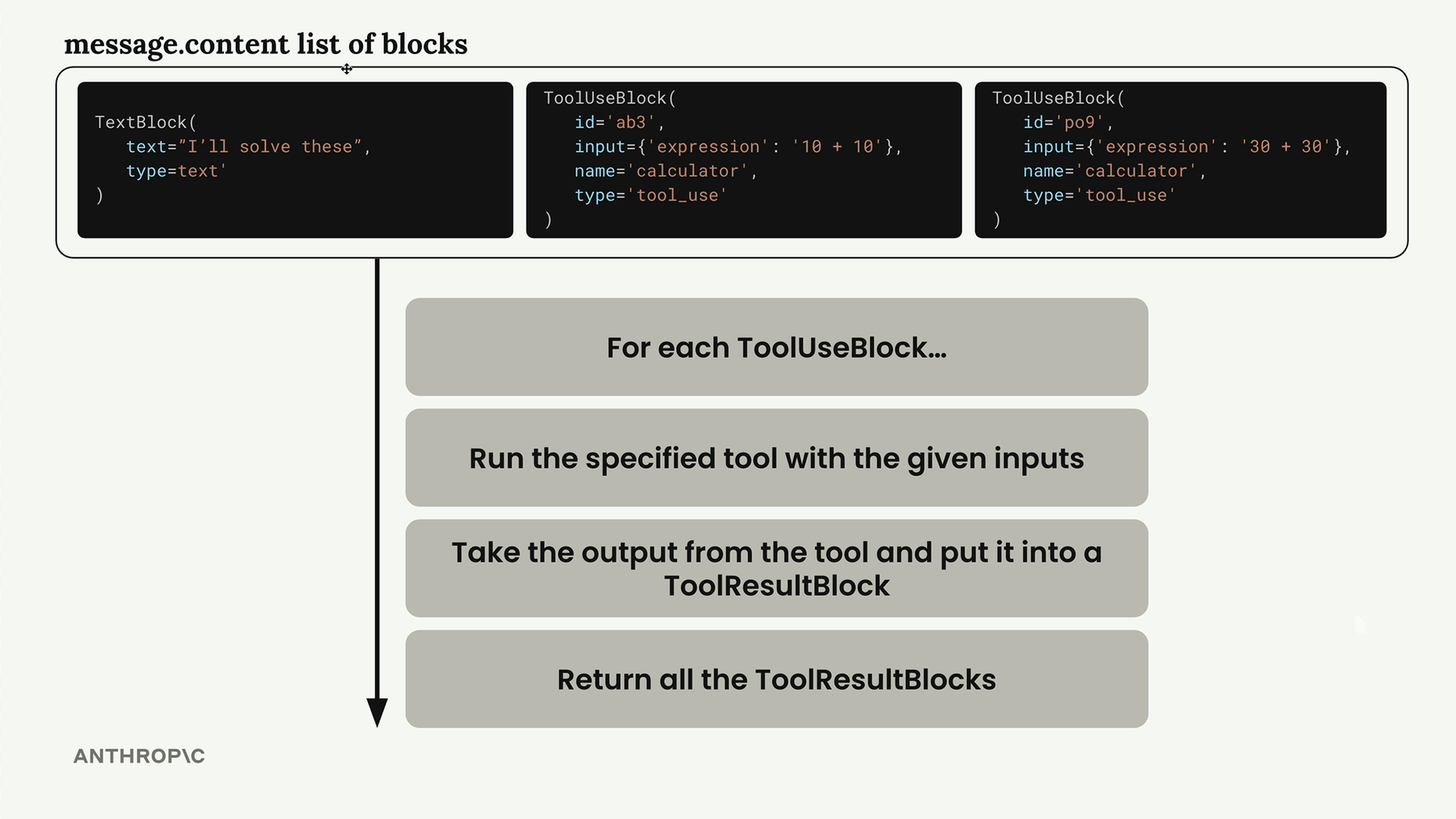
The run_tools function handles this by filtering for tool use blocks and processing each one:
def run_tools(message):
    tool_requests = [
        block for block in message.content if block.type == "tool_use"
    ]
    tool_result_blocks = []

    for tool_request in tool_requests:
        # Process each tool request...
Tool Result Blocks
For each tool use block, we need to create a corresponding tool result block. These blocks have specific required fields:
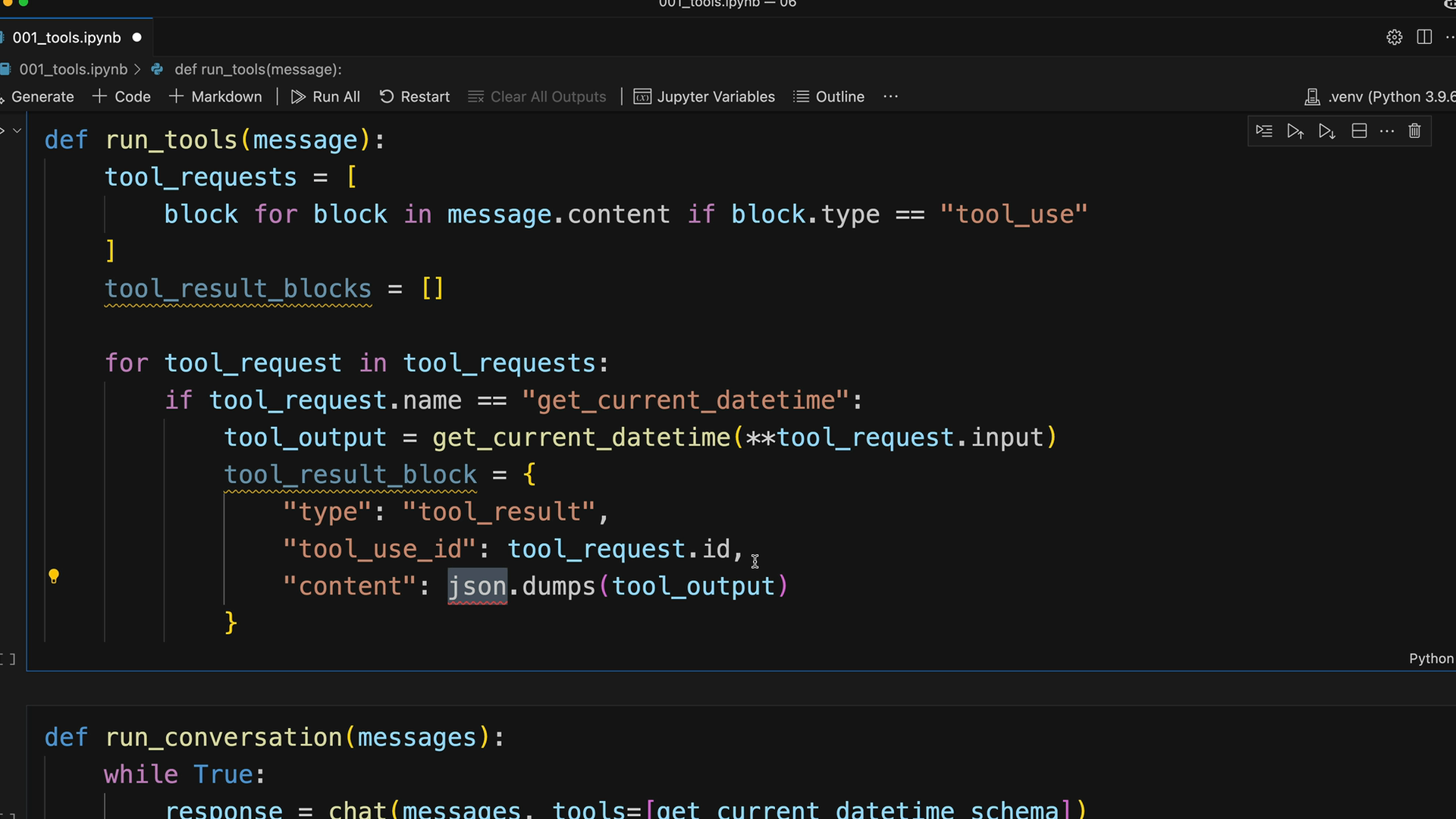
The tool result block must include the same ID as the original tool use block, but in the tool_use_id field:
tool_result_block = {
    "type": "tool_result",
    "tool_use_id": tool_request.id,
    "content": json.dumps(tool_output),
    "is_error": False
}
Error Handling
Robust tool execution requires handling potential errors. When a tool fails, we still need to return a tool result block, but with error information:
try:
    tool_output = run_tool(tool_request.name, tool_request.input)
    tool_result_block = {
        "type": "tool_result",
        "tool_use_id": tool_request.id,
        "content": json.dumps(tool_output),
        "is_error": False
    }
except Exception as e:
    tool_result_block = {
        "type": "tool_result",
        "tool_use_id": tool_request.id,
        "content": f"Error: {e}",
        "is_error": True
    }
Scalable Tool Routing
To support multiple tools, create a separate routing function instead of hardcoding tool names:
def run_tool(tool_name, tool_input):
    if tool_name == "get_current_datetime":
        return get_current_datetime(**tool_input)
    elif tool_name == "other_tool":
        return other_tool_function(**tool_input)
    # Add more tools as needed
This approach makes it easy to add new tools without modifying the core conversation logic.
Complete Workflow
The complete multi-turn conversation works like this:
- Send user message to Claude with available tools
- Claude responds with text and/or tool use blocks
- Execute any requested tools and create tool result blocks
- Send tool results back to Claude as a user message
- Repeat until Claude provides a final response without tool requests
This creates a seamless experience where Claude can make multiple tool calls across several conversation turns to gather all the information needed before providing a comprehensive final answer to the user.
Downloads
🔁 Related lessons
- Next: Using multiple tools
- Previous: Multi-turn conversations with tools
- Same section: Making a request · Multi-turn conversations · Chat exercise
- Part of paths: Path C
- Reference docs: Glossary · Skills atlas · By use-case
📚 Source & attribution
- Original Anthropic Academy lesson: https://anthropic.skilljar.com/claude-with-google-vertex/289182
- © 2025 Anthropic. Educational fair-use only.