📖 Lesson content
Summary
After Claude requests a tool call, you need to execute the function and send the results back. This completes the tool use workflow by providing Claude with the information it requested.
Running the Tool Function
When Claude responds with a tool use block, you extract the input parameters and call your function. Here's how to access the tool parameters:
// Access the tool use block
tool_use_block = response.content[1]

// Get the input parameters
input_params = tool_use_block.input

// Call your function with the parameters
result = get_current_datetime(**input_params)
The double asterisk (**) unpacks the dictionary into keyword arguments that your function expects.
Tool Result Block
After running the tool, you send the results back to Claude using a tool result block. This block has several important properties:
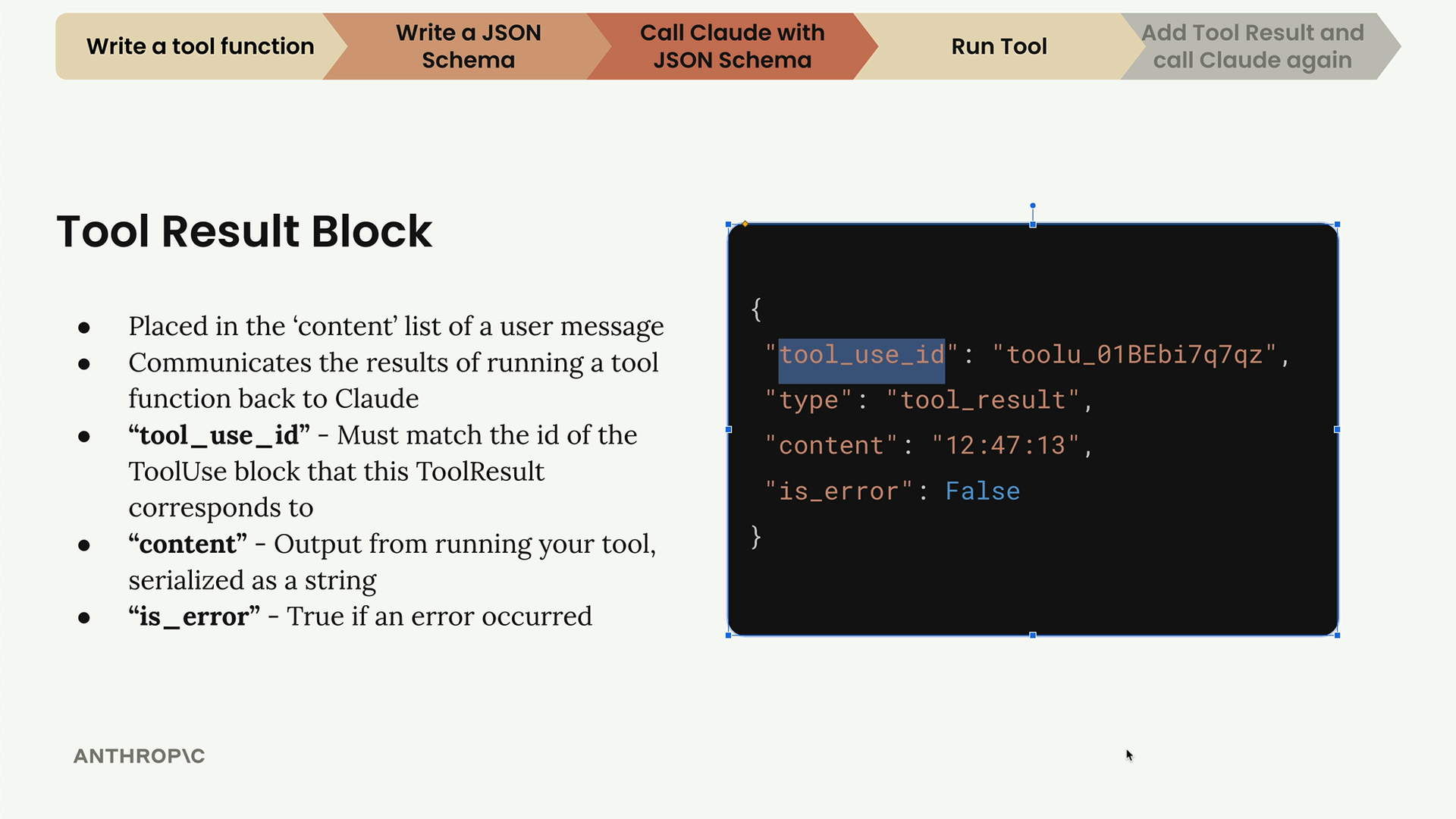
- tool_use_id - Must match the ID from the original tool use block
- content - The output from your tool function, converted to a string
- is_error - Set to true if an error occurred during execution
Handling Multiple Tool Calls
Claude can request multiple tool calls in a single response. For example, if a user asks "What's 10 + 10 and what's 30 + 30?", Claude might send two separate tool use blocks:
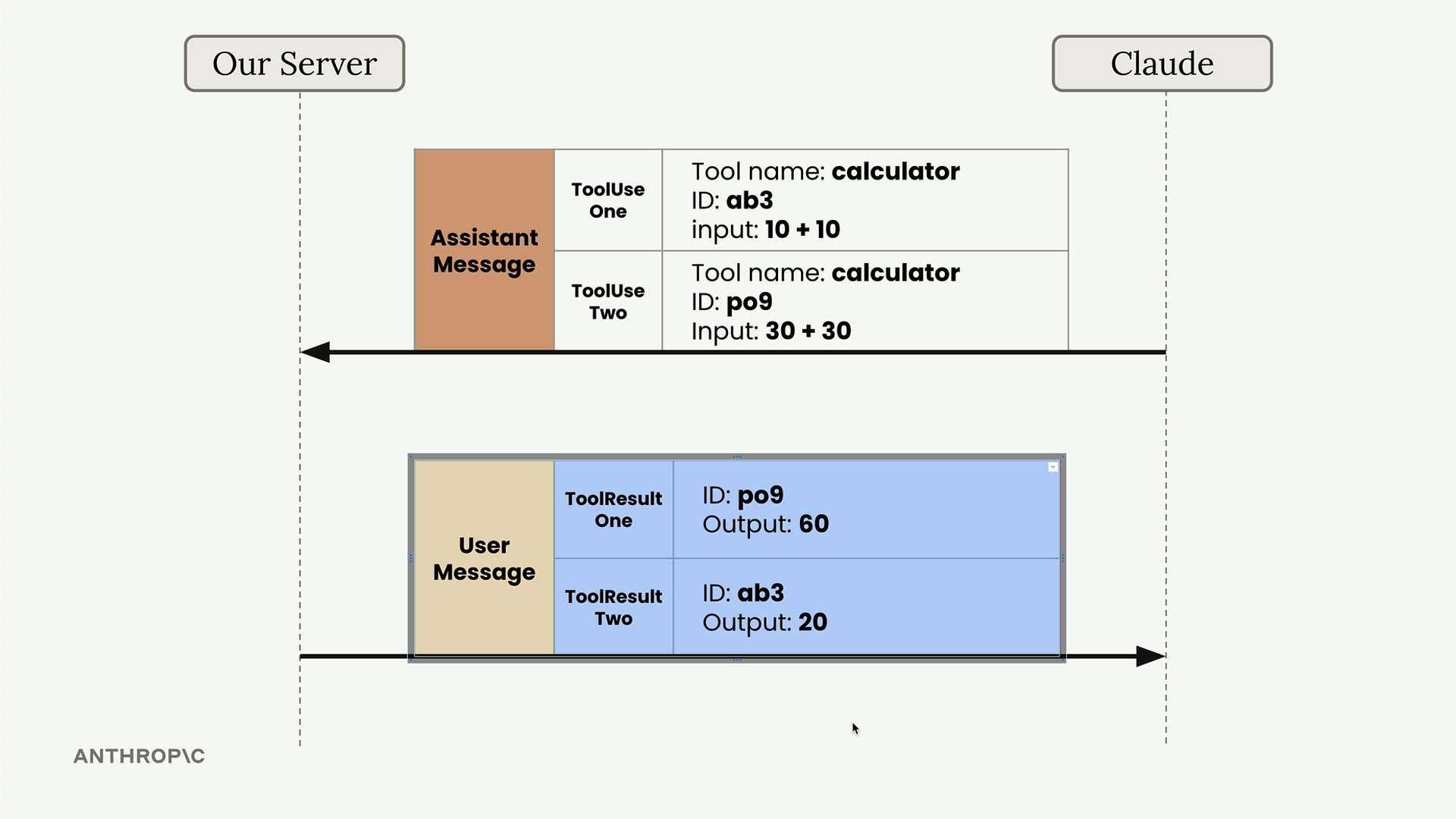
Each tool use block gets a unique ID, and you must match these IDs when sending back results:
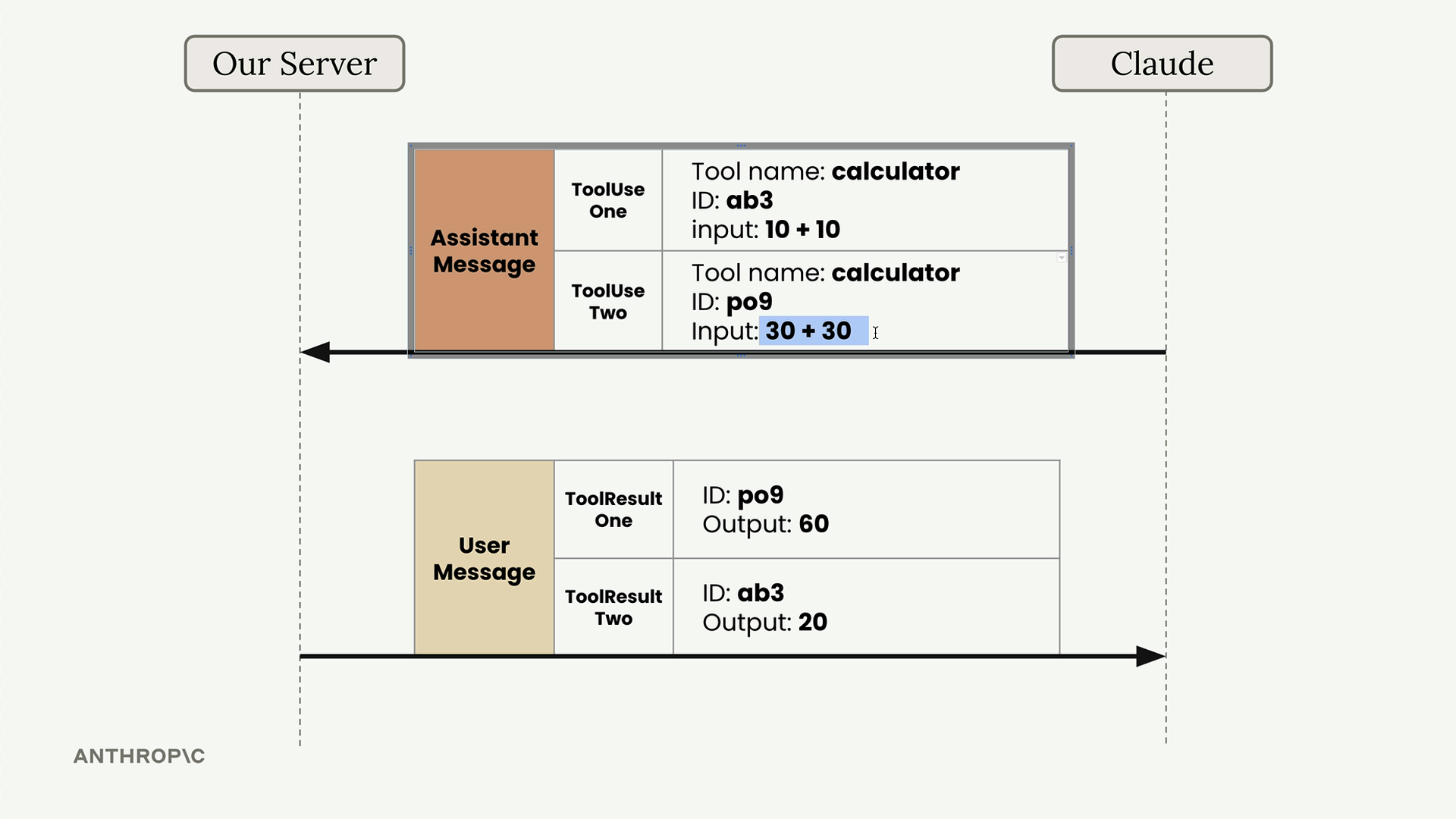
This ID system ensures Claude can correctly match each result with its corresponding request, even if the results arrive in a different order.
Sending the Follow-up Request
Your follow-up request to Claude must include the complete conversation history plus the new tool result:
messages.append({
    "role": "user",
    "content": [{
        "type": "tool_result",
        "tool_use_id": response.content[1].id,
        "content": result,
        "is_error": False
    }]
})
The conversation flow looks like this:
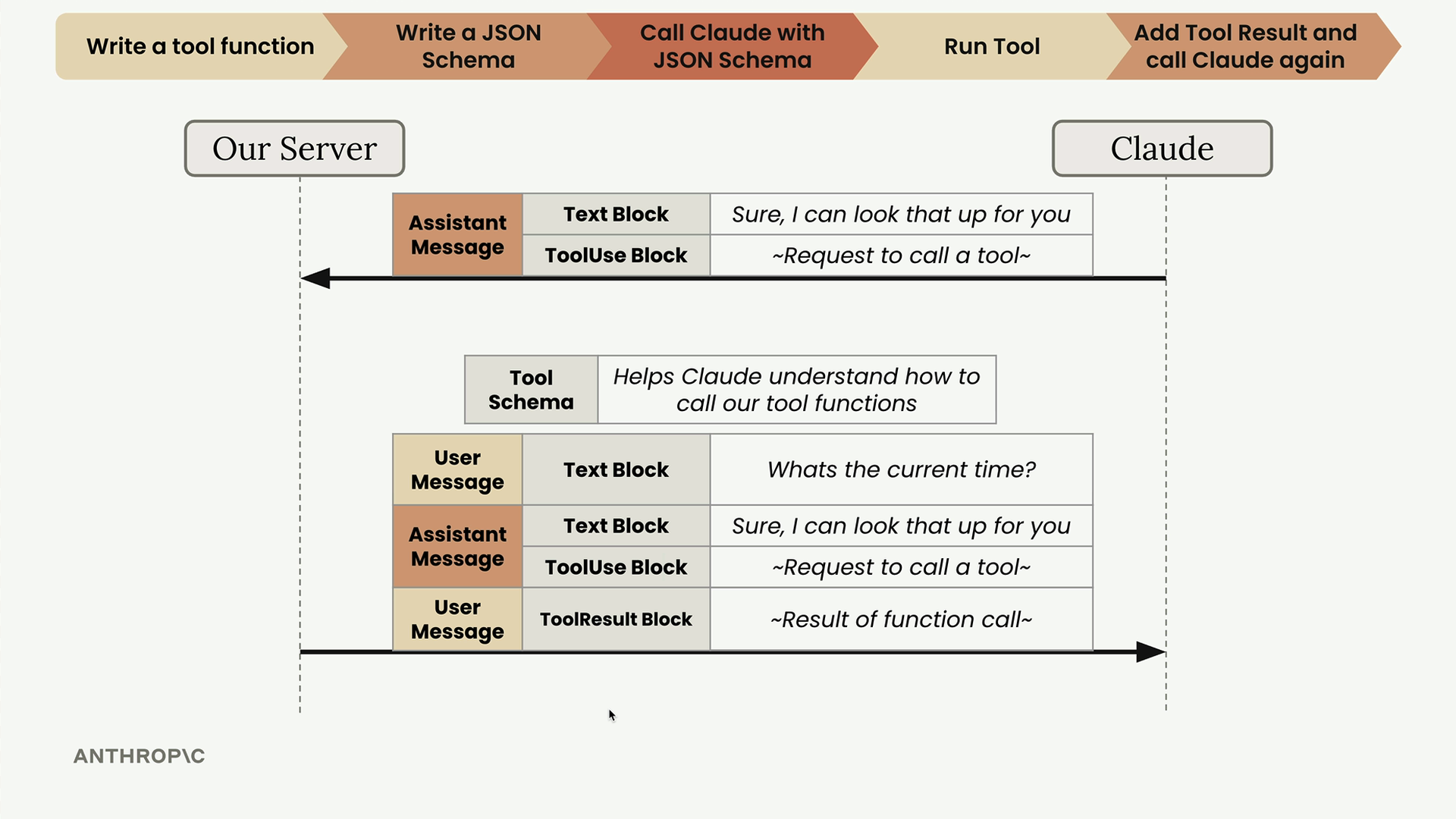
Remember to include the tool schema in your follow-up request, even though Claude probably won't need to call tools again. Claude needs the schema to understand the tool references in the conversation history.
Complete Workflow
Here's the full process:
- User asks a question requiring tool use
- Claude responds with a tool use block
- You execute the requested tool function
- You send a follow-up request with the tool result
- Claude provides a final answer using the tool output
The final request includes your complete message history, the tool result block, and the tool schema. Claude then responds with a regular text message that incorporates the information from your tool execution.
🔁 Related lessons
- Next: Multi-turn conversations with tools
- Previous: Handling message blocks
- Same section: Making a request · Multi-turn conversations · Chat exercise
- Part of paths: Path C
- Reference docs: Glossary · Skills atlas · By use-case
📚 Source & attribution
- Original Anthropic Academy lesson: https://anthropic.skilljar.com/claude-with-google-vertex/289184
- © 2025 Anthropic. Educational fair-use only.