📖 Lesson content
Summary
When working with Claude's tool functionality, you'll encounter a new type of response structure that's different from the simple text responses you've seen before. Instead of just getting back a single text block, Claude can now return multi-block messages that contain both text and tool usage information.
Making Tool-Enabled API Calls
To enable Claude to use tools, you need to include a tools parameter in your API call. Here's how to structure the request:
messages = []
messages.append({
    "role": "user",
    "content": "What is the exact time, formatted as HH:MM:SS?"
})

response = client.messages.create(
    model=model,
    max_tokens=1000,
    messages=messages,
    tools=[get_current_datetime_schema],
)
The tools parameter takes a list of JSON schemas that describe the available functions Claude can call.
Understanding Multi-Block Messages
When Claude decides to use a tool, it returns an assistant message with multiple blocks in the content list. This is a significant change from the simple text-only responses you've worked with before.
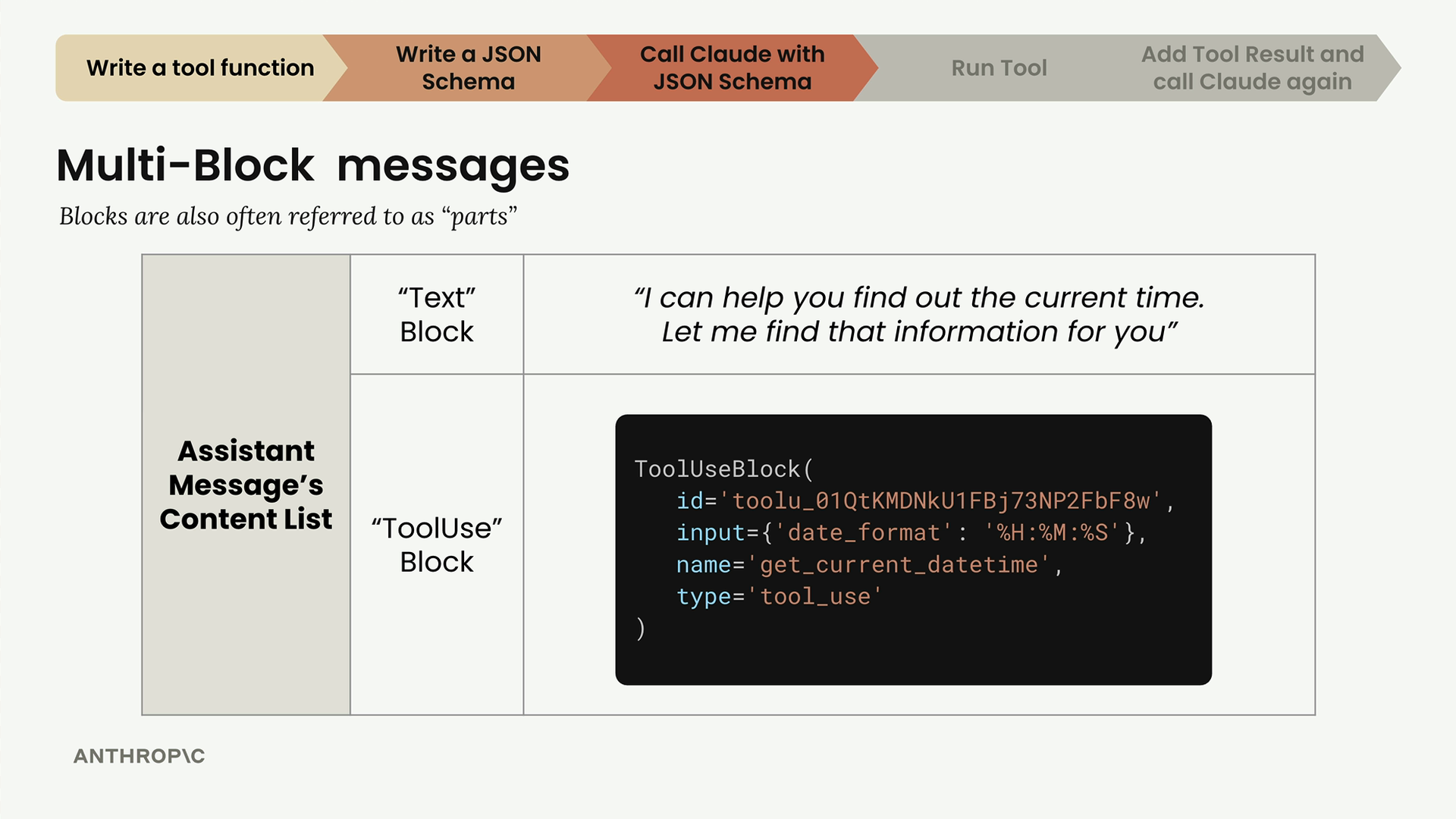
A multi-block message typically contains:
- Text Block - Human-readable text explaining what Claude is doing (like "I can help you find out the current time. Let me find that information for you")
- ToolUse Block - Instructions for your code about which tool to call and what parameters to use
The ToolUse block includes:
- An ID for tracking the tool call
- The name of the function to call (like "get_current_datetime")
- Input parameters formatted according to your JSON schema
- The type designation "tool_use"
Handling Message History with Multi-Block Content
Here's the critical part: Claude doesn't store conversation history, so you must manage it manually. When working with tool responses, you need to preserve the entire content structure, including all blocks.
Instead of just extracting text, you need to append the complete response content:
messages.append({
    "role": "assistant",
    "content": response.content
})
This preserves both the text block and the tool use block, maintaining the full conversation context for future API calls.
The Complete Flow
The tool usage process follows this pattern:
- Send user message with tool schema to Claude
- Receive multi-block assistant message (text + tool use)
- Extract tool call information and execute the function
- Send tool result back to Claude with complete message history
- Receive final response from Claude
Each step requires careful handling of the message structure to maintain conversation continuity. The key insight is that tool-enabled conversations involve more complex message formats, but the fundamental principle of maintaining complete message history remains the same.
Updating Helper Functions
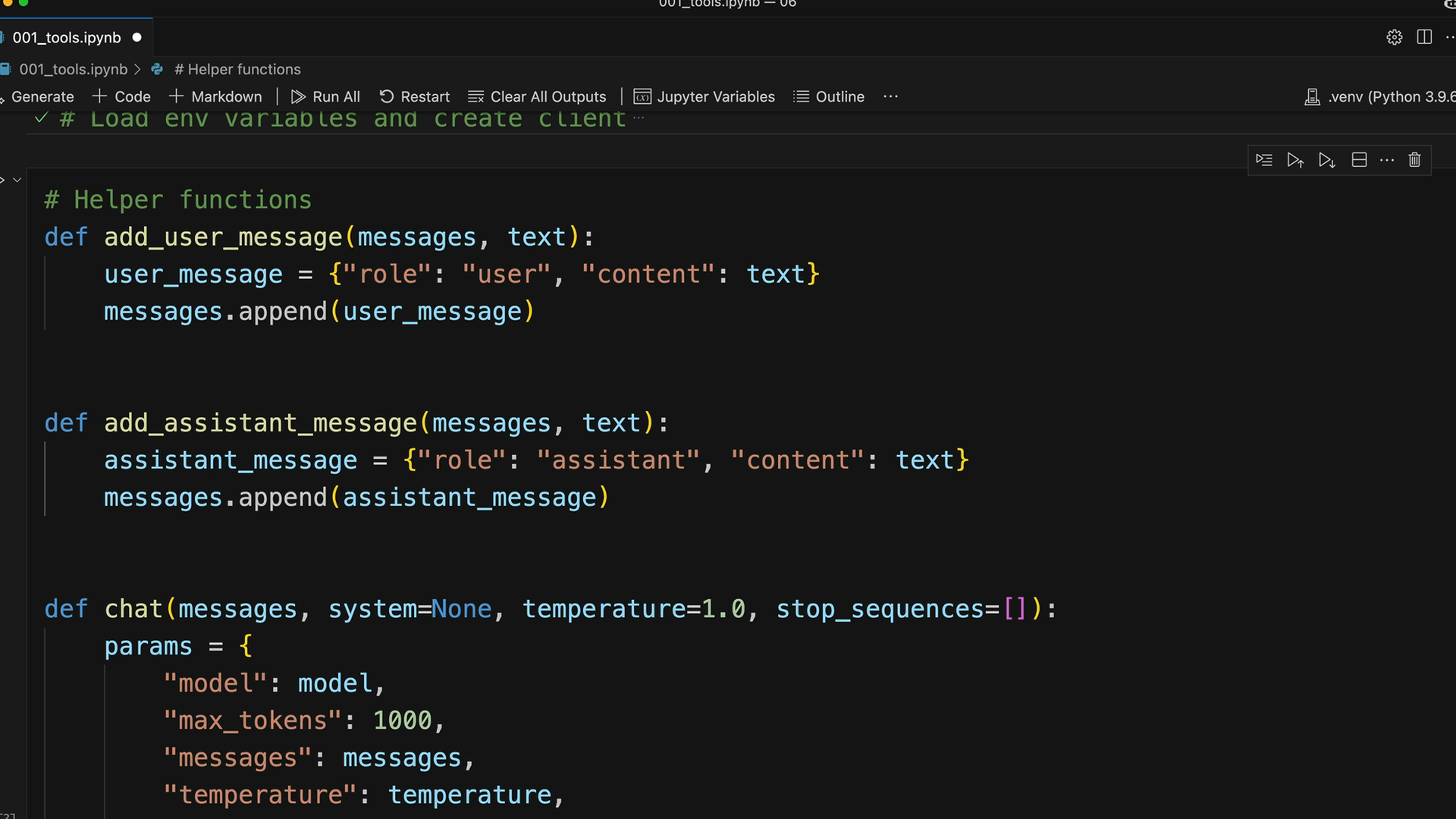
If you've been using helper functions like add_user_message and add_assistant_message, you'll need to update them to handle multi-block content. The current versions likely only support single text blocks, but now they need to accommodate the more complex content structures that include tool use blocks.
🔁 Related lessons
- Next: Sending tool results
- Previous: Tool schemas
- Same section: Making a request · Multi-turn conversations · Chat exercise
- Part of paths: Path C
- Reference docs: Glossary · Skills atlas · By use-case
📚 Source & attribution
- Original Anthropic Academy lesson: https://anthropic.skilljar.com/claude-with-google-vertex/289179
- © 2025 Anthropic. Educational fair-use only.