📖 Lesson content
Summary
After writing your tool function, the next step is creating a JSON schema that tells Claude what arguments your function expects and how to use it. This schema acts as documentation that Claude reads to understand when and how to call your tools.
Understanding JSON Schema
JSON Schema isn't specific to AI or tool calling - it's a widely-used data validation specification that's been around for years. The AI community adopted it because it's a convenient way to describe function parameters and validate data.
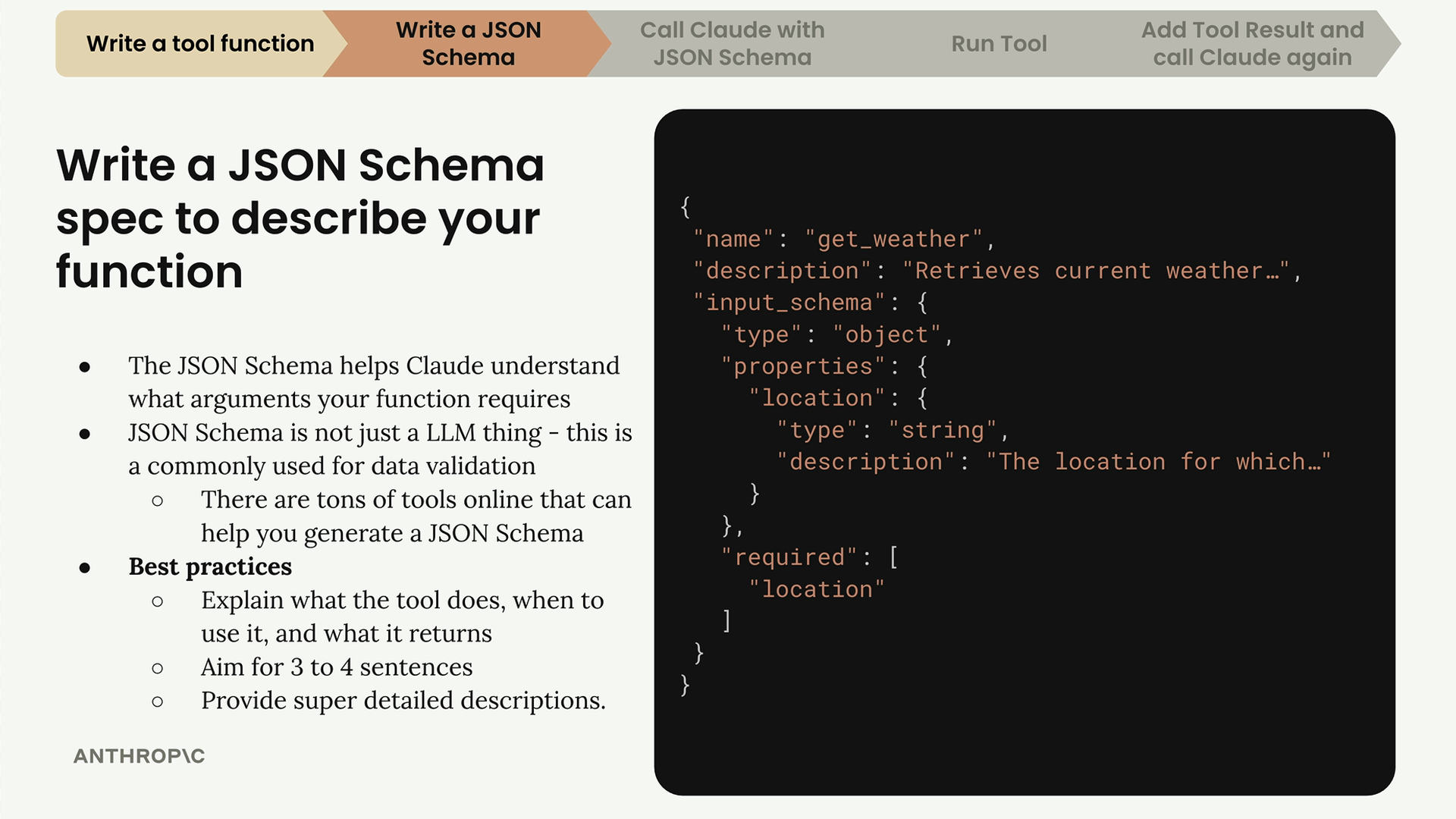
The complete tool specification has three main parts:
- name - The function name (like "get_weather")
- description - What the tool does and when to use it
- input_schema - The actual JSON schema describing the arguments
Writing Effective Descriptions
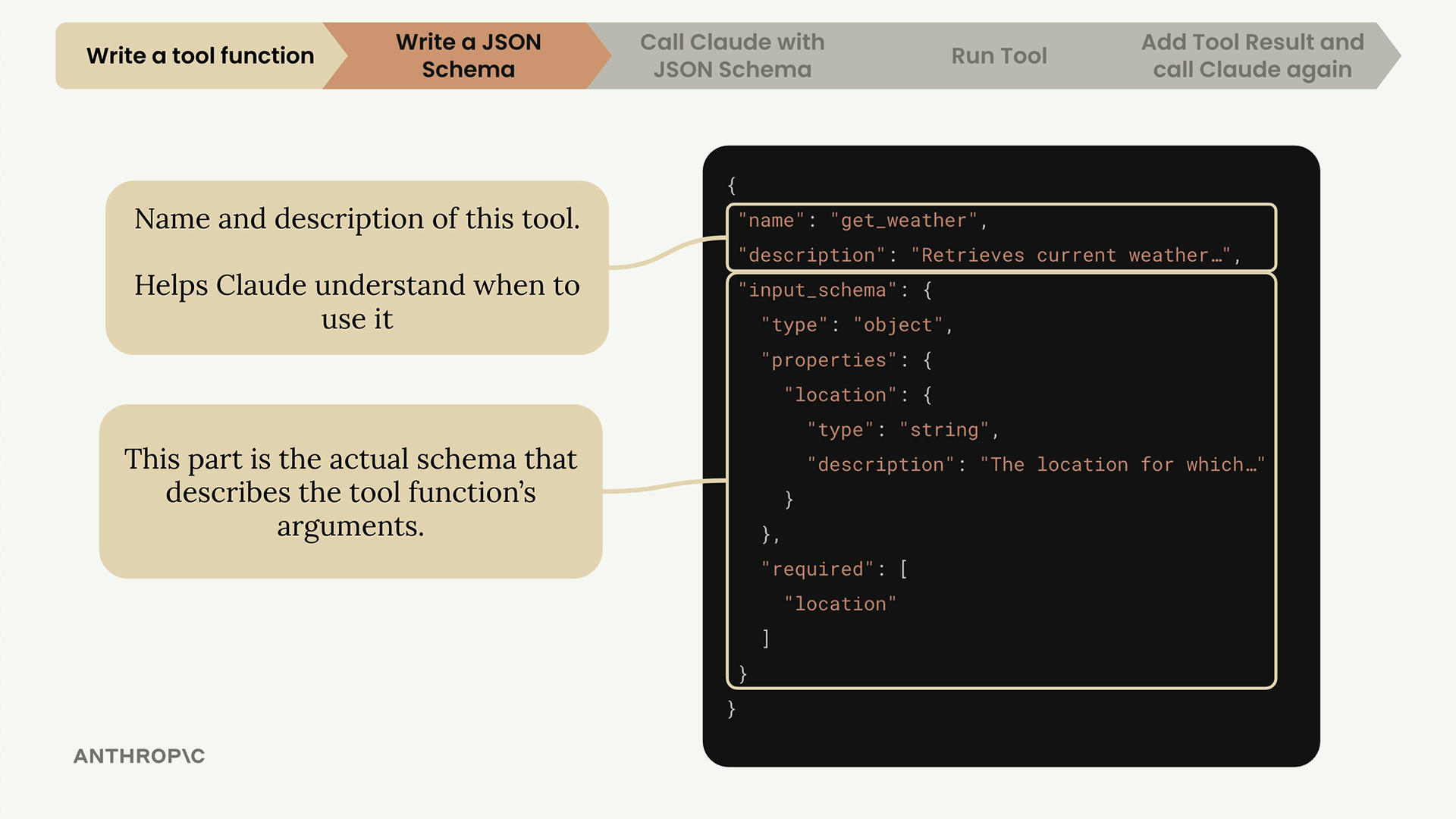
The description field is crucial for helping Claude understand your tool. Follow these best practices:
- Explain what the tool does, when to use it, and what it returns
- Aim for 3-4 sentences
- Provide detailed descriptions for each argument as well
The input_schema section describes your function's parameters using standard JSON Schema format, including type information and detailed descriptions for each argument.
The Easy Way: Let Claude Write Your Schema
Instead of writing JSON schemas from scratch, you can use Claude itself to generate them. Here's the process:
- Copy your tool function
- Go to Claude and ask it to write a JSON schema for tool calling
- Include the Anthropic documentation on tool use as context
- Let Claude generate a properly formatted schema following best practices
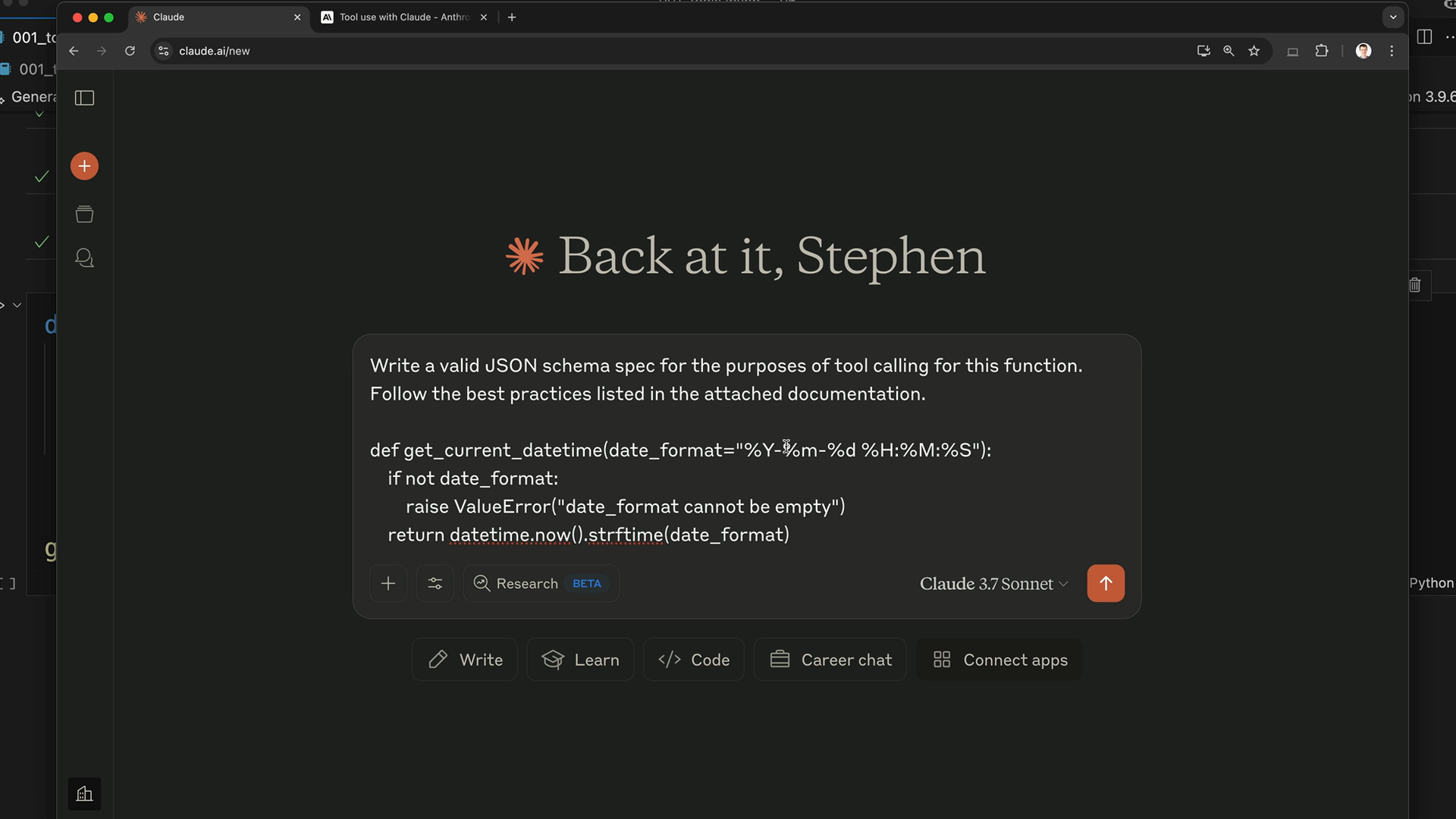
The prompt should be something like: "Write a valid JSON schema spec for the purposes of tool calling for this function. Follow the best practices listed in the attached documentation."
Implementing the Schema in Code
Once Claude generates your schema, copy it into your code file. Use a consistent naming pattern like function_name_schema to keep things organized:
get_current_datetime_schema = {
    "name": "get_current_datetime",
    "description": "Returns the current date and time formatted according to the specified format",
    "input_schema": {
        "type": "object",
        "properties": {
            "date_format": {
                "type": "string",
                "description": "A string specifying the format of the returned datetime. Uses Python's strftime format codes.",
                "default": "%Y-%m-%d %H:%M:%S"
            }
        },
        "required": []
    }
}
Adding Type Safety
For better type checking, import and use the ToolParam type from the Anthropic library:
from anthropic.types import ToolParam

get_current_datetime_schema = ToolParam({
    # your schema dictionary here
})
This isn't strictly necessary for functionality, but it prevents type errors when you use the schema later in your code.
The combination of a well-written tool function and a detailed JSON schema gives Claude everything it needs to understand and properly use your tools in conversations.
🔁 Related lessons
- Next: Handling message blocks
- Previous: Tool functions
- Same section: Making a request · Multi-turn conversations · Chat exercise
- Part of paths: Path C
- Reference docs: Glossary · Skills atlas · By use-case
📚 Source & attribution
- Original Anthropic Academy lesson: https://anthropic.skilljar.com/claude-with-google-vertex/289174
- © 2025 Anthropic. Educational fair-use only.