📖 Lesson content
Summary
When building MCP servers, you need a way to test your functionality without connecting to a full application. The Python MCP SDK includes a built-in browser-based inspector that lets you debug and test your server in real-time.
Starting the Inspector
First, make sure your Python environment is activated (check your project's README for the exact command). Then run the inspector with:
mcp dev mcp_server.py
This starts a development server and gives you a local URL (typically on port 6277) to access the inspector in your browser.
Using the Inspector Interface
The MCP inspector is actively being developed, so the interface may look different by the time you use it. However, the core functionality remains consistent.
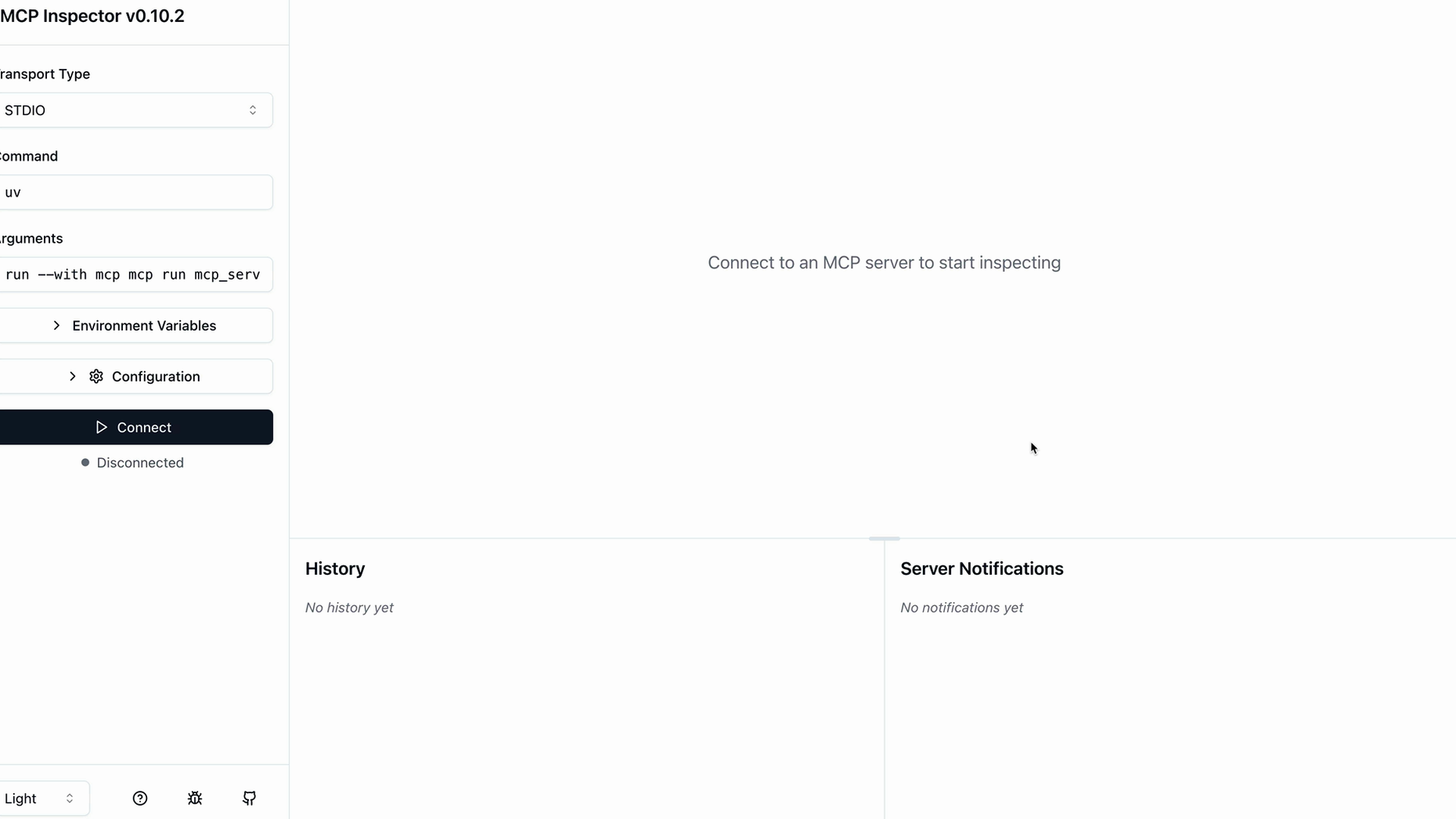
When you first open the inspector, you'll see a "Connect" button on the left side. Click this to start your MCP server and load your tools.
Testing Your Tools
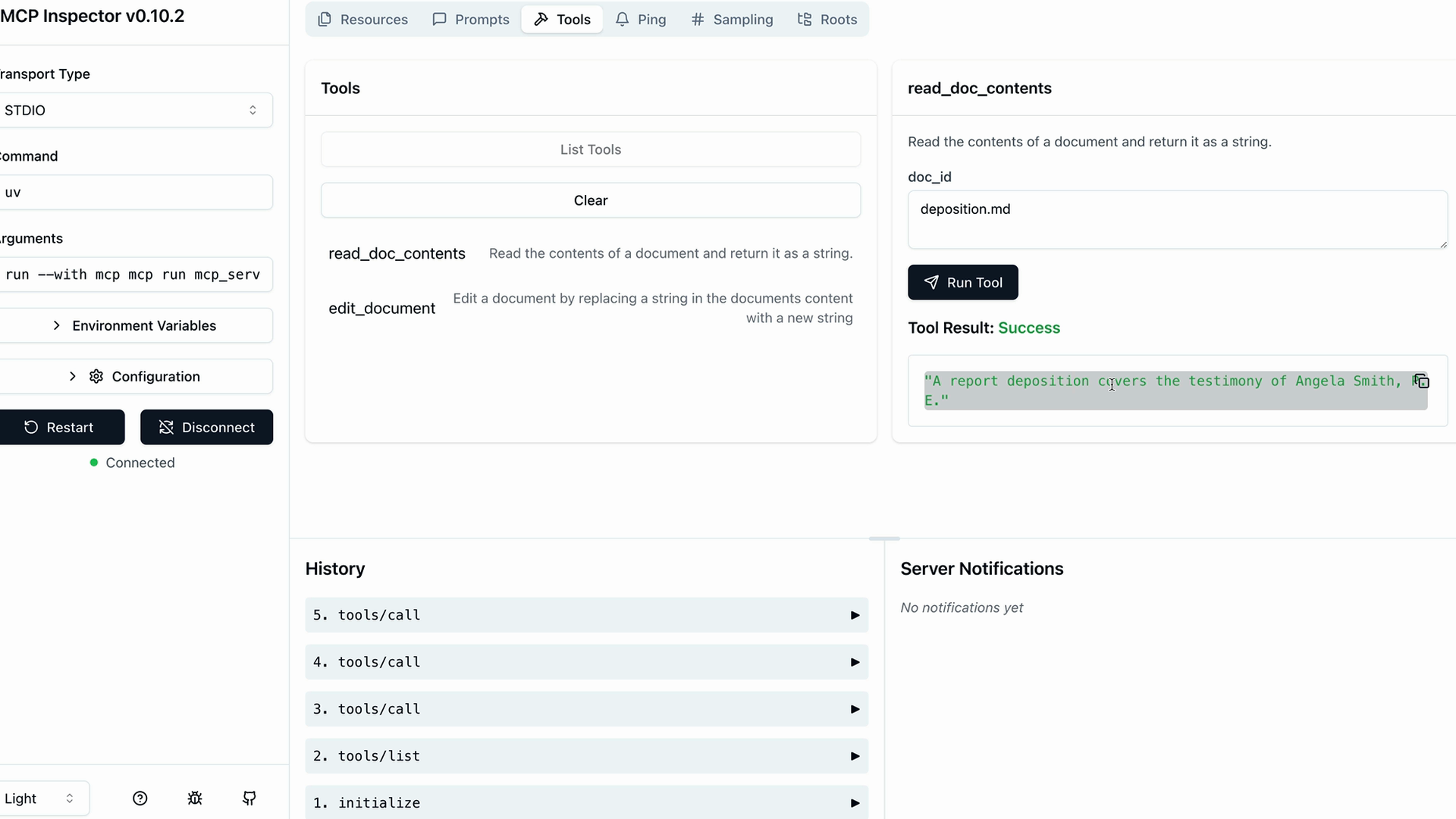
Once connected, look for a navigation bar with sections like Resources, Prompts, and Tools. Click on the Tools section to see your available tools.
Click "List Tools" to see all the tools your server provides. When you select a specific tool, the right panel updates to show a form where you can test that tool.
Running Tool Tests
For example, to test a document reading tool:
- Select the
read_doc_contentstool - Enter a document ID (like "deposition.md")
- Click "Run Tool"
The inspector will execute your tool and show the results, including success status and any returned data.
Testing Document Editing
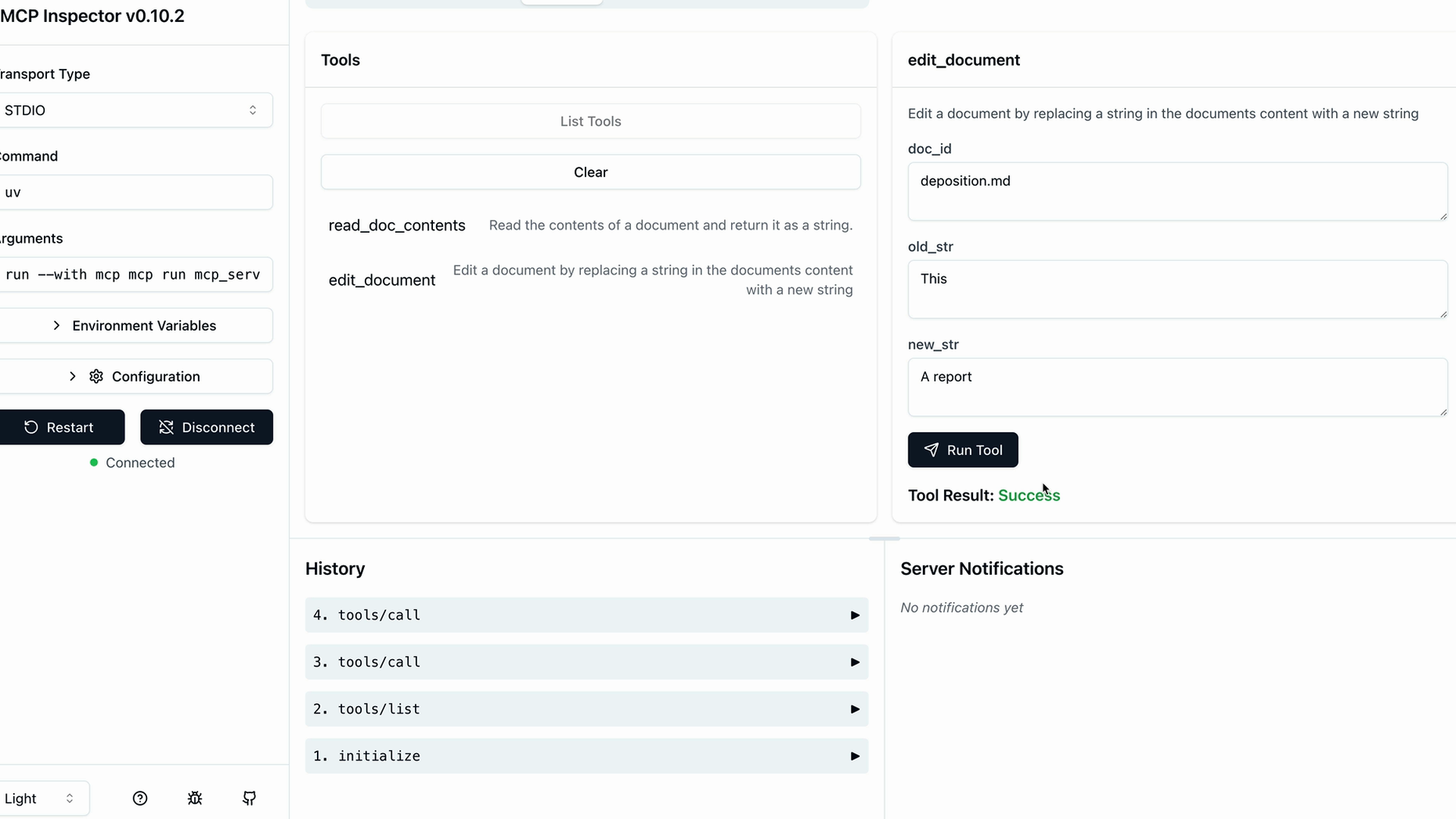
You can also test more complex tools like document editing:
- Switch to the
edit_documenttool - Fill in the document ID, old text to replace, and new text
- Run the tool to see if it succeeds
- Use the read tool again to verify the changes were applied
Development Workflow
The inspector shows a history of your tool calls on the left side, making it easy to track what you've tested and repeat previous operations. This creates an efficient development loop where you can:
- Make changes to your server code
- Restart the inspector
- Test your tools immediately
- Verify the results
This inspector tool becomes essential as you build more complex MCP servers. It eliminates the need to wire up your server to a full application just to test basic functionality, making development much faster and more reliable.
🔁 Related lessons
- Next: Implementing a client
- Previous: Defining tools with MCP
- Same section: Overview of Claude Models · Accessing the API · Making a request
- Part of paths: Path C
- Reference docs: Glossary · Skills atlas · By use-case
📚 Source & attribution
- Original Anthropic Academy lesson: https://anthropic.skilljar.com/claude-in-amazon-bedrock/276796
- © 2025 Anthropic. Educational fair-use only.