📖 Lesson content
Summary
Now that we have our MCP server working, it's time to build the client side. The client is what allows our application to communicate with the MCP server and access its functionality.
Understanding the Client Architecture
Before diving into the code, let's clarify an important point about MCP projects. Normally, you'd implement either an MCP client or an MCP server - not both. We're building both in this project just so you can see how they work together.
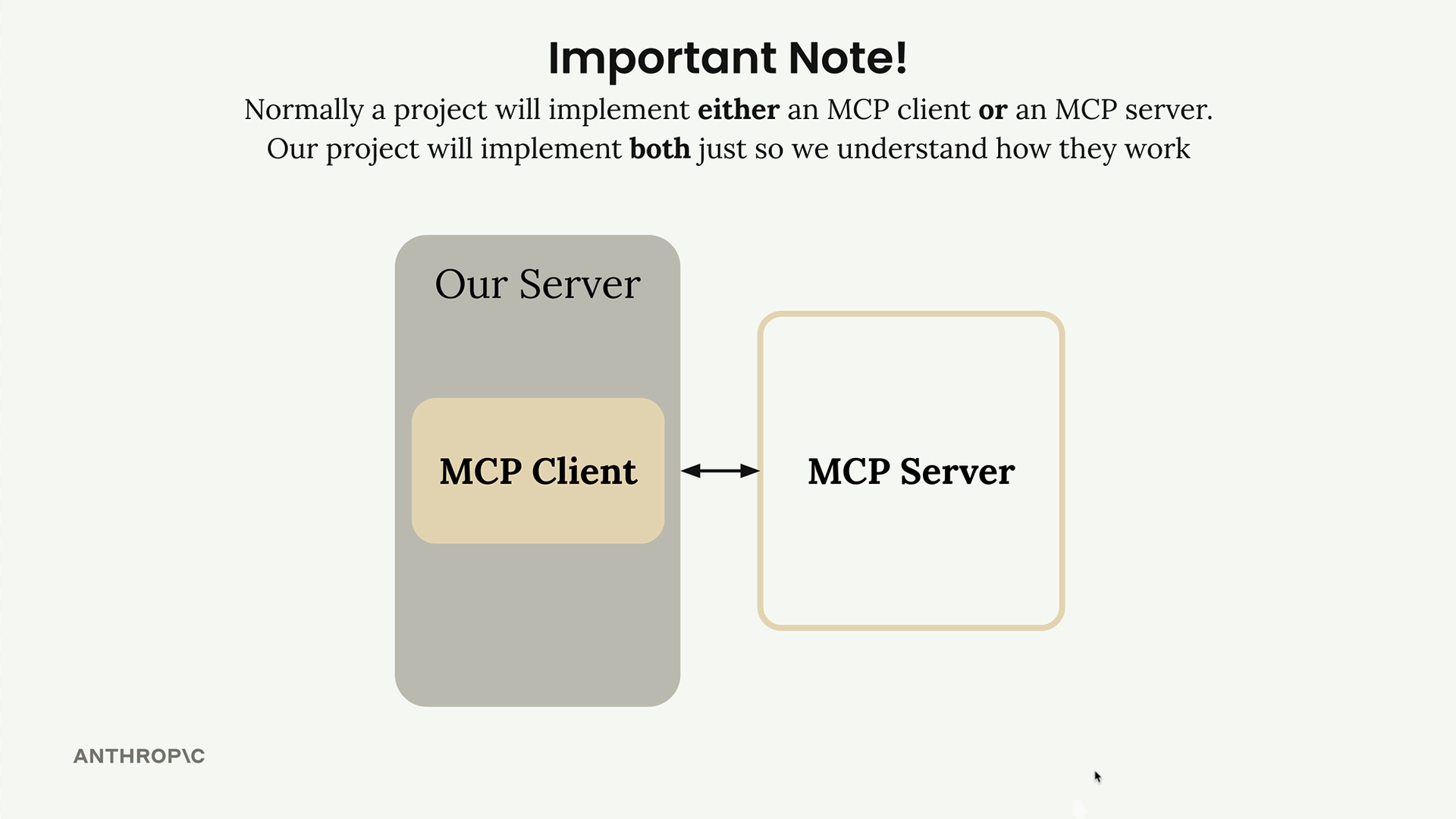
The MCP client consists of two main components working together:
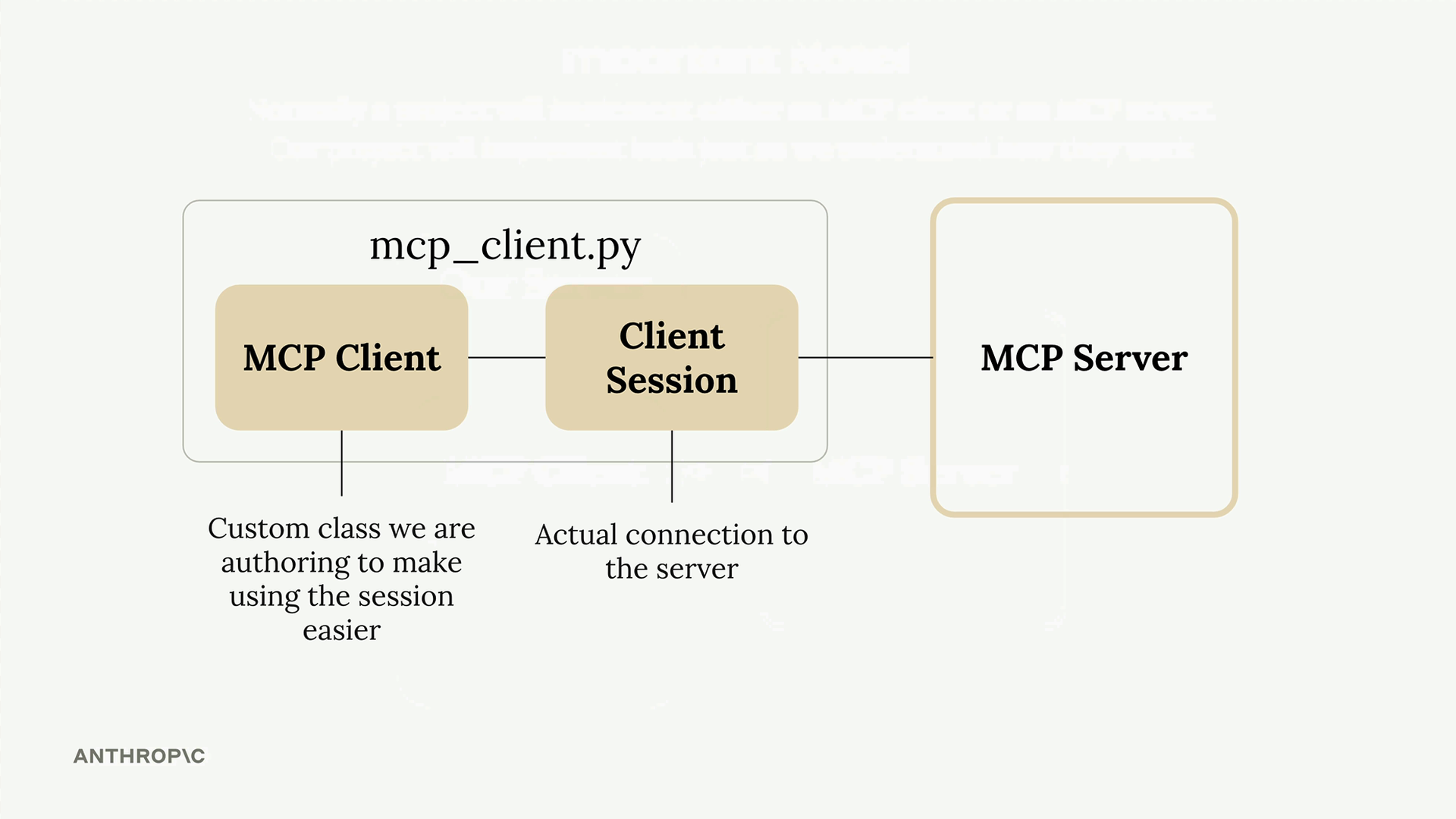
- MCP Client - A custom class we create to make using the session easier
- Client Session - The actual connection to the server (part of the MCP Python SDK)
The client session handles the low-level communication but requires careful resource cleanup when your program shuts down. That's why we wrap it in our own class - to manage that cleanup automatically.
How the Client Fits Into Our Application
Remember our application flow diagram? The client plays a crucial role in two key moments:
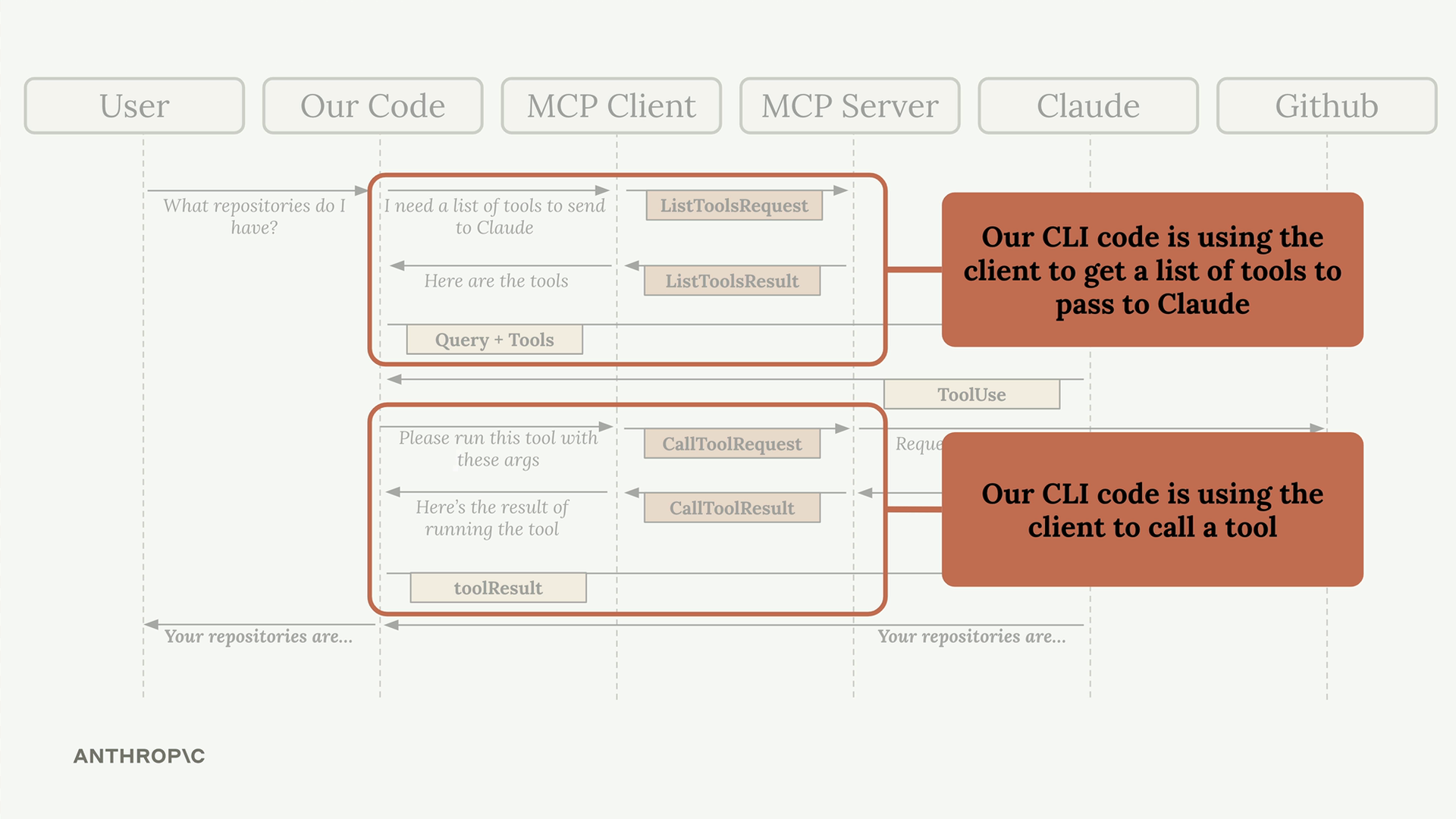
Our CLI code uses the client to:
- Get a list of available tools to send to Claude
- Execute tools when Claude requests them
Implementing Core Client Functions
Let's implement the two essential functions: list_tools and call_tool.
For list_tools, we need to connect to our session and request the available tools:
async def list_tools(self) -> list[types.Tool]:
    result = await self.session().list_tools()
    return result.tools
For call_tool, we pass the tool name and input parameters to the server:
async def call_tool(
    self, tool_name: str, tool_input: dict
) -> types.CallToolResult | None:
    return await self.session().call_tool(tool_name, tool_input)
That's it! The session handles all the complex communication details for us.
Testing the Client
The client file includes a simple test harness at the bottom. You can run it directly to verify everything works:
uv run mcp_client.py
This will connect to your MCP server and print out the available tools. You should see output showing your tool definitions, including names, descriptions, and input schemas.
Important Schema Differences
Here's a gotcha you need to know about: MCP tool definitions don't exactly match what Claude expects. The MCP spec has its own format for tool schemas, which is slightly different from what Bedrock requires.
Don't worry - there's already code in the project that handles this conversion automatically. The to_bedrock_tools function in core/bedrock.py translates MCP tool definitions into the format Claude understands.
Testing with Claude
Now that both the server and client are working, you can test the complete flow. Try running your main application and asking Claude to read a document:
uv run main.py
Then ask: "What is the contents of the report.pdf document?"
Claude will:
- Receive the list of available tools from your client
- Decide to use the read_doc_contents tool
- Your client will execute that tool on the MCP server
- Claude will receive the document contents and respond
The client acts as the bridge between your application code and the MCP server, making it easy to expose server functionality to Claude and other parts of your system.
🔁 Related lessons
- Next: Defining resources
- Previous: The server inspector
- Same section: Overview of Claude Models · Accessing the API · Making a request
- Part of paths: Path C
- Reference docs: Glossary · Skills atlas · By use-case
📚 Source & attribution
- Original Anthropic Academy lesson: https://anthropic.skilljar.com/claude-in-amazon-bedrock/276802
- © 2025 Anthropic. Educational fair-use only.