📖 Lesson content
Summary
Building an MCP server becomes much simpler when you use the official Python SDK. Instead of manually writing complex JSON schemas for tools, you can define them with decorators and let the SDK handle the heavy lifting.
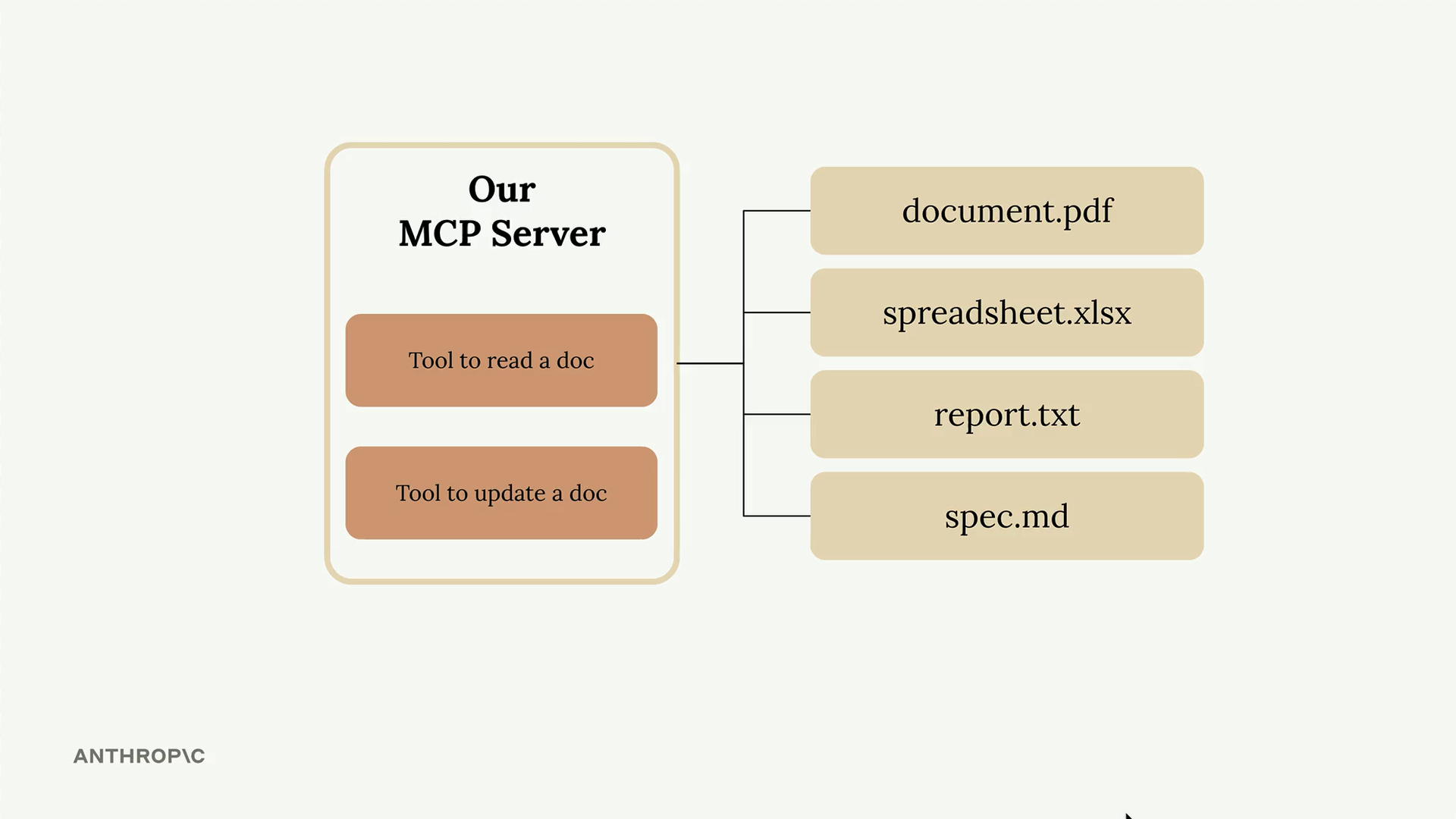
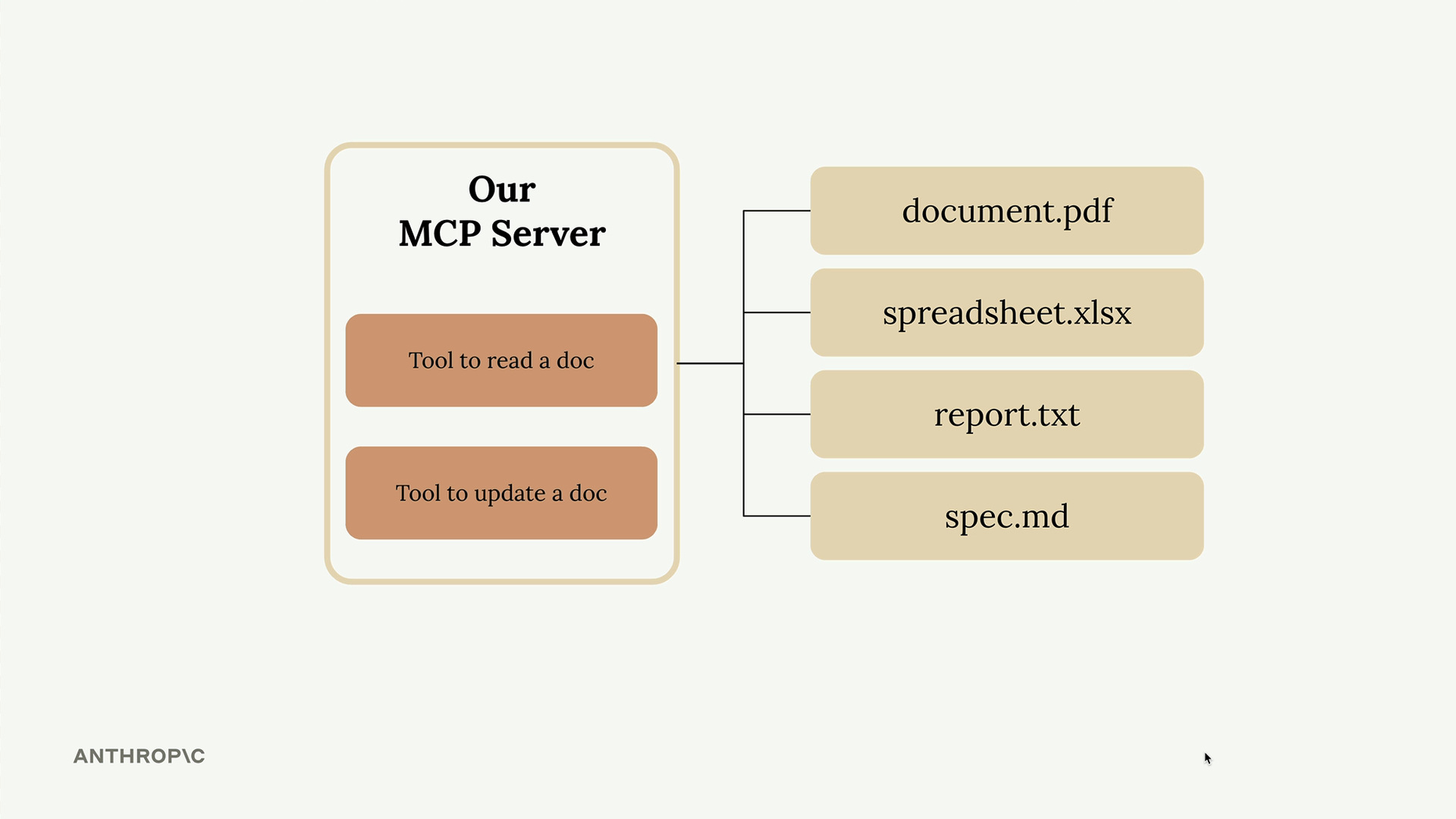
In this example, we're creating an MCP server that manages document operations. The server will have two main tools: one to read document contents and another to update them. All documents exist in memory as a simple dictionary where keys are document IDs and values are the content strings.
MCP Python SDK Benefits
The MCP project provides official SDKs for building servers and clients across multiple programming languages. Using the Python SDK offers several advantages:
- Creates MCP servers with minimal boilerplate code
- Automatically generates JSON schemas from Python function signatures
- Simplifies tool definition through decorators
- Handles type validation and error handling
Here's how easy it is to define a tool with the SDK. The @mcp.tool decorator, combined with type hints and field descriptions, automatically creates the proper tool schema that Claude can understand and use.
Setting Up the Server
The basic server setup requires just a few lines:
from mcp.server.fastmcp import FastMCP
from pydantic import Field

mcp = FastMCP("DocumentMCP", log_level="ERROR")

docs = {
    "deposition.md": "This deposition covers the testimony of Angela Smith, P.E.",
    "report.pdf": "The report details the state of a 20m condenser tower.",
    "financials.docx": "These financials outline the project's budget and expenditures",
    "outlook.pdf": "This document presents the projected future performance of the system",
    "plan.md": "The plan outlines the steps for the project's implementation.",
    "spec.txt": "These specifications define the technical requirements for the equipment"
}
Implementing the Read Tool
The first tool allows Claude to read document contents by providing a document ID:
@mcp.tool(
    name="read_doc_contents",
    description="Read the contents of a document and return it as a string."
)
def read_document(
    doc_id: str = Field(description="Id of the document to read")
):
    if doc_id not in docs:
        raise ValueError(f"Doc with id {doc_id} not found")

    return docs[doc_id]
The tool definition includes:
- A clear name that describes the action
- A description explaining what the tool does
- Typed parameters with field descriptions
- Error handling for invalid document IDs
Implementing the Edit Tool
The second tool performs simple find-and-replace operations on document content:
@mcp.tool(
    name="edit_document",
    description="Edit a document by replacing a string in the documents content with a new string."
)
def edit_document(
    doc_id: str = Field(description="Id of the document that will be edited"),
    old_str: str = Field(description="The text to replace. Must match exactly, including whitespace."),
    new_str: str = Field(description="The new text to insert in place of the old text.")
):
    if doc_id not in docs:
        raise ValueError(f"Doc with id {doc_id} not found")

    docs[doc_id] = docs[doc_id].replace(old_str, new_str)
This tool takes three parameters: the document ID, the text to find, and the replacement text. The implementation uses Python's built-in string replace() method for simplicity.
Key Implementation Details
When defining tools with the MCP SDK, remember these important points:
- Import
Fieldfrom pydantic to add parameter descriptions - Use type hints to specify parameter types
- Include error handling for edge cases
- Write clear, descriptive tool names and descriptions
- The SDK automatically converts your function signature into the proper JSON schema
The MCP Python SDK dramatically reduces the complexity of creating tools compared to manually writing JSON schemas. What used to require dozens of lines of schema definition now takes just a few lines of decorated Python functions.
🔁 Related lessons
- Next: The server inspector
- Previous: Project setup
- Same section: Overview of Claude Models · Accessing the API · Making a request
- Part of paths: Path C
- Reference docs: Glossary · Skills atlas · By use-case
📚 Source & attribution
- Original Anthropic Academy lesson: https://anthropic.skilljar.com/claude-in-amazon-bedrock/276800
- © 2025 Anthropic. Educational fair-use only.