📖 Lesson content
Summary
We're going to build our own CLI-based chatbot to better understand how MCP clients and servers work together. This hands-on project will give you practical experience with both sides of the MCP architecture.
What We're Building
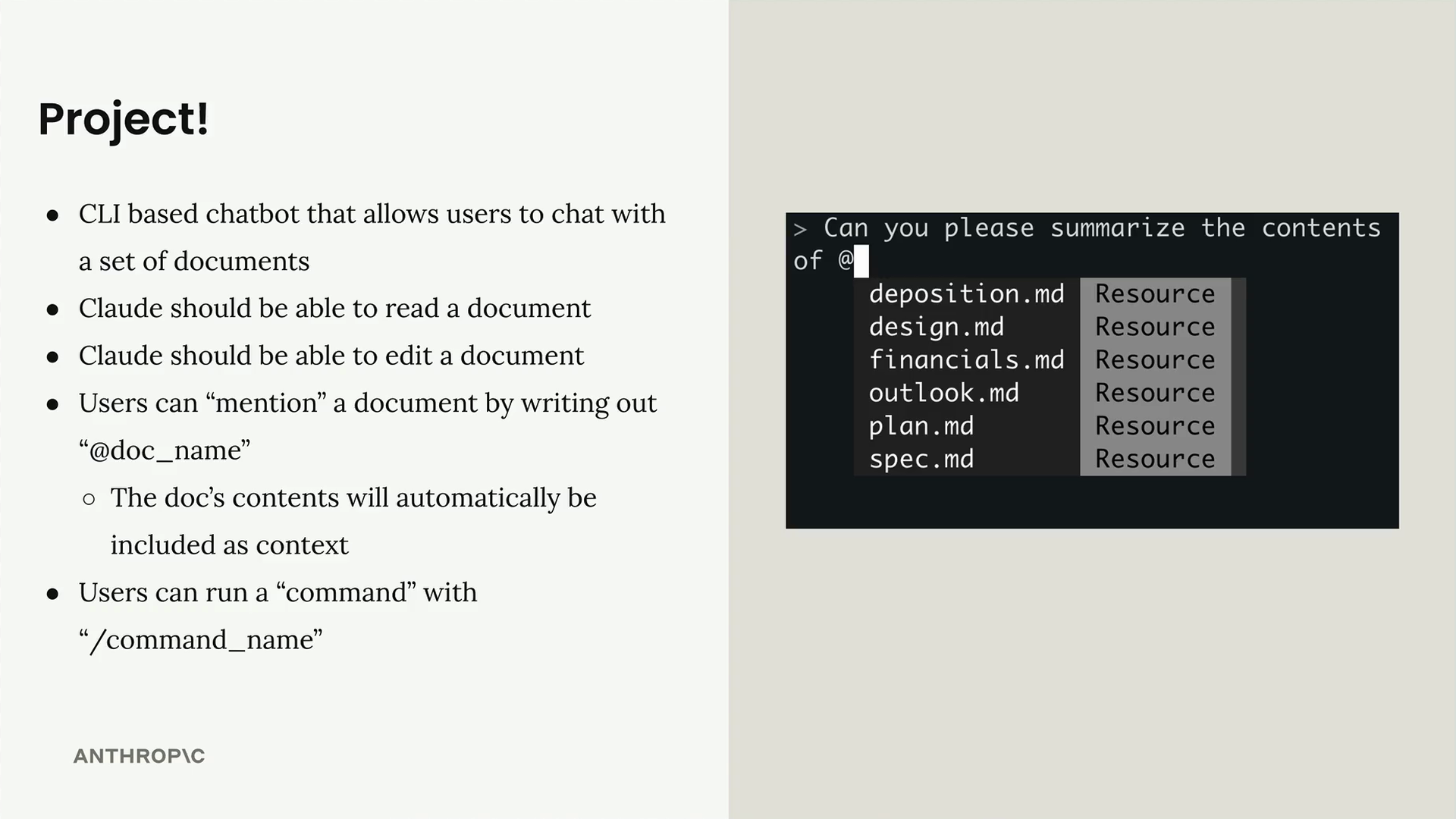
Our chatbot will be a command-line interface that allows users to chat with a set of documents. Here's what the system will include:
- A CLI-based chatbot interface
- Document reading and editing capabilities for Claude
- Document "mention" functionality using
@doc_namesyntax - Command execution with
/command_namesyntax - A collection of fake documents stored in memory
System Architecture
The project consists of three main components working together:
- Our MCP Client - Handles user interaction and chat interface
- Our MCP Server - Provides tools for document operations
- Document Storage - In-memory collection of various file types
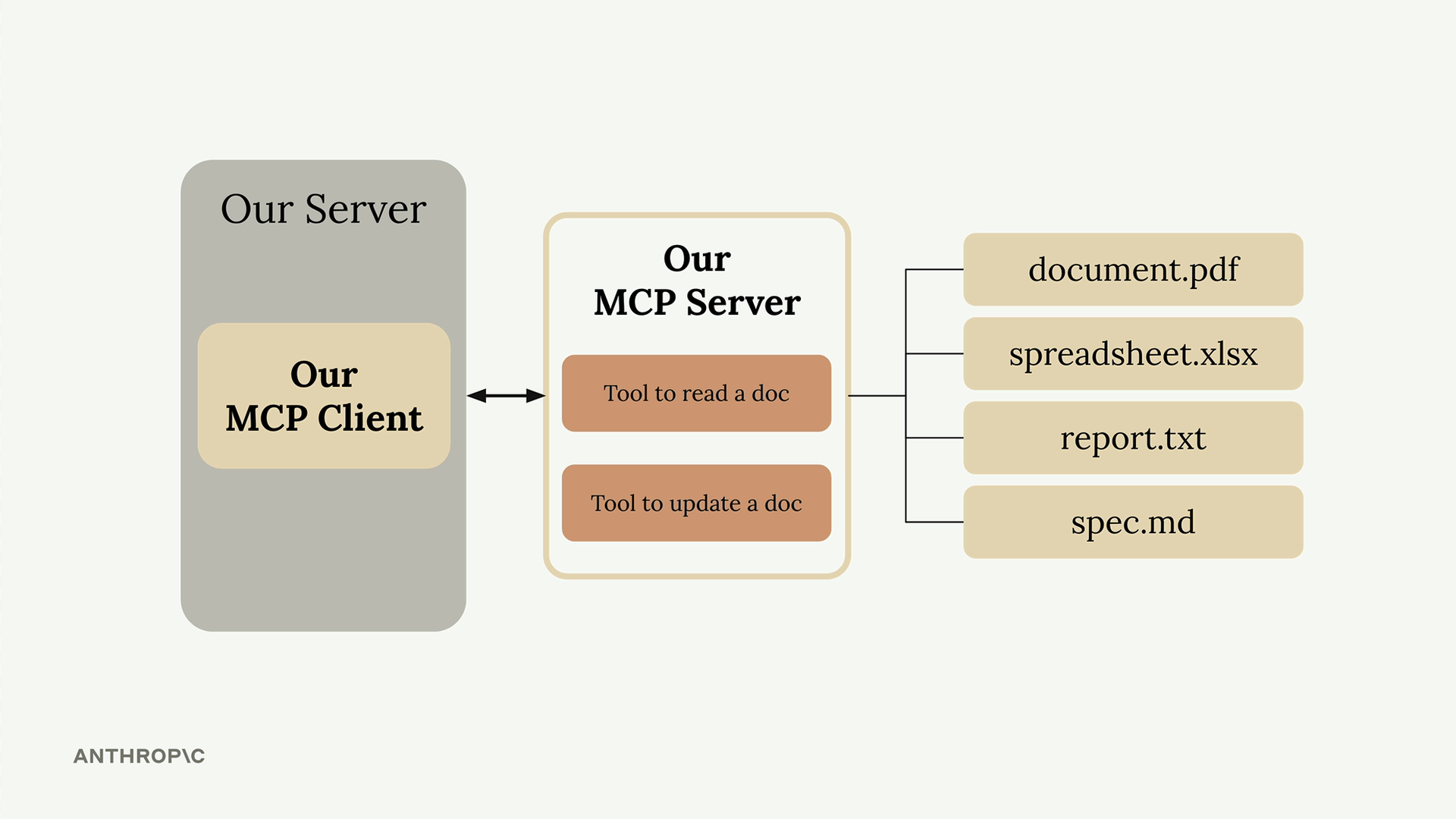
The MCP server will implement two core tools:
- Tool to read document contents
- Tool to update document contents
All documents (PDFs, spreadsheets, text files, markdown files) will be stored in memory rather than on disk, keeping the project simple and focused on MCP concepts.
Important Architecture Note
In real-world projects, you typically implement either an MCP client or an MCP server - not both. You might:
- Build an MCP server to distribute a service to other developers
- Build an MCP client that connects to existing third-party MCP servers
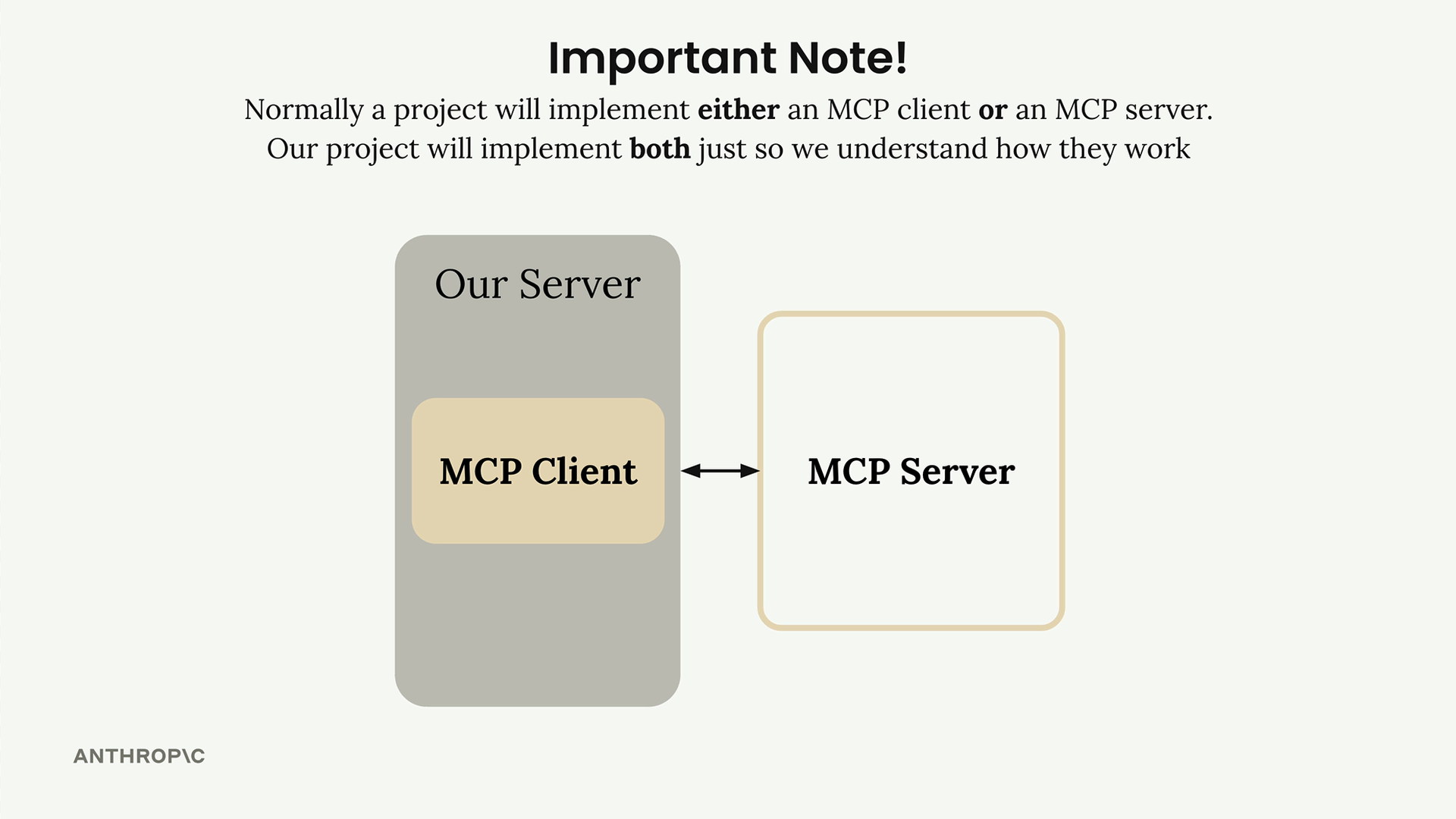
Our project implements both components in a single codebase purely for educational purposes, so you can see how clients and servers interact with each other.
Downloads
🔁 Related lessons
- Next: Defining tools with MCP
- Previous: MCP clients
- Same section: Overview of Claude Models · Accessing the API · Making a request
- Part of paths: Path C
- Reference docs: Glossary · Skills atlas · By use-case
📚 Source & attribution
- Original Anthropic Academy lesson: https://anthropic.skilljar.com/claude-in-amazon-bedrock/276792
- © 2025 Anthropic. Educational fair-use only.