📖 Lesson content
Summary
Writing detailed JSON schemas for structured data extraction can be a real pain point when working with AI tools. There's a clever workaround that lets you specify your desired data structure directly in your prompt instead of creating complex schemas.
The Flexible Schema Approach
Instead of writing a detailed schema for every data extraction task, you can create one generic tool called to_json that accepts any object structure. The key is setting the input schema to allow additional properties, then specifying your exact requirements in the prompt itself.
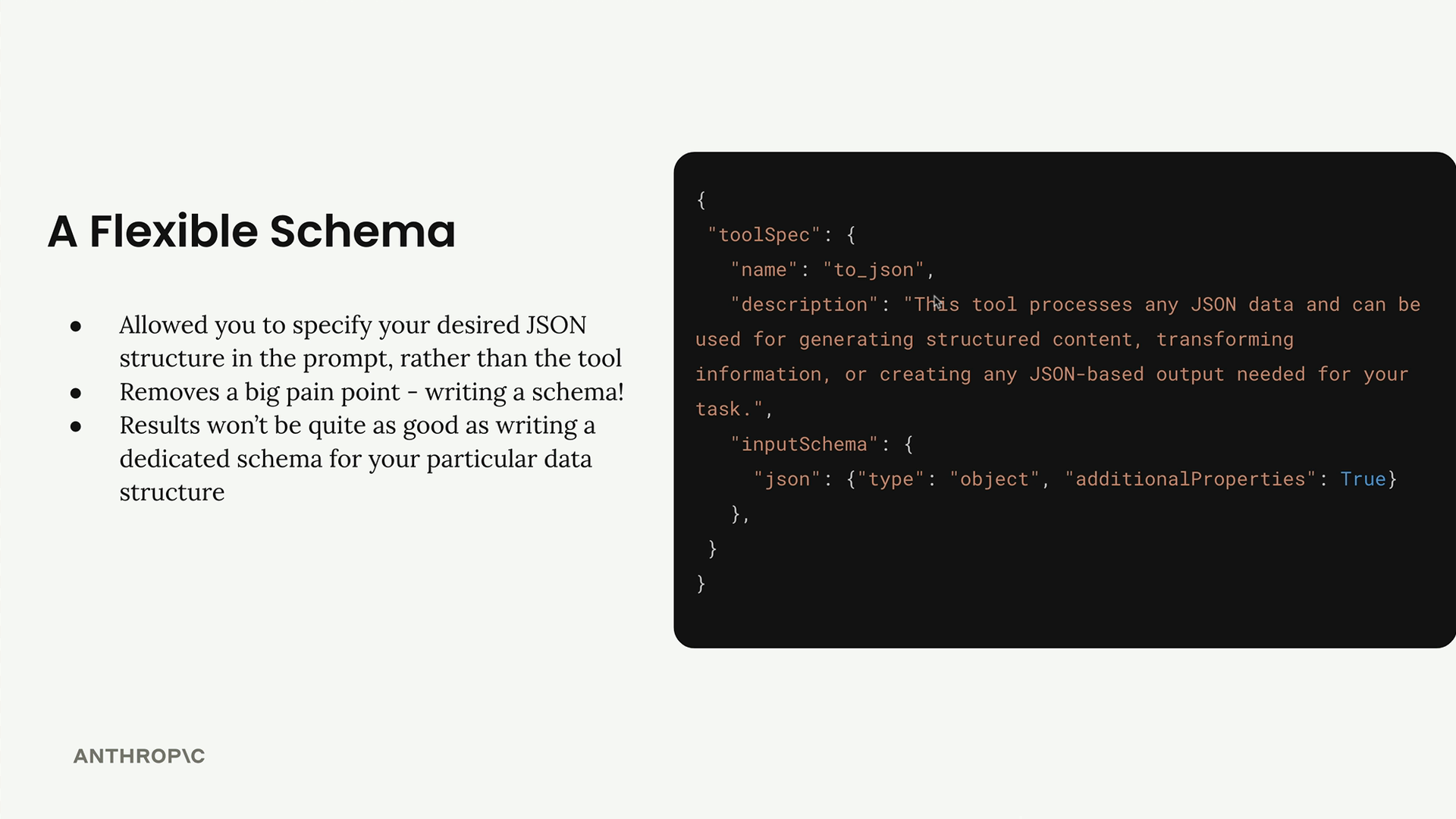
This approach removes a major pain point - constantly writing and managing large JSON schemas. The results won't be quite as good as a dedicated schema, but you'll still get high-quality JSON output with much less setup work.
How It Works
The process is straightforward:
- Create a single flexible schema that accepts any object structure
- In your prompt, specify exactly what data structure you want
- Tell Claude to call the
to_jsontool with your specified structure - Use
tool_choiceto force Claude to use your tool
Setting Up the Prompt
When writing your prompt, be very explicit about the structure you want. Here's an example of how to structure your request:
Analyze the article below and extract key data. Then call the to_json tool.

<article_text>
{result["text"]}
</article_text>

When you call to_json, pass in the following structure:
{{
    "title": str # title of the article,
    "author": str # author of the article,
    "topics": List[str] # List of topics mentioned in the article
}}
Making the API Call
The API call uses the flexible schema and forces tool usage:
flexible_result = chat(messages, tools=[to_json_schema], tool_choice="to_json")
Easy Structure Changes
The real advantage becomes clear when you need to modify your data structure. Instead of rewriting an entire schema, you simply update your prompt. Want to add a field for the number of topics? Just add one line:
"num_topics": int # Number of topics mentioned
That's it - no schema modifications needed.
When to Use Each Approach
The flexible schema approach works great for:
- Rapid prototyping and experimentation
- Simple data extraction tasks
- Situations where you frequently change data requirements
Stick with dedicated schemas for:
- Critical production data extraction tasks
- Complex nested data structures
- When you need the highest possible accuracy
The flexible approach gives you about 90% of the quality with 10% of the setup work, making it perfect for most use cases where you need structured data extraction without the schema management overhead.
🔁 Related lessons
- Next: The text editor tool
- Previous: Structured data with tools
- Same section: Overview of Claude Models · Accessing the API · Making a request
- Part of paths: Path C
- Reference docs: Glossary · Skills atlas · By use-case
📚 Source & attribution
- Original Anthropic Academy lesson: https://anthropic.skilljar.com/claude-in-amazon-bedrock/276763
- © 2025 Anthropic. Educational fair-use only.