📖 Lesson content
Summary
Important Note: Up-to-date tool ID's for the text editor tool can be found in the AWS documentation here: https://docs.aws.amazon.com/bedrock/latest/userguide/model-parameters-anthropic-claude-messages-tool-use.html#model-parameters-anthropic-anthropic-defined-tools
The Text Editor Tool is Claude's built-in capability that gives it file system access and text editing abilities. Unlike other tools where you write both the schema and implementation, Claude already knows how to request text editor operations - you just need to handle those requests.
What the Text Editor Tool Does
This tool gives Claude the ability to work with files and directories like a software engineer would:
- View file or directory contents
- View specific ranges of lines in a file
- Replace text in files
- Create new files
- Insert text at specific line numbers
- Undo recent edits
How It Works
The Text Editor Tool is different from custom tools because only the JSON schema is built into Claude. You still need to provide the actual implementation.
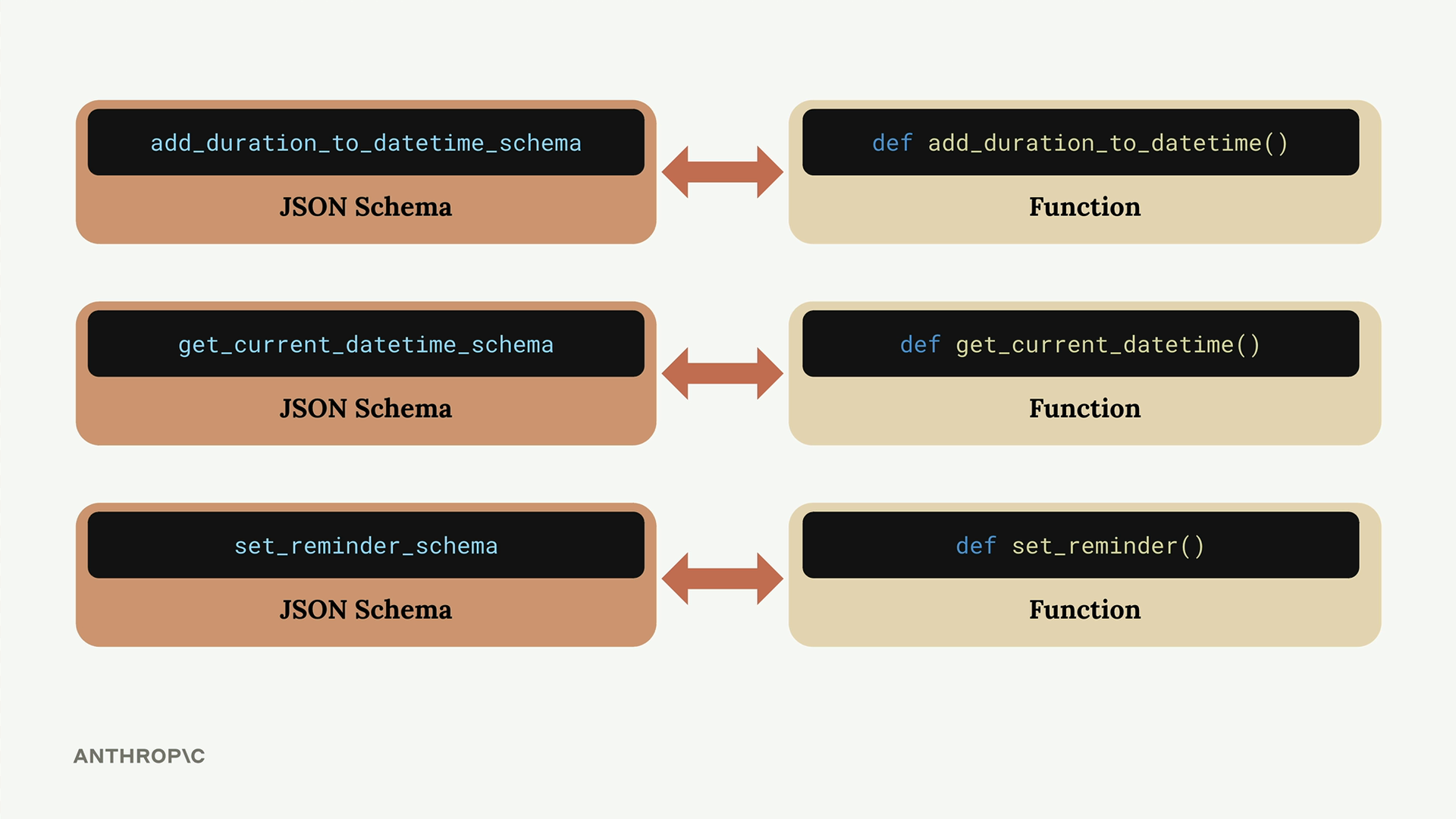
When you create custom tools, you write both sides - the schema that tells Claude about the tool, and the function that actually does the work. With the Text Editor Tool, Claude already has the schema, but you must write functions to handle Claude's requests to view, edit, or create files.
Setting Up the Tool
To use the Text Editor Tool, you need to provide specific tool names that vary by Claude version:
text_editor = "text_editor_20250124"

text_editor = "text_editor_20241022"
You'll also need to modify your chat function to accept the text editor parameter and include it in the model configuration.
Tool Commands
When Claude wants to use the text editor, it sends back tool use requests with specific commands:
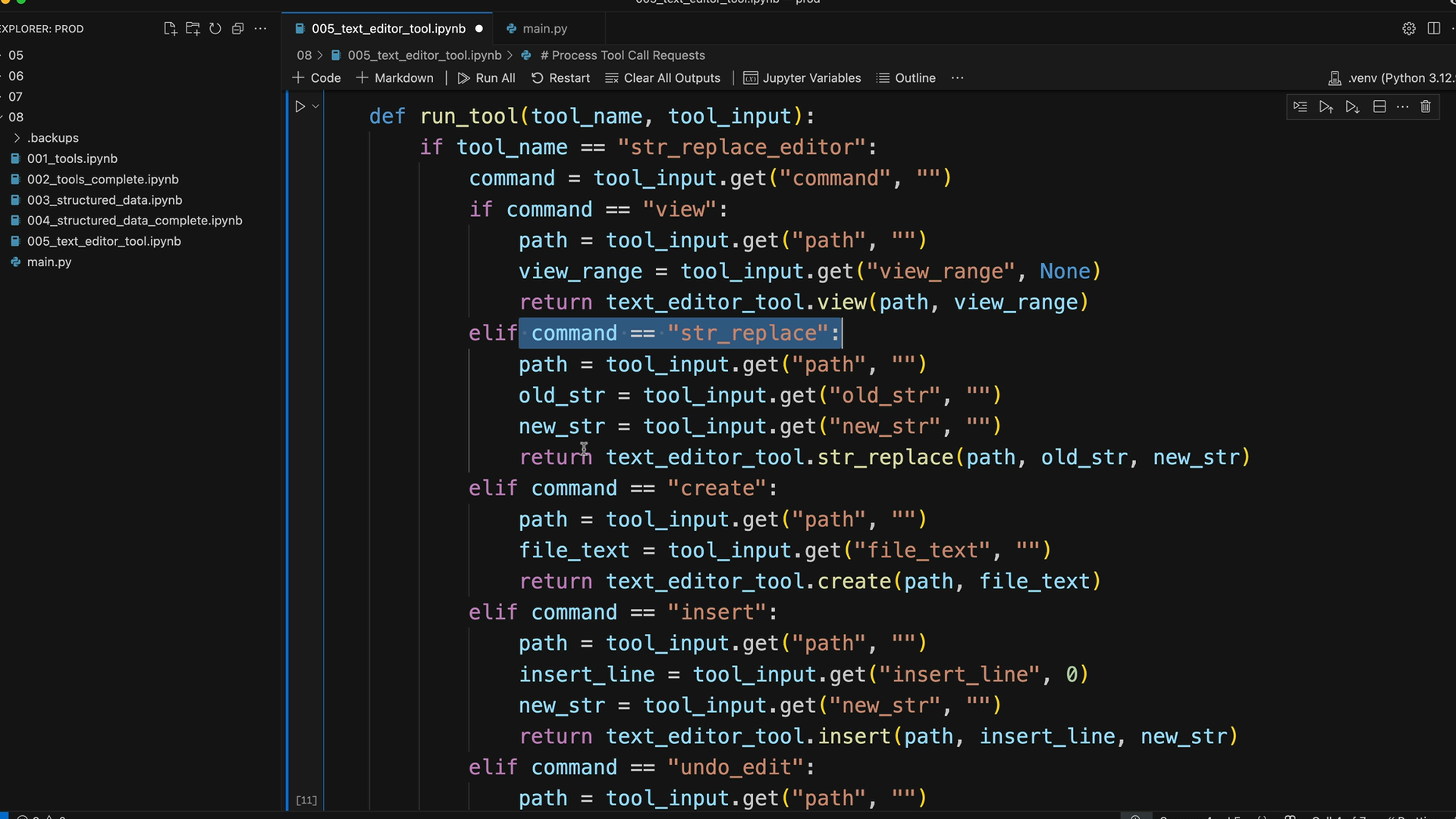
Your implementation needs to handle all five commands. Here's the basic structure for processing these requests:
def run_tool(tool_name, tool_input):
    if tool_name == "str_replace_editor":
        command = tool_input.get("command", "")
        if command == "view":
            path = tool_input.get("path", "")
            return text_editor_tool.view(path)
        elif command == "str_replace":
            path = tool_input.get("path", "")
            old_str = tool_input.get("old_str", "")
            new_str = tool_input.get("new_str", "")
            return text_editor_tool.str_replace(path, old_str, new_str)
        # ... handle other commands
Example: File Analysis
Here's how the tool works in practice. When you ask Claude to "Write a one sentence description of the code in the ./main.py file", this happens:
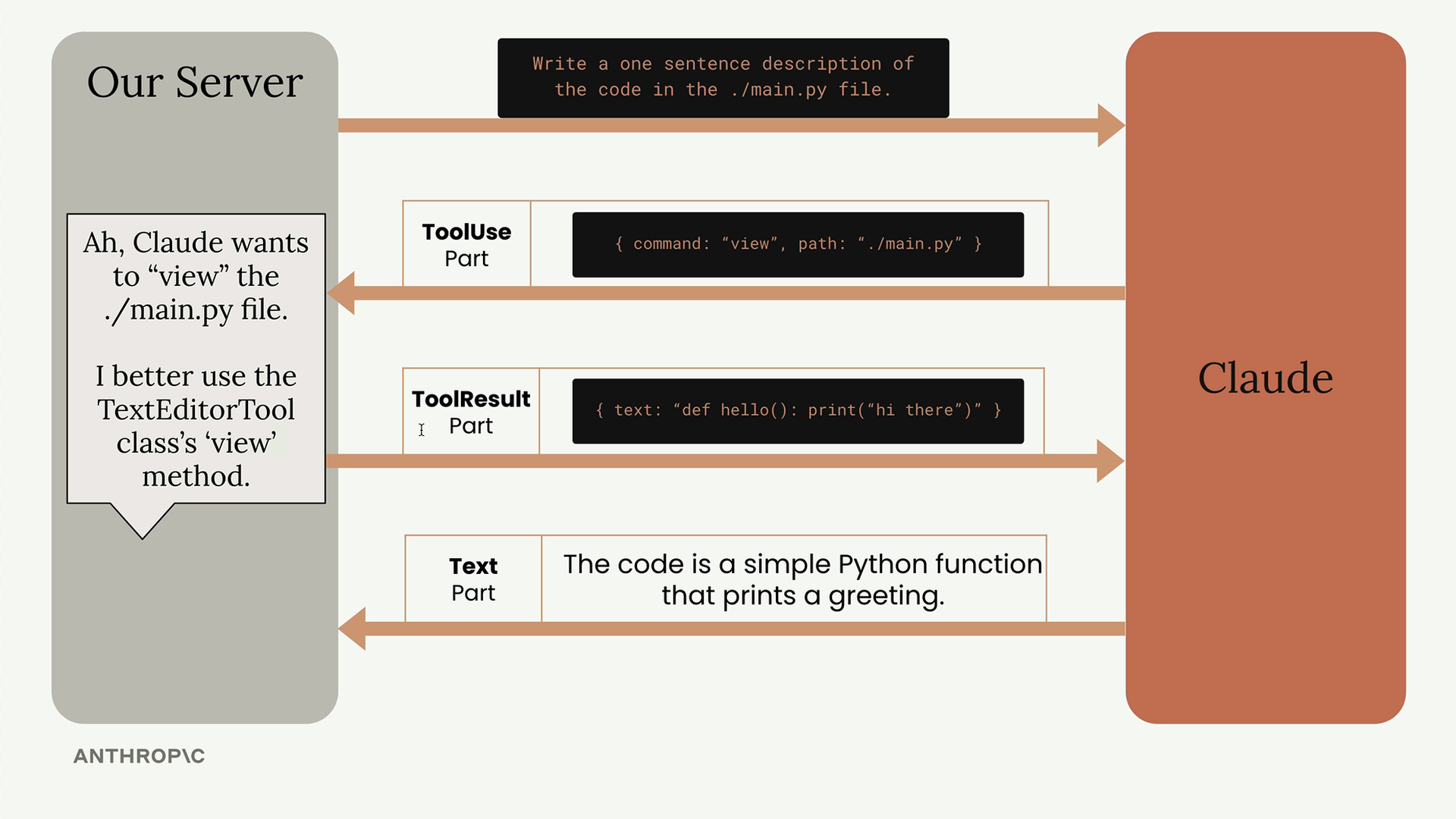
Claude sends a tool use request with {"command": "view", "path": "./main.py"}. Your server uses the TextEditorTool class to read the file and returns the contents. Claude then provides its analysis based on the code it read.
Practical Applications
The Text Editor Tool essentially turns Claude into a code assistant that can:
- Read existing code and provide analysis
- Create new files and functions
- Modify existing code
- Set up test files
- Refactor code across multiple files
For example, you could ask Claude to "write a function to calculate pi to the 5th digit in main.py, then create a test.py file to test it." Claude will read the existing file, add the new function, create the test file, and write comprehensive tests - all automatically using the text editor commands.
This makes it possible to build AI-powered development tools similar to modern code editors with integrated AI features, where you can ask for code changes and have them implemented directly in your file system.
Downloads
🔁 Related lessons
- Next: Quiz on tool use
- Previous: Flexible tool extraction
- Same section: Overview of Claude Models · Accessing the API · Making a request
- Part of paths: Path C
- Reference docs: Glossary · Skills atlas · By use-case
📚 Source & attribution
- Original Anthropic Academy lesson: https://anthropic.skilljar.com/claude-in-amazon-bedrock/276767
- © 2025 Anthropic. Educational fair-use only.