📖 Lesson content
Summary
Code-based grading adds an extra layer of validation to your prompt evaluations by checking whether the model's output follows the correct format and has valid syntax. This is especially useful when you're asking models to generate code, JSON, or regular expressions.
How Code Grading Works
The code grader evaluates two main criteria:
- Format compliance - Does the output contain only the requested format (Python, JSON, or regex) without explanations?
- Valid syntax - Can the output actually be parsed or compiled successfully?
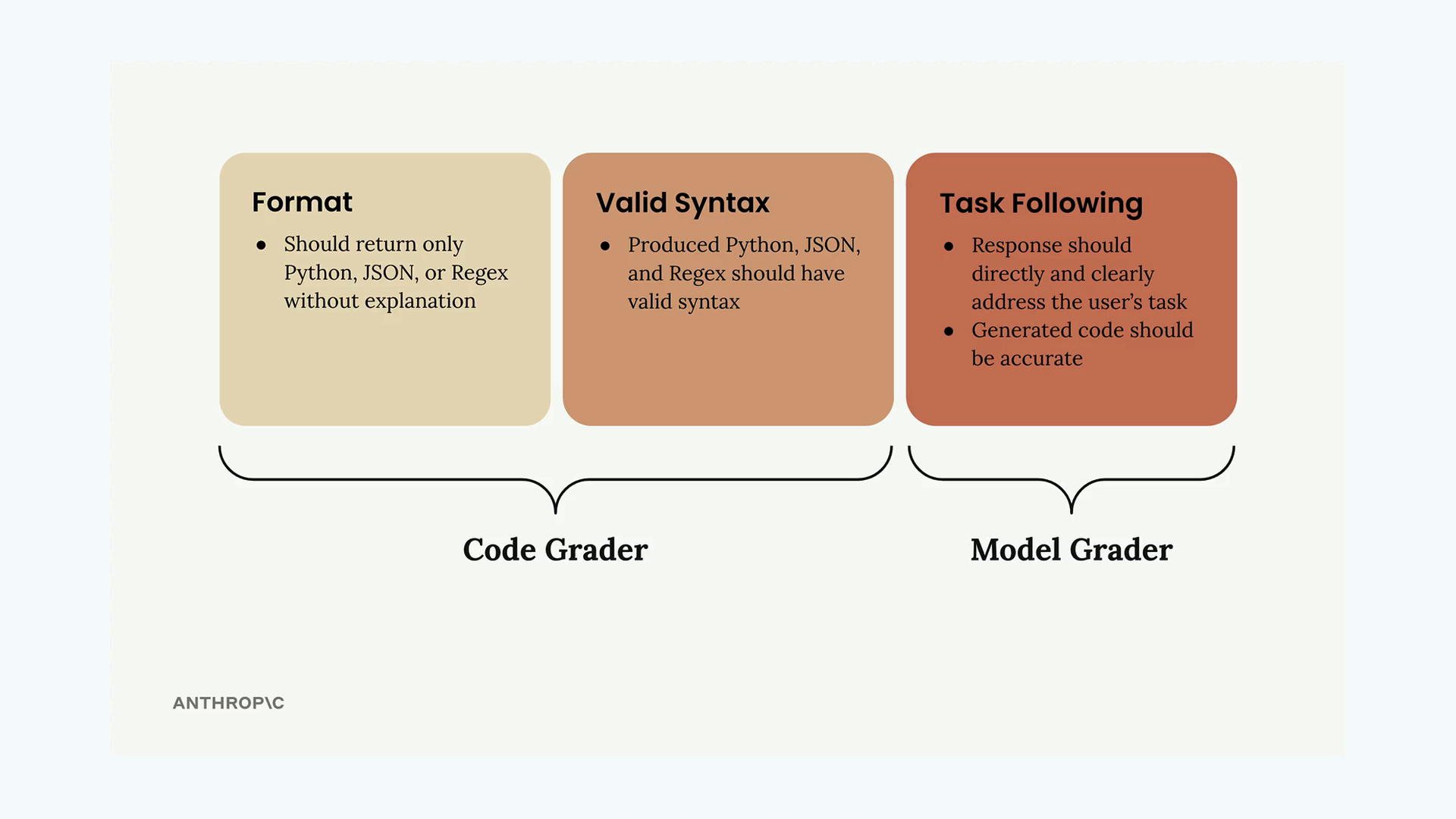
The system uses separate validation functions for each format type. If the code parses successfully, it gets a perfect score of 10. If parsing fails with an error, it gets a score of 0.
Setting Up Validation Functions
You'll need three helper functions to validate different output types:
def validate_json(text):
    try:
        json.loads(text.strip())
        return 10
    except json.JSONDecodeError:
        return 0

def validate_python(text):
    try:
        ast.parse(text.strip())
        return 10
    except SyntaxError:
        return 0

def validate_regex(text):
    try:
        re.compile(text.strip())
        return 10
    except re.error:
        return 0
These functions use Python's built-in parsing capabilities to check syntax validity. The json.loads() function validates JSON, ast.parse() creates a Python abstract syntax tree, and re.compile() validates regular expressions.
Adding Format Information to Test Cases
Your test dataset needs to specify the expected output format for each task. Update your dataset generation prompt to include a format field:
{
    "task": "Description of task",
    "format": "python"
}
The format field should contain "json", "python", or "regex" depending on what type of output you expect from that particular task.
Improving Your Prompt
To get better results from the code grader, make your prompt instructions more specific:
* Respond only with Python, JSON, or a plain Regex
* Do not add any comments or commentary or explanation
You can also use a pre-filled assistant message with code blocks and stop sequences to ensure clean output formatting.
Combining Scores
The final step is merging your model grader score with the syntax grader score. A simple approach is to take the average of both scores:
model_grade = grade_by_model(test_case, output)
model_score = model_grade["score"]
syntax_score = grade_syntax(output, test_case)

score = (model_score + syntax_score) / 2
This gives equal weight to both content quality (from the model grader) and technical correctness (from the code grader). You can adjust this weighting based on what matters more for your specific use case.
Interpreting Results
Once you run your evaluation, you'll get a combined score that reflects both the semantic quality and technical correctness of the generated code. Remember that a single score in isolation doesn't tell you much - the real value comes from comparing scores as you iterate on your prompt design.
Use this baseline score to test prompt improvements and see if your changes actually lead to better, more reliable code generation.
🔁 Related lessons
- Next: Exercise on prompt evals
- Previous: Model based grading
- Same section: Overview of Claude Models · Accessing the API · Making a request
- Part of paths: Path C
- Reference docs: Glossary · Skills atlas · By use-case
📚 Source & attribution
- Original Anthropic Academy lesson: https://anthropic.skilljar.com/claude-in-amazon-bedrock/276735
- © 2025 Anthropic. Educational fair-use only.