📖 Lesson content
Summary
Now that we have our evaluation dataset ready, it's time to build the core evaluation pipeline. This involves taking each test case, merging it with our prompt, feeding it to Claude, and then grading the results.
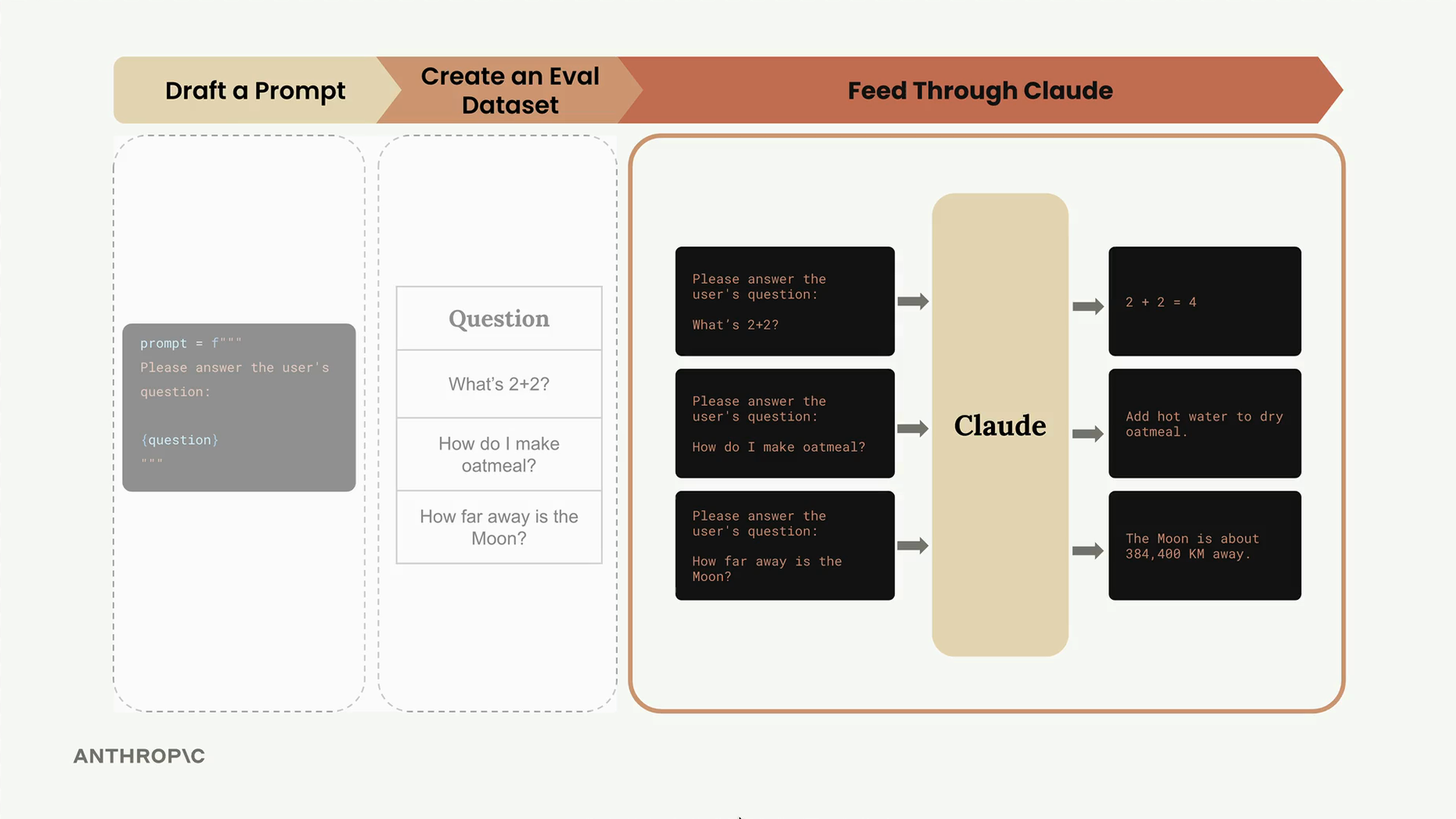
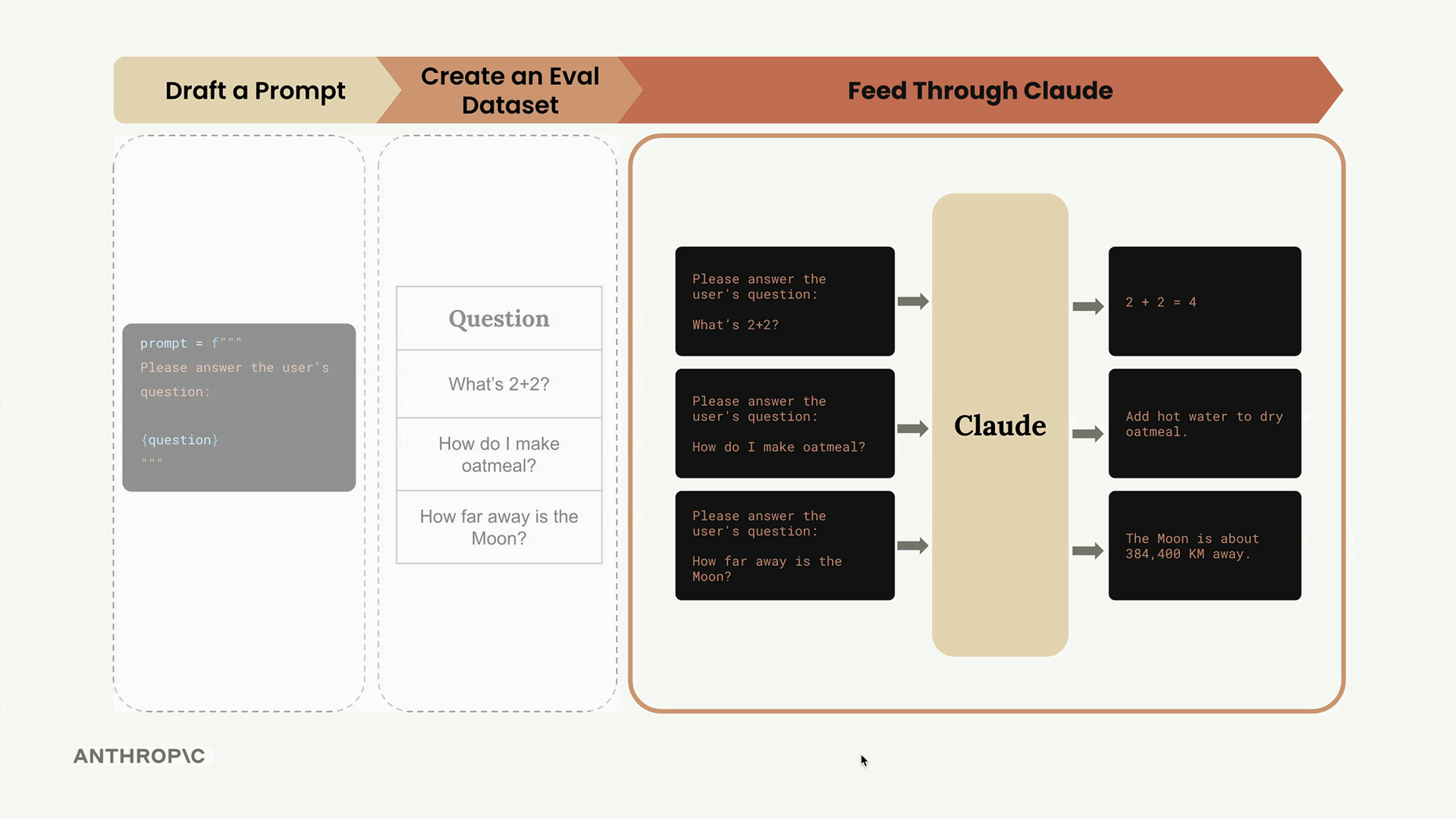
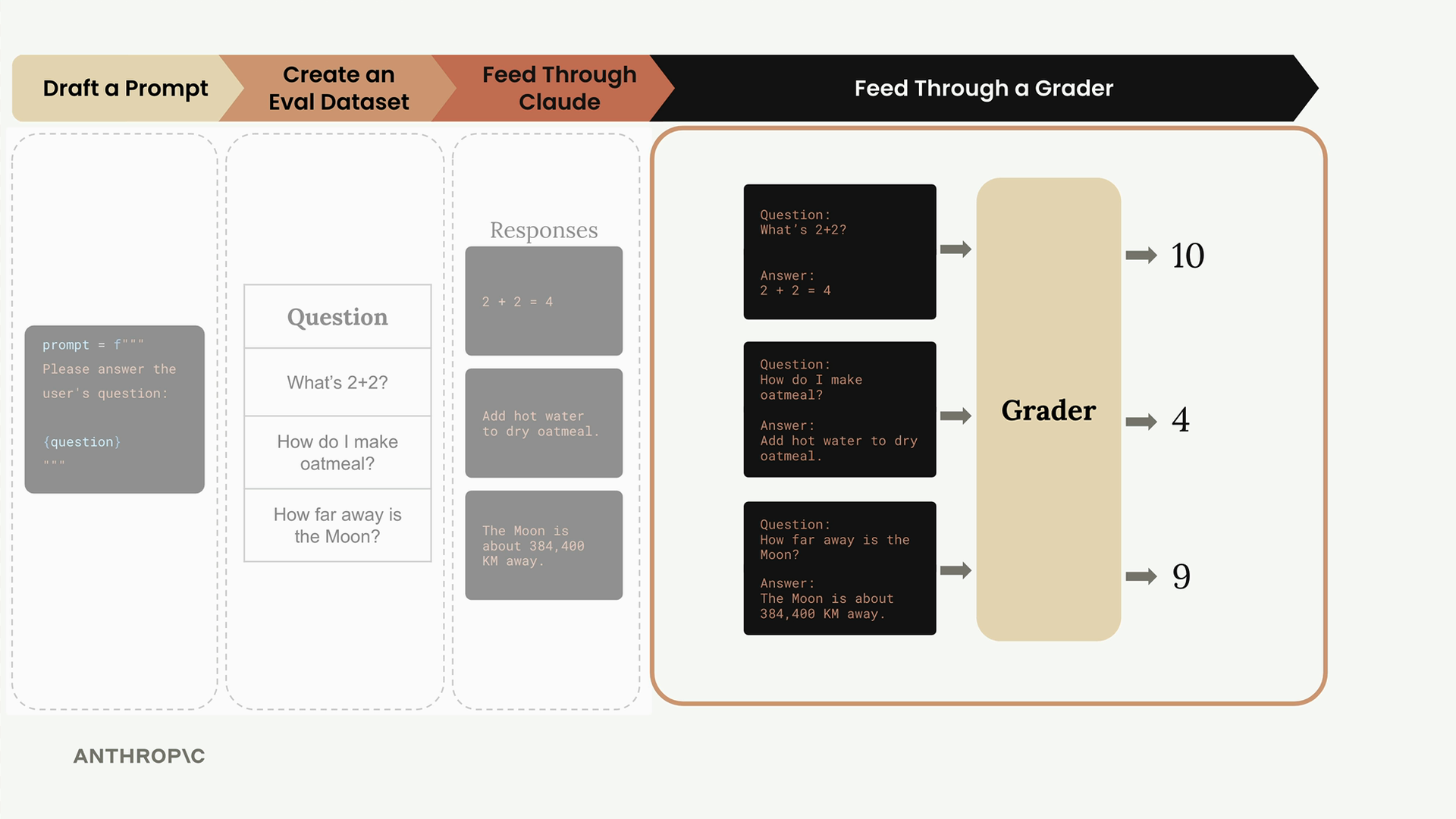
The evaluation process follows a clear workflow: we take our dataset of test cases, combine each one with our prompt template, send it to Claude for processing, and then evaluate the output using a grader system.
Building the Core Functions
The evaluation pipeline consists of three main functions, each with a specific responsibility. Let's start with the simplest one - the function that handles individual prompt execution.
The run_prompt Function
This function takes a test case and merges it with our prompt template:
def run_prompt(test_case):
    """Merges the prompt and test case input, then returns the result"""
    prompt = f"""
Please solve the following task:

{test_case["task"]}
"""

    messages = []
    add_user_message(messages, prompt)
    output = chat(messages)
    return output
Right now, we're keeping the prompt extremely simple. We're not including any formatting instructions, which means Claude will likely return more verbose output than we need. We'll refine this later as we iterate on our evaluation process.
The run_test_case Function
This function orchestrates running a single test case and grading the result:
def run_test_case(test_case):
    """Calls run_prompt, then grades the result"""
    output = run_prompt(test_case)

    # TODO - Grading
    score = 10

    return {
        "output": output,
        "test_case": test_case,
        "score": score
    }
For now, we're using a hardcoded score of 10. The grading logic is where we'll spend significant time in upcoming sections, but this placeholder lets us test the overall pipeline structure.
The run_eval Function
This is the main orchestrator that processes the entire dataset:
def run_eval(dataset):
    """Loads the dataset and calls run_test_case with each case"""
    results = []

    for test_case in dataset:
        result = run_test_case(test_case)
        results.append(result)

    return results
This function loops through every test case in our dataset, processes each one, and collects all the results into a single list.
Running the Evaluation
To execute our evaluation pipeline, we load the dataset and call our main function:
with open("dataset.json", "r") as f:
    dataset = json.load(f)

results = run_eval(dataset)
The first time you run this, expect it to take some time - even with Claude Haiku, processing a full dataset can take 30+ seconds. We'll cover optimization techniques later, but for now, patience is key.
Examining the Results
Once the evaluation completes, you can inspect the results with formatted JSON output:
print(json.dumps(results, indent=2))
The results structure contains an array of objects, where each object represents one test case execution. You'll see the Claude output (which tends to be quite verbose without formatting constraints), the original test case definition, and the score.
What We've Accomplished
At this point, we've successfully implemented the core evaluation pipeline. We can:
- Take test cases from our dataset
- Merge them with prompt templates
- Get responses from Claude
- Collect and organize all the results
The missing piece is intelligent grading - right now we're just assigning a fixed score to every response. The next step is building graders that can actually evaluate whether Claude's outputs are correct, which is where the real sophistication of evaluation systems comes into play.
This pipeline structure might seem simple, but it represents the foundation that most AI evaluation systems are built on. The complexity comes in the grading logic and prompt optimization, not in the basic orchestration of running tests.
🔁 Related lessons
- Next: Model based grading
- Previous: Generating test datasets
- Same section: Overview of Claude Models · Accessing the API · Making a request
- Part of paths: Path C
- Reference docs: Glossary · Skills atlas · By use-case
📚 Source & attribution
- Original Anthropic Academy lesson: https://anthropic.skilljar.com/claude-in-amazon-bedrock/276736
- © 2025 Anthropic. Educational fair-use only.