📖 Lesson content
Summary
When building chat interfaces with AI models, users expect to see responses appear immediately rather than waiting 10-30 seconds for a complete response. The converse_stream function solves this by streaming text as it's generated, creating a much better user experience.
How Streaming Works
Instead of waiting for the entire response to be generated, streaming sends back pieces of text as soon as they're available. Here's how the flow changes:
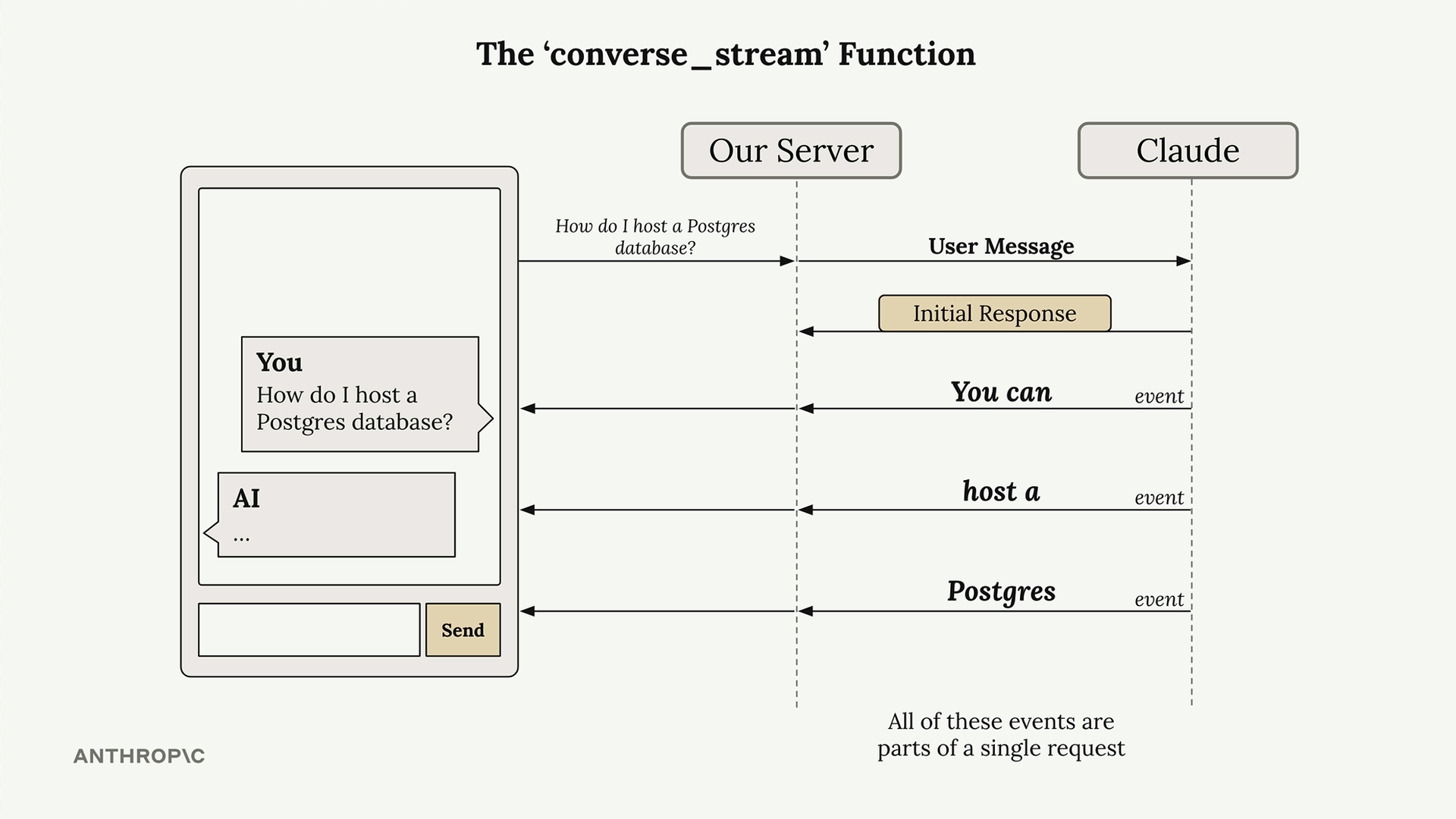
When you call converse_stream, you immediately get back an initial response that contains a stream object. This stream is a generator that yields events as the model generates text. Each event contains a small chunk of the overall response.
Basic Implementation
Here's how to use converse_stream in your code:
messages = []
add_user_message(messages, "Write a 1 sentence description of a fake database")
response = client.converse_stream(messages=messages, modelId=model_id)

for event in response["stream"]:
    print(event)
This will print out all the different events as they arrive. You'll see the response come in chunks rather than all at once.
Understanding Stream Events
The stream yields several types of events, each serving a different purpose:
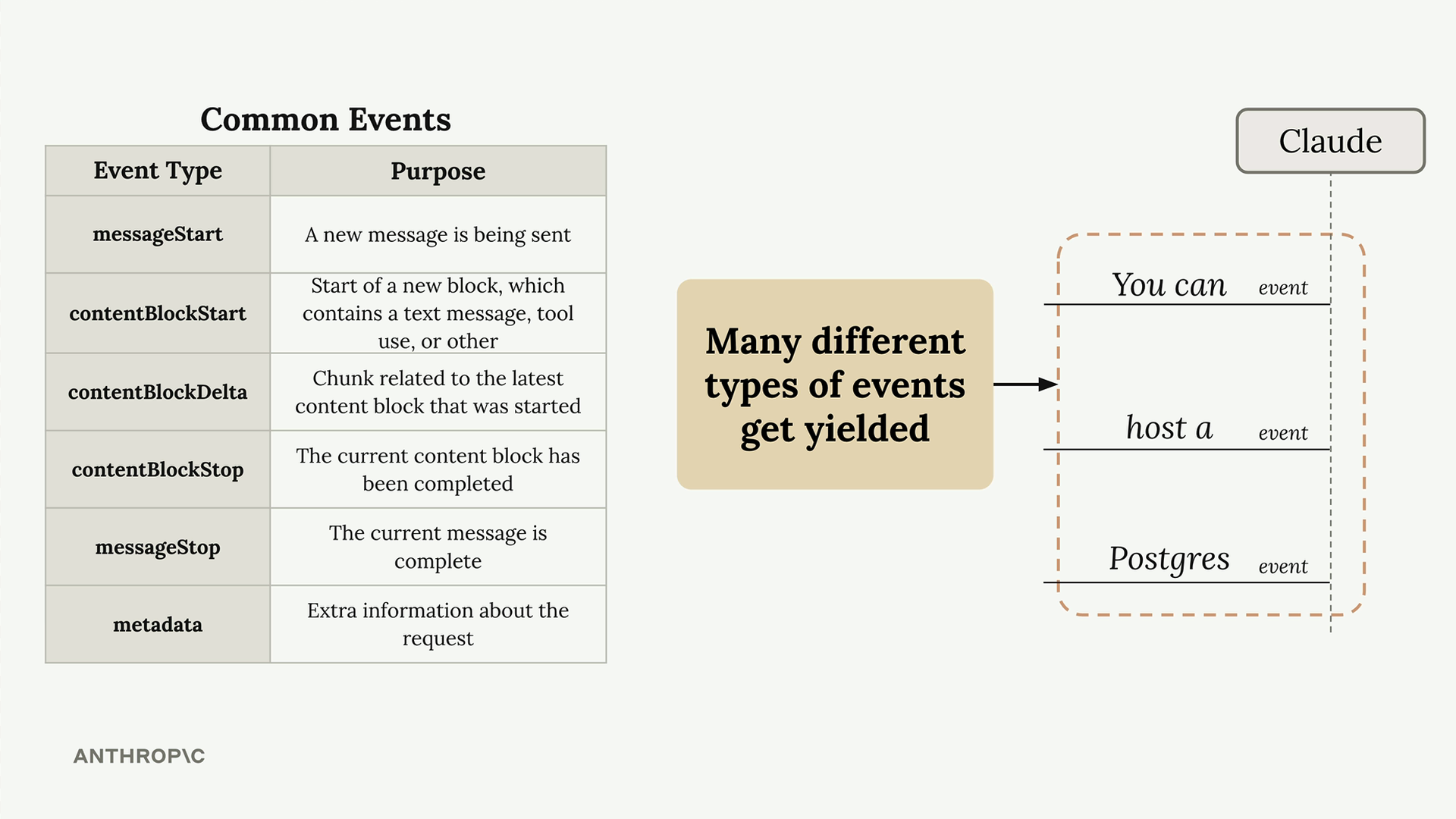
For basic text generation, you only need to care about contentBlockDelta events. These contain the actual generated text chunks that you want to display to users.
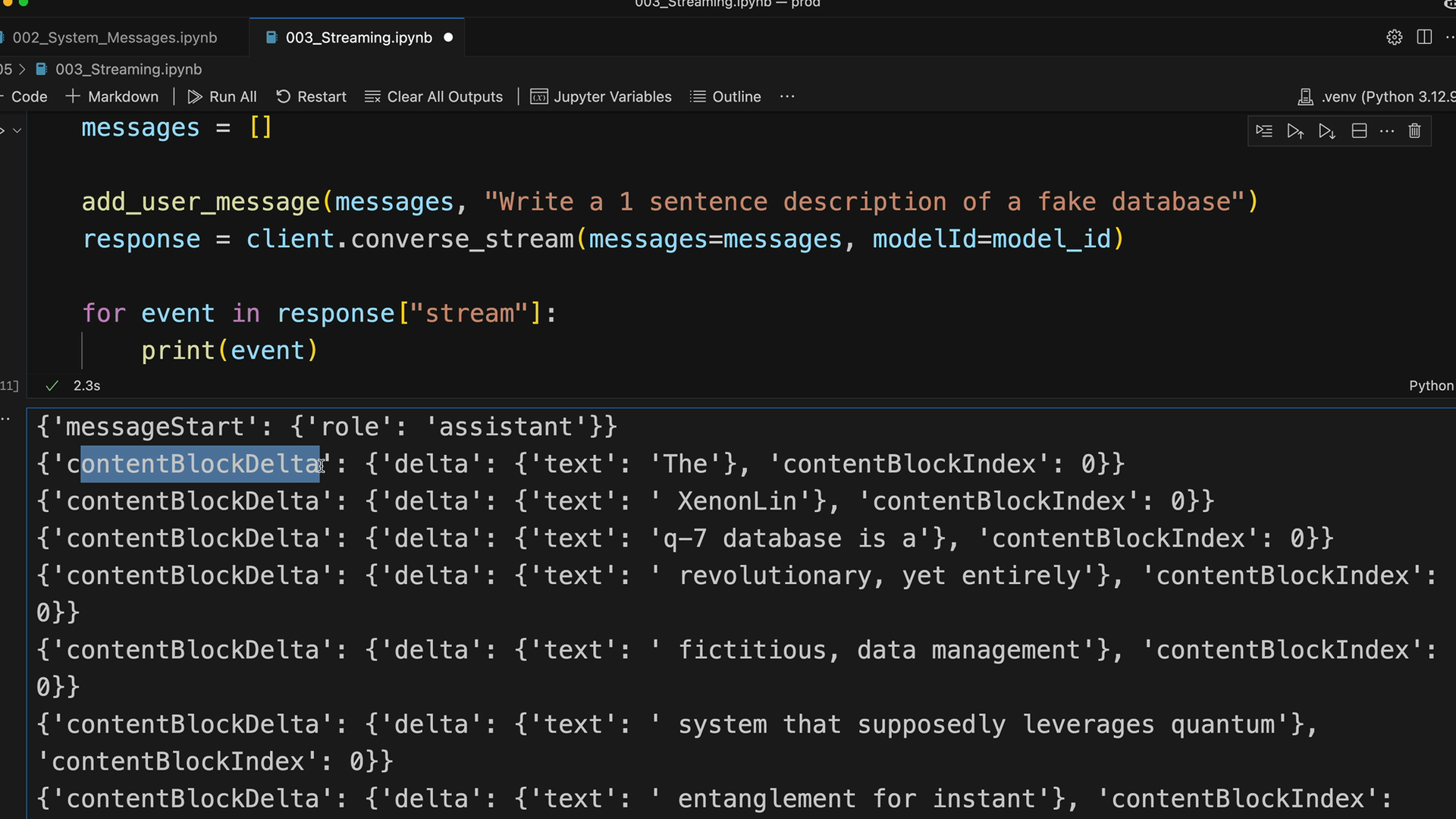
The events always arrive in a predictable order: messageStart, multiple contentBlockDelta events containing your text, then contentBlockStop, messageStop, and finally metadata.
Extracting the Text
To get just the generated text from each chunk, filter for contentBlockDelta events and extract the text:
text = ""
for event in response["stream"]:
    if "contentBlockDelta" in event:
        chunk = event["contentBlockDelta"]["delta"]["text"]
        print(chunk, end="")
        text += chunk

print("\n\nTotal Message:\n" + text)
The end="" parameter removes the automatic newline that Python's print function adds, making the streaming text appear more naturally.
Practical Applications
In a real application, instead of printing each chunk, you'd typically:
- Send each chunk to your frontend via WebSockets or Server-Sent Events
- Update the UI to display the growing response in real-time
- Store the complete message once streaming finishes
- Handle any errors that might occur during streaming
This streaming approach transforms the user experience from "submit and wait" to "submit and watch the response appear," making your AI-powered applications feel much more responsive and engaging.
Downloads
🔁 Related lessons
- Next: Controlling model output
- Previous: Temperature
- Same section: Overview of Claude Models · Accessing the API · Making a request
- Part of paths: Path C
- Reference docs: Glossary · Skills atlas · By use-case
📚 Source & attribution
- Original Anthropic Academy lesson: https://anthropic.skilljar.com/claude-in-amazon-bedrock/276721
- © 2025 Anthropic. Educational fair-use only.