📖 Lesson content
Summary
Temperature is a powerful parameter that controls how creative or deterministic Claude's responses will be. Understanding how to use it effectively can dramatically improve your AI applications.
How Claude Generates Text
Before diving into temperature, it's helpful to understand Claude's text generation process. When you send Claude a prompt like "What do you think?", it goes through three phases:
- Tokenization: Breaking your input into smaller chunks
- Prediction: Calculating probabilities for possible next tokens
- Sampling: Selecting a token based on those probabilities
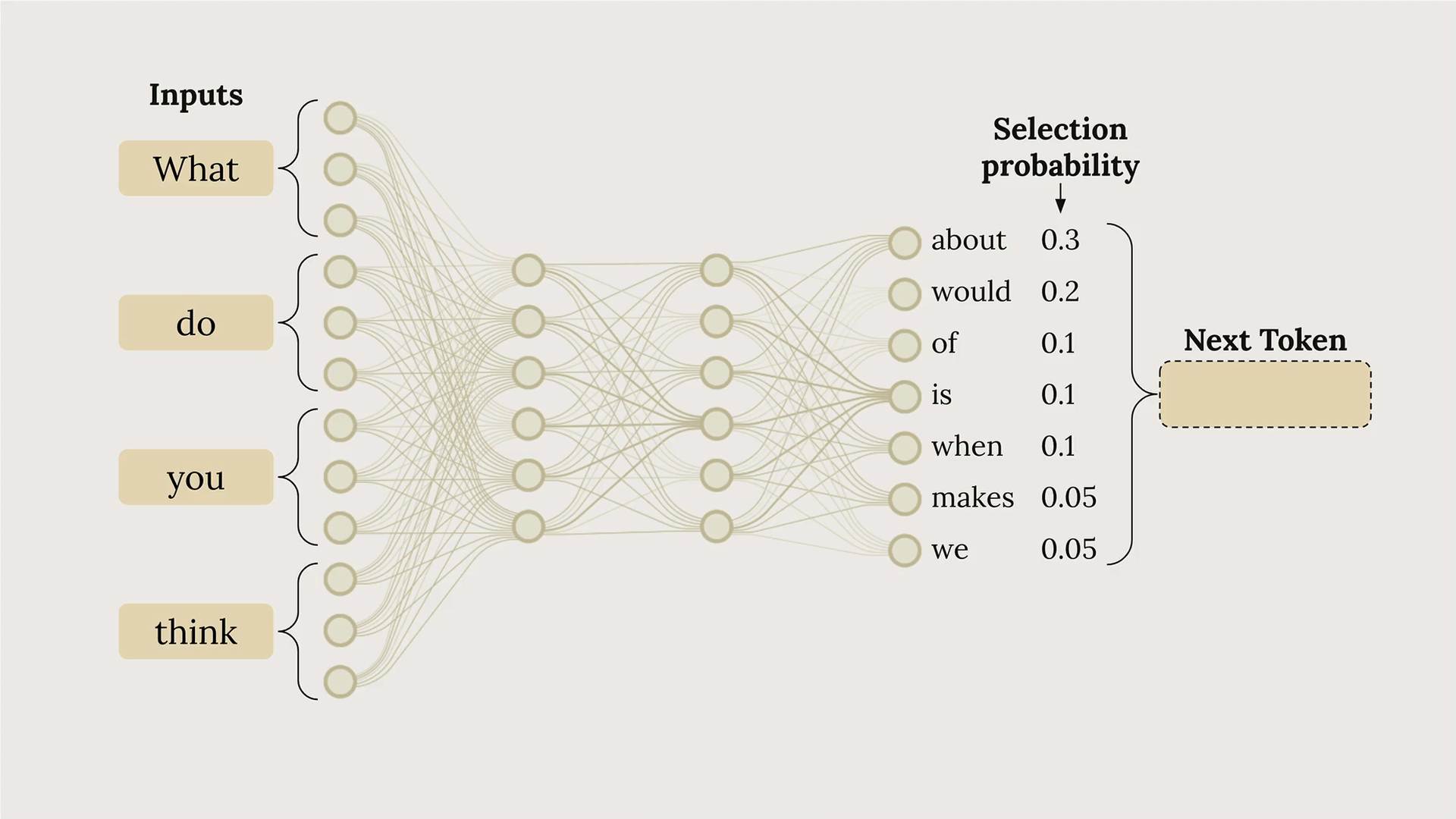
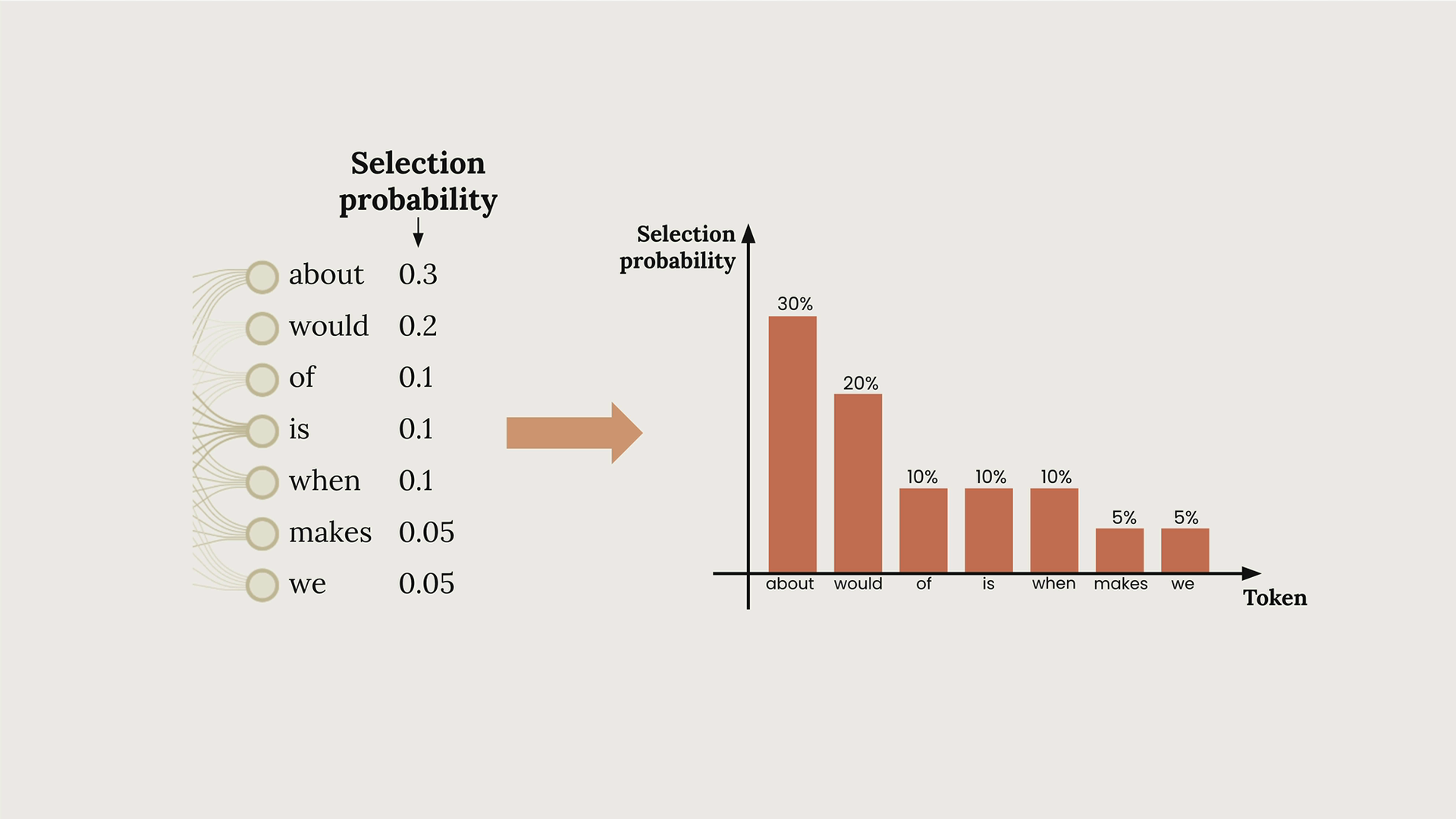
In the diagram above, you can see how Claude might assign different probabilities to potential next tokens. The word "about" has a 30% chance, "would" has 20%, and so on. This process repeats for each token until the response is complete.
What Temperature Does
Temperature is a decimal value between 0 and 1 that directly influences these token selection probabilities. Think of it as a creativity dial:
- Low temperature (near 0): Makes the highest probability token much more likely to be selected
- High temperature (near 1): Distributes probability more evenly across all possible tokens
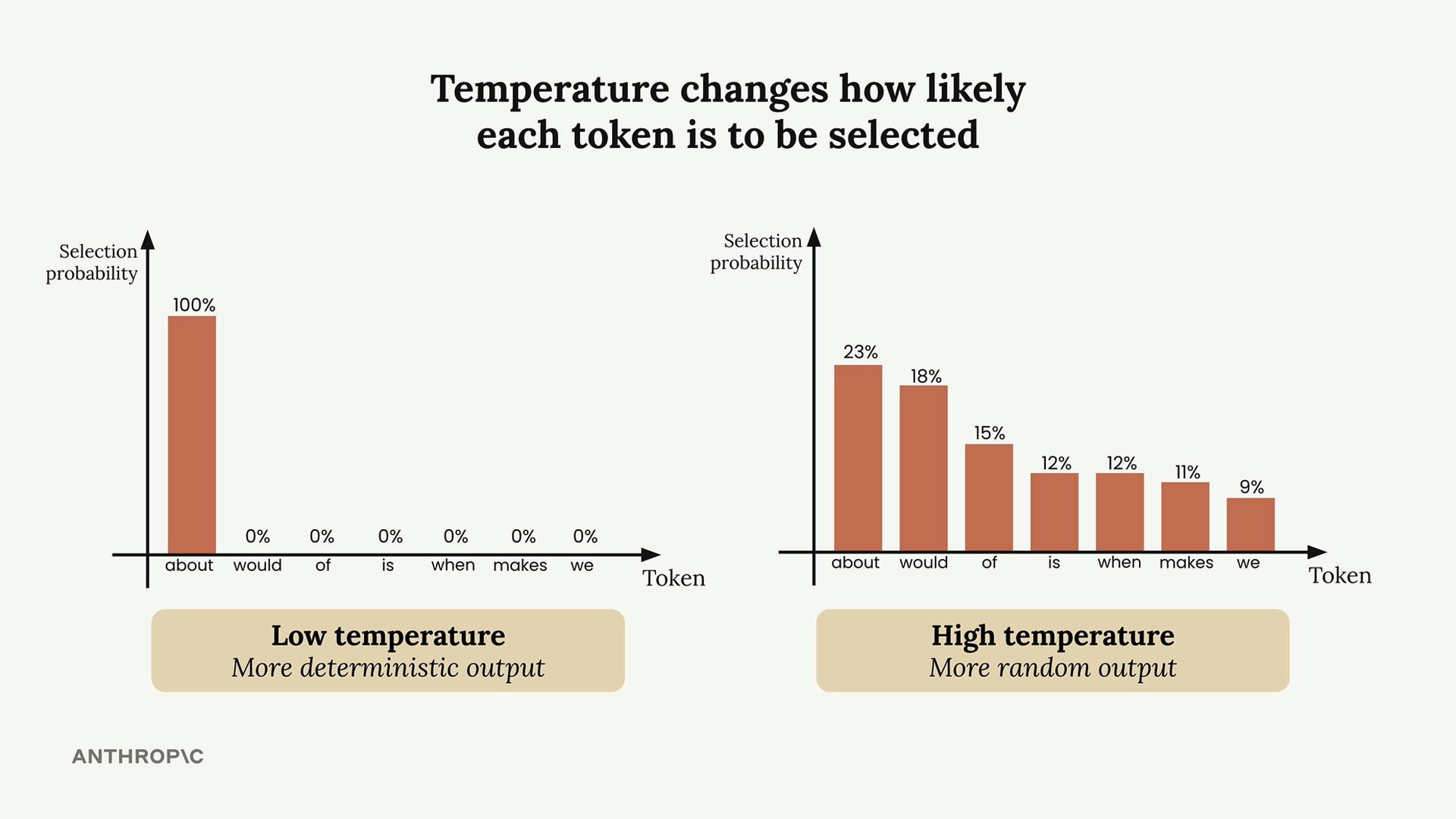
At temperature 0, Claude becomes deterministic - it will always pick the most probable token. At temperature 1, lower-probability tokens have a much better chance of being selected, leading to more creative and varied outputs.
Temperature Ranges and Use Cases
Different tasks call for different temperature settings:
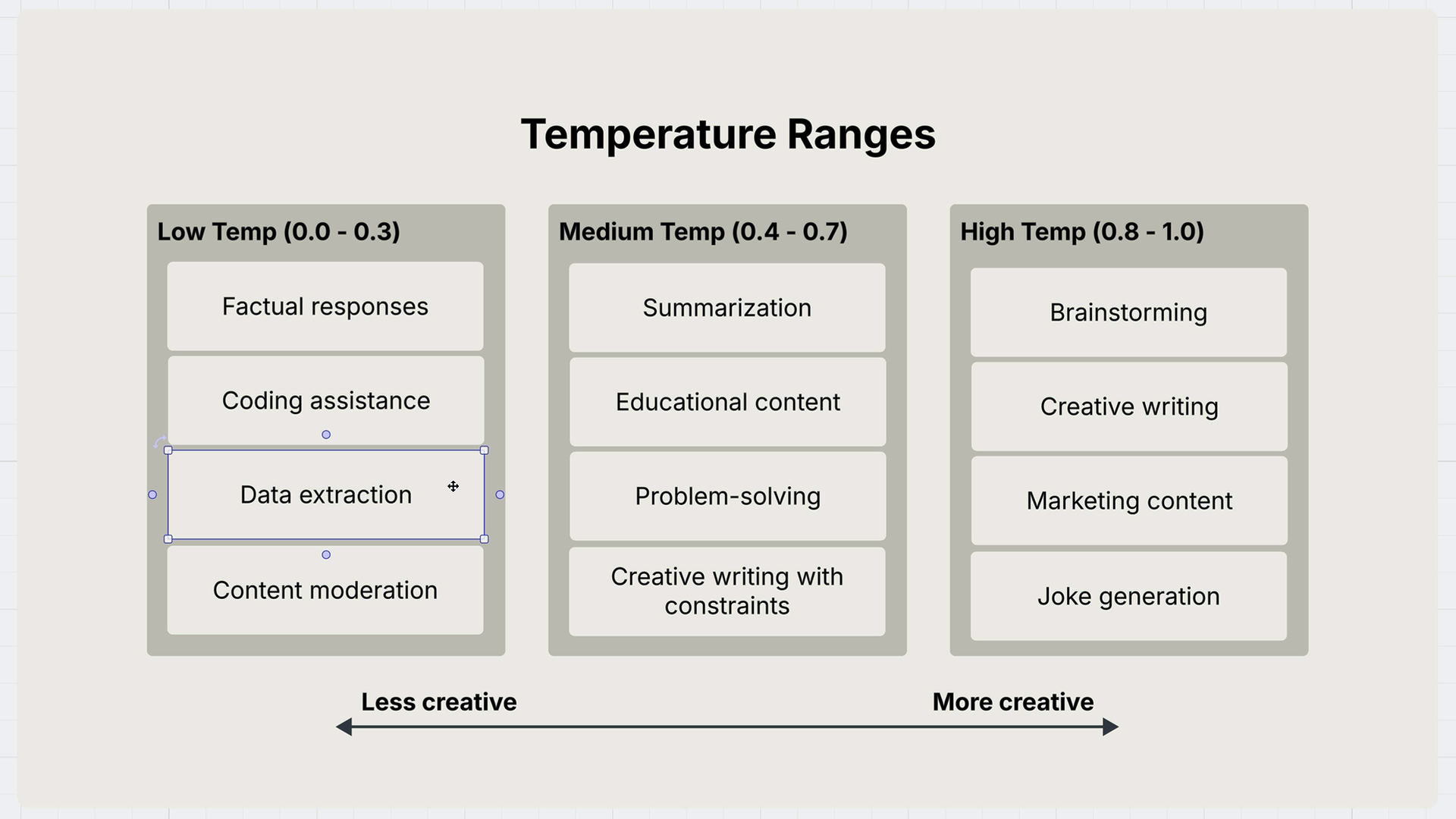
Low Temperature (0.0 - 0.3)
- Factual responses
- Coding assistance
- Data extraction
- Content moderation
Medium Temperature (0.4 - 0.7)
- Summarization
- Educational content
- Problem-solving
- Creative writing with constraints
High Temperature (0.8 - 1.0)
- Brainstorming
- Creative writing
- Marketing content
- Joke generation
Setting Temperature in Code
By default, Claude's temperature is set to 1.0, which means maximum creativity. You can override this by adding temperature to your inference configuration:
def chat(messages, system=None, temperature=1.0):
    params = {
        "modelId": model_id,
        "messages": messages,
        "inferenceConfig": {"temperature": temperature}
    }

    if system:
        params["system"] = [{"text": system}]

    response = client.converse(**params)
    return response["output"]["message"]["content"][0]["text"]
Temperature in Practice
Here's a practical example using movie idea generation. With temperature set to the default (1.0), you might get creative responses like:
"A reclusive origami master discovers her intricate paper creations come to life at night, leading her on a magical journey to save their miniature world from a mysterious shadow creature threatening to unfold their existence."
But when you set temperature to 0.0 for the same prompt, you'll consistently get more predictable responses:
"A time-traveling archaeologist must prevent ancient artifacts from being stolen by a tech billionaire who's using them to build a doomsday device that harnesses their forgotten power."
Running the low-temperature version multiple times will produce very similar responses, often with repeated themes like "time-traveling historian" or "time-traveling archaeologist."