📖 Lesson content
Video
MCP
Model Context Protocol (MCP) is an open standard that lets Claude Code connect to external tools and data sources. When you ask a question, Claude automatically understands when it should use those tools to better handle your query.
A lot of your context lives outside your codebase — in databases, productivity apps, or public repositories. MCP bridges that gap.
What Can You Do With It?
First, it's important to understand the concept of "tools" in agentic AI. Tools give agents like Claude Code the ability to perform actions that help them complete tasks more effectively. This is different from typical AI, where you just get a text response back.
For example, if your team uses Linear for project management, you can add a Linear MCP server to bring in the details of your specific issues. If you need up-to-date documentation for a dependency, a docs MCP server like Context7 can provide that to Claude Code.
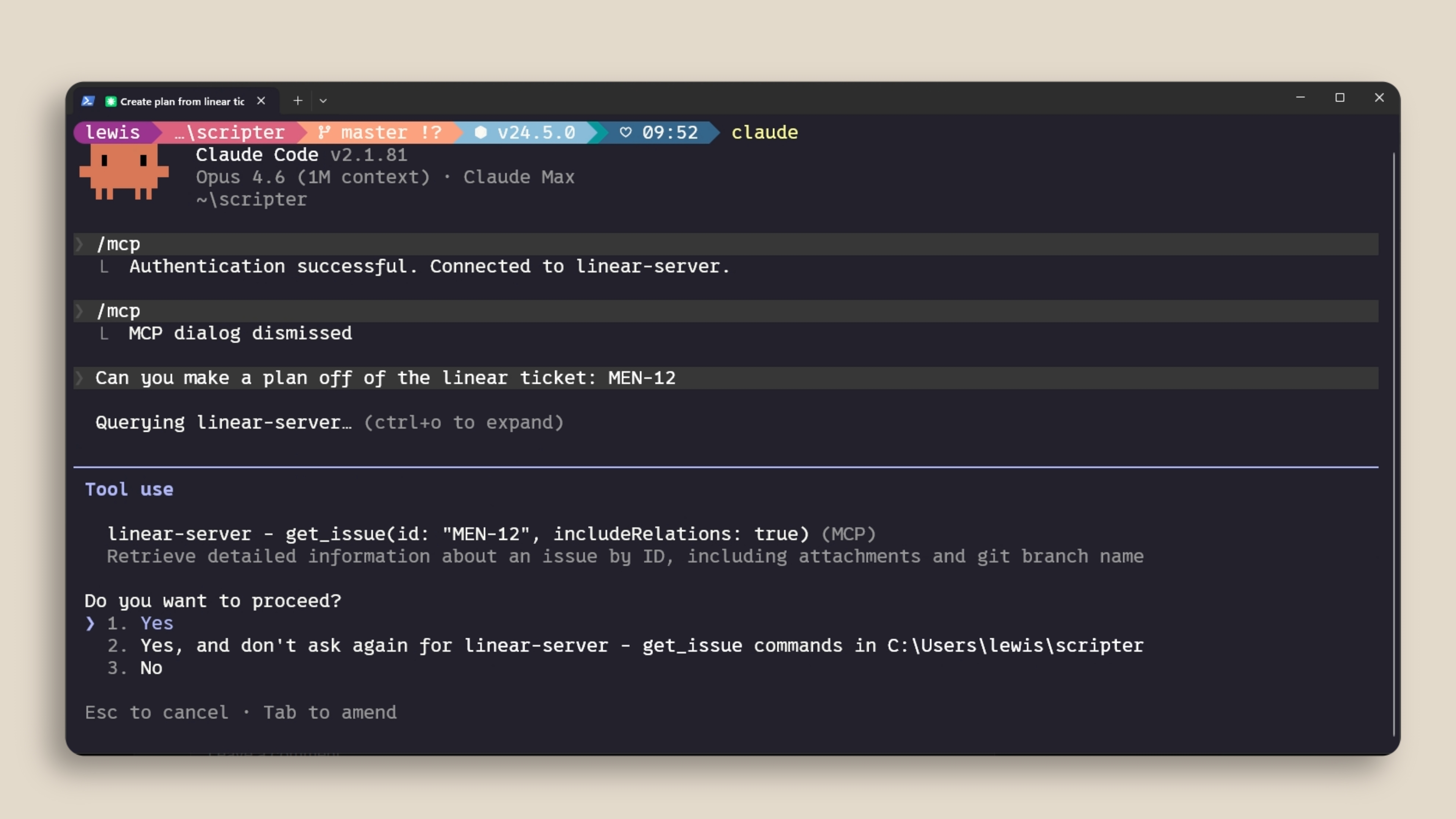
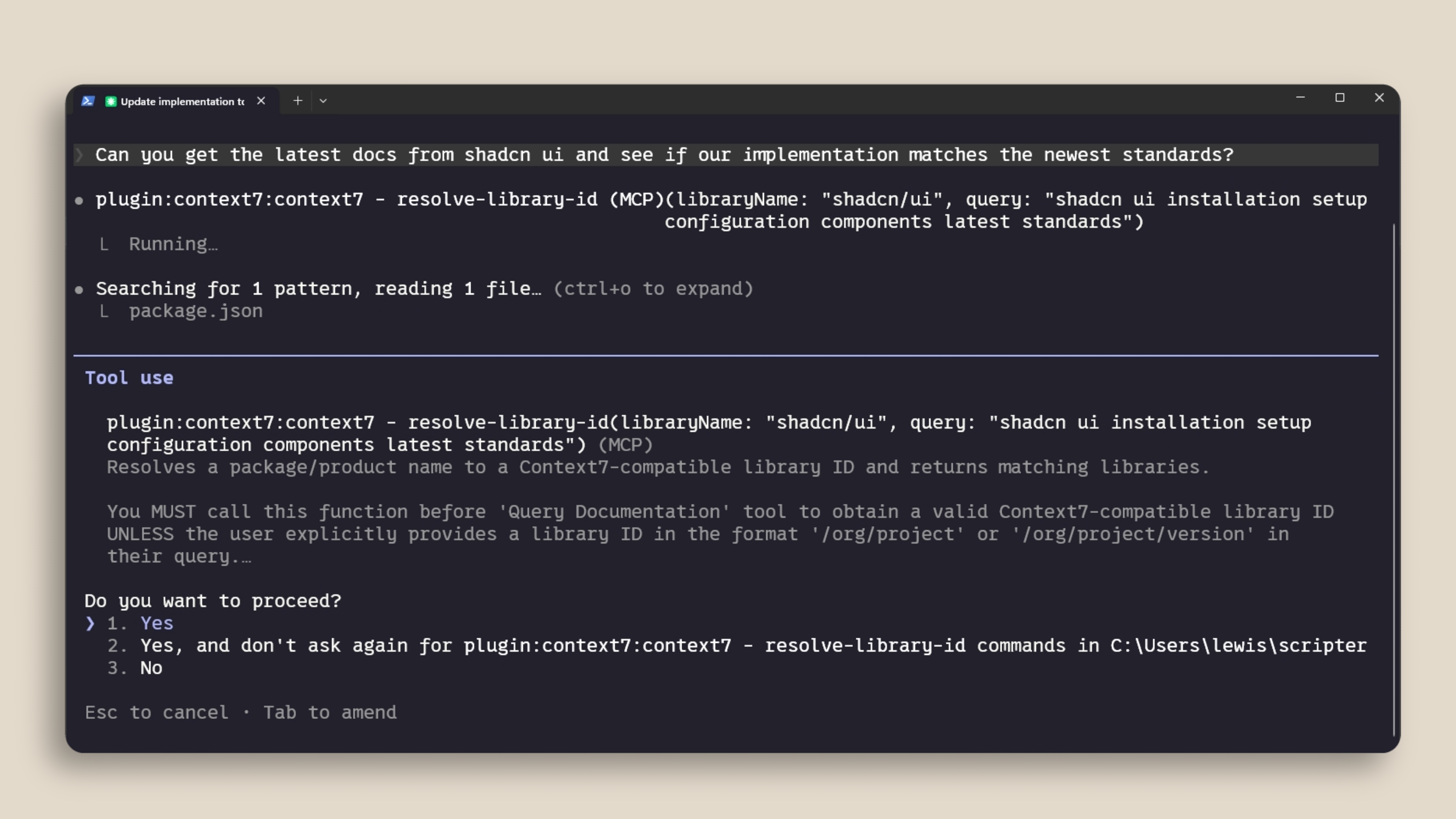
Adding an MCP Server
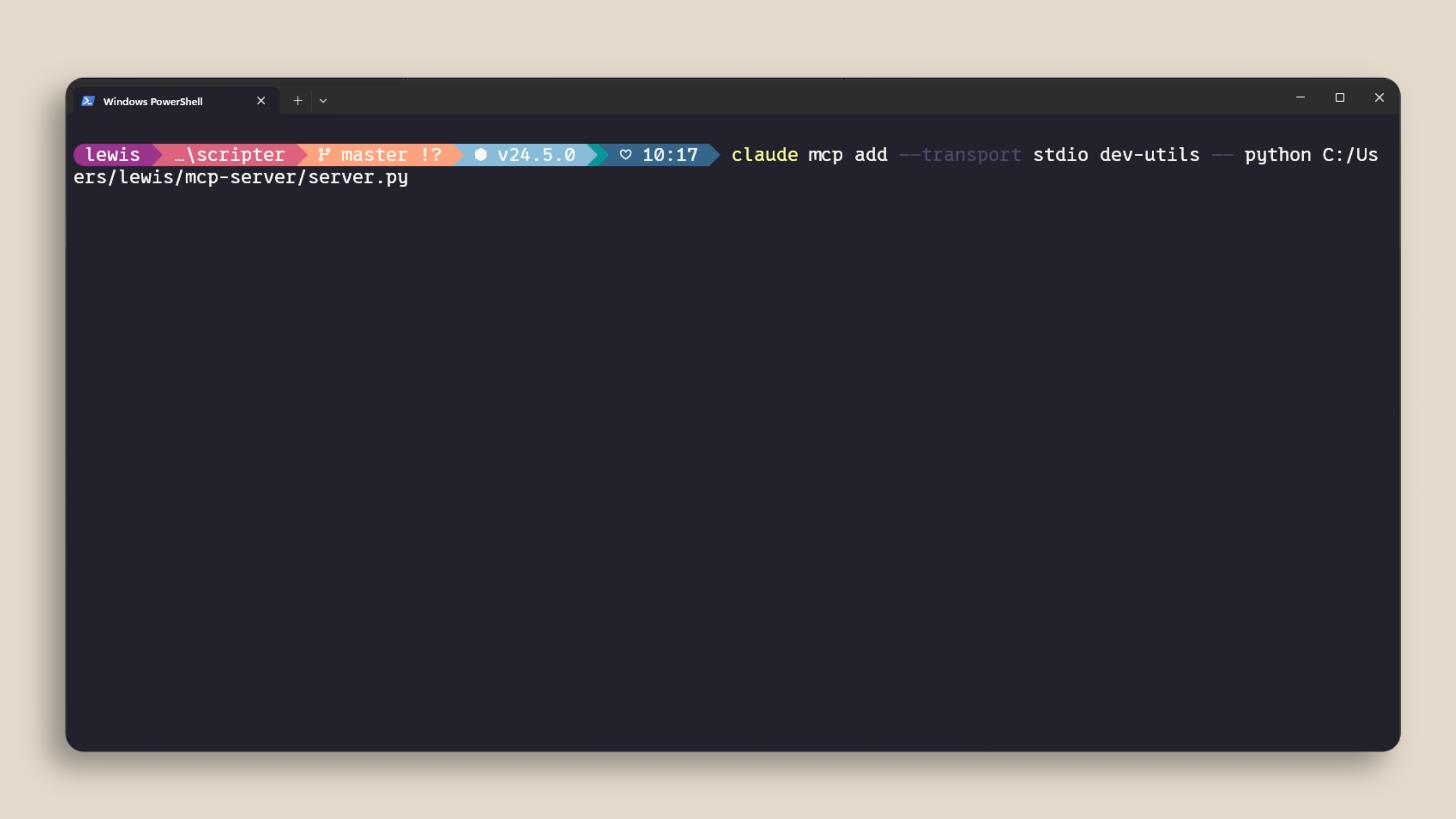
You can add MCP servers with the claude mcp add command. There are two main types:
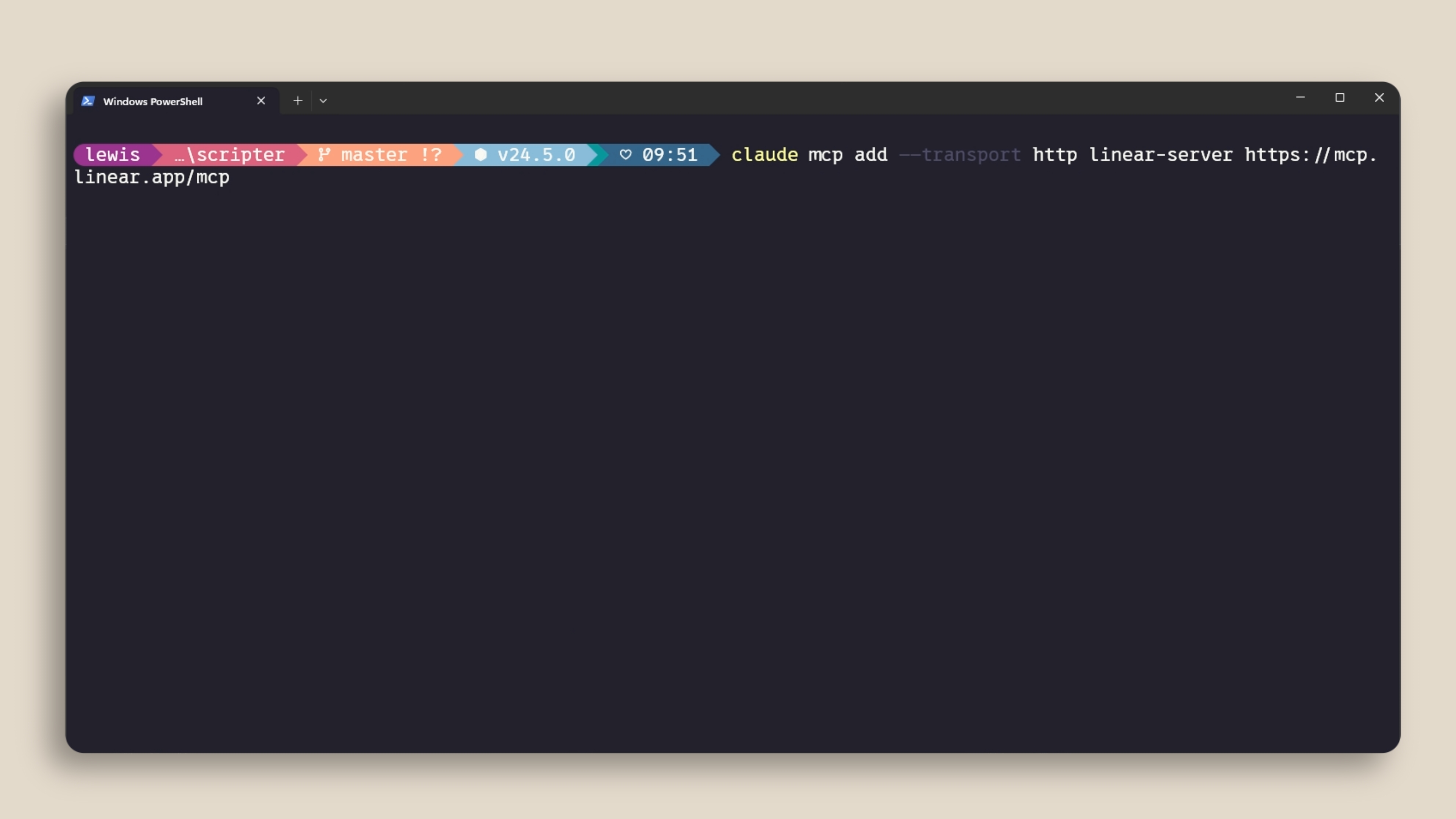
- HTTP servers are for remote services. These are hosted by the service provider and connect over the network.
- Stdio servers are for local processes that run on your machine.
You can manage your servers with /mcp inside a Claude Code session to see what's connected, check status, and disable servers you don't need.
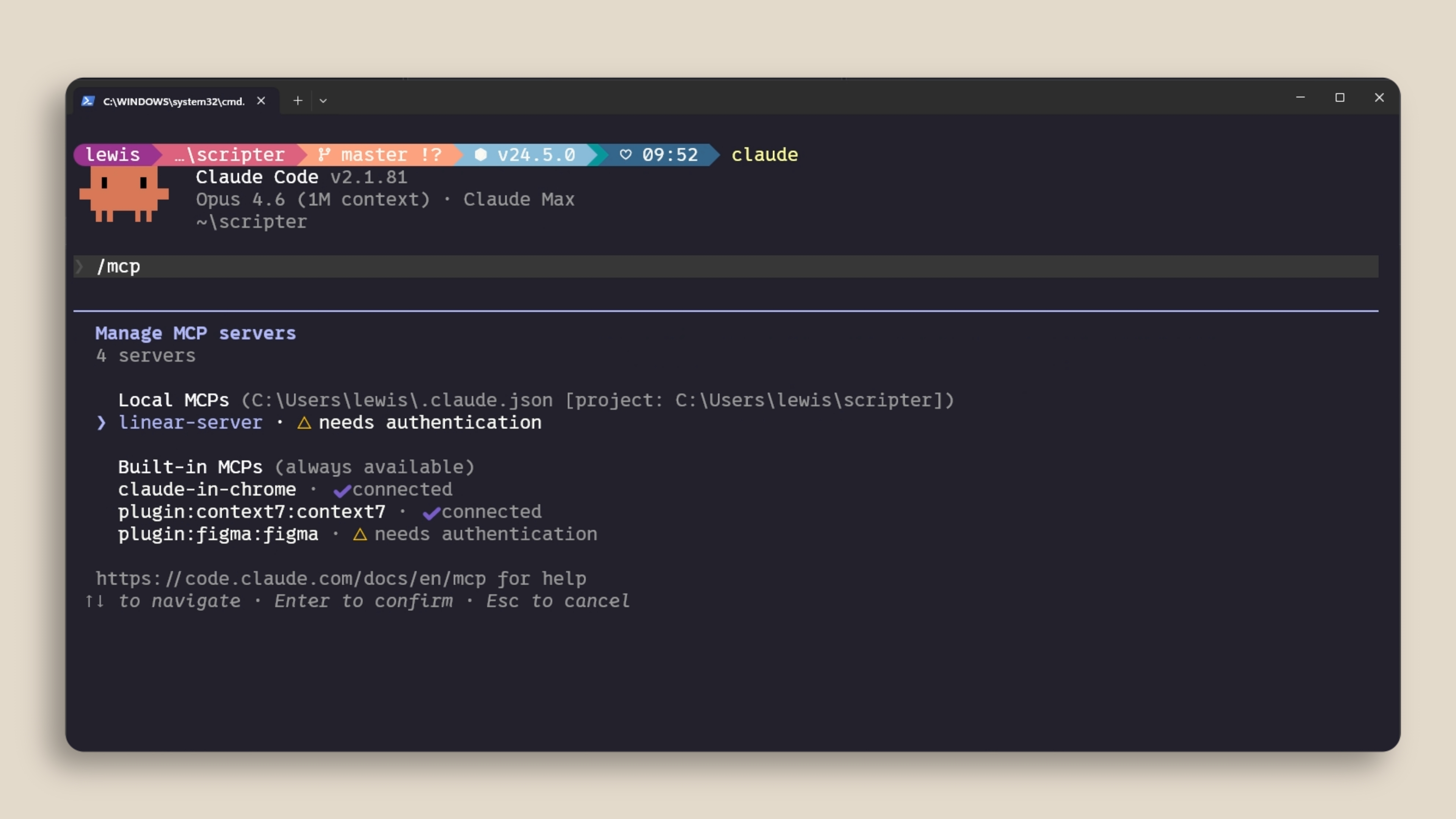
Scoping Servers
MCP servers can be scoped in three ways:
- Local — only available in the current project, just for you.
- User — available across all your projects.
- Project — uses a
.mcp.jsonfile that you check into version control so anyone on the codebase gets the exact same servers automatically.
Context Costs
MCP servers add tool definitions to your context window — even when you're not actively using them. If you have a lot of servers configured, this eats into your available context. Run /mcp to see what's connected and disable anything you're not actively using.
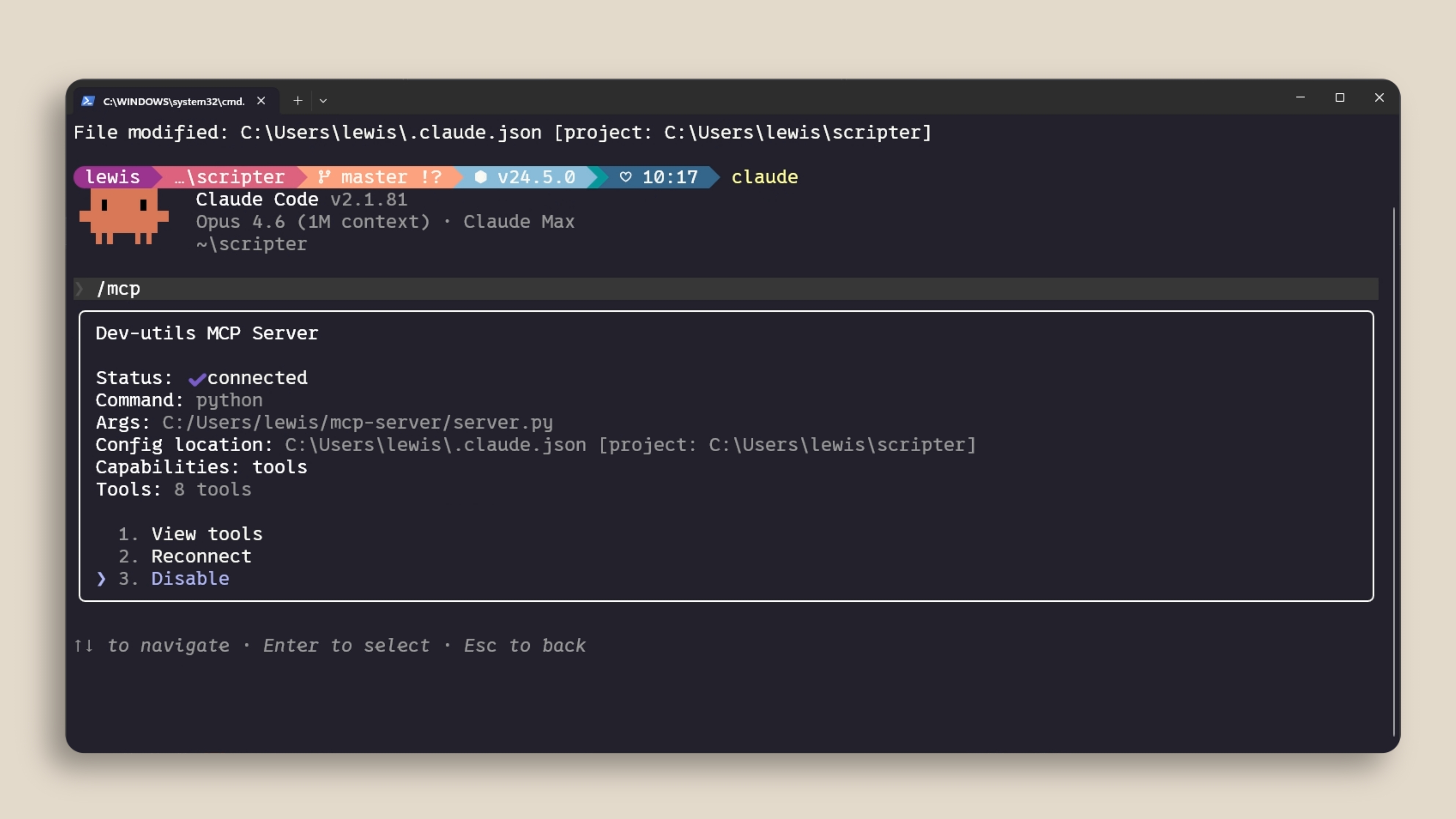
If a tool has a CLI equivalent (like gh for GitHub or aws for AWS), the CLI is more context-efficient because it doesn't add persistent tool definitions.
You might also benefit from using a Skill instead. A Skill has a name and description loaded into context, and Claude only loads the full skill contents when it determines it needs to use it.
If your MCP tools exceed 10% of your context window, Claude Code automatically switches to tool search mode, which discovers the right tools on demand — though this may not work as reliably.
Recap
MCP connects Claude Code to your external tools and data sources. Add servers with claude mcp add. Scope them to your project with .mcp.json so your team gets them automatically. And keep an eye on context usage by disabling servers you're not actively using.
🎬 Video transcript
Source video:
kkBFmwkDzdo
📜 Click to expand transcript (cleaned + AI-translated)
Introduction to Model Context Protocol (MCP)
Model Context Protocol (MCP) is an open standard that lets Claude Code connect to external tools and data sources. When you ask a question, Claude will automatically understand when it should use those tools to better understand your query.
Context is one of the most important parts when working with Claude Code. A lot of your context lives elsewhere, such as your databases, your productivity apps, or in public repositories. This is where MCP comes in.
The Role of Tools in Agentic AI
First, it's important to understand the concept of tools when talking about agentic AI. Tools give agents like Claude Code the ability to perform actions in order for them to better complete their tasks. This is different from other AI where you usually just get a text output back directly.
For example, if your team is using Linear as their project management software, you can add a Linear MCP server to bring in the details of your specific issues. If you want to get up-to-date documentation of a dependency that you're working with, then a context-specific MCP server will provide Claude Code with that information. There are also hundreds of different connectors available at claude.com/connectors.
Adding and Managing MCP Servers
You can add MCP servers with the claude mcp add command. There are two main types of servers:
- HTTP servers: These are for remote services. They are hosted by the service provider and connect over the network.
- STDIO servers: These are for local processes that run on your machine.
You can manage your servers with the /mcp command inside a Claude Code session to see what's connected, check their status, and disable servers that you don't want to use.
Server Scoping and Configuration
MCP servers can be scoped in three different ways:
- Local: It is only available in the current project for you.
- User: It is available across all your projects.
- Project scope: This uses a
.mcp.jsonfile that you check into your version control. This ensures anyone working on the codebase gets the exact same servers automatically.
Optimizing Context Window Usage
One thing to be aware of is that MCP servers add tool definitions to your context window, even when you're not using them. If you have a lot of servers configured, this eats into your available context. You should run the /mcp command to see what's connected and disable anything that you're not actively using.
If a tool has a CLI equivalent, like gh for GitHub or aws for AWS, using the CLI is often more context-efficient because it doesn't add persistent tool definitions.
You might also benefit from using a Skill in this scenario. A Skill has a name and a description that is loaded into the context. Similar to MCP, when Claude thinks it needs to use that Skill, it then decides to load it into the context window. This is an ideal place to put command-line interface tools.
Tool Search Mode and Recap
If your MCP tools exceed 10% of your context window, Claude Code will automatically switch to Tool Search mode. This mode discovers the right tools on demand, but it might not work as effectively since the definitions are not directly in the context.
Quick Recap:
- MCP connects Claude Code to your external tools and data sources.
- Add servers with
claude mcp add. - Scope them to your project with
.mcp.jsonso your team gets them automatically. - Keep an eye on context usage by disabling servers that you are not actively using.
🔁 Related lessons
- Next: Hooks
- Previous: Skills
- Same section: The CLAUDE.md file · Subagents · Skills
- Part of paths: Path C
- Reference docs: Glossary · Skills atlas · By use-case
📚 Source & attribution
- Original Anthropic Academy lesson: https://anthropic.skilljar.com/claude-code-101/469797
- © 2025 Anthropic. Educational fair-use only.