📖 Lesson content
By the end of this lesson, you will be able to:
- Describe a task to Cowork clearly enough to get a useful plan
- Steer the approach before work begins and while it runs
- Approach finished outputs with the right reviewing mindset
Estimated time: 15 minutes
The core loop
Overview
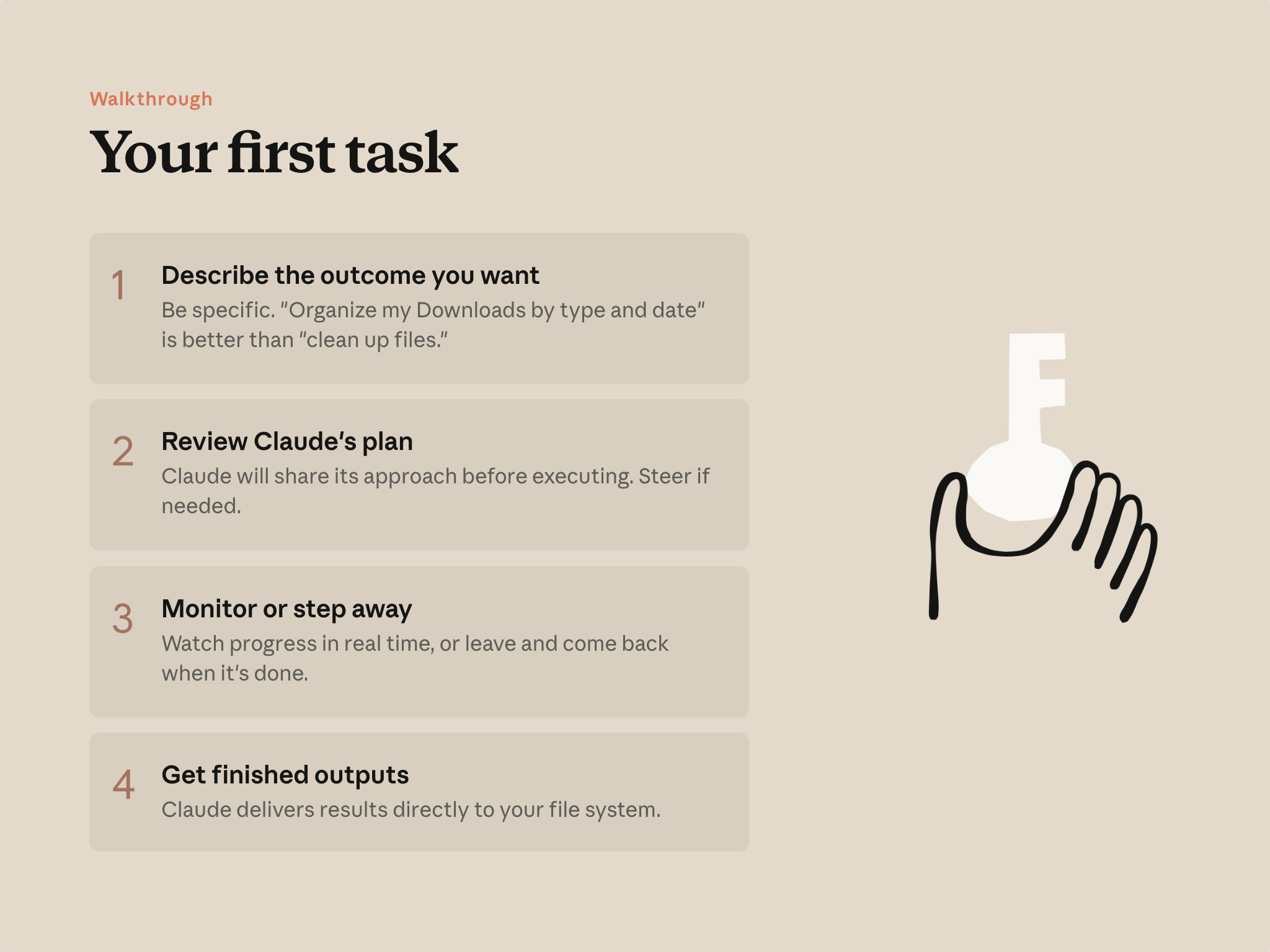
Claude proposes a plan and waits for your approval before taking action. You adjust if needed, approve, and Claude executes. This is the pattern for every Cowork task.
1. Describe what you want back
A prompt works well when it gives Claude what to look at, what you want back, and where it should go. You don't have to engineer a perfect prompt—Claude will ask follow-up questions for whatever you leave out.
"Three of our coverage companies reported earnings this week. The transcripts are in my folder along with our model and last quarter's note. Read the transcripts against our model, check what the team's been saying in #research-desk on Slack, and update the research note. Flag anything that changes our assumptions."
2. Answer a few questions
Based on your prompt and what it found, Claude asks a few questions to get the output right—which approach to take, what to prioritize, how the finished work should look. Pick one of the options Claude offers, or type your own answer.
3. Step away—or step in
A progress panel shows each step: which files Claude's reading, what it's building. For large tasks, Claude breaks the work into parts and handles them at once. Leave it and come back, or type in the chat to redirect if you see something heading somewhere you didn't mean.
4. Open your finished work
The result lands where you pointed it—saved in your folder alongside the files Claude read. If the prompt had asked for something different ("draft this as an email in Gmail" or "save to the shared Drive folder"), it would show up there instead.
Treat the result as a draft. Read it the way you'd read a first pass from a capable colleague: good work that's still yours to shape before you send it on.
A few things that shape the experience
Overview
Overview
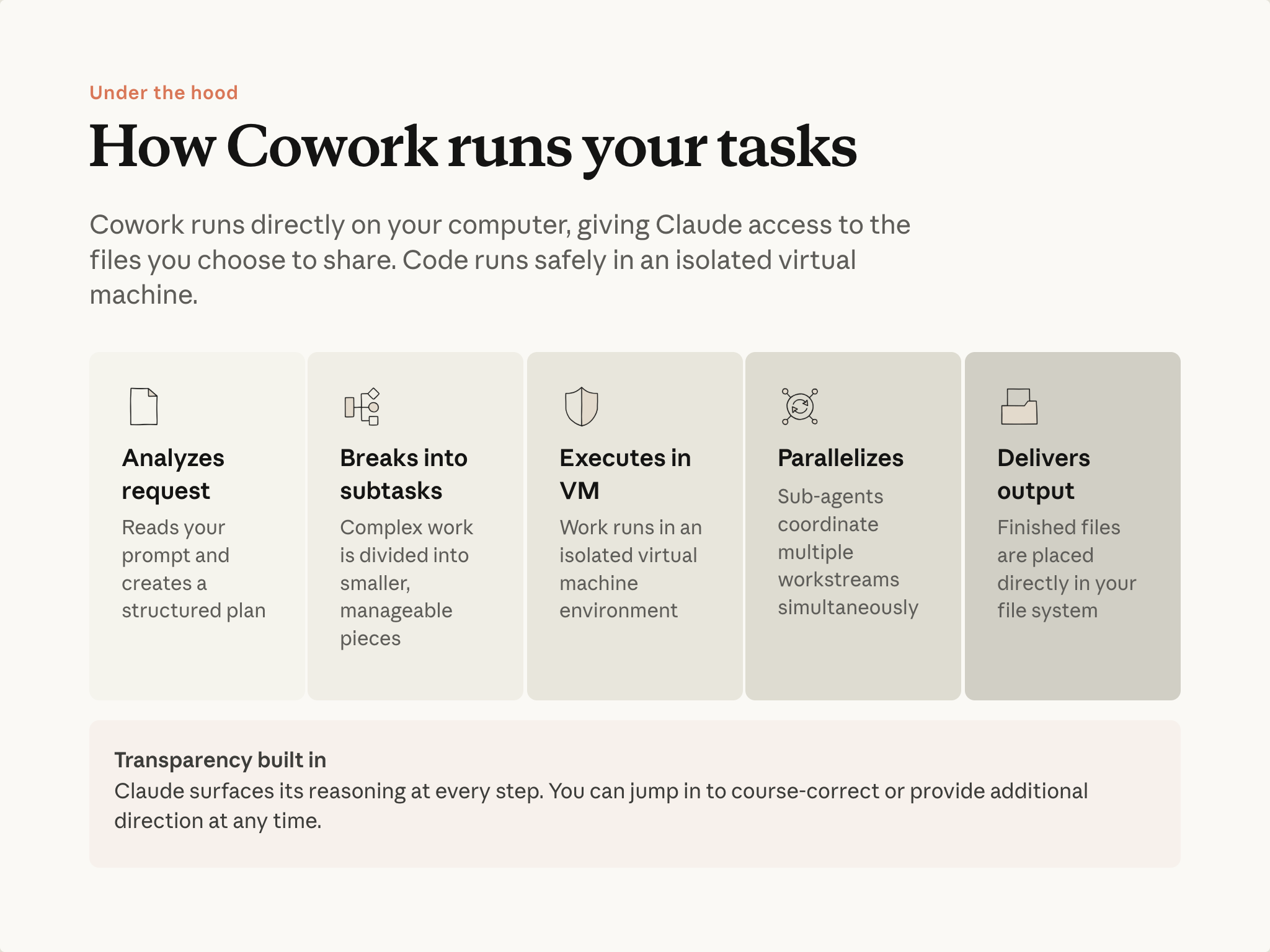
You don't need to know how Cowork works under the hood to use it. But a rough picture helps you write better prompts and recognize when a task is a good fit.
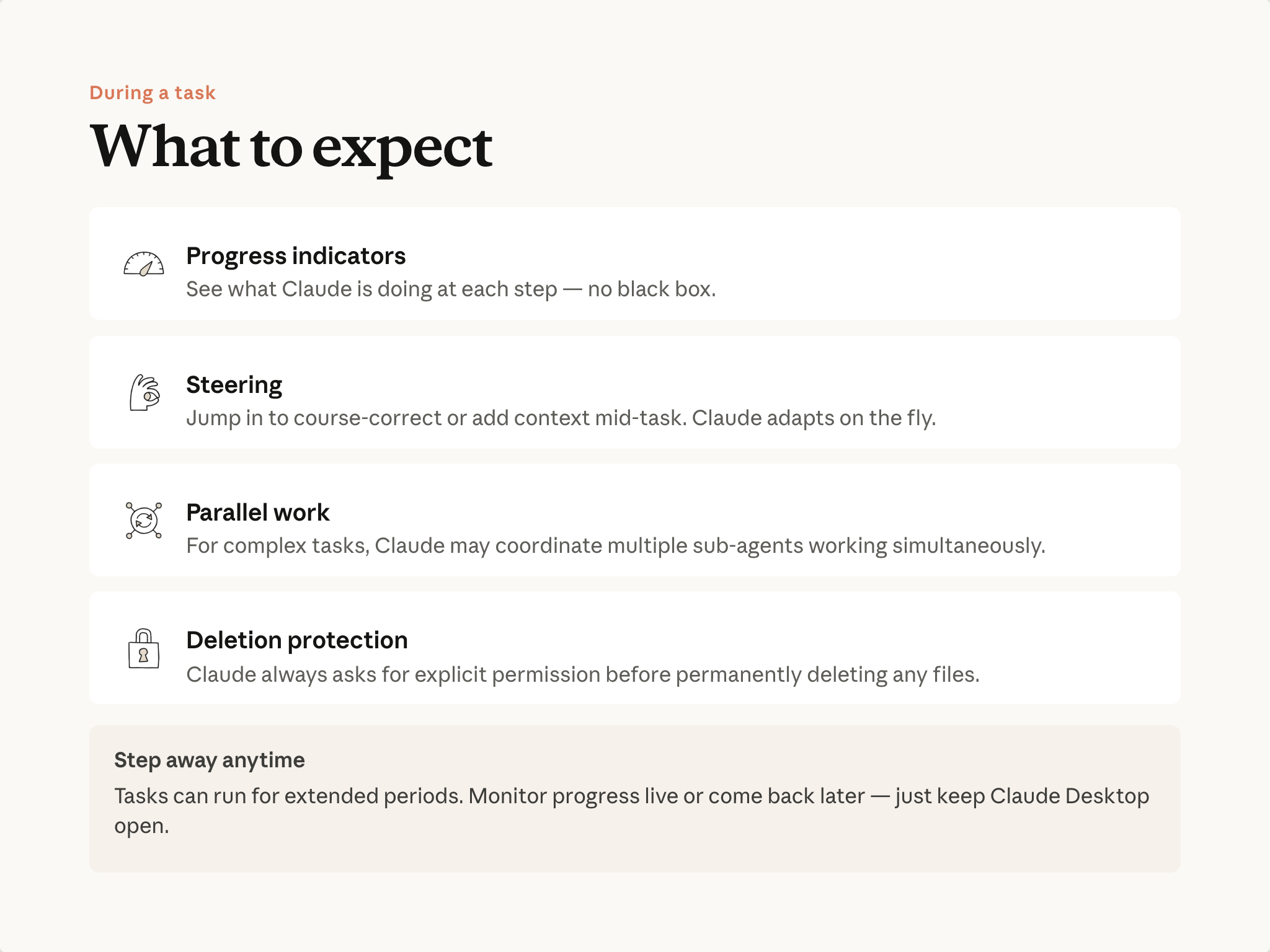
- Subagents — When a task has independent pieces, Cowork can spin up separate workstreams that run at the same time, each with its own job and its own fresh context. Comparing four vendors: one subagent per vendor, each researching pricing, integrations, and reviews without the others' material crowding its view. Results synthesize into one output. In practice: tasks too large to hold in one conversation can be split into pieces that each fit comfortably, and each piece gets focused attention—the vendor-three analysis isn't diluted by vendor-one's details.
- Progress is visible — A panel shows which step is active, which files are being read, what's being built. You can follow along or ignore it.
- You can steer while it runs — Type in the chat to redirect if something heads somewhere you didn't mean. No need to wait for it to finish.
- Isolated environment — Code runs and files get built in an isolated environment on your computer, separate from your main system, without touching anything you haven't granted access to.
- Deletion is gated — Cowork asks before permanently deleting files. You approve or decline.
Walkthrough: a scattered folder becomes a finished deck
Here's the loop in practice. The shape is the same for any task where you're pulling from files to produce something finished.
The starting point
A project folder with the usual accumulation: meeting notes, a checklist, a timeline spreadsheet, some saved emails, a comparison matrix. Different formats, loosely organized.
The goal: turn this into a leadership-ready presentation.
Describe the task
"Review everything in this folder and create a leadership presentation for the tooling review. Include the vendor evaluation results, timeline, business case, and open risks. Output a PowerPoint file."
Review the plan
Cowork shows its plan: read the files, synthesize the proposal, build the business case, generate the deck, review the result. If you want something added—say, a PDF alongside the PowerPoint—you can say so here.
Let it run
Watch if you want, or go to a meeting. The work continues.
Open the file
The deck is a real PowerPoint file. Charts are editable elements you can click into and adjust. It's a draft you can refine, starting from a place much closer to finished than assembling it yourself.
Start small
Begin with tasks that have clear boundaries—organizing a folder, synthesizing a set of documents. Build your intuition for what Cowork handles well, then scale up.
Put it into practice
Use the task you identified in Lesson 1. Point Cowork at the relevant folder, describe what you want back, and run through the loop.
For more on these habits, see the AI Fluency course.
What's next
Next, you'll learn how to give Cowork context it reads every session—so you don't re-explain the same things each time.
Feedback
Share your feedback here.
🔁 Related lessons
- Next: Giving Cowork context
- Previous: Getting set up
- Same section: Giving Cowork context
- Part of paths: Path B
- Reference docs: Glossary · Skills atlas · By use-case
📚 Source & attribution
- Original Anthropic Academy lesson: https://anthropic.skilljar.com/introduction-to-claude-cowork/444166
- © 2025 Anthropic. Educational fair-use only.