📖 Lesson content
Summary
When building applications with Claude, you'll often encounter tasks that can't be completed in a single request. This is where workflows and agents come in - they're strategies for handling complex, multi-step processes.
You've actually been using these concepts throughout this course. Remember when we used tools and let Claude figure out how to complete tasks? That was an agent in action.
Choosing Between Workflows and Agents
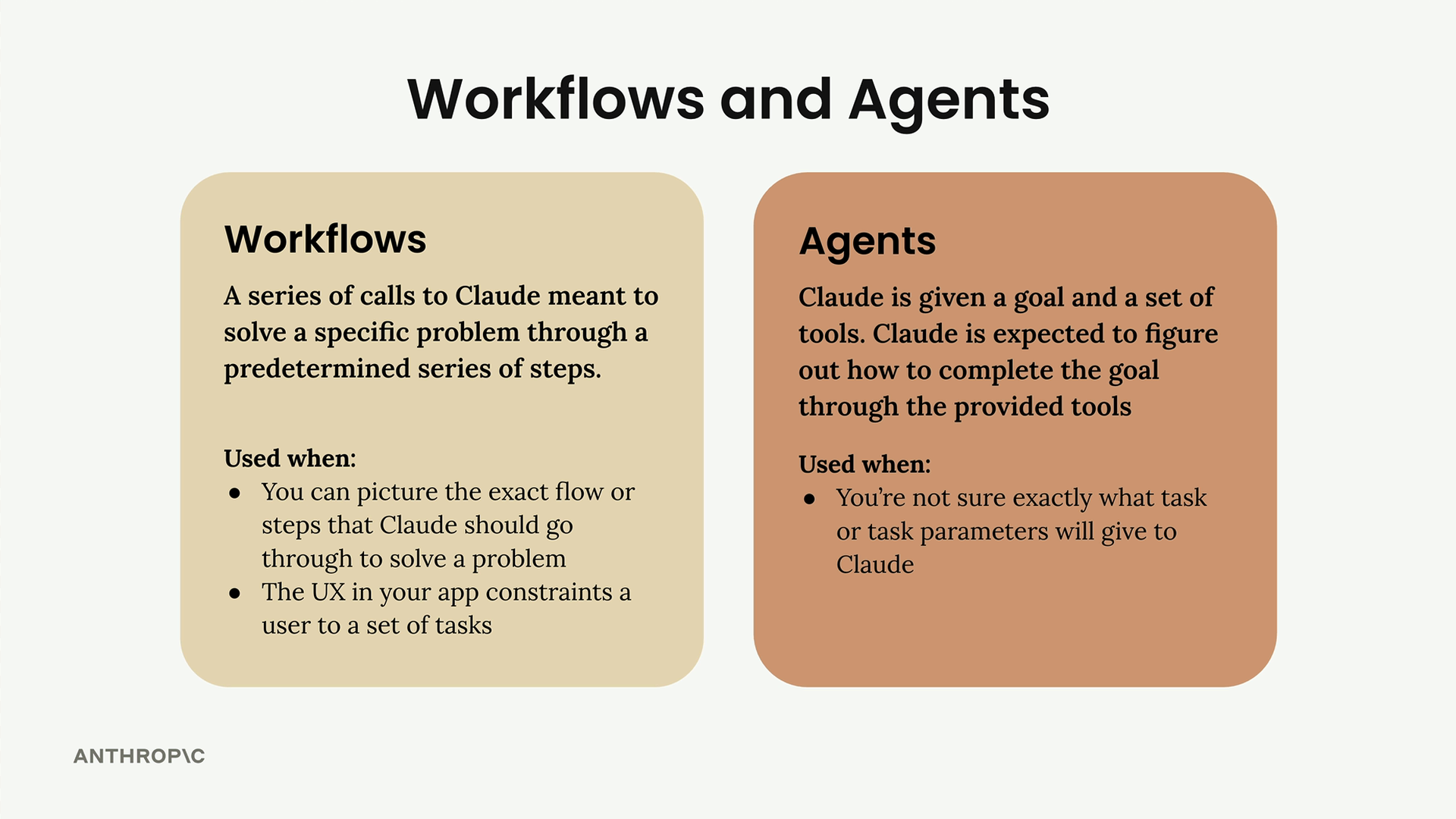
The decision comes down to how well you understand the task:
- Use workflows when you can picture the exact flow or steps that Claude should go through to solve a problem, or when your app's UX constrains users to a set of tasks
- Use agents when you're not sure exactly what task or task parameters you'll give to Claude
Workflows are series of calls to Claude meant to solve a specific problem through a predetermined series of steps. Agents give Claude a goal and a set of tools, expecting Claude to figure out how to complete the goal through the provided tools.
A Real-World Workflow Example
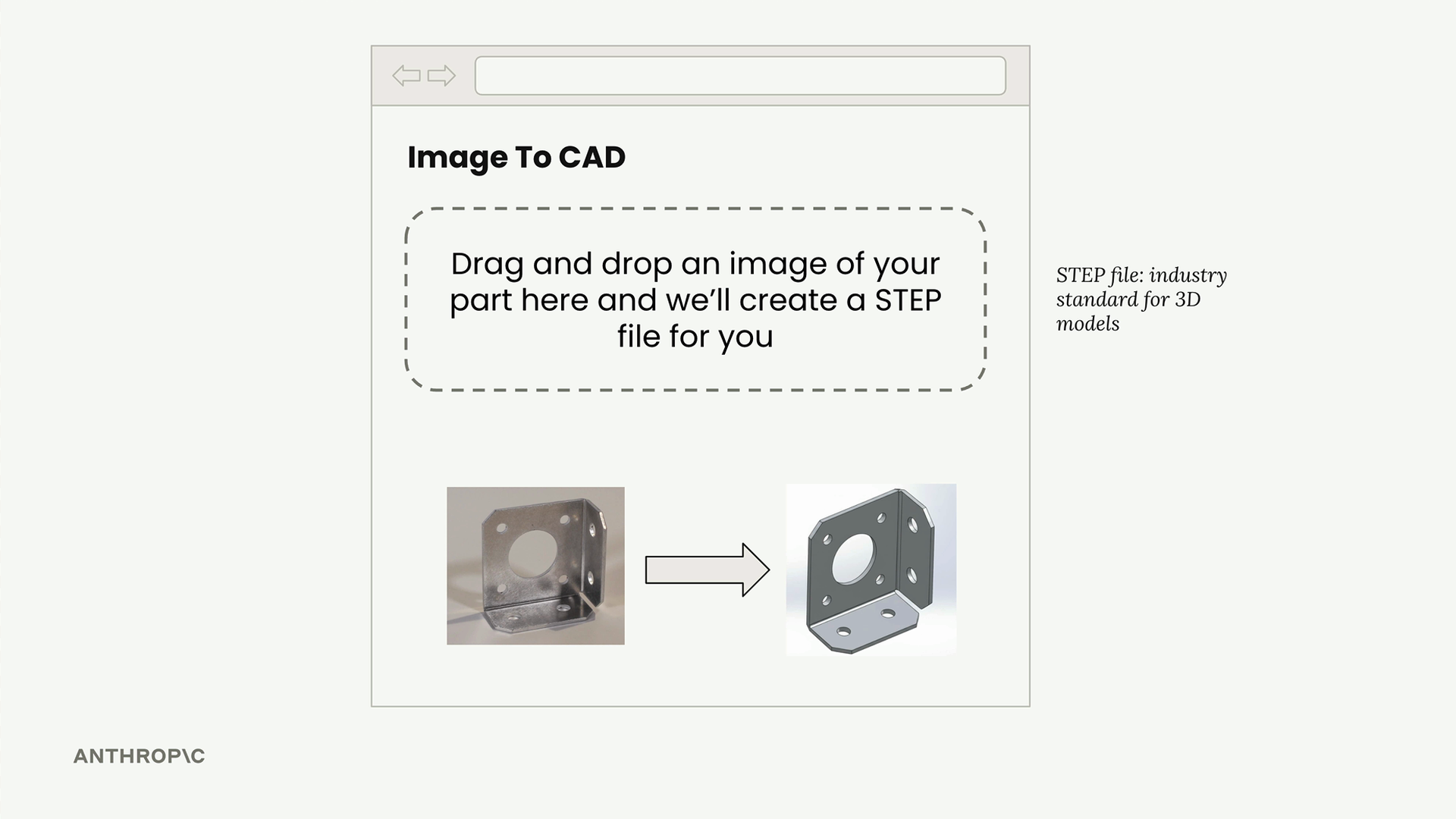
Let's look at a practical example: building an "Image to CAD" application. Users drag and drop an image of a metal part, and the app creates a STEP file (an industry standard for 3D models).
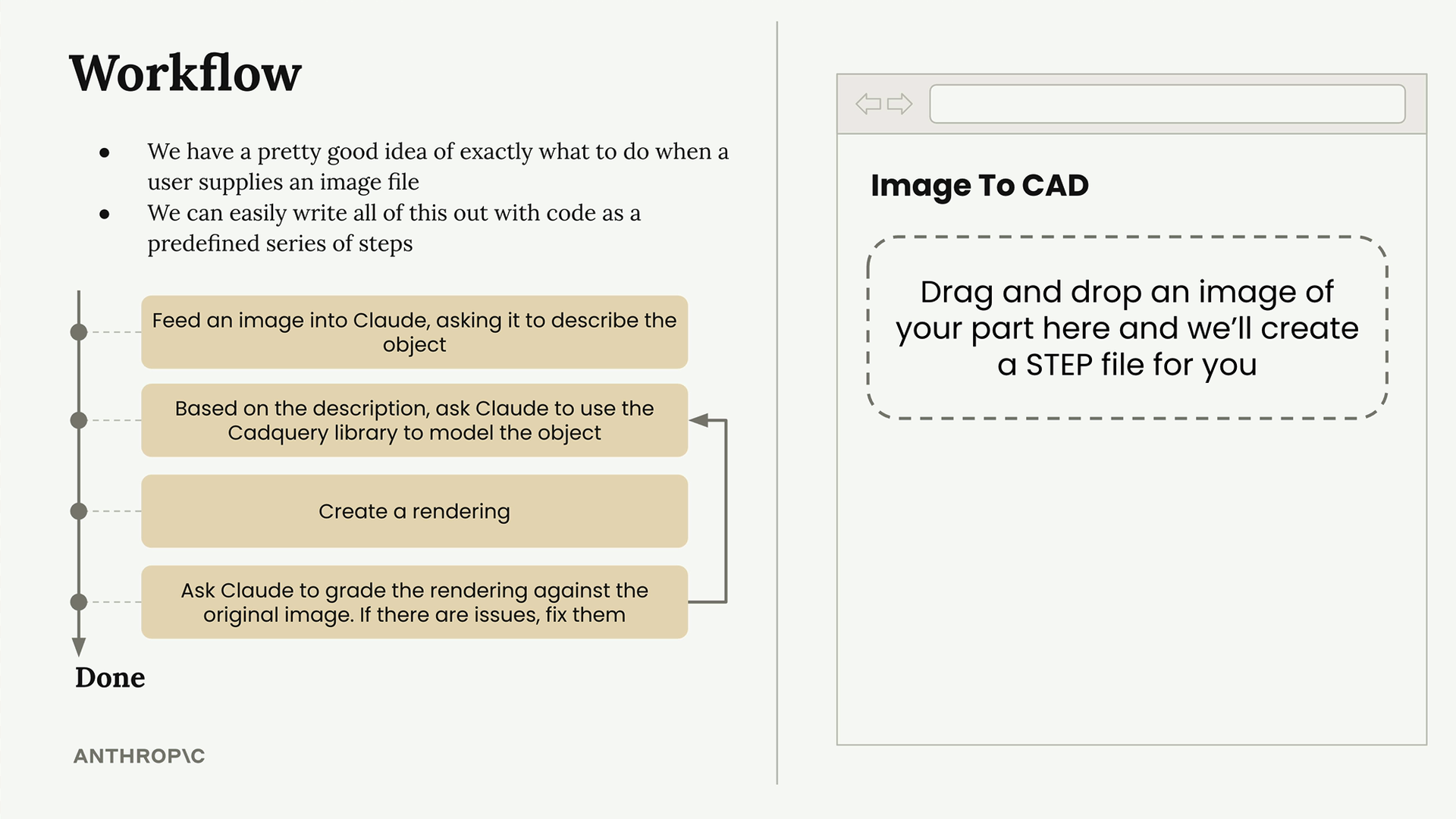
Here's how we might break this down into workflow steps:
- Feed the image into Claude, asking it to describe the object in detail
- Based on the description, ask Claude to use the CadQuery library to model the object
- Create a rendering of the 3D model
- Ask Claude to grade the rendering against the original image. If there are issues, fix them and repeat
This is a perfect workflow scenario because we have a pretty good idea of exactly what to do when a user supplies an image file, and we can easily write all of this out with code as a predefined series of steps.
The Evaluator-Optimizer Pattern
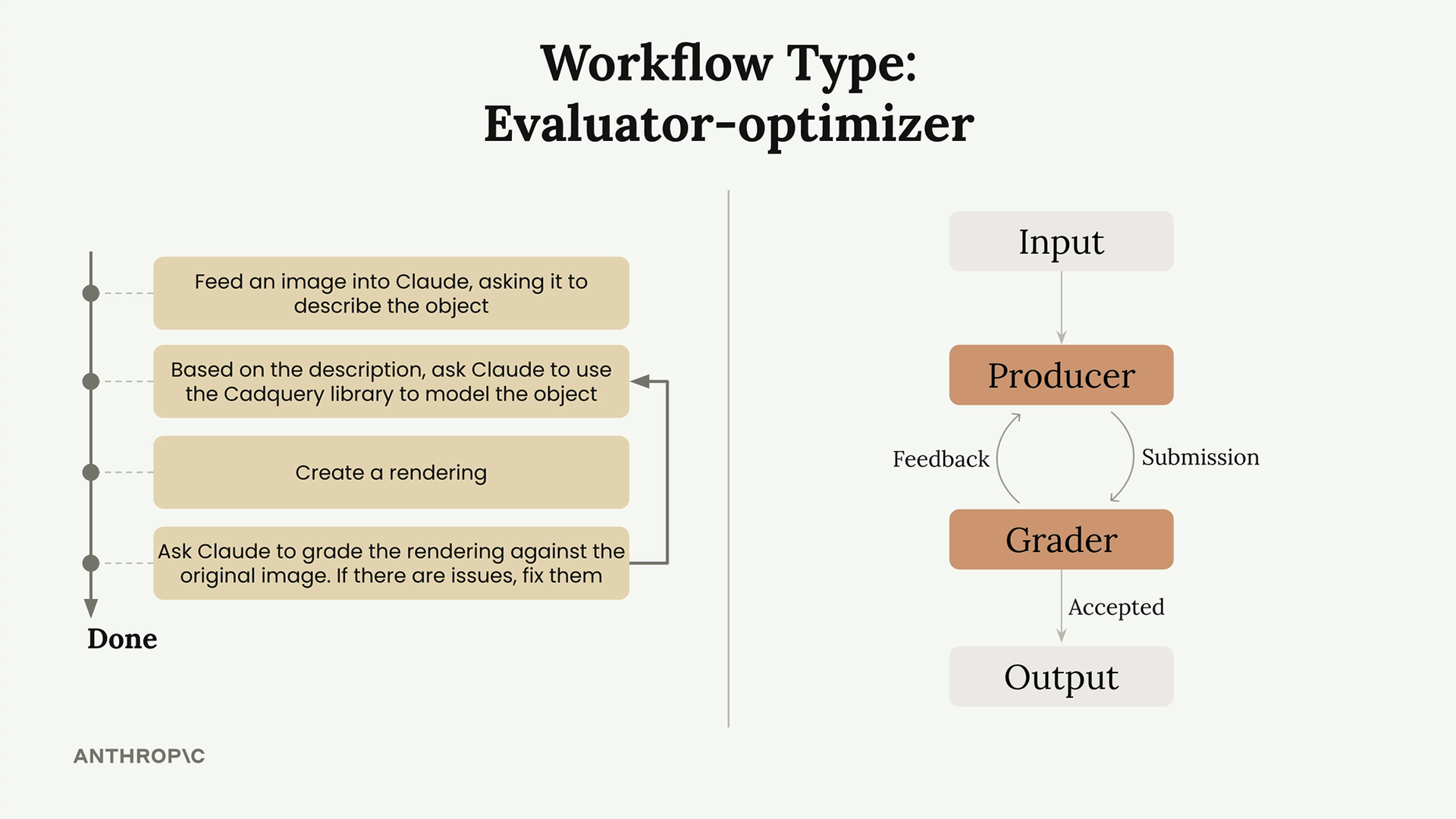
The CAD example demonstrates a common workflow pattern called the evaluator-optimizer:
- Producer: Takes input and creates output (Claude using CadQuery to model and render)
- Grader: Evaluates the output against criteria
- Feedback loop: If the grader rejects the output, feedback goes back to the producer for improvement
- Acceptance: The cycle continues until the grader accepts the output
Why Learn Workflow Patterns?
Identifying different workflows gives you a set of repeatable recipes for implementing your own features. The evaluator-optimizer is one workflow pattern that has worked well for other engineers - consider using it in your own applications!
Remember, workflows don't implement themselves. You still need to write the actual code. But having these proven patterns as starting points can save you significant time and help you avoid common pitfalls that others have already solved.
🔁 Related lessons
- Next: Parallelization workflows
- Previous: How computer use works
- Same section: Making a request · Multi-turn conversations · Chat exercise
- Part of paths: Path C
- Reference docs: Glossary · Skills atlas · By use-case
📚 Source & attribution
- Original Anthropic Academy lesson: https://anthropic.skilljar.com/claude-with-google-vertex/289244
- © 2025 Anthropic. Educational fair-use only.