📖 Lesson content
Summary
Computer use in Claude works exactly like regular tool use - it's built on the same foundation you're already familiar with. The key difference is that instead of calling a weather API or database function, Claude is making requests to control a computer interface.
Tool Use Refresher
Before diving into computer use, let's quickly review how standard tool use works. When you want Claude to use a tool, you send a request that includes both a user message and a tool schema. The tool schema describes the additional functionality you want to expose to Claude.
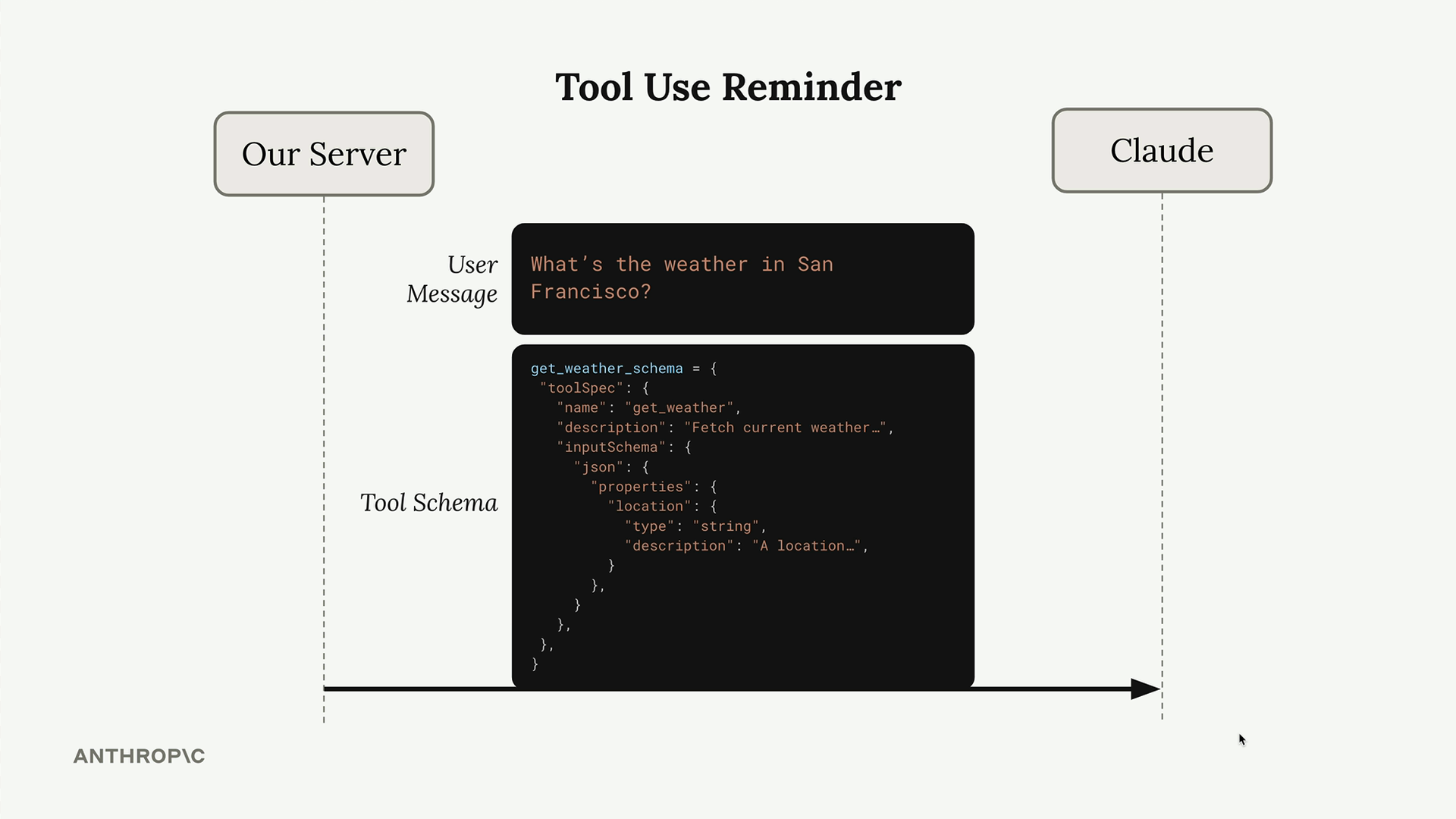
Here's the typical flow:
- You send Claude a question along with available tool schemas
- Claude analyzes the request and decides it needs to use a tool
- Claude responds with a tool use request containing the tool name and required inputs
- Your server executes the tool function and returns the result
- You send the tool result back to Claude
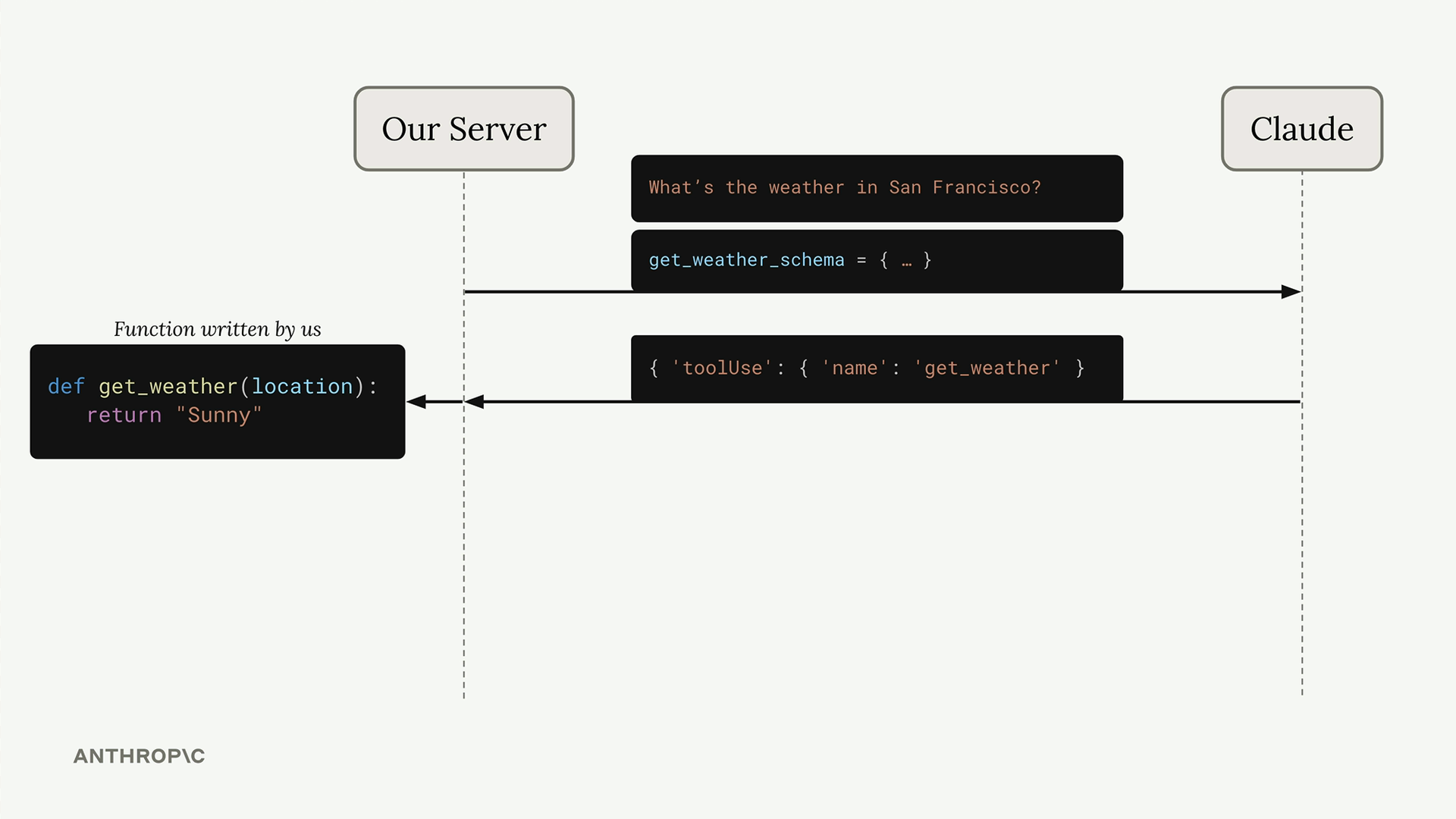
For example, if you ask about weather in San Francisco, Claude might call a get_weather function with the location parameter, your server fetches the weather data, and you return the result to Claude.
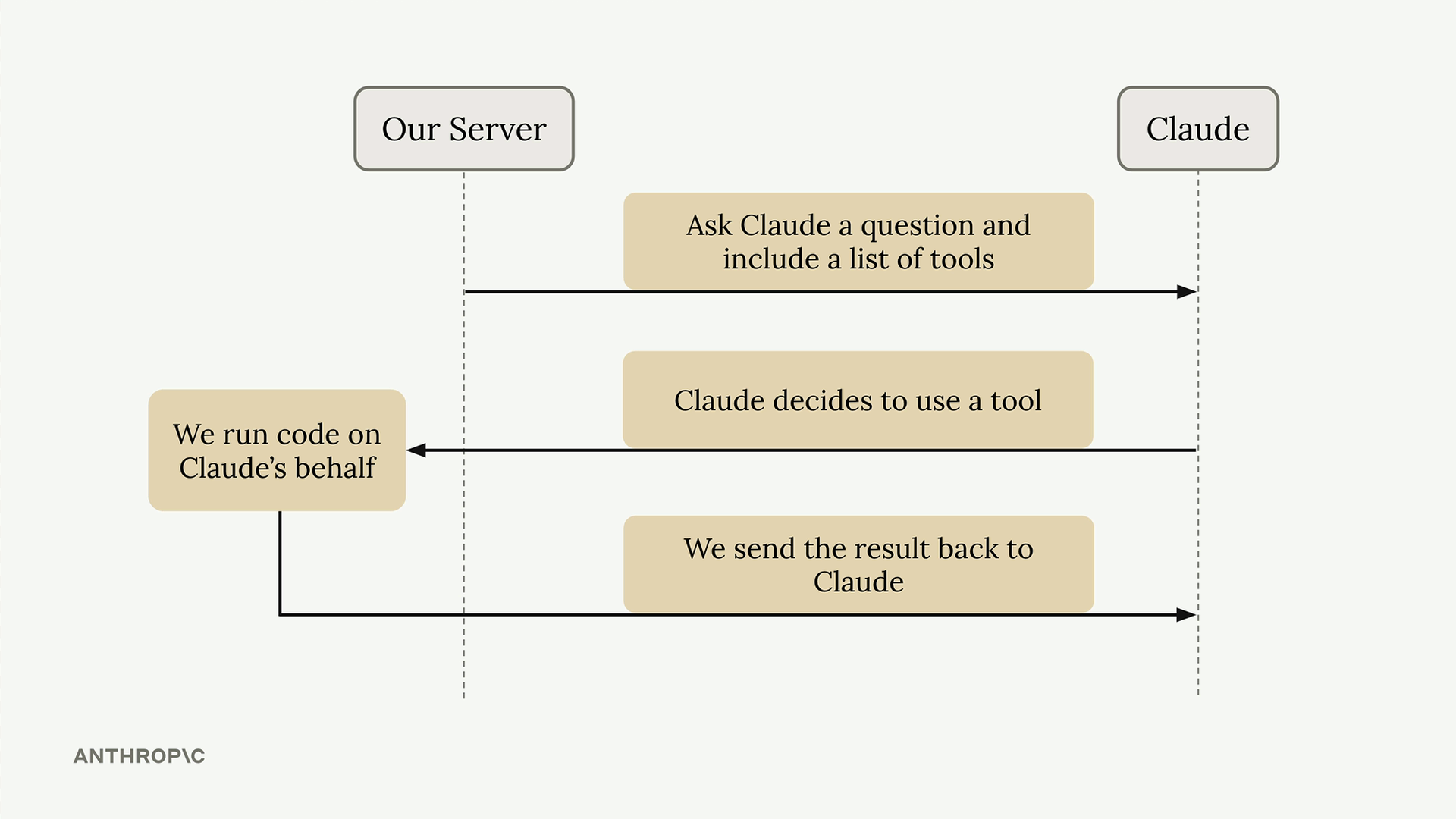
Computer Use: Same Flow, Different Tool
Computer use follows this exact same pattern. The difference is in what the "tool" actually does - instead of fetching weather data, it simulates computer interactions like mouse clicks and keyboard input.
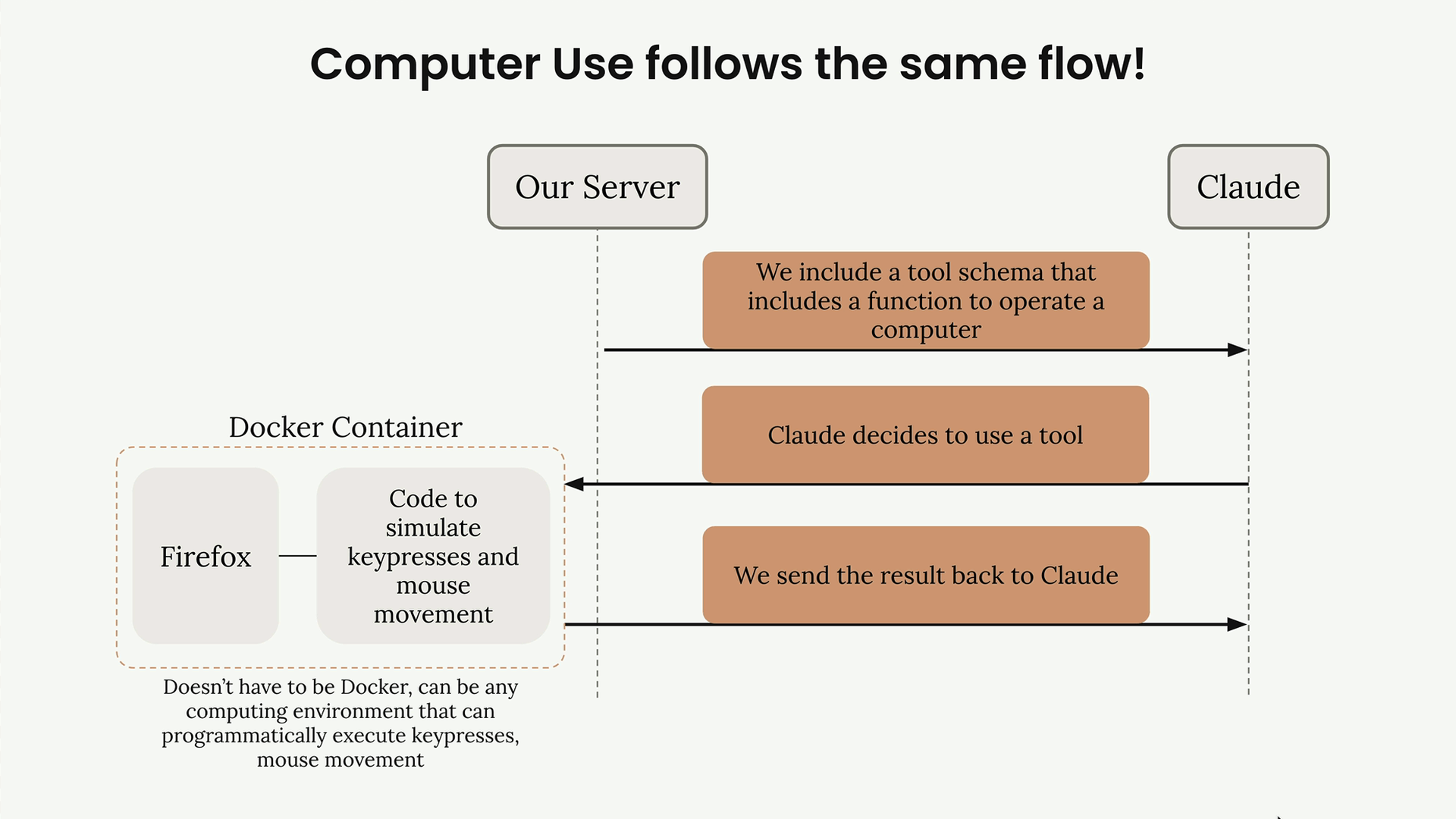
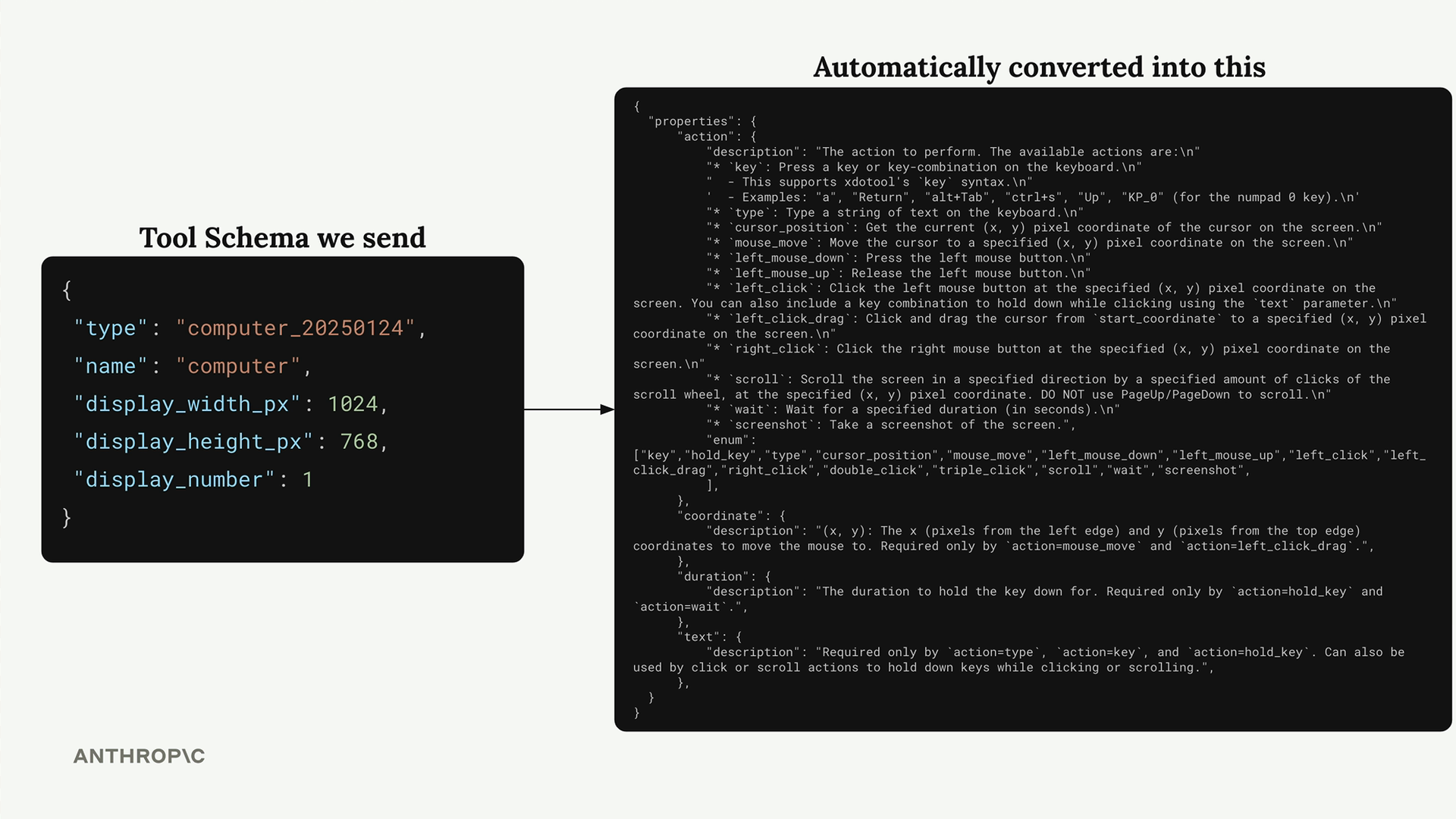
When you enable computer use, you send Claude a special tool schema that gets automatically expanded behind the scenes. What starts as a simple schema on your end becomes a comprehensive interface that tells Claude it can perform actions like:
- Mouse movements and clicks
- Keyboard input and key combinations
- Taking screenshots
- Scrolling and other interface interactions
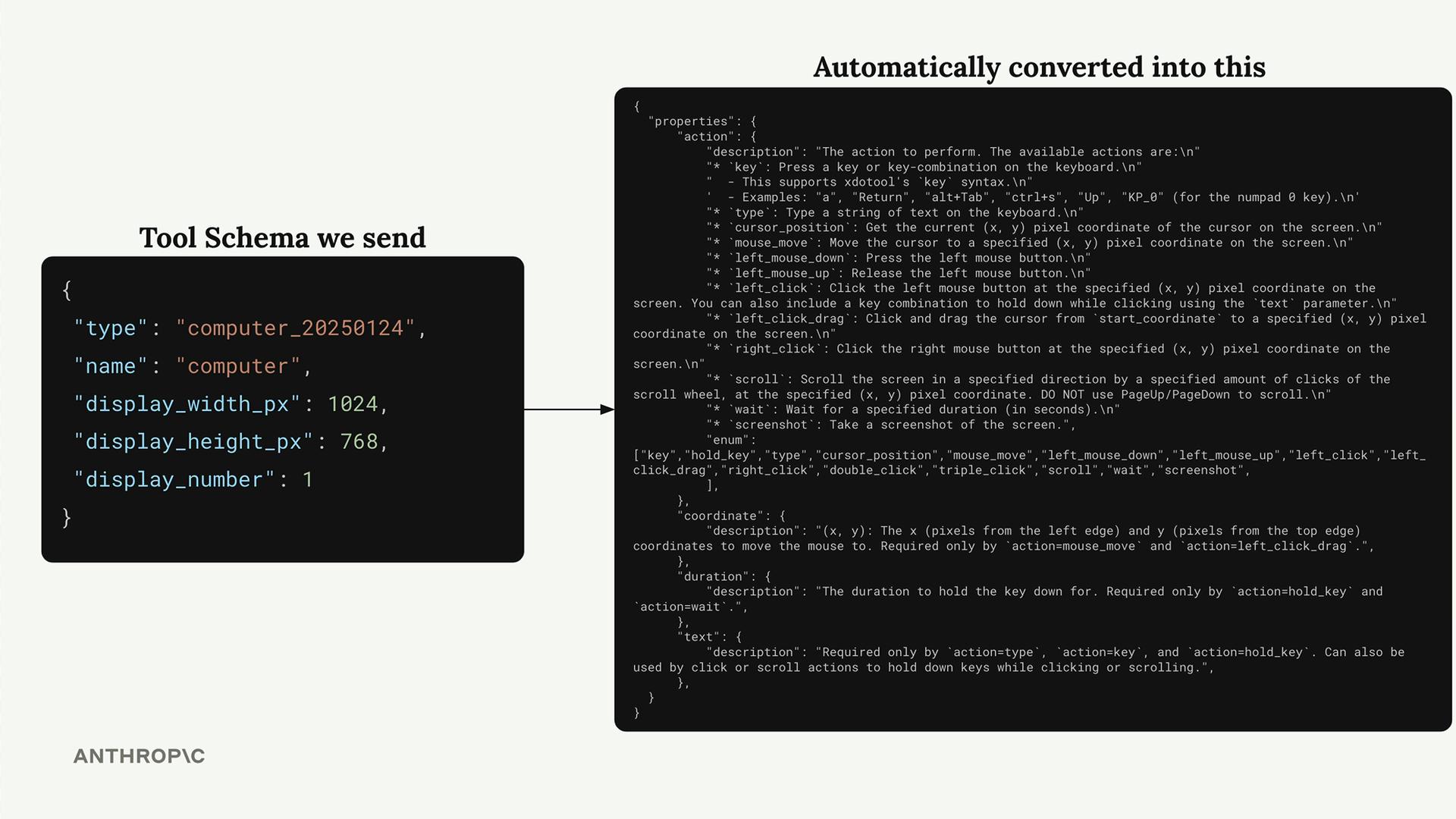
The tool schema you send is minimal, but it automatically converts into a detailed specification that includes all the computer interaction capabilities Claude needs.
The Technical Implementation
To make computer use work, you need a computing environment that can programmatically execute the actions Claude requests. The reference implementation uses a Docker container running Firefox, along with code that can simulate keypresses and mouse movements.
When Claude decides to interact with the computer, it sends a tool use request just like any other tool. Your server receives this request and executes the corresponding action in the containerized environment - whether that's clicking a button, typing text, or taking a screenshot.
The important thing to understand is that Claude isn't directly controlling a computer. It's making tool requests, and your infrastructure translates those requests into actual computer interactions.
Getting Started
You don't need to build this infrastructure from scratch. Anthropic provides a reference implementation that handles all the complex parts for you.
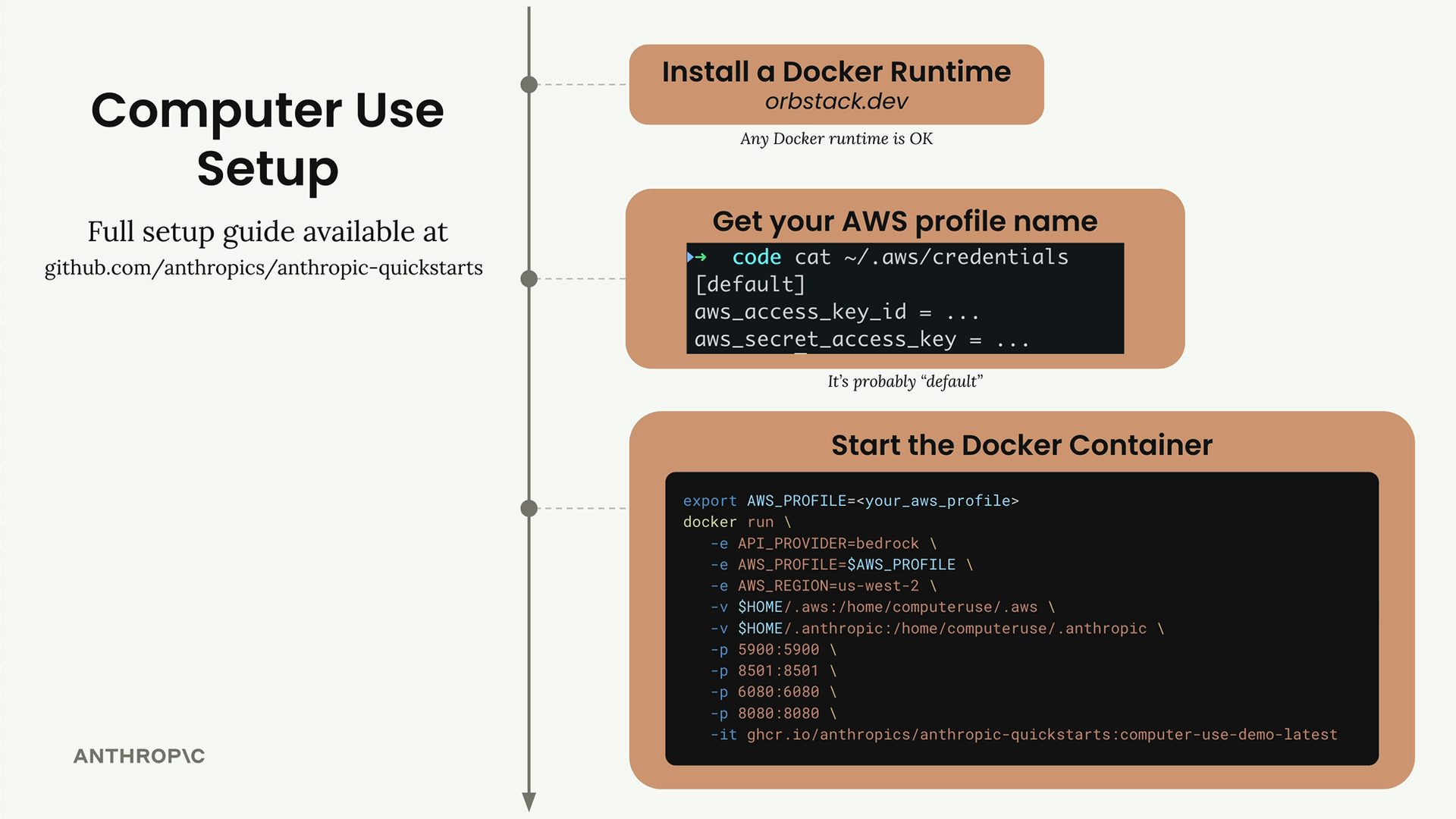
To set up computer use, you need:
- A Docker runtime installed on your system
- An AWS profile configured locally (usually "default")
- The reference implementation from the Anthropic quickstarts repository
Once you have these prerequisites, you can start the Docker container with a single command. This gives you access to the same interface shown in the demonstrations - a chat interface on the left where you can talk to Claude, and a browser environment on the right where Claude can interact with web pages and applications.
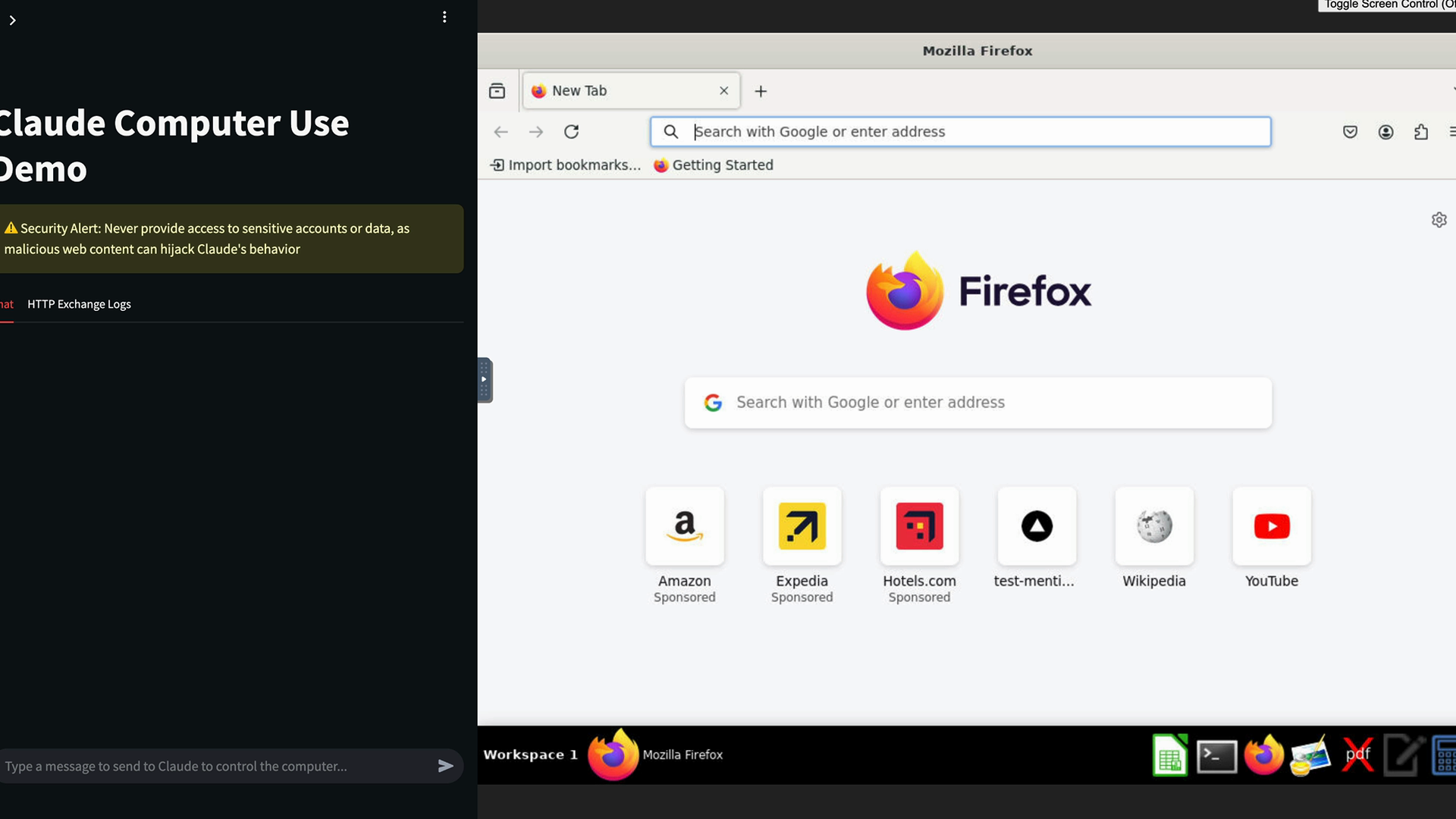
The setup process is straightforward, and the full setup guide is available in the Anthropic quickstarts repository on GitHub. This reference implementation provides everything you need to start experimenting with Claude's computer use capabilities in a safe, contained environment.
🔁 Related lessons
- Next: Qualities of agents
- Previous: Computer Use
- Same section: Overview of Claude Models · Accessing the API · Making a request
- Part of paths: Path C
- Reference docs: Glossary · Skills atlas · By use-case
📚 Source & attribution
- Original Anthropic Academy lesson: https://anthropic.skilljar.com/claude-in-amazon-bedrock/276805
- © 2025 Anthropic. Educational fair-use only.