📖 Lesson content
Summary
Claude Code has an MCP client built right into it, which means you can connect MCP servers to dramatically expand its functionality. This opens up some really powerful possibilities for customizing your development workflow.
How MCP Integration Works
The Model Context Protocol allows Claude Code to connect to external services through MCP servers. Each server can provide tools, prompts, and resources that extend what Claude can do.
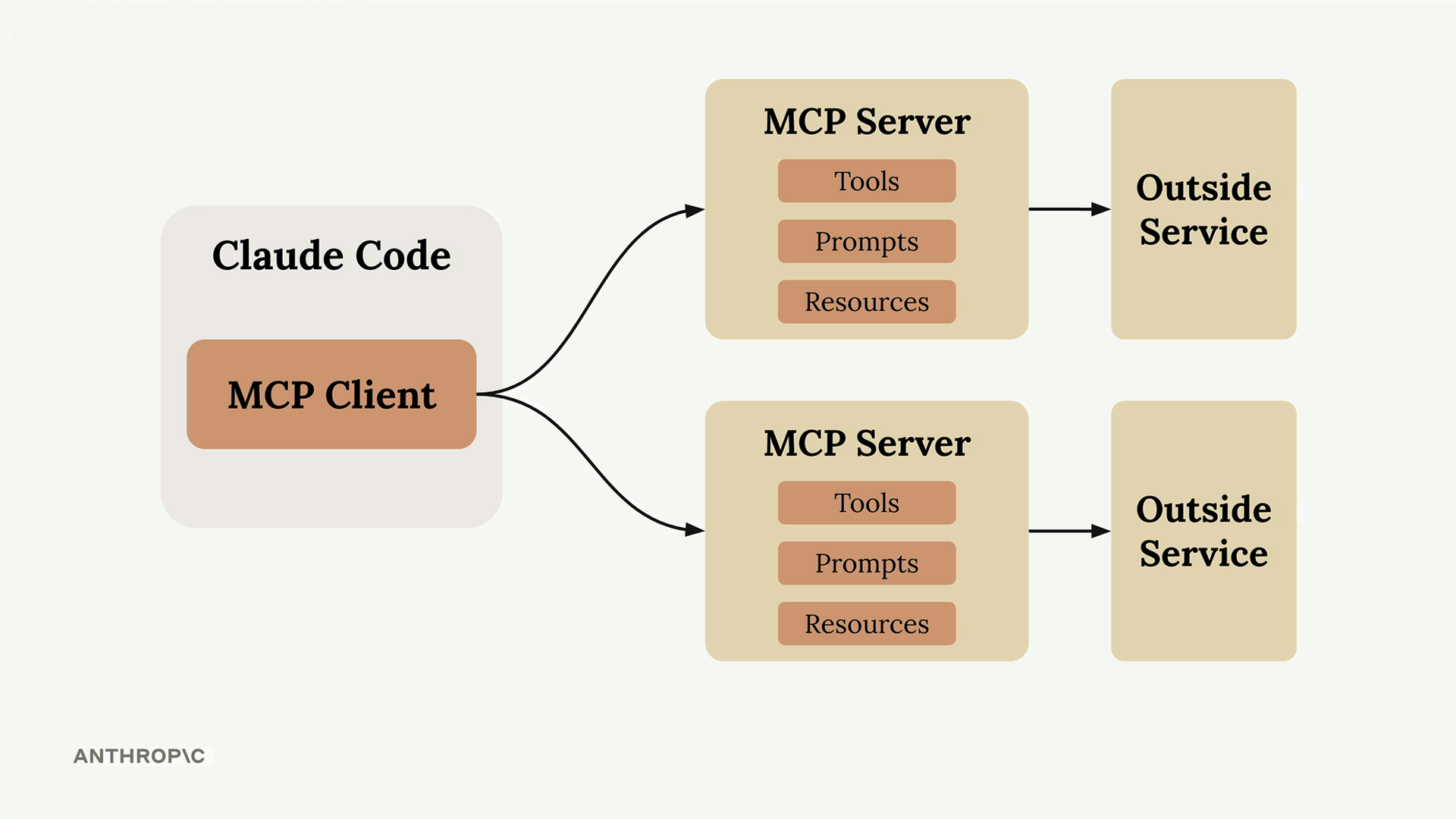
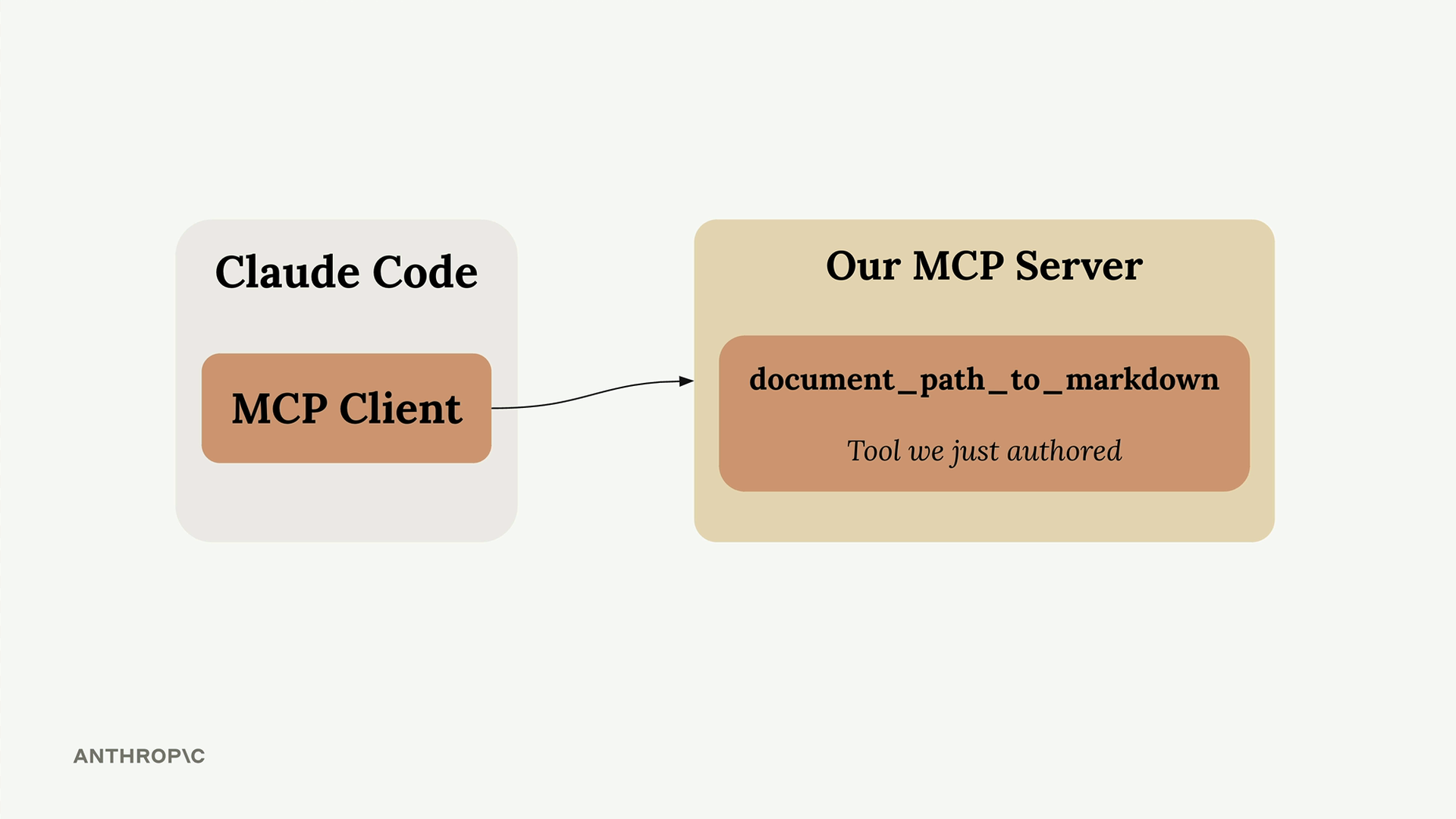
In this example, we'll connect Claude Code to a custom MCP server that provides a document conversion tool. This will let Claude read and convert PDF and Word documents to markdown format.
Adding an MCP Server to Claude Code
Setting up an MCP server is straightforward. First, stop any running Claude Code session, then use the MCP add command:
claude mcp add documents uv run main.py
This command takes two arguments:
- The server name (can be anything you want - "documents" in this case)
- The command to start your MCP server
After adding the server, restart Claude Code and it will automatically connect to your MCP server.
Testing the Integration
Once connected, Claude can use the tools provided by your MCP server. In our example, we can ask Claude to convert document files to markdown format, and it will automatically use the document conversion tool we created.
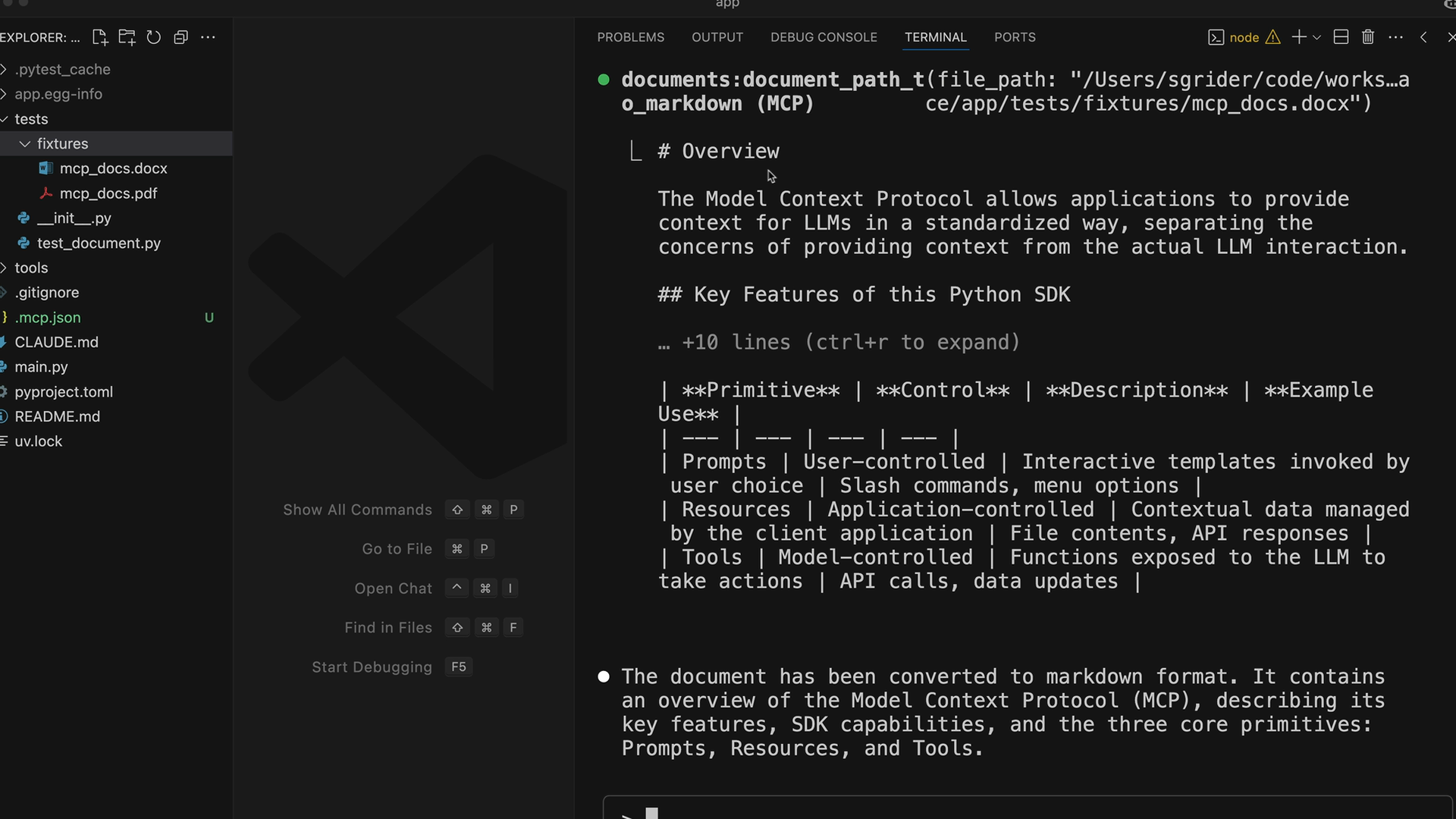
The tool successfully converts the document content, showing how MCP servers can add entirely new capabilities to Claude Code.
Popular MCP Servers for Development
There are many existing MCP servers that can enhance your development workflow:
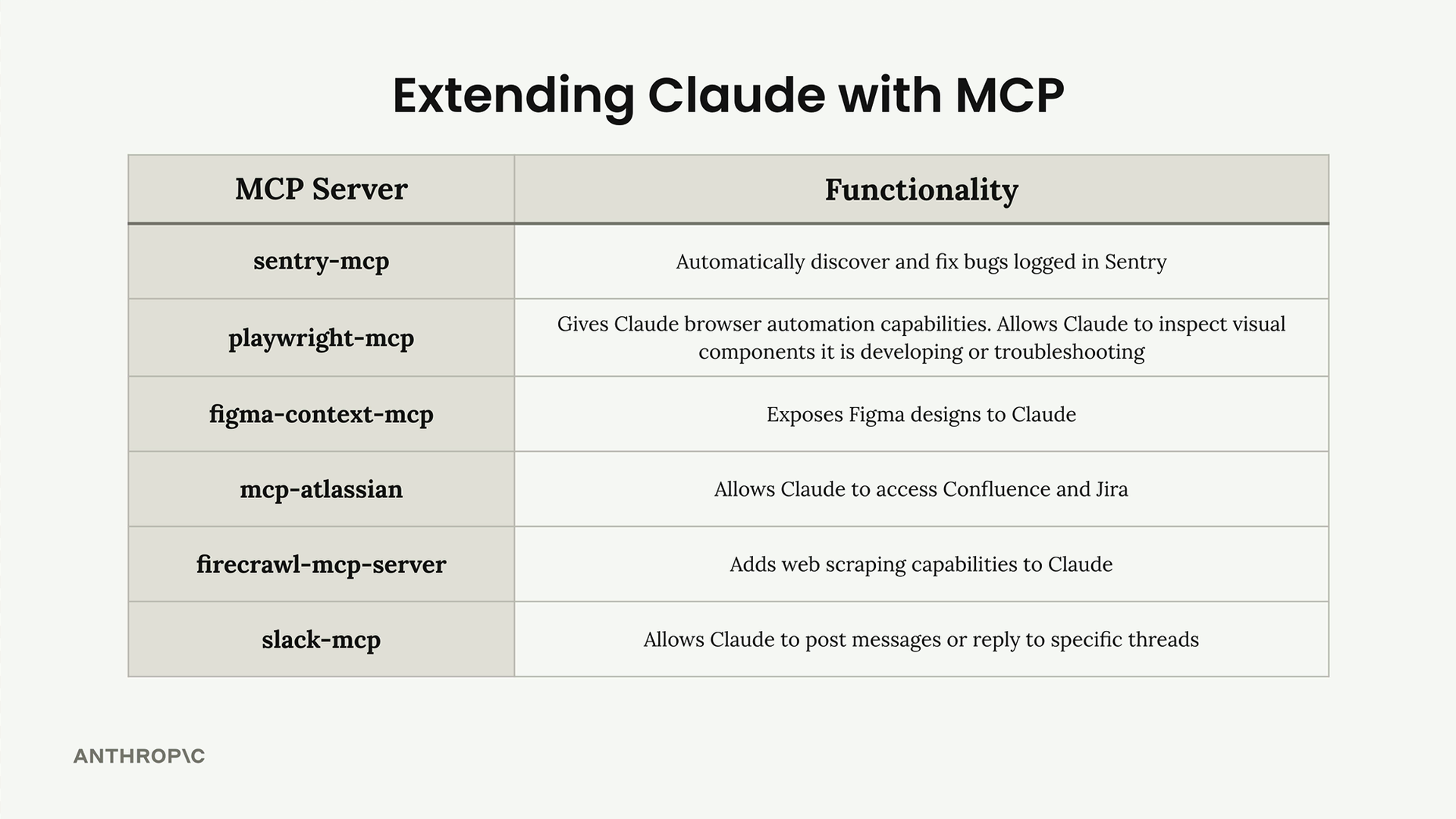
- sentry-mcp - Automatically discover and fix bugs logged in Sentry
- playwright-mcp - Gives Claude browser automation capabilities for testing and troubleshooting
- figma-context-mcp - Exposes Figma designs to Claude
- mcp-atlassian - Allows Claude to access Confluence and Jira
- firecrawl-mcp-server - Adds web scraping capabilities to Claude
- slack-mcp - Allows Claude to post messages or reply to specific threads
Building Your Custom Workflow
The real power comes from combining multiple MCP servers that match your specific development needs. For example, you might set up:
- A Sentry server to fetch production error details
- A Jira server to read ticket requirements
- A Slack server to notify your team when work is complete
- Custom servers for your specific tools and processes
This flexibility makes Claude Code incredibly adaptable to different development environments and workflows. Take some time to think about which external services and tools you use regularly - there's likely an MCP server that can integrate them with Claude Code.
🔁 Related lessons
- Next: Parallelizing Claude Code
- Previous: Claude Code in action
- Same section: Overview of Claude Models · Accessing the API · Making a request
- Part of paths: Path C
- Reference docs: Glossary · Skills atlas · By use-case
📚 Source & attribution
- Original Anthropic Academy lesson: https://anthropic.skilljar.com/claude-in-amazon-bedrock/276806
- © 2025 Anthropic. Educational fair-use only.