📖 Lesson content
Summary
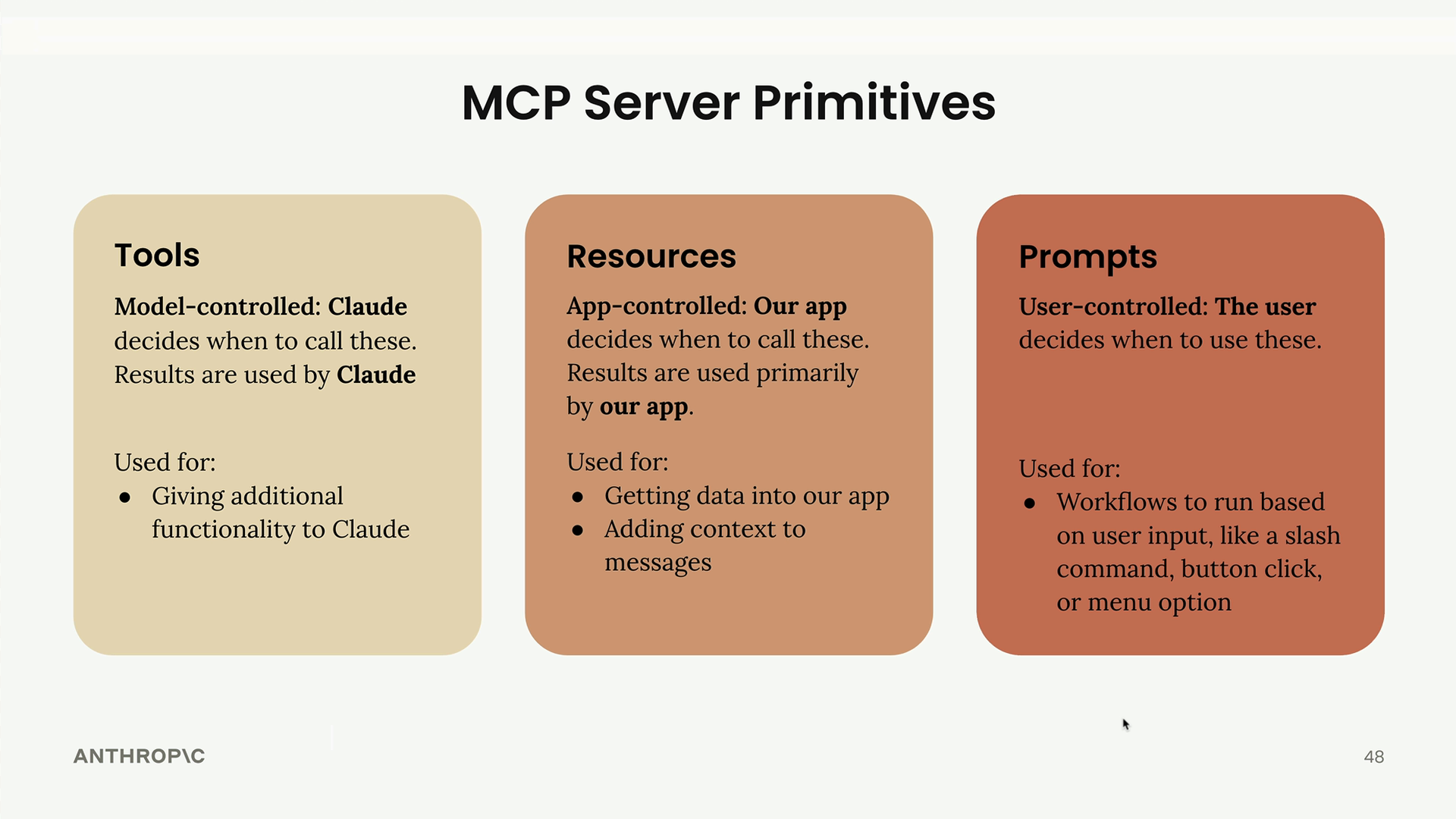
Now that we've built our MCP server, let's recap the three core server primitives and understand when to use each one. The key insight is that each primitive is controlled by a different part of your application stack.
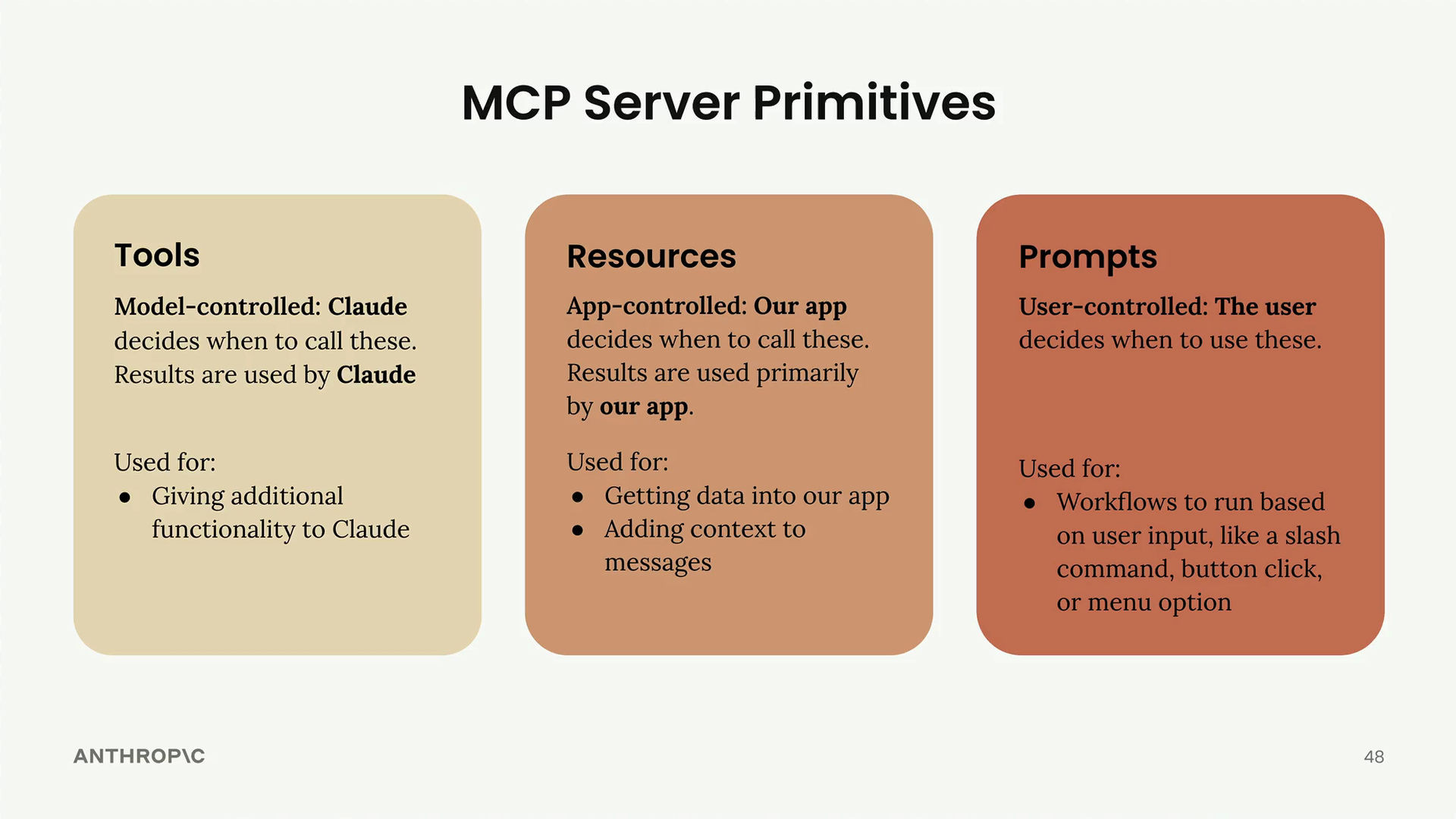
Tools: Model-Controlled
Tools are controlled entirely by Claude. The AI model decides when to call these functions, and the results are used directly by Claude to accomplish tasks.
Use tools when you want to give Claude additional capabilities. For example, if you ask Claude to calculate the square root of 3 using JavaScript, Claude will automatically decide to use a JavaScript execution tool to provide the answer.
The decision to use the tool was 100% model-controlled - Claude recognized it needed to execute code and chose the appropriate tool without any prompting from the application or user.
Resources: App-Controlled
Resources are controlled by your application code. Your app decides when to fetch resource data and how to use it, typically for UI purposes or to add context to conversations.
Use resources when you need to get data into your app. Common examples include:
- Populating autocomplete options in your UI
- Fetching documents to display in a file picker
- Adding context to messages before sending them to Claude
In Claude's web interface, the "Add from Google Drive" feature demonstrates this perfectly. The application fetches a list of available documents and displays them in the UI, then injects the selected document's content into the chat context.
Prompts: User-Controlled
Prompts are controlled by users. They decide when to trigger these predefined workflows through direct actions like clicking buttons, selecting menu options, or using slash commands.
Use prompts when you want to implement predefined workflows that users can easily access. In Claude's interface, you'll see workflow buttons below the chat input that let users quickly start common tasks like writing, learning, or coding.
Choosing the Right Primitive
When building your MCP server, think about who needs to control each piece of functionality:
- Need to extend Claude's capabilities? Use tools
- Need to get data into your app's UI? Use resources
- Need to offer users predefined workflows? Use prompts
These are high-level guidelines to help you choose the right primitive based on your specific use case. Each serves a different part of the application stack - tools serve the model, resources serve the app, and prompts serve the users.
🔁 Related lessons
- Next: Quiz on Model Context Protocol
- Previous: Prompts in the client
- Same section: Overview of Claude Models · Accessing the API · Making a request
- Part of paths: Path C
- Reference docs: Glossary · Skills atlas · By use-case
📚 Source & attribution
- Original Anthropic Academy lesson: https://anthropic.skilljar.com/claude-in-amazon-bedrock/276794
- © 2025 Anthropic. Educational fair-use only.