📖 Lesson content
Summary
Claude's vision capabilities allow you to include images in your messages and ask Claude to analyze, compare, count objects, or perform virtually any visual task you can imagine. This opens up powerful possibilities for applications ranging from document analysis to automated assessments.
Image Handling Basics
When working with images in Claude, you need to understand a few key limitations:
- Up to 20 images across all messages in a single request
- Max size of 3.75MB
- Max height/width of 8000px
- Each image counts as a certain number of tokens:
tokens = (width px × height px) / 750
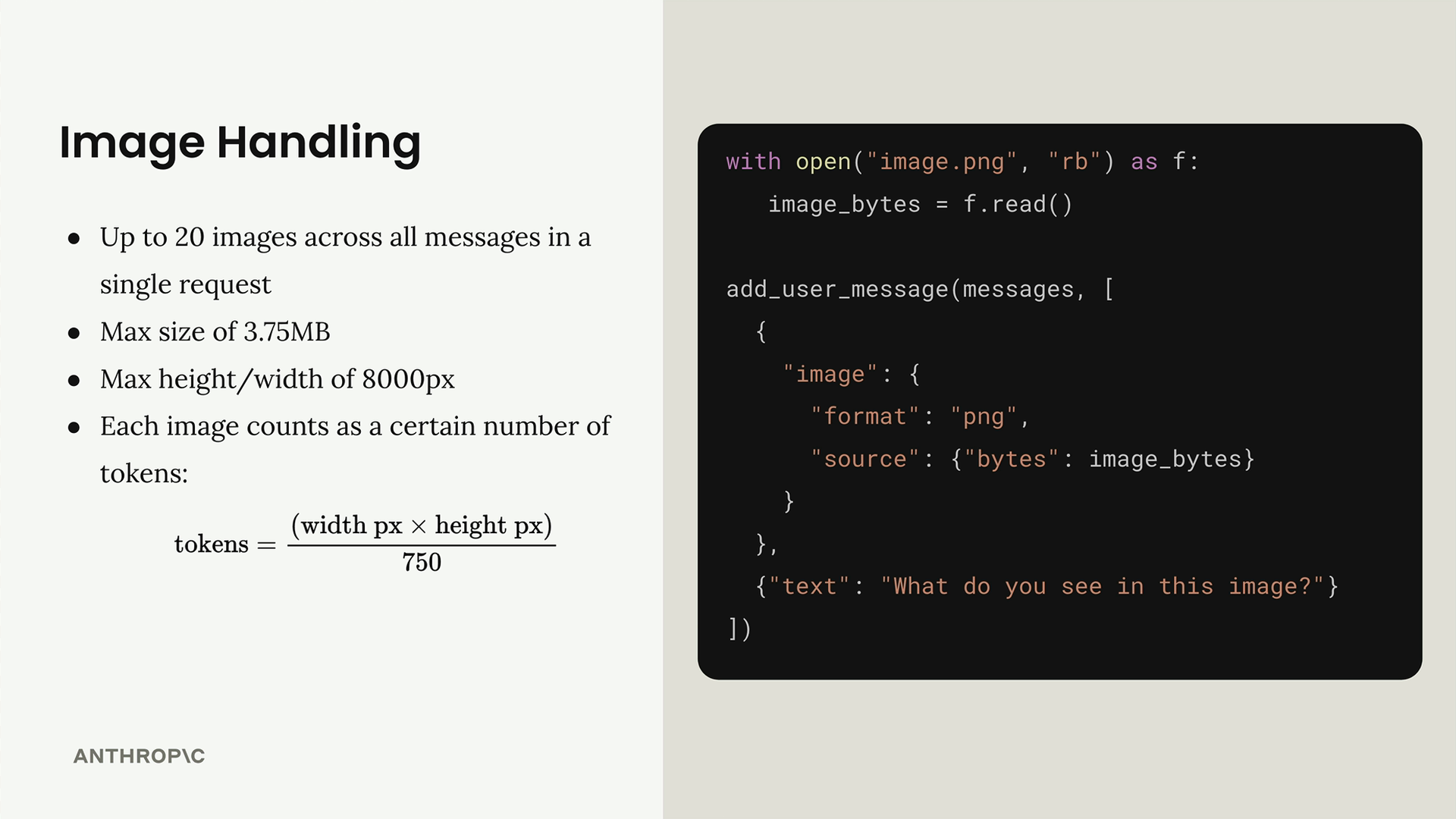
To include an image, you add it as another type of message part. For each image you want to send, you include one image part in your user message. The structure looks like this:
with open("image.png", "rb") as f:
    image_bytes = f.read()

add_user_message(messages, [
    {
        "image": {
            "format": "png",
            "source": {"bytes": image_bytes}
        }
    },
    {"text": "What do you see in this image?"}
])
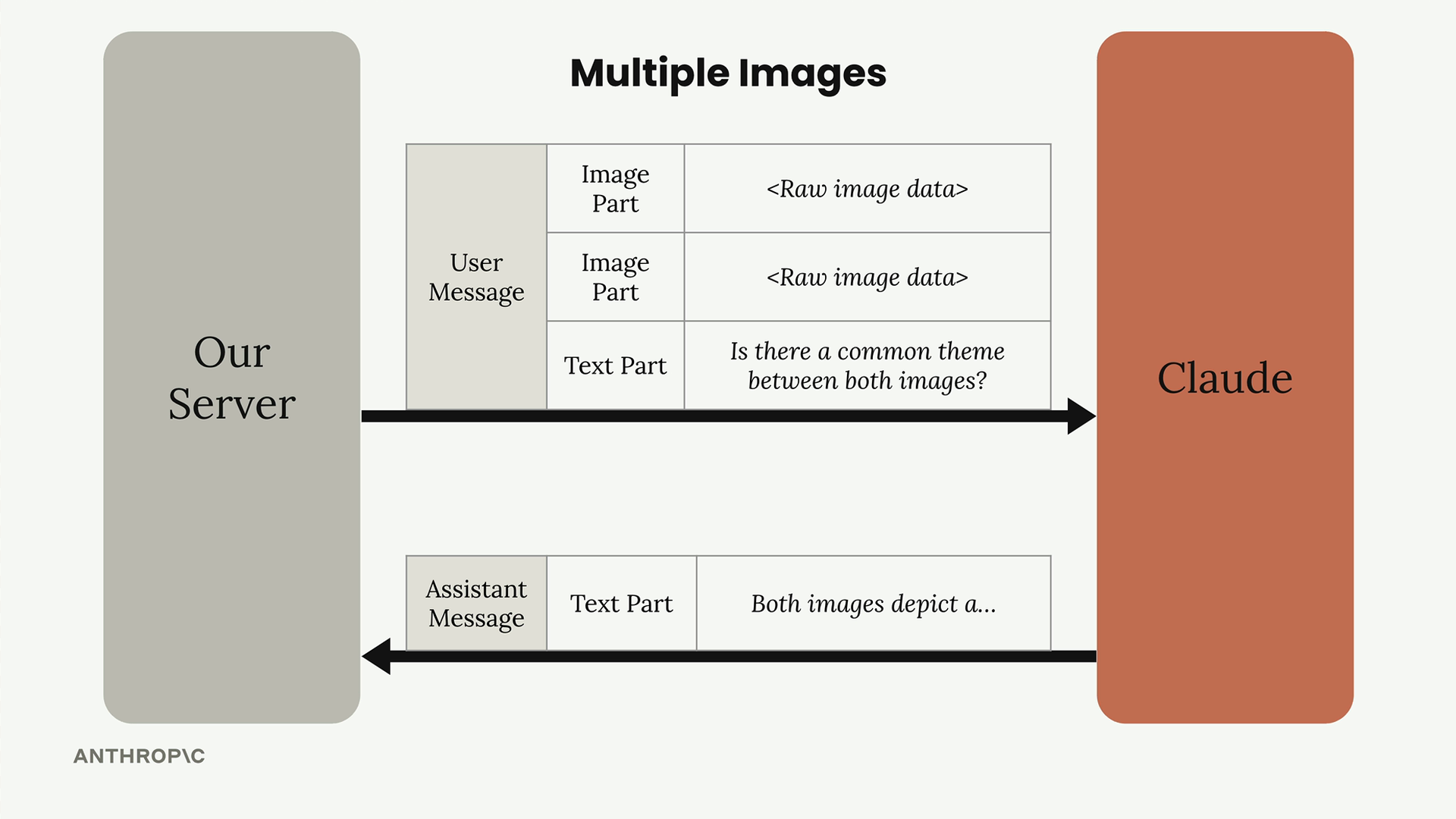
Multiple Images
You can send multiple images in a single message by adding multiple image parts. Claude can then analyze relationships between images, compare them, or answer questions that require understanding multiple visual inputs.
Prompting Techniques
The most important thing to understand about Claude's vision capabilities is that all the same prompting engineering techniques apply to images. You can dramatically increase Claude's vision accuracy by providing guidelines, analysis steps, or using one-shot/multi-shot examples.
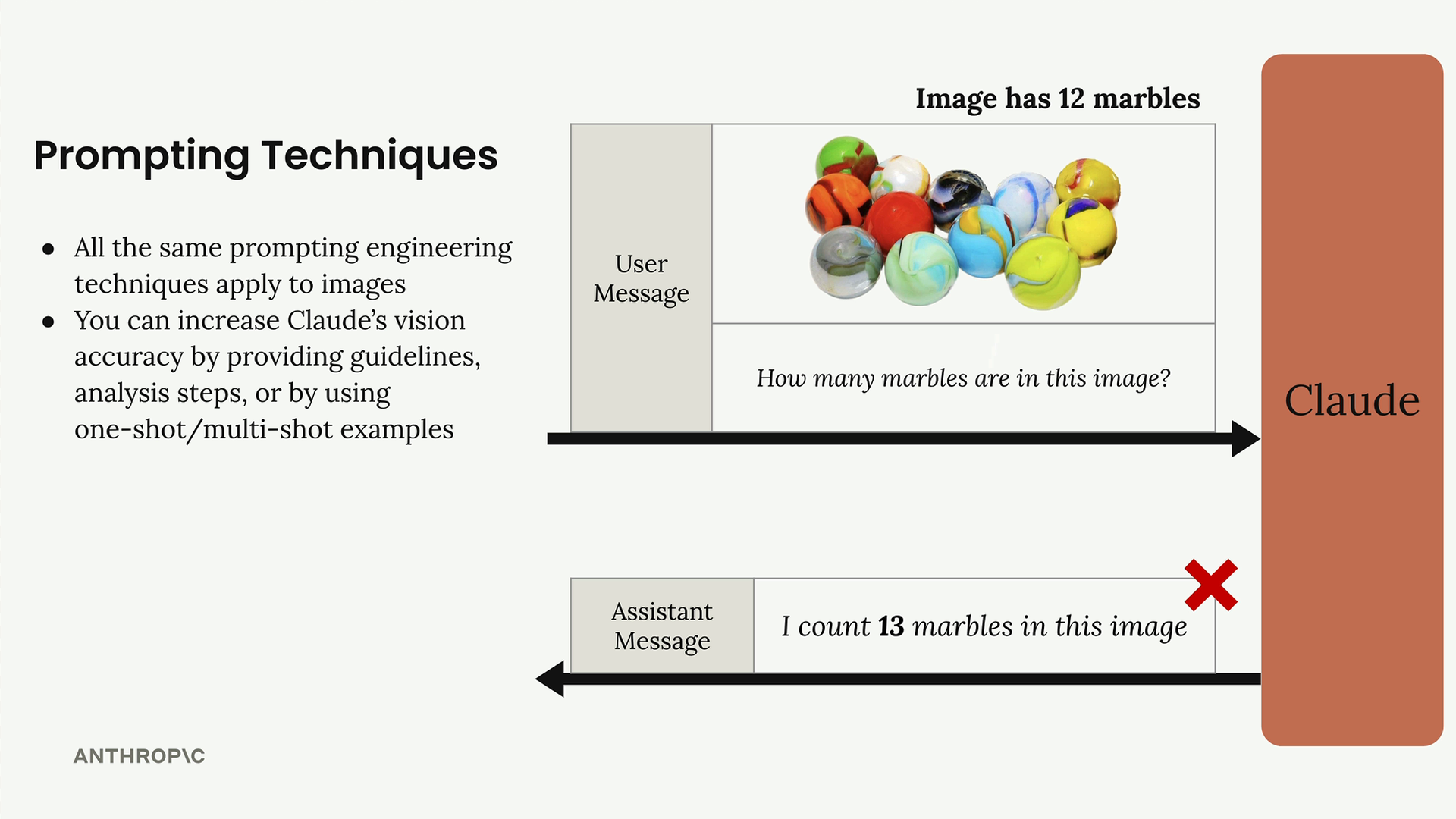
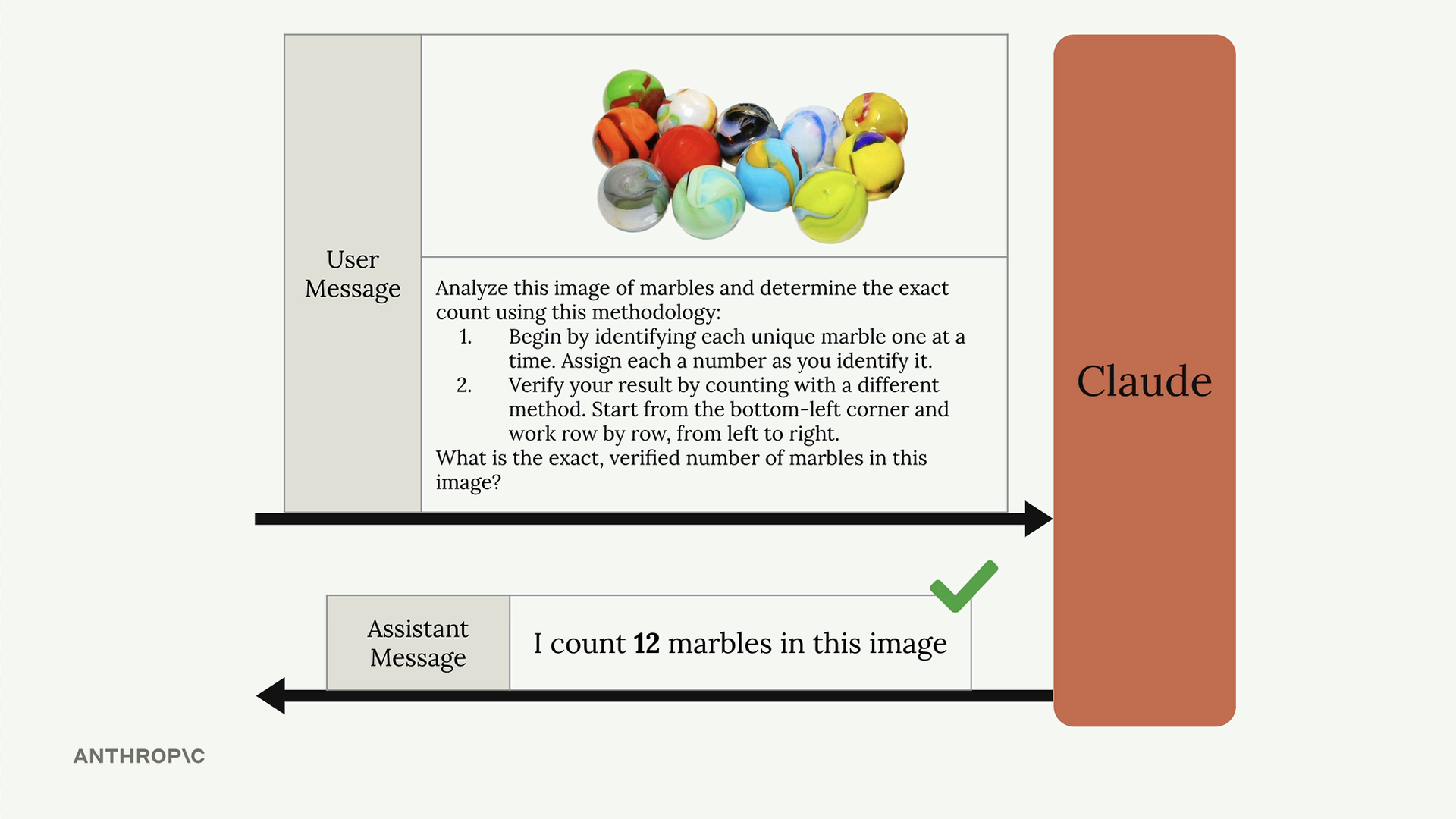
For example, instead of simply asking "How many marbles are in this image?", you can provide a structured approach:
Analyze this image of marbles and determine the exact count using this methodology:
1. Begin by identifying each unique marble one at a time. Assign each a number as you identify it.
2. Verify your result by counting with a different method. Start from the bottom-left corner and work row by row, from left to right.
What is the exact, verified number of marbles in this image?
Another effective technique is one-shot prompting, where you provide an example image with the correct analysis before asking Claude to analyze your target image:
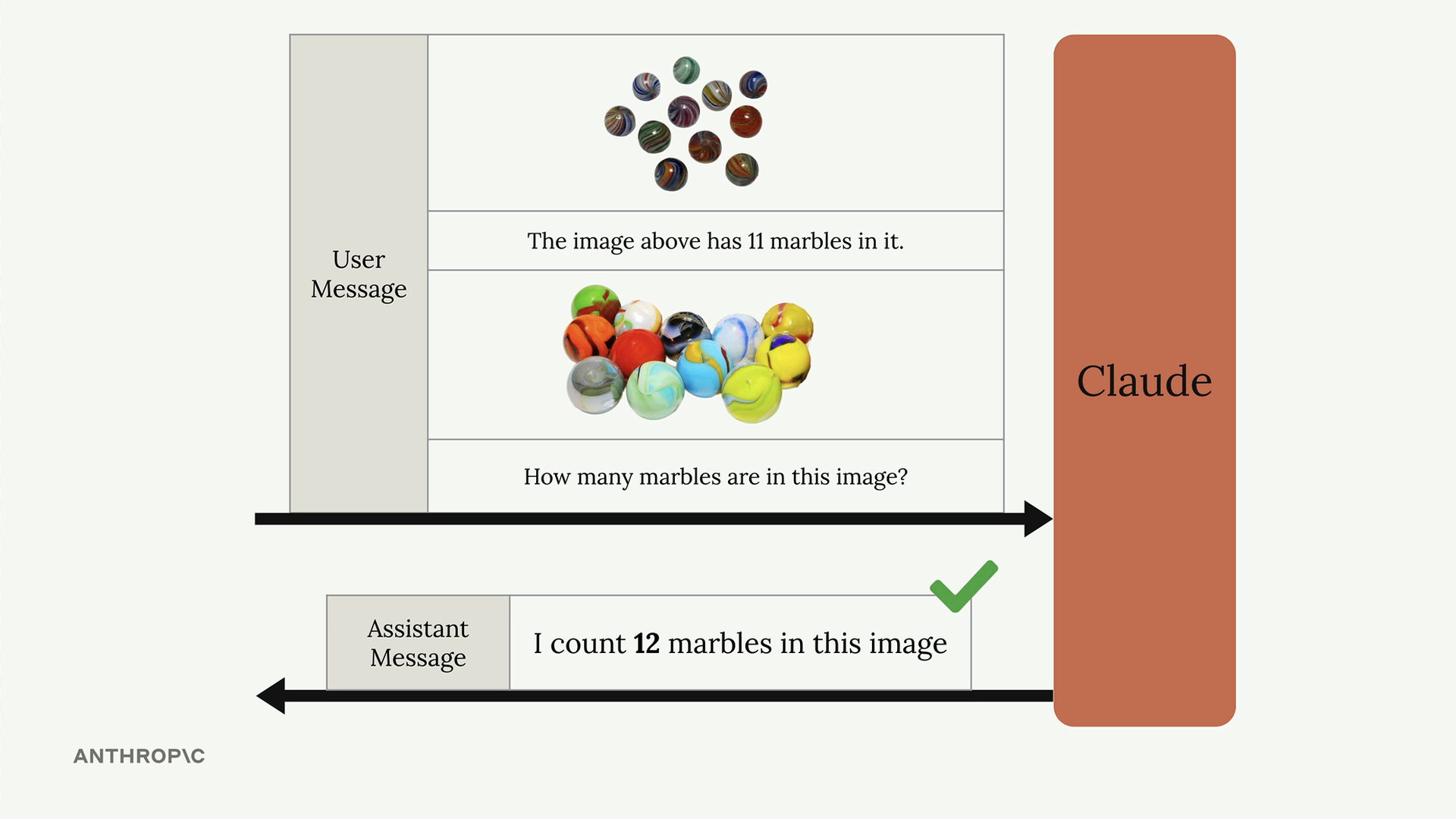
Real-World Example: Fire Risk Assessments
A practical application of Claude's vision capabilities is automated fire risk assessment for insurance companies. Instead of sending inspectors to each property, companies can use high-resolution satellite imagery and ask Claude to evaluate fire risks.
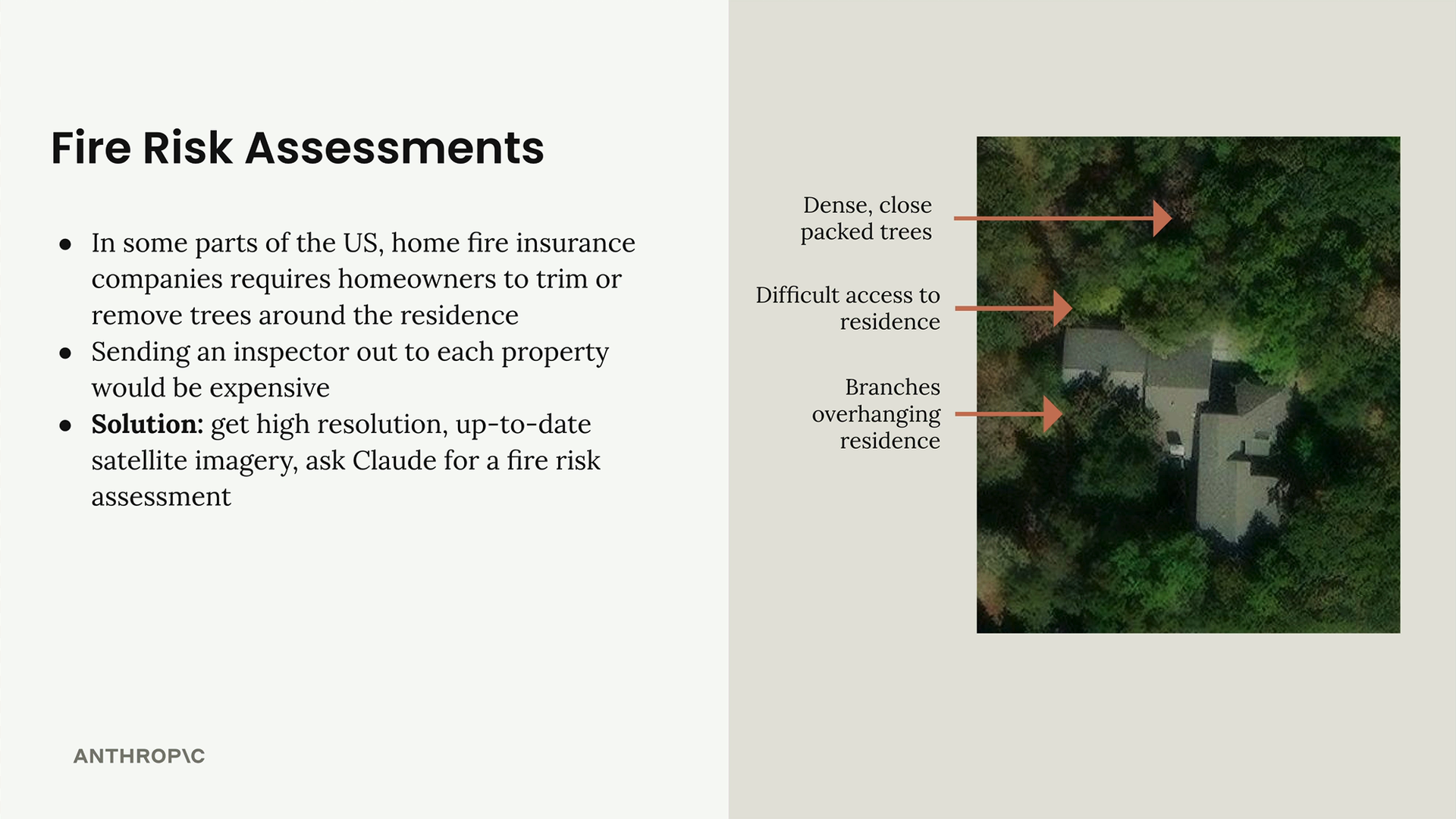
The system can analyze several key factors:
- Dense, close-packed trees near the residence
- Difficult access routes for emergency vehicles
- Branches overhanging the residence
- Overall tree density and spacing
Here's how you might structure such an analysis:
with open('./images/prop7.png', 'rb') as f:
    image_bytes = f.read()

messages = []

add_user_message(messages, [
    {"image": {"format": "png", "source": {"bytes": image_bytes}}},
    {"text": prompt}
])

response = chat(messages)
The key to success with this type of complex visual analysis is providing detailed, structured prompts that guide Claude through specific analysis steps rather than asking for a simple assessment.
Remember: when working with images, don't fall into the trap of using simple prompts. Apply the same prompt engineering techniques you've learned for text-based interactions to dramatically improve Claude's visual analysis accuracy.
Downloads
🔁 Related lessons
- Next: PDF support
- Previous: Extended thinking
- Same section: Overview of Claude Models · Accessing the API · Making a request
- Part of paths: Path C
- Reference docs: Glossary · Skills atlas · By use-case
📚 Source & attribution
- Original Anthropic Academy lesson: https://anthropic.skilljar.com/claude-in-amazon-bedrock/276789
- © 2025 Anthropic. Educational fair-use only.