📖 Lesson content
Summary
Extended thinking is Claude's advanced feature that gives the model time to reason through complex problems before generating a final response. Think of it as Claude's internal monologue - you can see how it approaches your problem step by step.
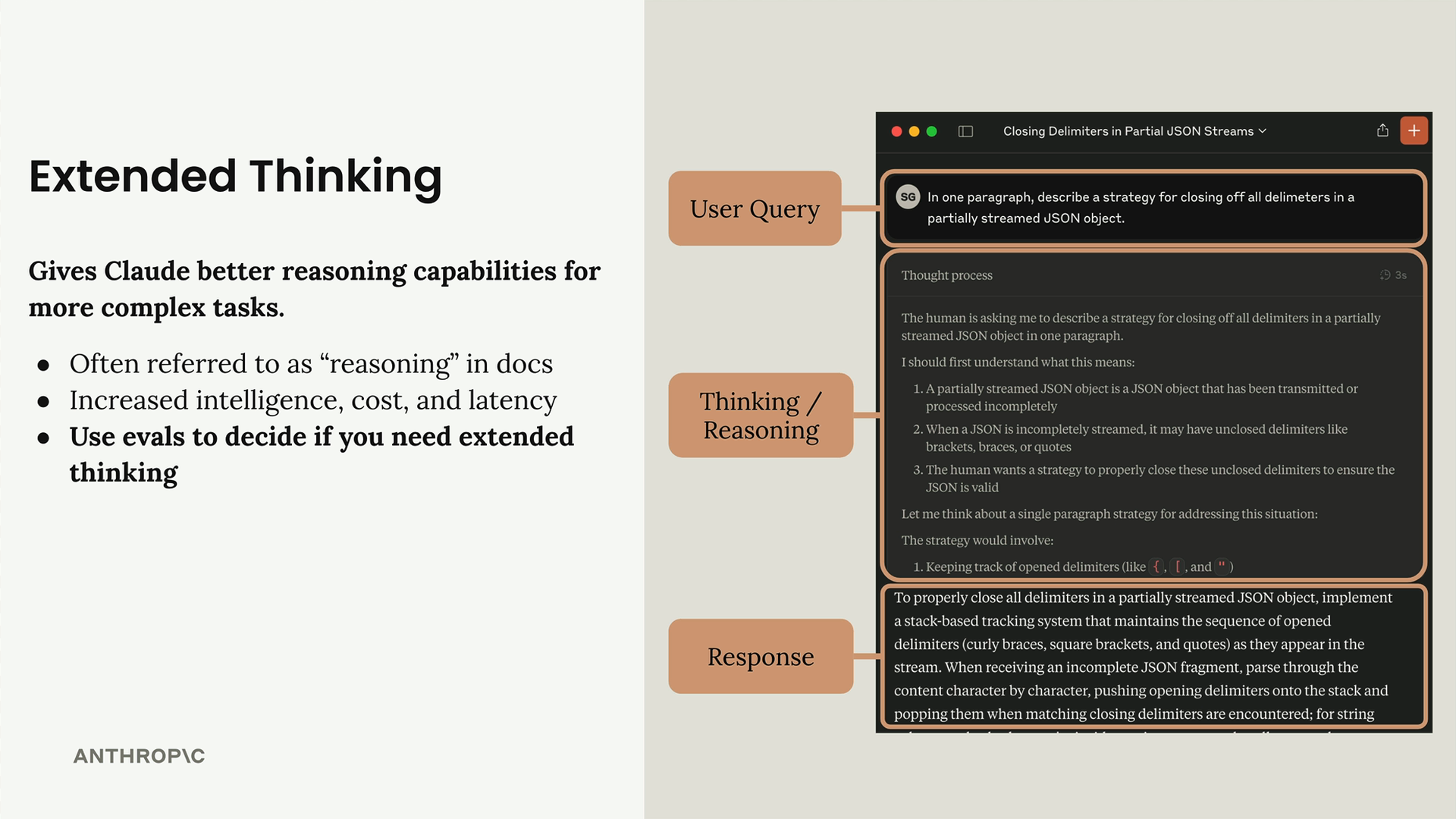
How Extended Thinking Works
When you enable extended thinking, Claude's response includes two parts instead of one:
- Reasoning Content Part - Claude's internal thinking process
- Text Part - The final response you actually wanted
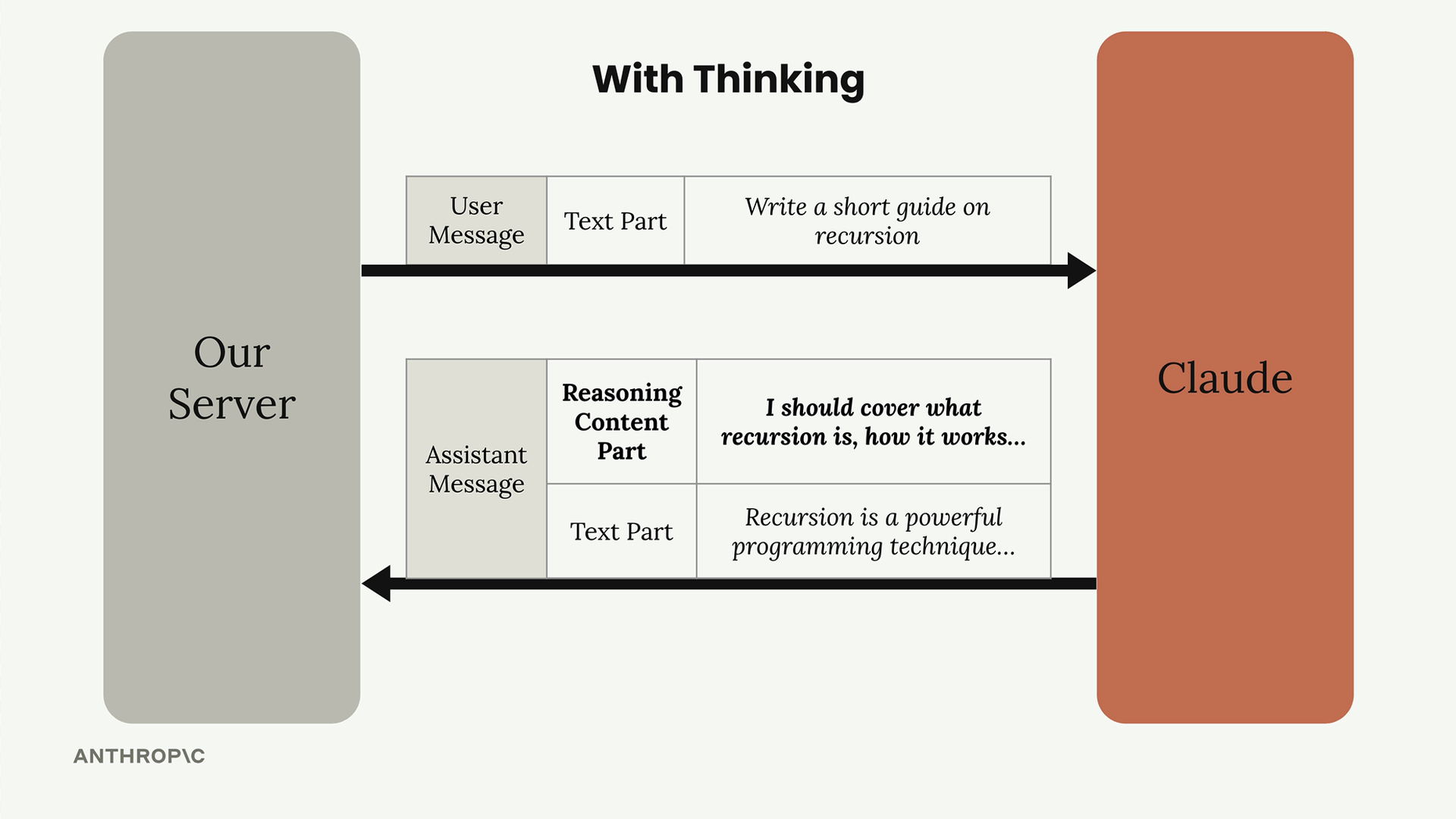
The reasoning content shows you exactly how Claude breaks down your problem, what it considers, and how it arrives at its final answer. This transparency can be incredibly valuable for understanding and debugging complex tasks.
Trade-offs to Consider
Extended thinking comes with clear benefits and costs:
- Better accuracy on complex tasks
- Higher cost - you pay for all thinking tokens
- Increased latency - thinking takes time
The key decision point is simple: use your evaluations. If you've already optimized your prompt but still aren't getting the accuracy you need, that's when extended thinking becomes worth considering.
The Signature System
One important detail you'll notice immediately is the cryptographic signature attached to reasoning content:
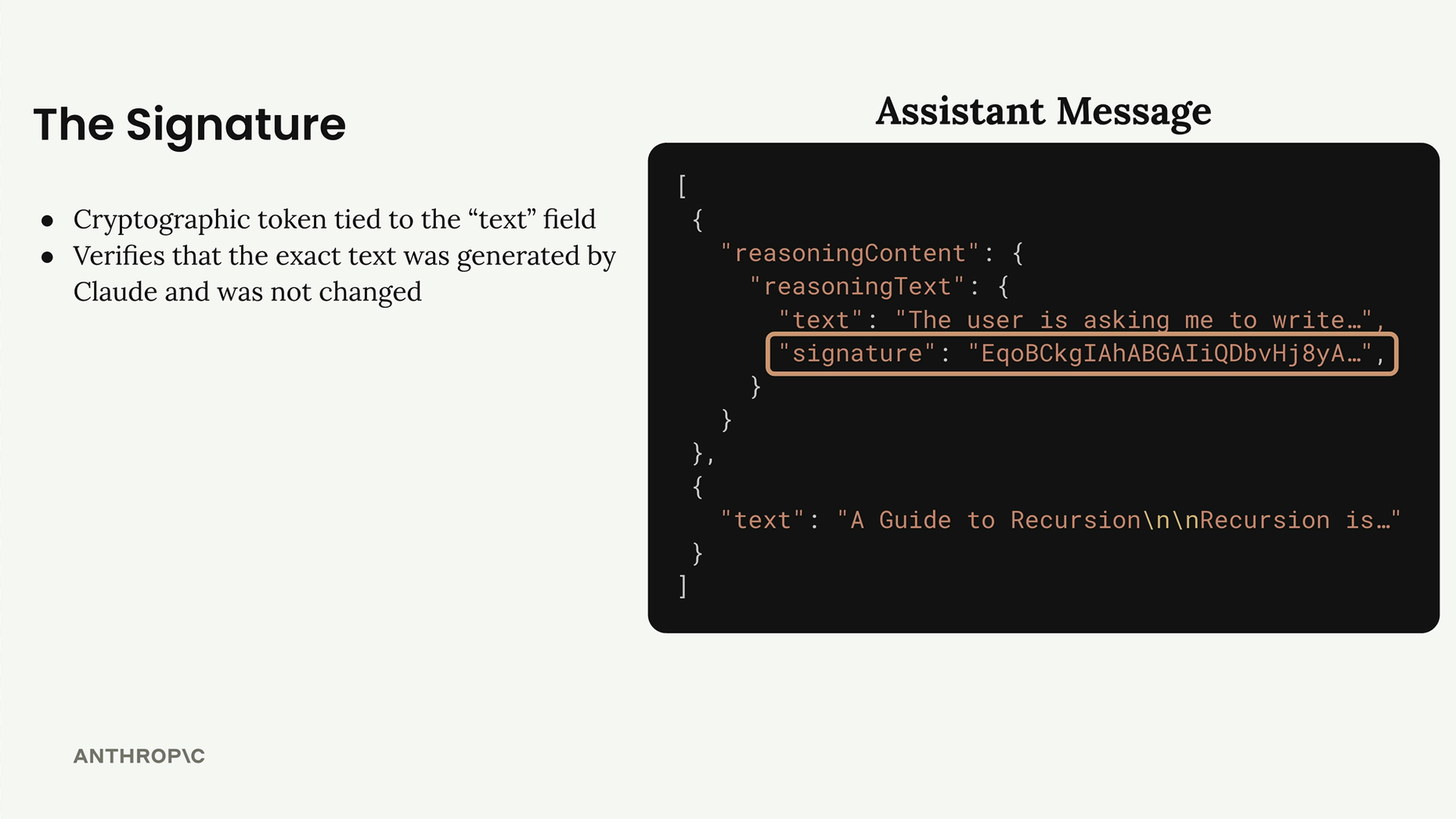
This signature ensures you can't modify the thinking text. If you want to include Claude's previous reasoning in a follow-up conversation, the signature verifies the content hasn't been tampered with. This prevents potential safety issues from modified reasoning text.
Redacted Content
Sometimes Claude's thinking gets flagged by safety systems. When this happens, you'll receive a redactedContent field instead of readable thinking text:
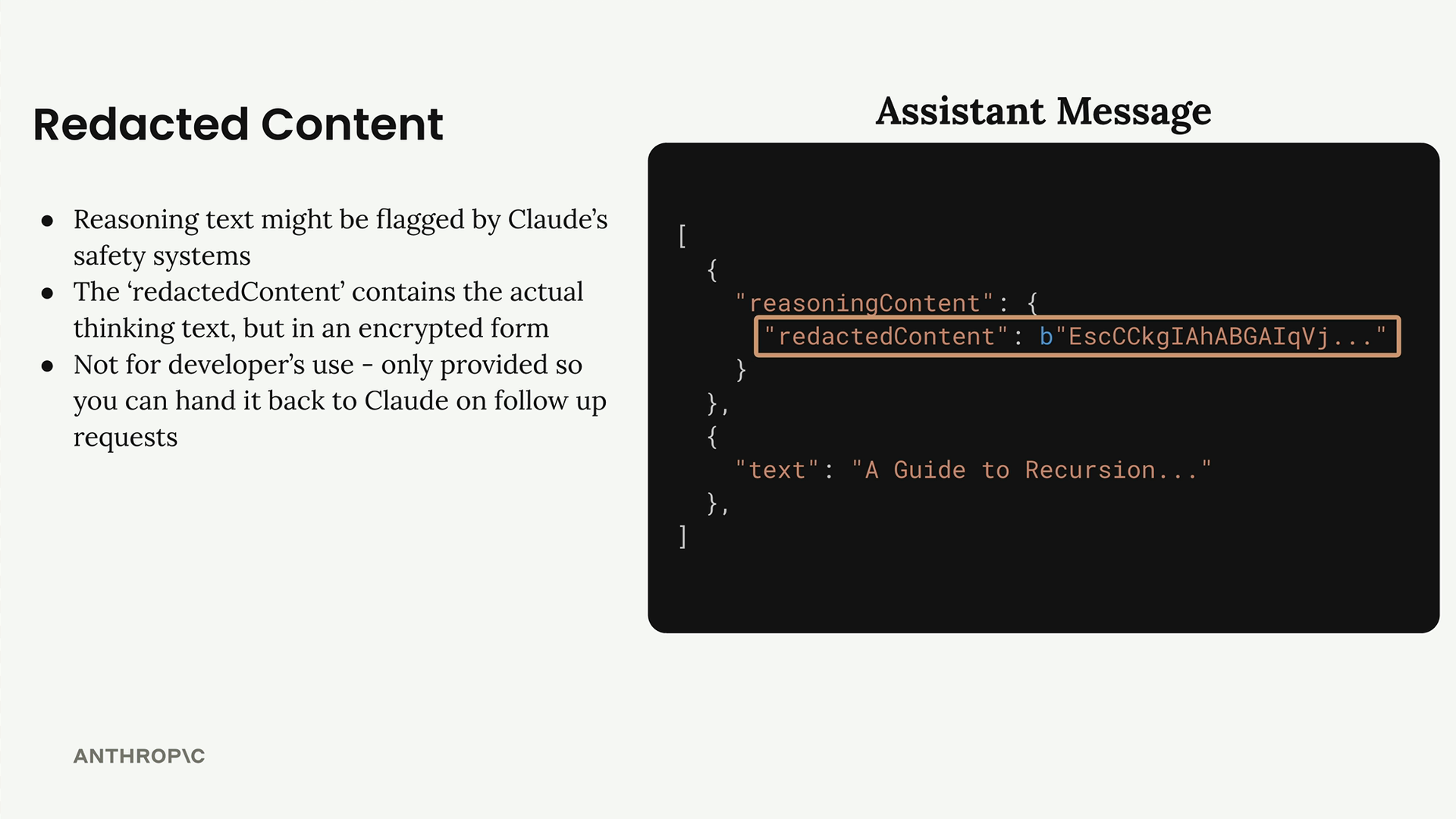
The redacted content is encrypted but still functional - you can pass it back to Claude in future conversations without losing context. It's just not readable to you as a developer.
Implementation
To enable extended thinking, you need to modify your API call with two parameters:
additional_model_fields["thinking"] = {
    "type": "enabled",
    "budget_tokens": thinking_budget
}
The thinking_budget controls how many tokens Claude can spend on reasoning. The minimum is 1024 tokens, but you might need more for complex problems. Like everything else with Claude, use your evaluations to find the right budget for your use case.
Here's how the updated chat function looks:
def chat(
    messages,
    system=None,
    temperature=1.0,
    stop_sequences=[],
    tools=None,
    tool_choice="auto",
    text_editor=None,
    thinking=False,
    thinking_budget=1024
):
Testing Your Implementation
When building applications that handle extended thinking, you'll want to test both normal reasoning content and redacted content scenarios. There's actually a special test string that forces Claude to return redacted content - useful for making sure your code handles both cases properly.
The most important takeaway about extended thinking is that the decision to use it should always be data-driven. Run your evaluations first, optimize your prompts, and only then consider extended thinking if you need that extra boost in accuracy for complex tasks.
Downloads
🔁 Related lessons
- Next: Image support
- Previous: Quiz on Retrieval Augmented Generation
- Same section: Overview of Claude Models · Accessing the API · Making a request
- Part of paths: Path C
- Reference docs: Glossary · Skills atlas · By use-case
📚 Source & attribution
- Original Anthropic Academy lesson: https://anthropic.skilljar.com/claude-in-amazon-bedrock/276788
- © 2025 Anthropic. Educational fair-use only.