📖 Lesson content
Summary
Retrieval Augmented Generation (RAG) is a technique that helps you work with large documents by breaking them into smaller pieces and only feeding Claude the most relevant chunks for each question. Instead of overwhelming the model with an entire 800-page financial report, RAG lets you extract just the sections that matter for answering specific queries.
The Problem with Large Documents
When you have a massive document and want to ask Claude specific questions about it, you face a fundamental challenge: how do you get the right information to Claude without hitting limits or degrading performance?
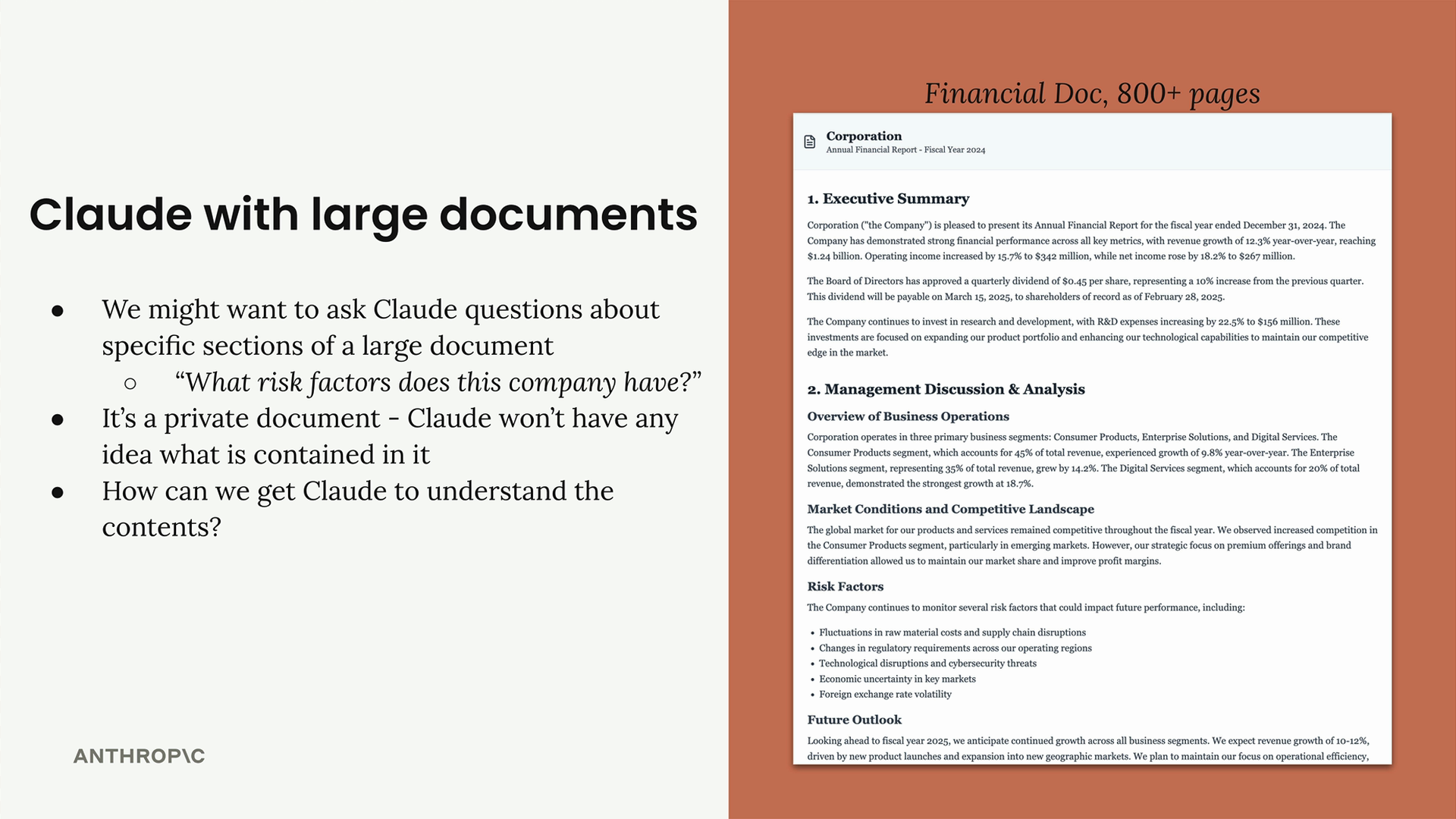
Consider asking "What risk factors does this company have?" about a lengthy financial document. The document contains the answer, but Claude needs access to the relevant content to help you.
Option 1: Include Everything in the Prompt
The straightforward approach is extracting all text from the document and stuffing it into a single prompt:
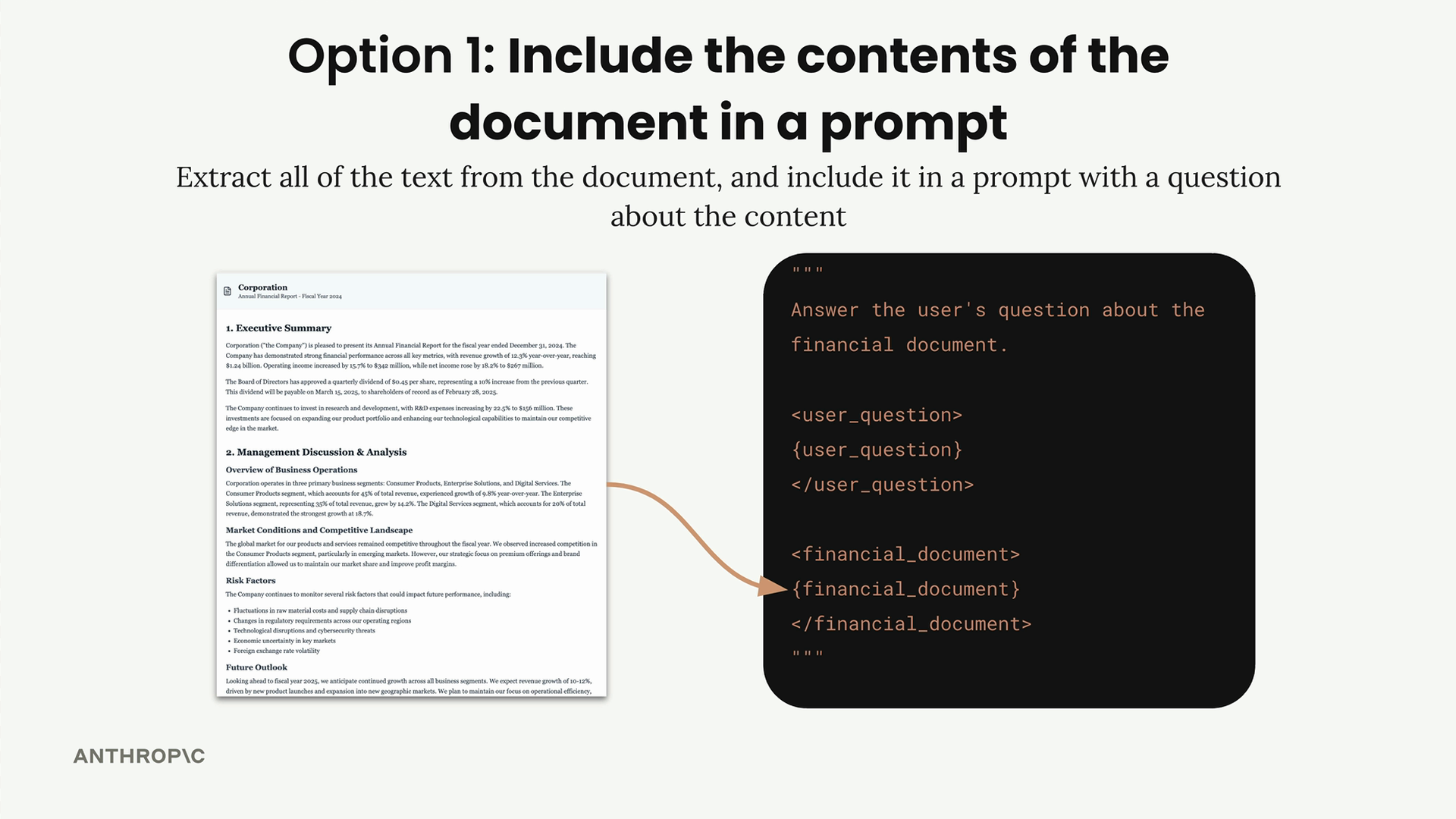
This method has serious limitations:
- Hard token limits mean very long documents simply won't fit
- Claude becomes less effective with extremely long prompts
- Larger prompts cost more money and take longer to process
- Performance degrades when there's too much information to sift through
Option 2: Break Documents into Chunks
RAG takes a smarter approach by preprocessing documents into manageable pieces, then retrieving only the relevant chunks for each question.
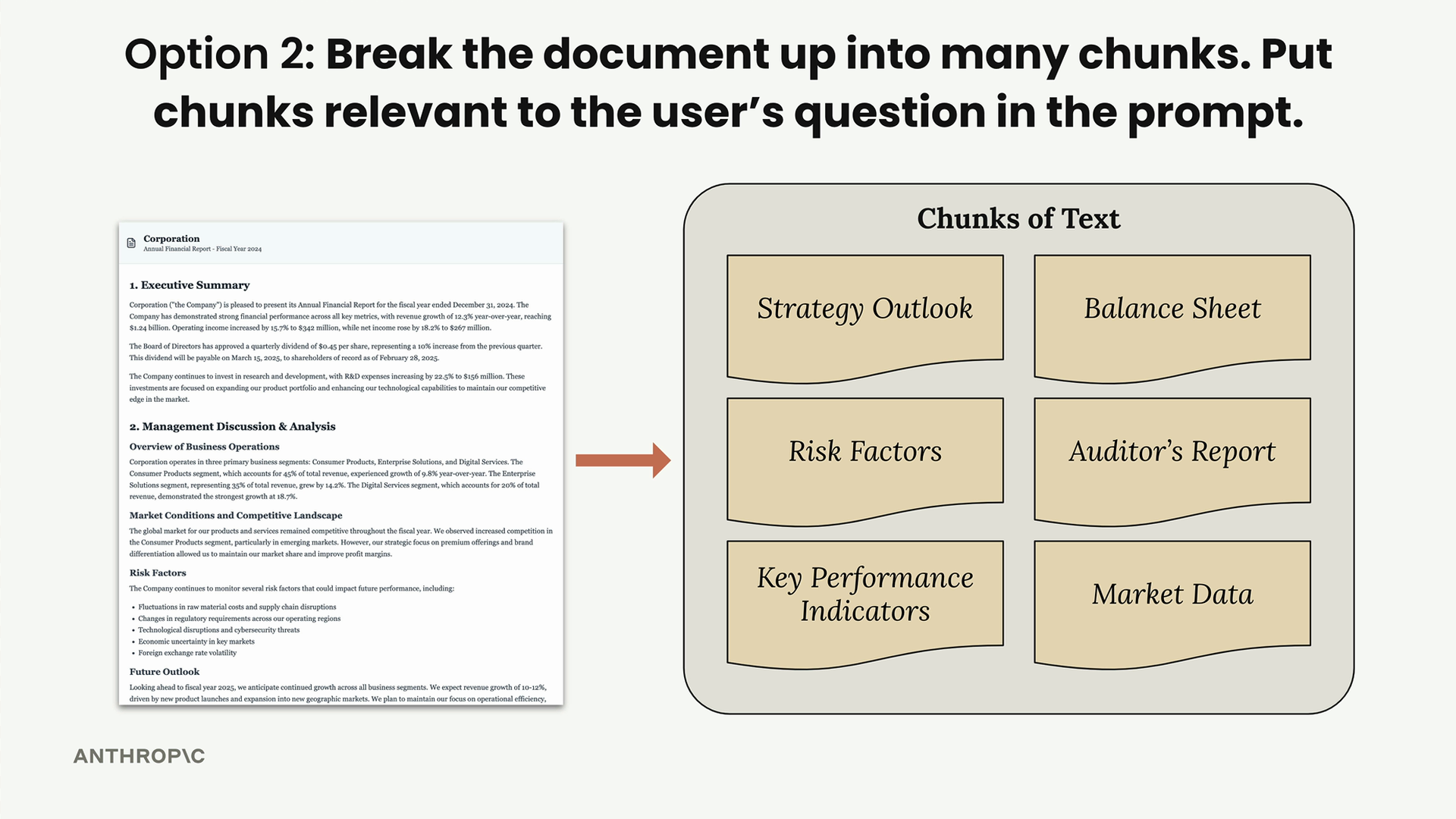
Here's how it works:
- Split the document into smaller chunks (Strategy Outlook, Risk Factors, Balance Sheet, etc.)
- When a user asks a question, analyze what they're looking for
- Find the chunks most relevant to their question
- Include only those relevant chunks in the prompt to Claude
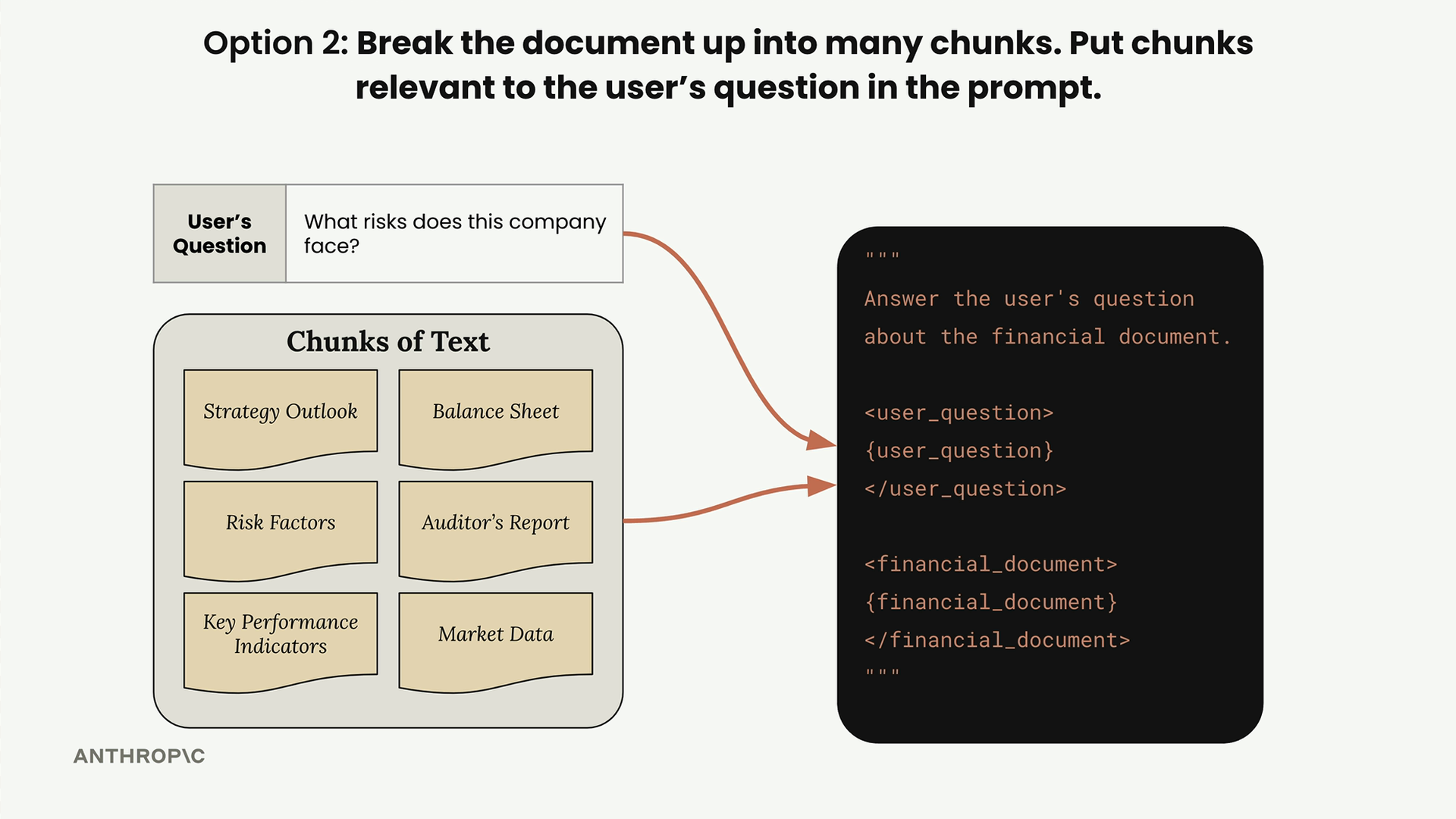
For a question about company risks, the system would identify and retrieve the "Risk Factors" chunk, giving Claude focused, relevant context instead of the entire document.
Benefits of RAG
- Claude can focus on only the most relevant content
- Scales to very large documents and multiple documents
- Works across document collections, not just single files
- Smaller prompts mean faster processing and lower costs
Challenges with RAG
RAG introduces complexity that you need to manage:
- Requires a preprocessing step to chunk documents
- Need a search mechanism to find relevant chunks
- Retrieved chunks might not contain all necessary context
- Many different ways to chunk text - which approach works best?
You can chunk documents by equal portions, by headers and sections, by semantic meaning, or other strategies. Each approach has tradeoffs you'll need to evaluate for your specific use case.
When to Use RAG
RAG shines when you're working with large documents or document collections where users ask specific questions that only require portions of the content. The preprocessing complexity pays off when you need to scale beyond what fits in a single prompt, when you want faster responses, or when you're managing costs across many queries.
The key is analyzing whether the technical overhead of implementing chunking, search, and retrieval makes sense for your particular application. Sometimes the simple "dump everything in a prompt" approach works fine - other times, RAG becomes essential for making your system practical and performant.
🔁 Related lessons
- Next: Text chunking strategies
- Previous: Quiz on tool use
- Same section: Overview of Claude Models · Accessing the API · Making a request
- Part of paths: Path C
- Reference docs: Glossary · Skills atlas · By use-case
📚 Source & attribution
- Original Anthropic Academy lesson: https://anthropic.skilljar.com/claude-in-amazon-bedrock/276780
- © 2025 Anthropic. Educational fair-use only.