📖 Lesson content
Summary
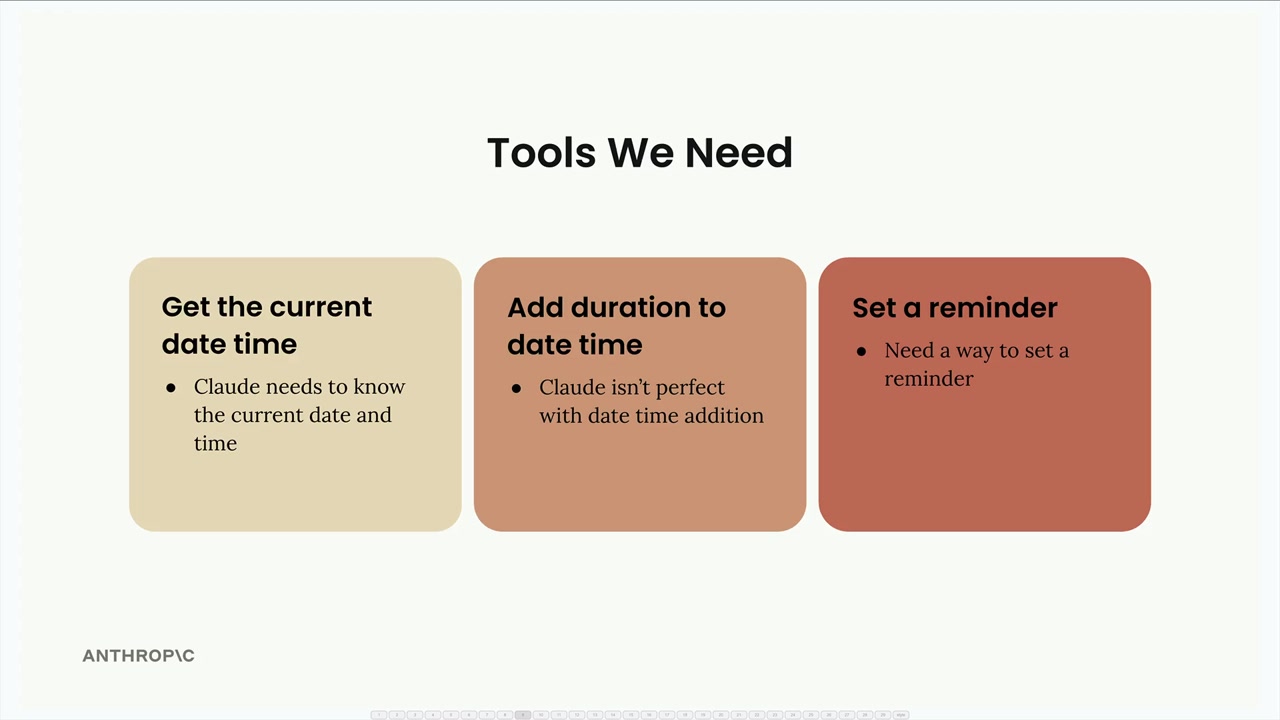
Now that we have one tool working, it's time to add the remaining two tools to complete our project: add_duration_to_datetime and set_reminder. The good news is that once you have the foundation in place, adding new tools is straightforward.
Pre-built Functions and Schemas
To save time, the implementations for both additional functions are already provided, along with their JSON schema specifications. You can find these in the earlier code cells:
- add_duration_to_datetime - Handles date arithmetic for various time units
- set_reminder - Creates reminders (currently just prints output, but could be extended to integrate with actual reminder systems)
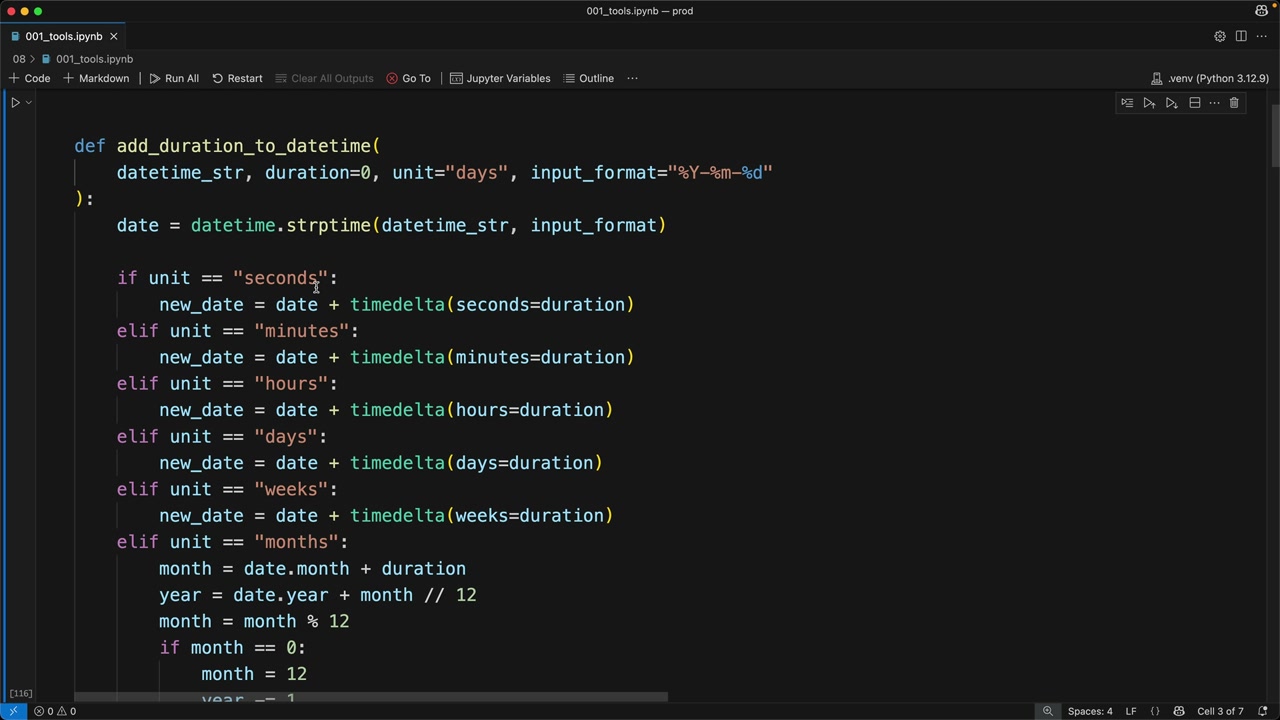
Each function comes with a corresponding JSON schema that defines the expected parameters and their types.
Adding Tools to the Conversation
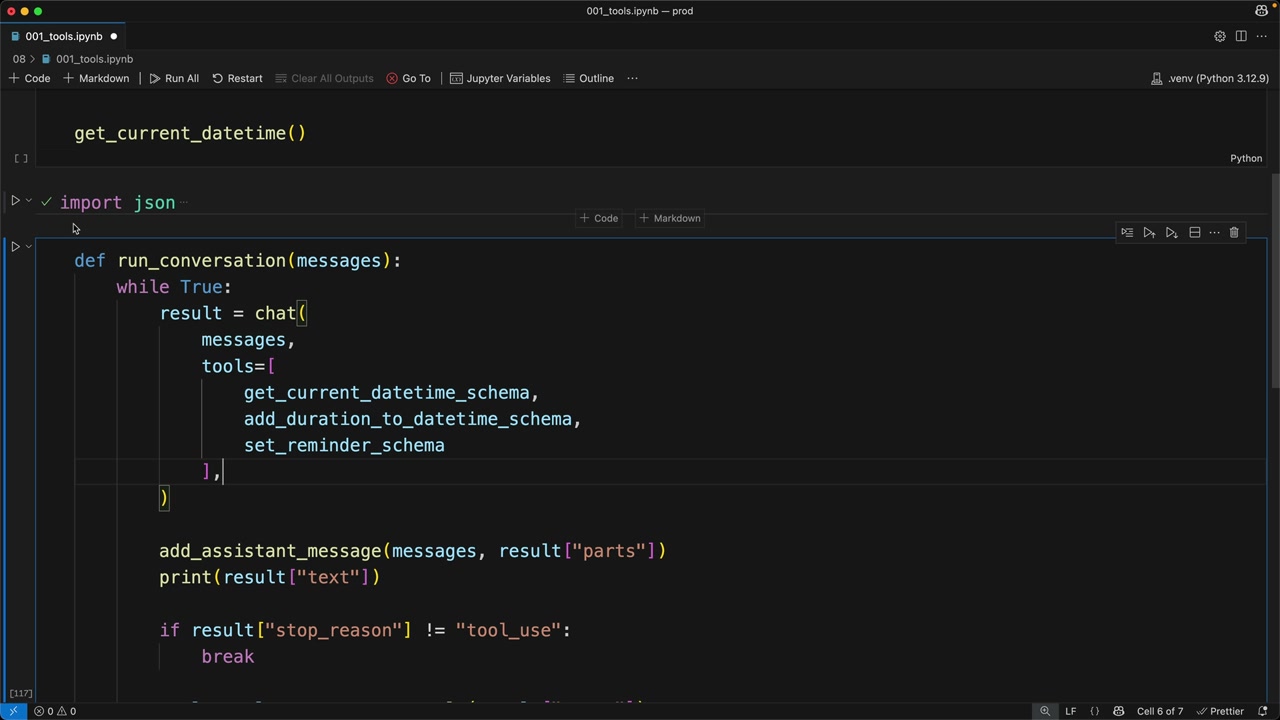
The first step is to include the new tool schemas in your conversation function. In the run_conversation function, add the additional schemas to the tools array:
tools=[
    get_current_datetime_schema,
    add_duration_to_datetime_schema,
    set_reminder_schema
]
Wiring Up the Tool Functions
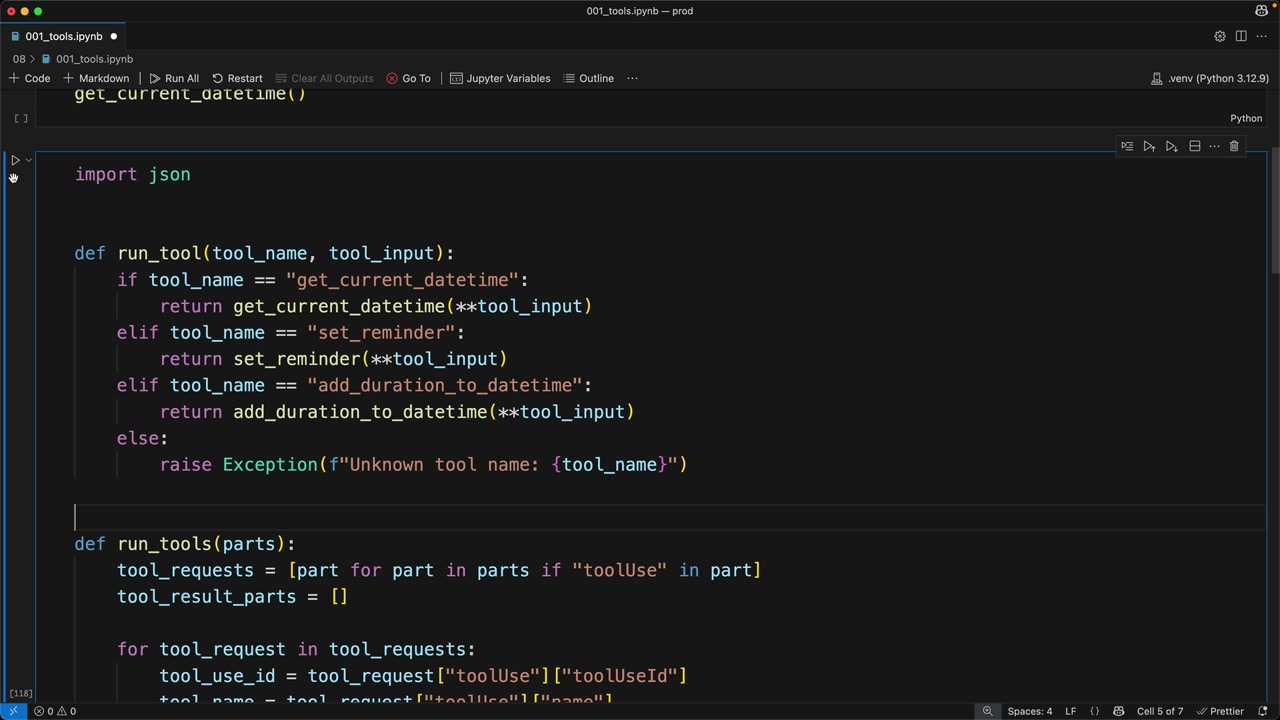
Next, you need to update the run_tool function to handle the new tool names. Add two additional conditional branches:
def run_tool(tool_name, tool_input):
    if tool_name == "get_current_datetime":
        return get_current_datetime(**tool_input)
    elif tool_name == "set_reminder":
        return set_reminder(**tool_input)
    elif tool_name == "add_duration_to_datetime":
        return add_duration_to_datetime(**tool_input)
    else:
        raise Exception(f"Unknown tool name: {tool_name}")
Testing the Complete System
With all tools connected, you can now test complex workflows that require multiple tool calls. For example, asking Claude to "Set a reminder to go to the doctor. The appointment is in 100 days" will trigger a sequence of operations:
- Get today's date using
get_current_datetime - Add 100 days to that date using
add_duration_to_datetime - Create the reminder using
set_reminder
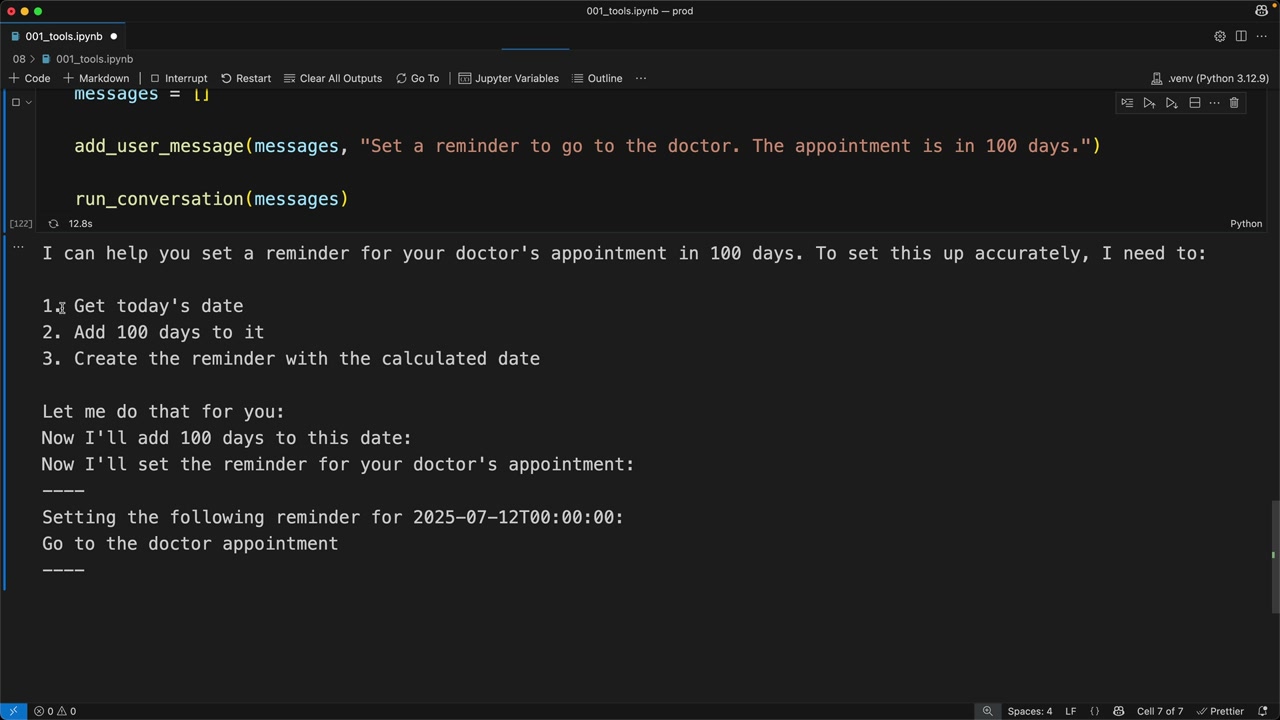
Claude automatically breaks down the request into logical steps and explains its plan before executing each tool call. The output shows the complete workflow, including the calculated future date and confirmation of the reminder being set.
Key Takeaway
Once you have the foundational tool use infrastructure in place, adding new tools requires just two simple steps: including the schema in your tools array and adding a case to handle the tool name in your routing function. The initial setup might feel complex, but scaling to multiple tools becomes very manageable.
🔁 Related lessons
- Next: Batch tool use
- Previous: Multi-Turn conversations with tools
- Same section: Overview of Claude Models · Accessing the API · Making a request
- Part of paths: Path C
- Reference docs: Glossary · Skills atlas · By use-case
📚 Source & attribution
- Original Anthropic Academy lesson: https://anthropic.skilljar.com/claude-in-amazon-bedrock/276761
- © 2025 Anthropic. Educational fair-use only.