📖 Lesson content
Summary
Now we're at the final step of the tool use workflow. After running our tools and getting the results, we need to send everything back to Claude so it can provide a complete response to the user.
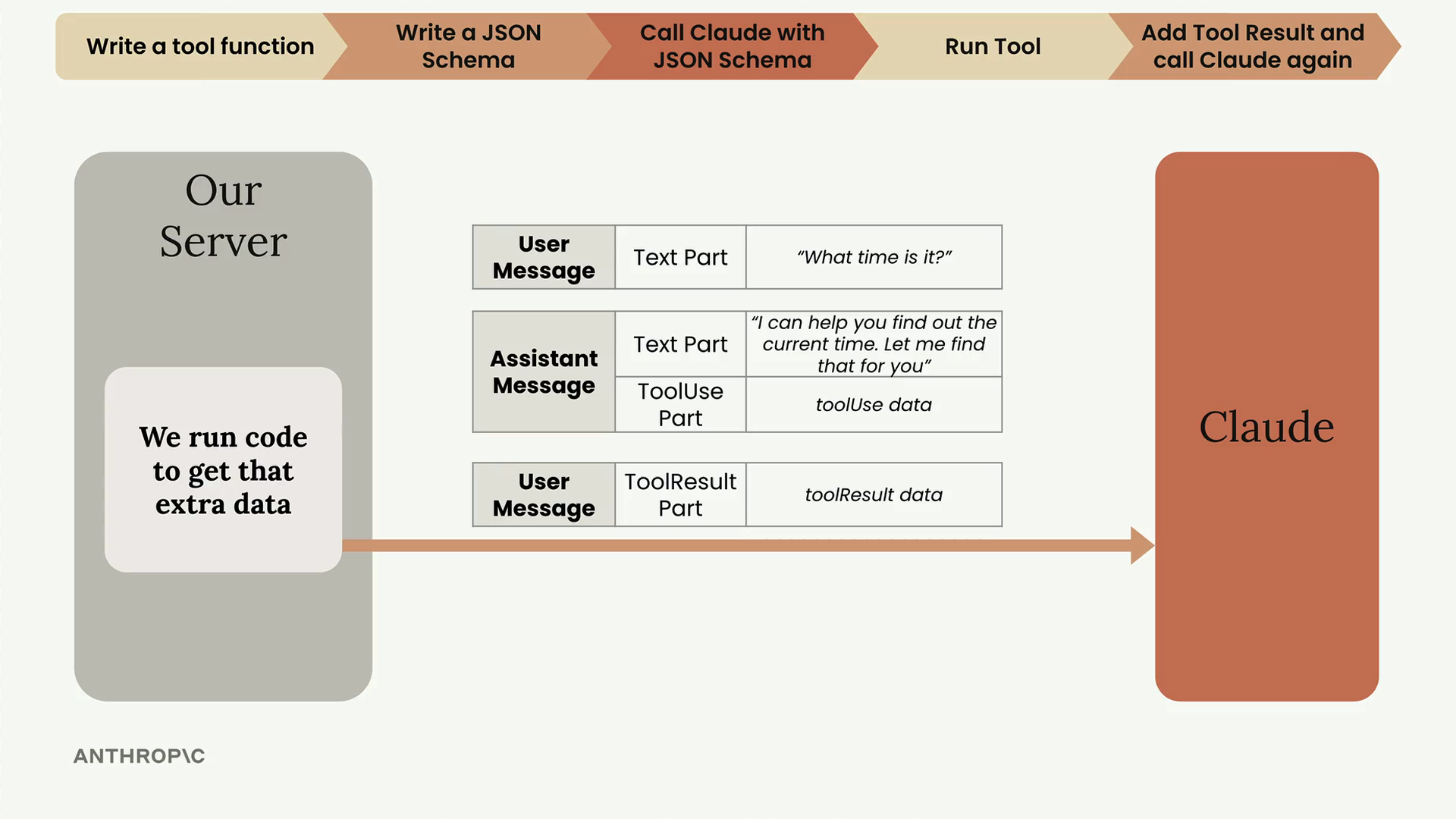
The process is straightforward: take all the tool result parts we generated, package them into a user message, and send the entire conversation history back to Claude along with the original tool schemas.
Adding the Assistant Message
First, we need to make sure our conversation history is complete. After Claude's initial response with the tool use request, we need to add that response to our message history using add_assistant_message().
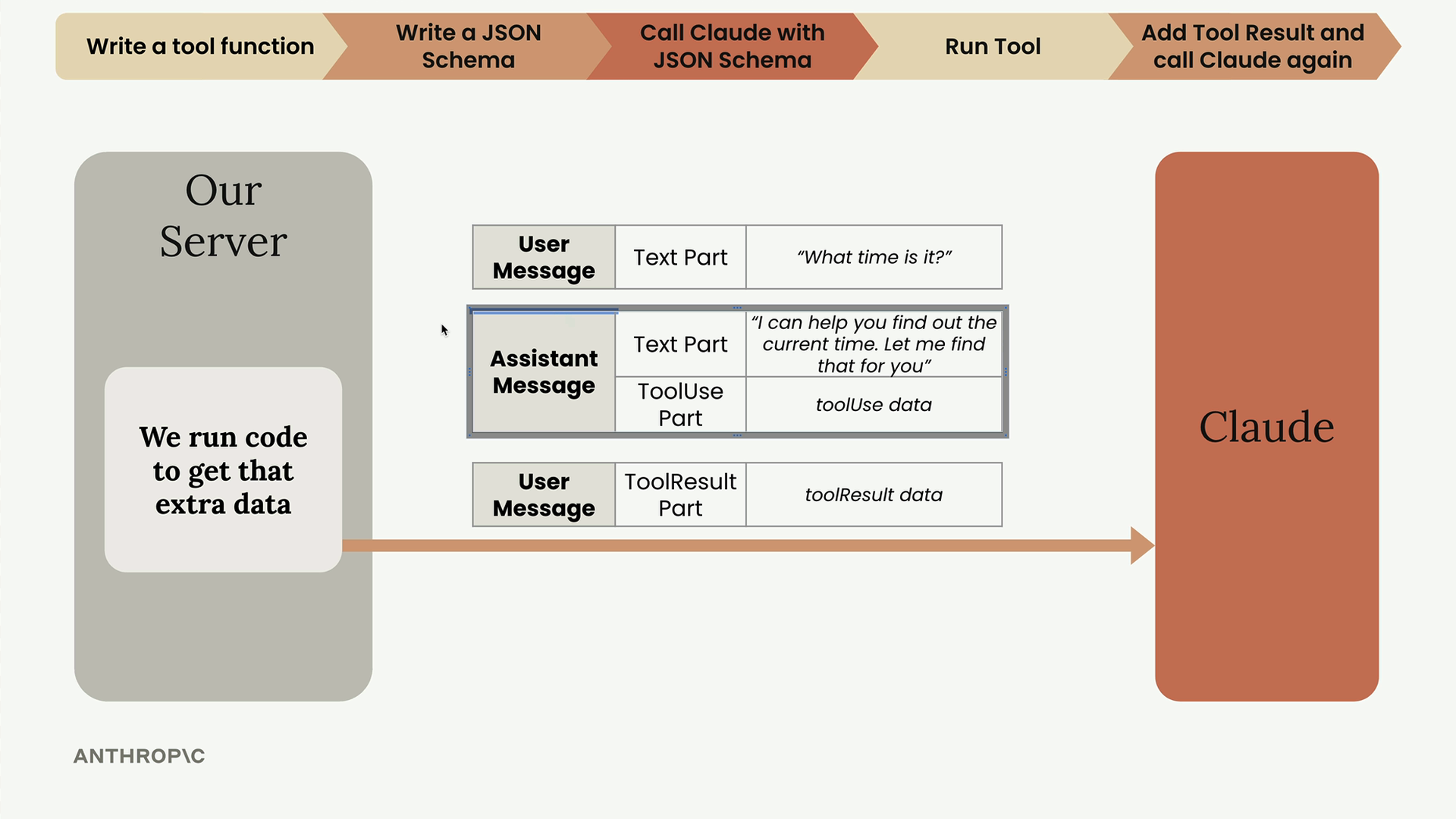
This ensures we have the complete conversation flow: user question → assistant tool request → tool results → final assistant response.
Running Tools and Creating Tool Results
The run_tools() function processes all the tool use requests from Claude's response and creates properly formatted tool result parts. Each tool result includes:
- The tool use ID (matching the original request)
- The actual output from running the tool
- A status indicating success or error
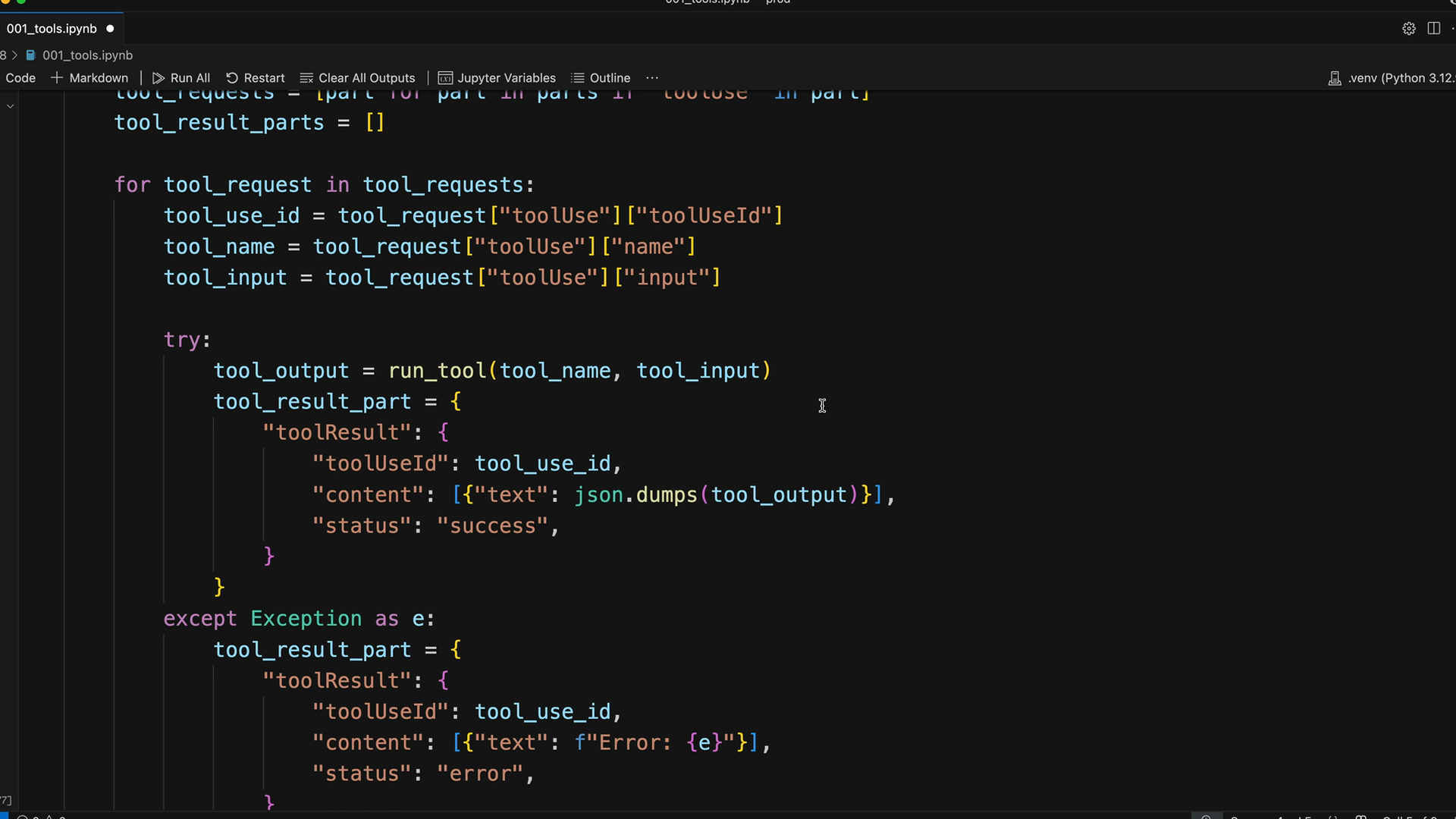
The function handles both successful tool executions and errors gracefully, wrapping everything in the correct JSON structure that Claude expects.
Adding Tool Results to the Conversation
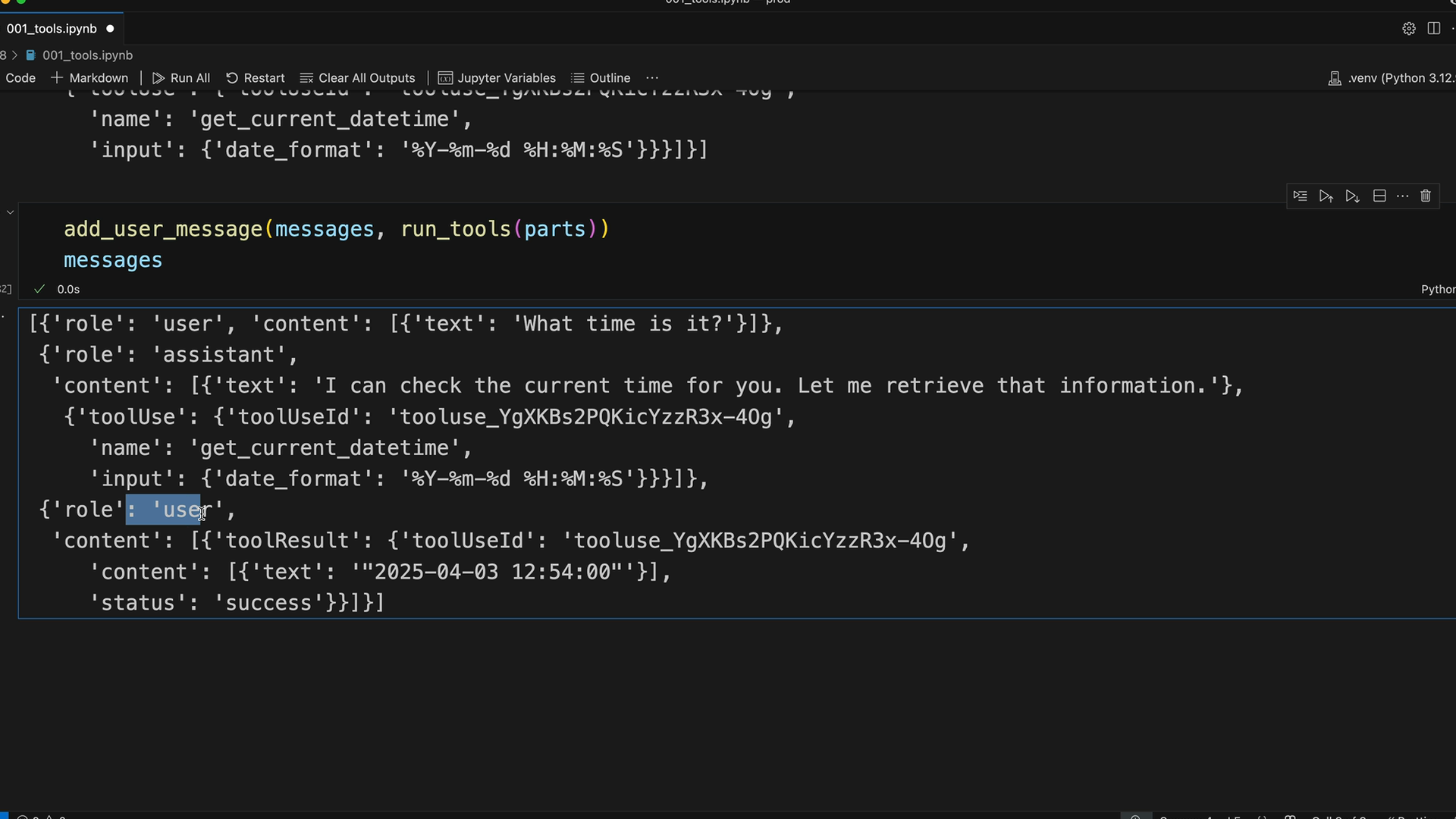
Once we have our tool results, we add them to the conversation using add_user_message():
add_user_message(messages, run_tools(parts))
This creates a user message containing all the tool result parts. The conversation now has the complete back-and-forth needed for Claude to provide a final response.
Final Call to Claude
The last step is sending everything back to Claude. This requires two important elements:
- The complete message history (user → assistant → user)
- The original tool schemas
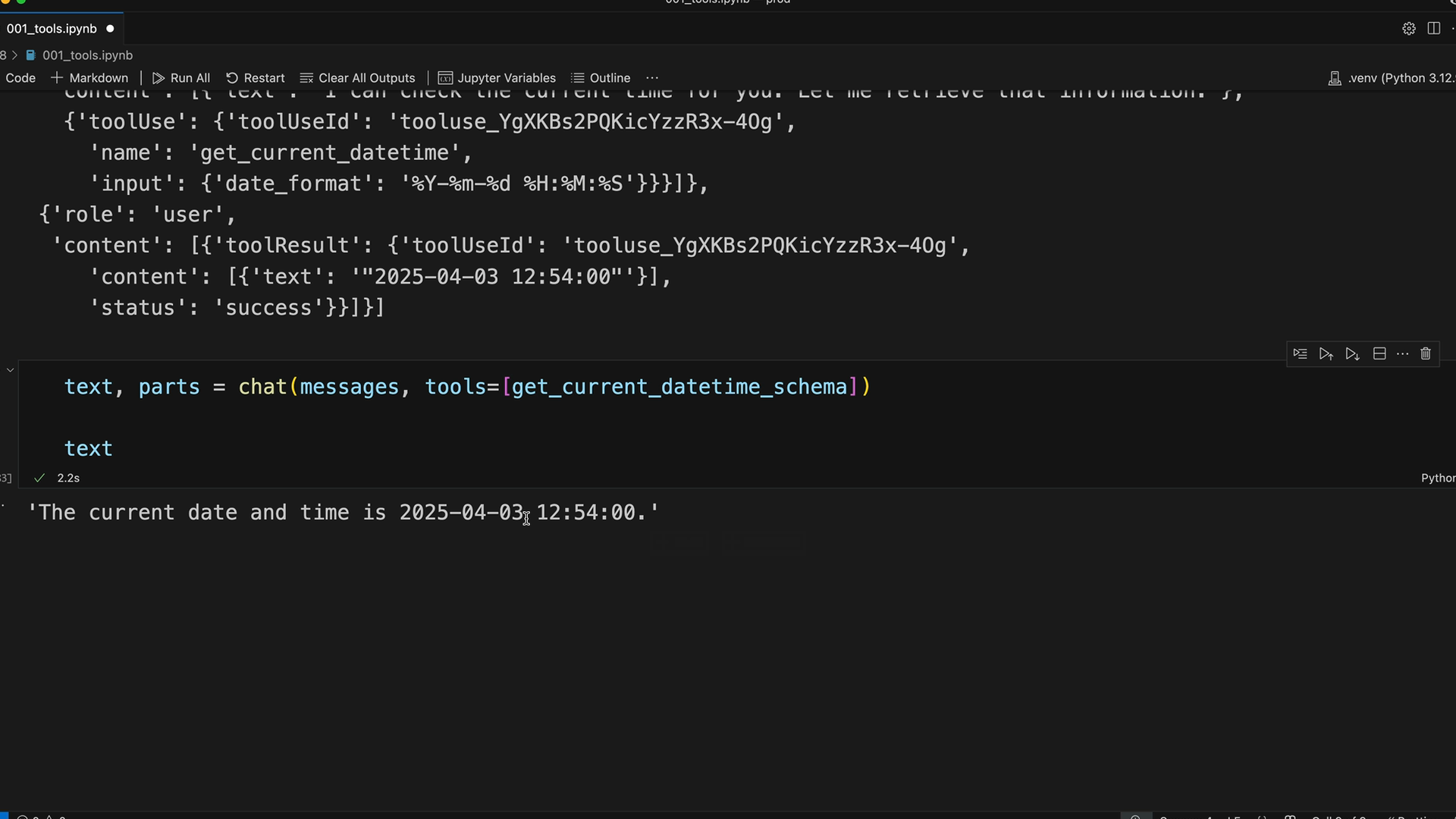
text, parts = chat(messages, tools=[get_current_datetime_schema])
Including the tool schemas is crucial. Without them, Claude would be confused about the tool references in the conversation history and wouldn't understand what get_current_datetime actually does.
Success
When everything works correctly, Claude receives the tool results and can provide a complete, informed response. In our example, Claude successfully retrieved the current time and formatted it in a natural response: "The current date and time is 2025-04-03, 12:54:00."
This demonstrates that our tool integration is working properly. While Claude knows the current date, it doesn't have access to real-time information like the exact current time - which is exactly what our tool provided.
The complete tool use cycle is now working: Claude requests a tool, we execute it, return the results, and Claude incorporates that information into its final response to the user.
🔁 Related lessons
- Next: Multi-Turn conversations with tools
- Previous: Running tool functions
- Same section: Overview of Claude Models · Accessing the API · Making a request
- Part of paths: Path C
- Reference docs: Glossary · Skills atlas · By use-case
📚 Source & attribution
- Original Anthropic Academy lesson: https://anthropic.skilljar.com/claude-in-amazon-bedrock/276760
- © 2025 Anthropic. Educational fair-use only.