📖 Lesson content
Summary
When Claude decides to use a tool, it returns a special response structure that requires careful handling. Understanding this response format and implementing proper conversation management is crucial for building robust tool-enabled applications.
Tool Choice Configuration
Before diving into responses, it's worth understanding how to control when Claude uses tools. The toolChoice parameter gives you three options:
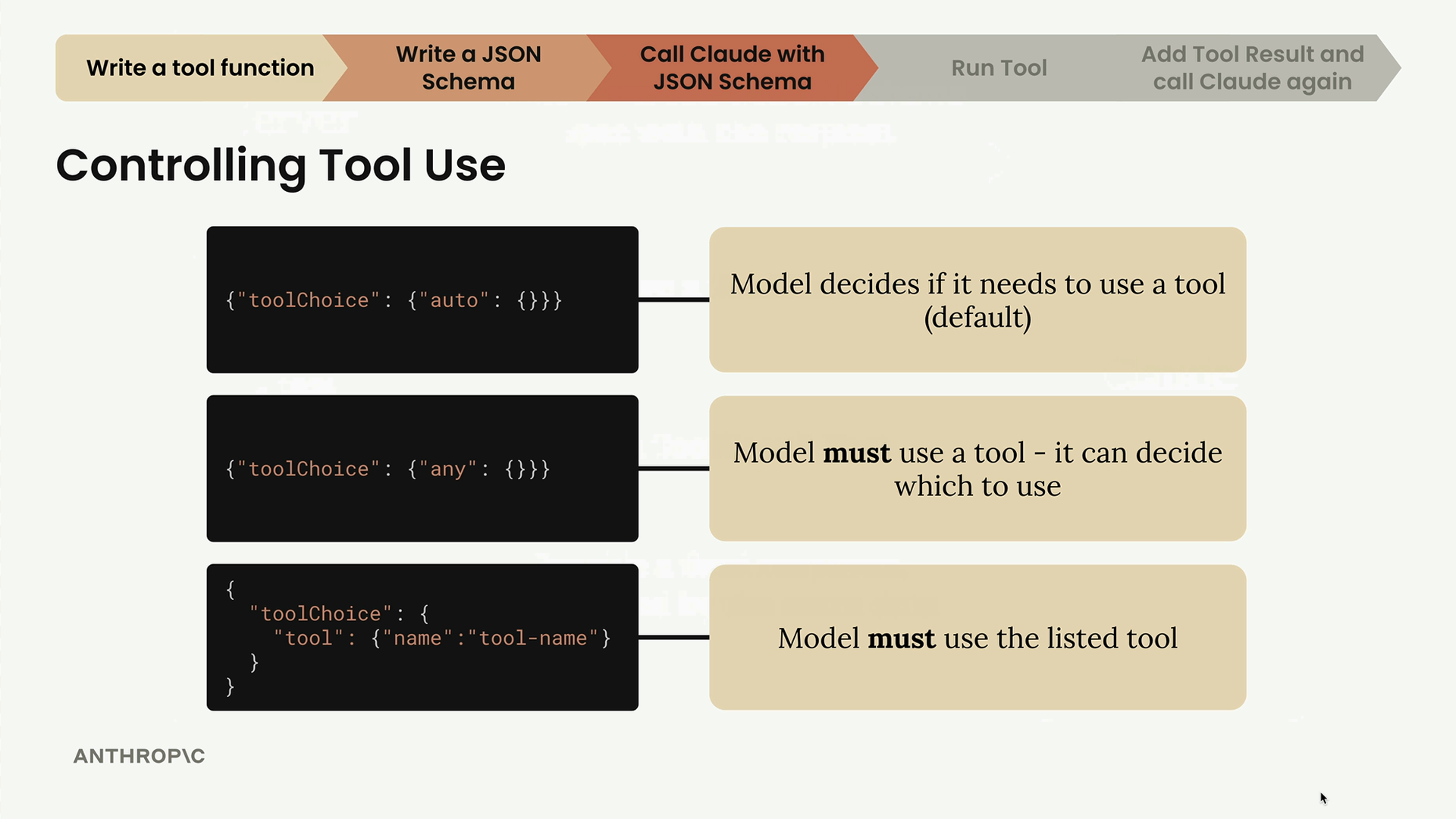
- auto - Claude decides whether to use a tool (default behavior)
- any - Claude must use a tool but can choose which one
- specific tool - Force Claude to use a particular tool by name
The third option is especially useful for testing when you want to ensure Claude calls a specific function.
Multi-Part Message Structure
When Claude wants to use a tool, it returns an assistant message with multiple content parts instead of just text:
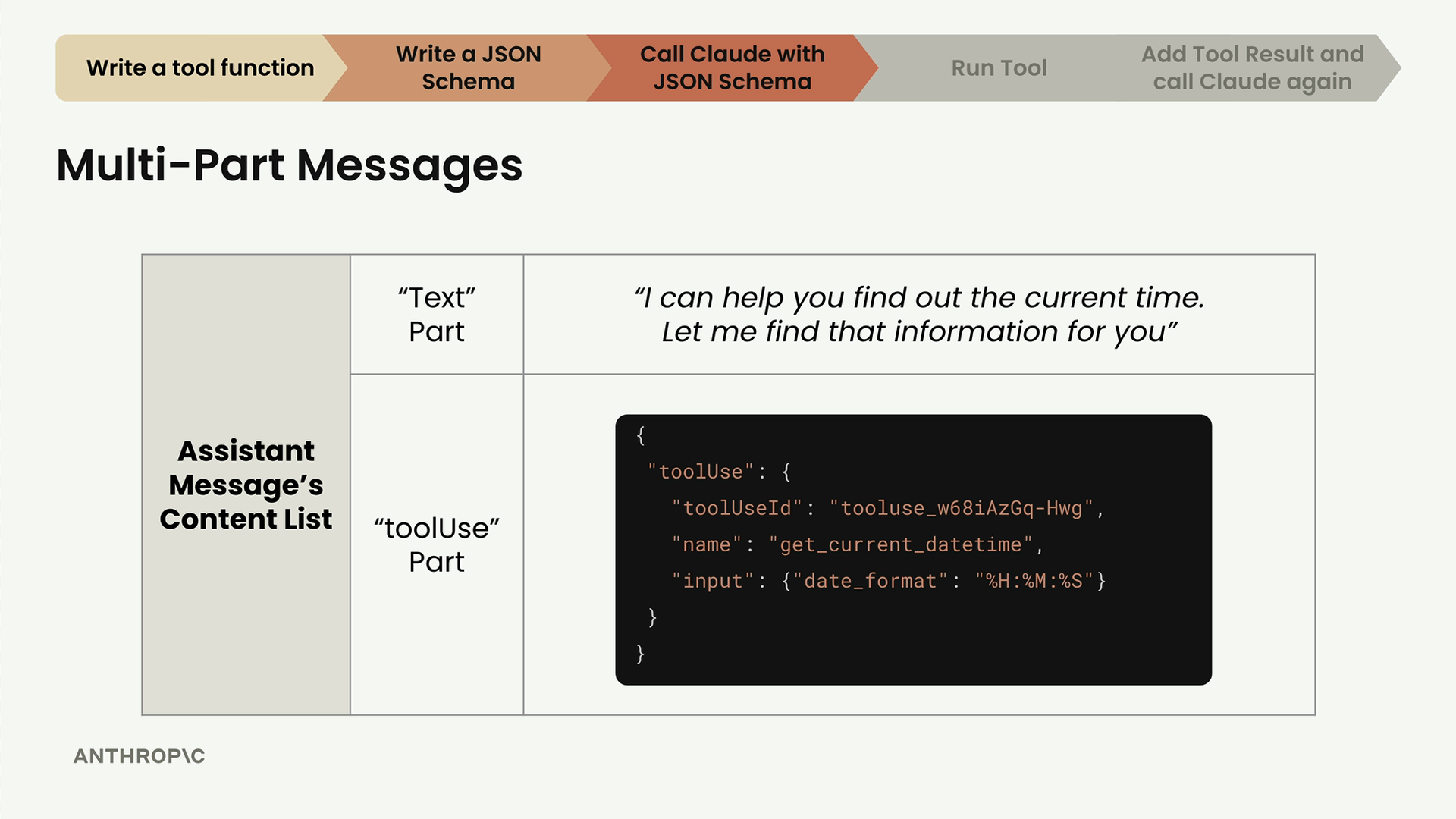
The response contains two parts:
- Text Part - Human-readable explanation like "I can help you find out the current time. Let me find that information for you"
- ToolUse Part - Structured data telling you which tool to run and with what arguments
Understanding the ToolUse Part
The ToolUse part contains three key pieces of information:
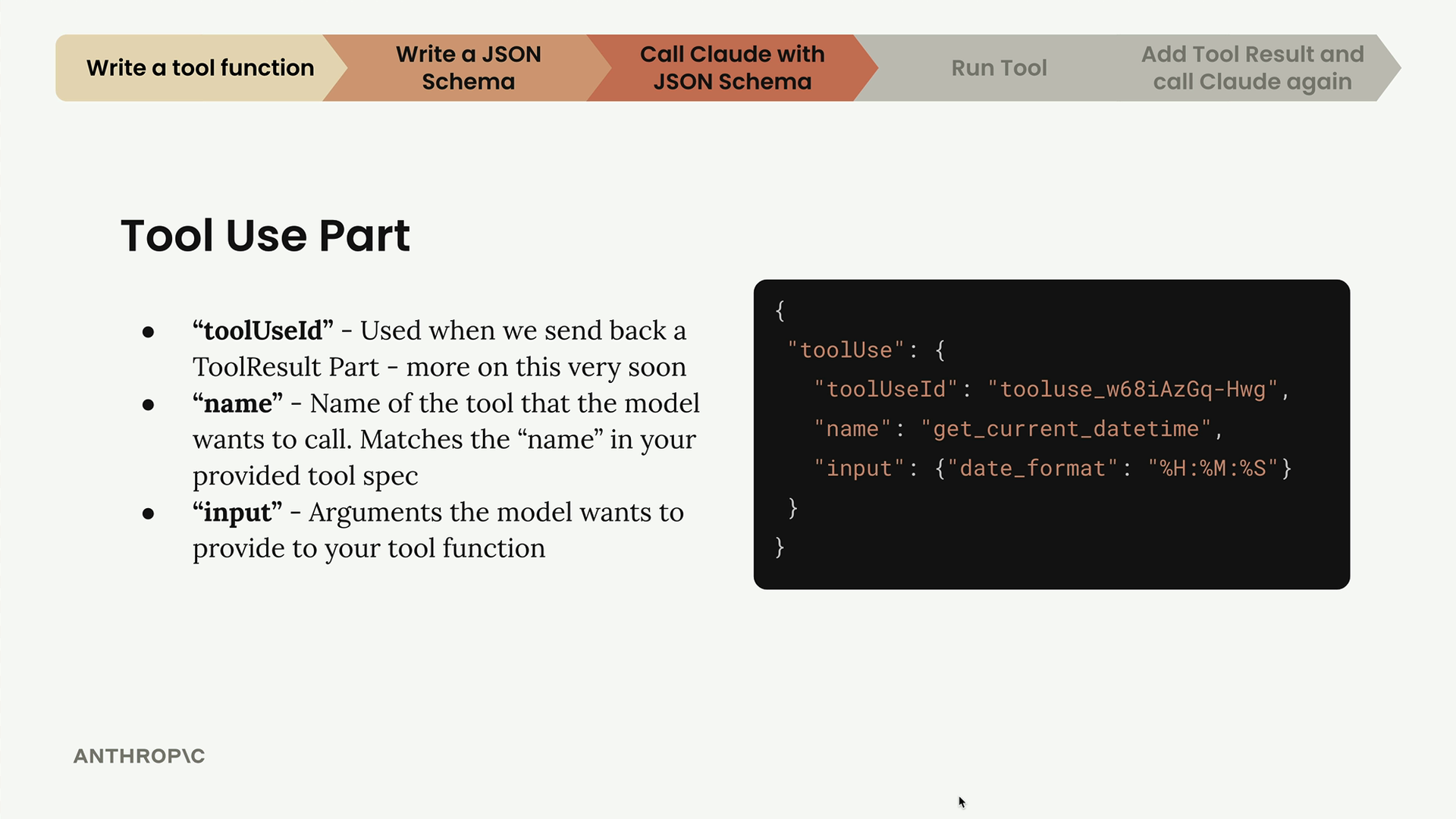
- toolUseId - A unique identifier you'll need when sending back the tool result
- name - The exact tool name from your JSON schema that Claude wants to call
- input - A dictionary of arguments Claude wants to pass to your tool function
Conversation Flow with Tools
Tool usage follows a specific conversation pattern that requires maintaining complete message history:
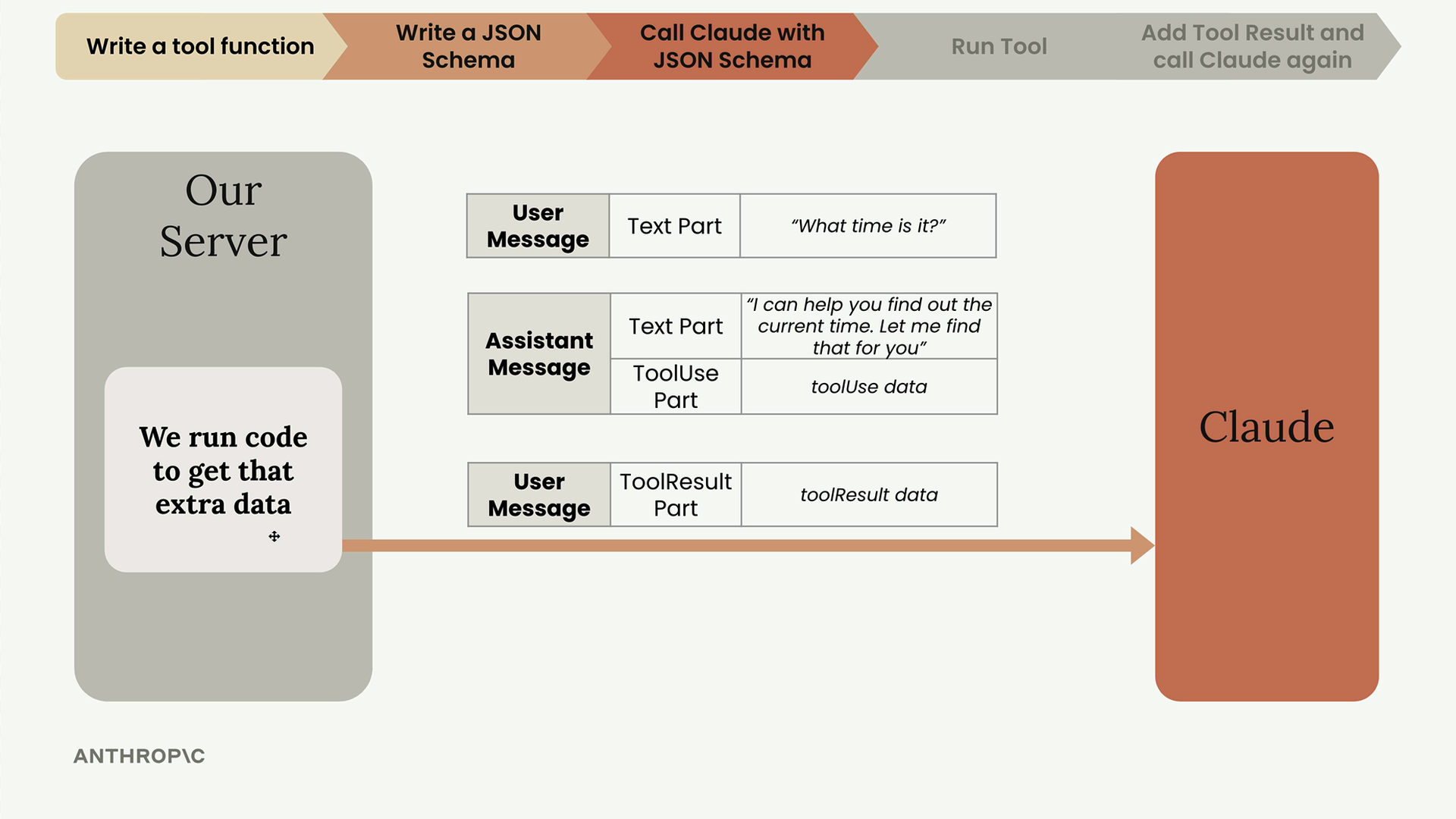
When you receive a tool use request, you need to:
- Extract the tool information from the ToolUse part
- Run your actual tool function
- Send back a ToolResult message along with the complete conversation history
- Include the original user message and the assistant's tool use message in your next request
Updating Helper Functions
To handle multi-part messages properly, you'll need to update your message handling functions. Here's how to make your functions flexible enough to handle both simple text and complex multi-part content:
def add_user_message(messages, content):
    if isinstance(content, str):
        user_message = {"role": "user", "content": [{"text": content}]}
    else:
        user_message = {"role": "user", "content": content}
    messages.append(user_message)

def add_assistant_message(messages, content):
    if isinstance(content, str):
        assistant_message = {"role": "assistant", "content": [{"text": content}]}
    else:
        assistant_message = {"role": "assistant", "content": content}
    messages.append(assistant_message)
You'll also want to update your chat function to return both the text and the full parts list:
def chat(messages, system=None, temperature=1.0, stop_sequences=[], tools=None):
    # ... existing setup code ...

    response = client.converse(**params)

    text = response["output"]["message"]["content"][0]["text"]
    parts = response["output"]["message"]["content"]

    return text, parts
Checking the Stop Reason
Always check the stopReason field in Claude's response. When it equals "tool_use", you know Claude wants to call a tool rather than just providing a text response. This is your signal to extract the tool information and execute the requested function.
With these patterns in place, you're ready to handle Claude's tool use requests and maintain proper conversation flow throughout multi-turn tool interactions.
🔁 Related lessons
- Next: Running tool functions
- Previous: JSON Schema for tools
- Same section: Overview of Claude Models · Accessing the API · Making a request
- Part of paths: Path C
- Reference docs: Glossary · Skills atlas · By use-case
📚 Source & attribution
- Original Anthropic Academy lesson: https://anthropic.skilljar.com/claude-in-amazon-bedrock/276764
- © 2025 Anthropic. Educational fair-use only.