📖 Lesson content
Summary
When you need Claude to generate structured data like JSON, Python code, or bulleted lists, you'll often run into a common problem: Claude wants to be helpful and add explanatory text, headers, or markdown formatting around your content. This extra commentary breaks the user experience when you just need the raw data.
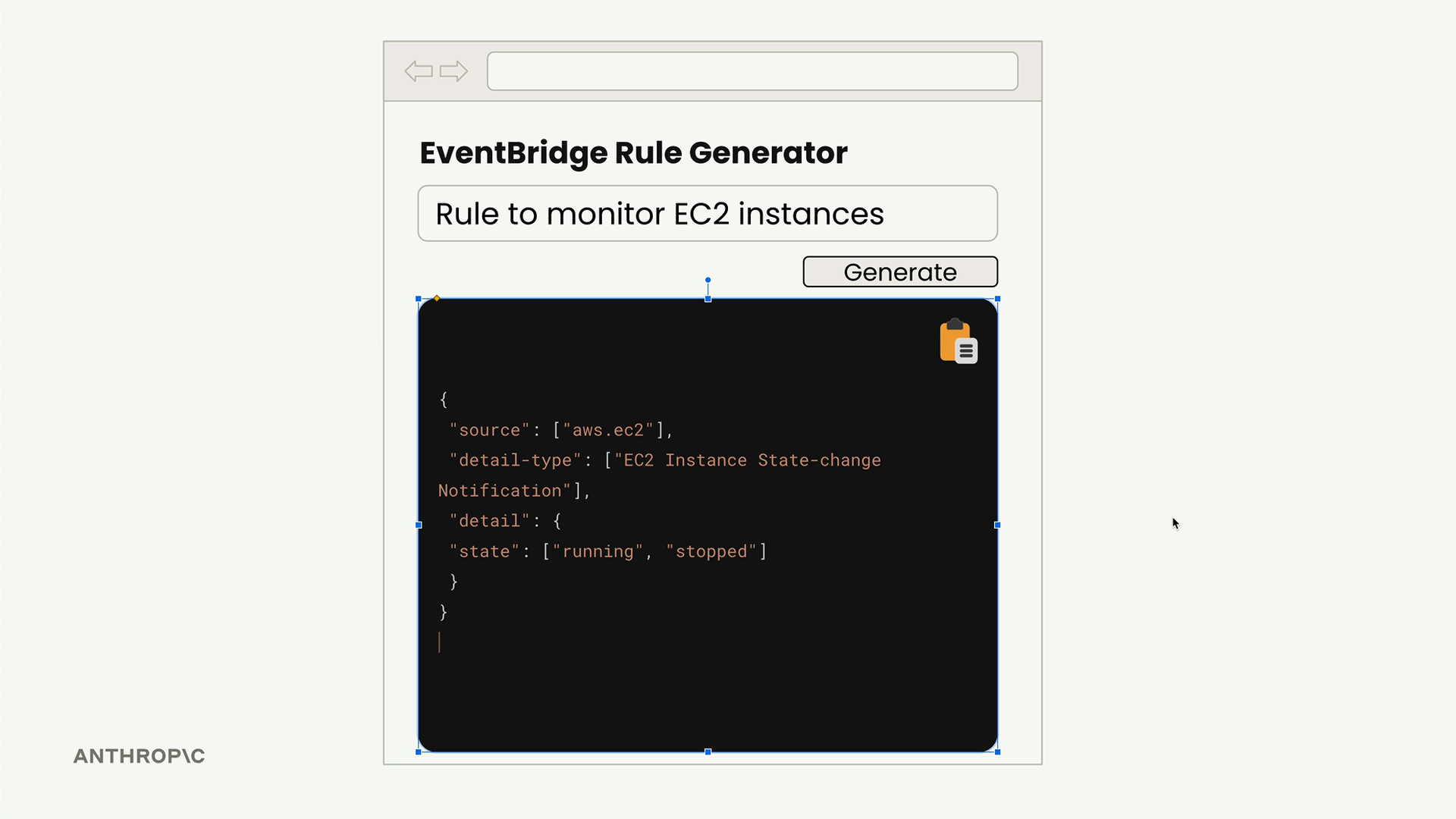
Consider building a web app that generates AWS EventBridge rules. Users enter a description, click generate, and expect to see clean JSON they can immediately copy and use. If Claude returns the JSON wrapped in markdown code blocks with explanatory text, users can't simply copy the entire response - they have to manually select just the JSON portion.
The Problem with Default Responses
By default, Claude tends to format structured output like this:
```json
{
  "source": ["aws.ec2"],
  "detail-type": ["EC2 Instance State-change Notification"],
  "detail": {"state": ["running"]}
}
```
This rule captures EC2 instance state changes when instances start running or stop.
While this is great for documentation, it's problematic when you need just the JSON for programmatic use.
The Solution: Assistant Message Prefilling + Stop Sequences
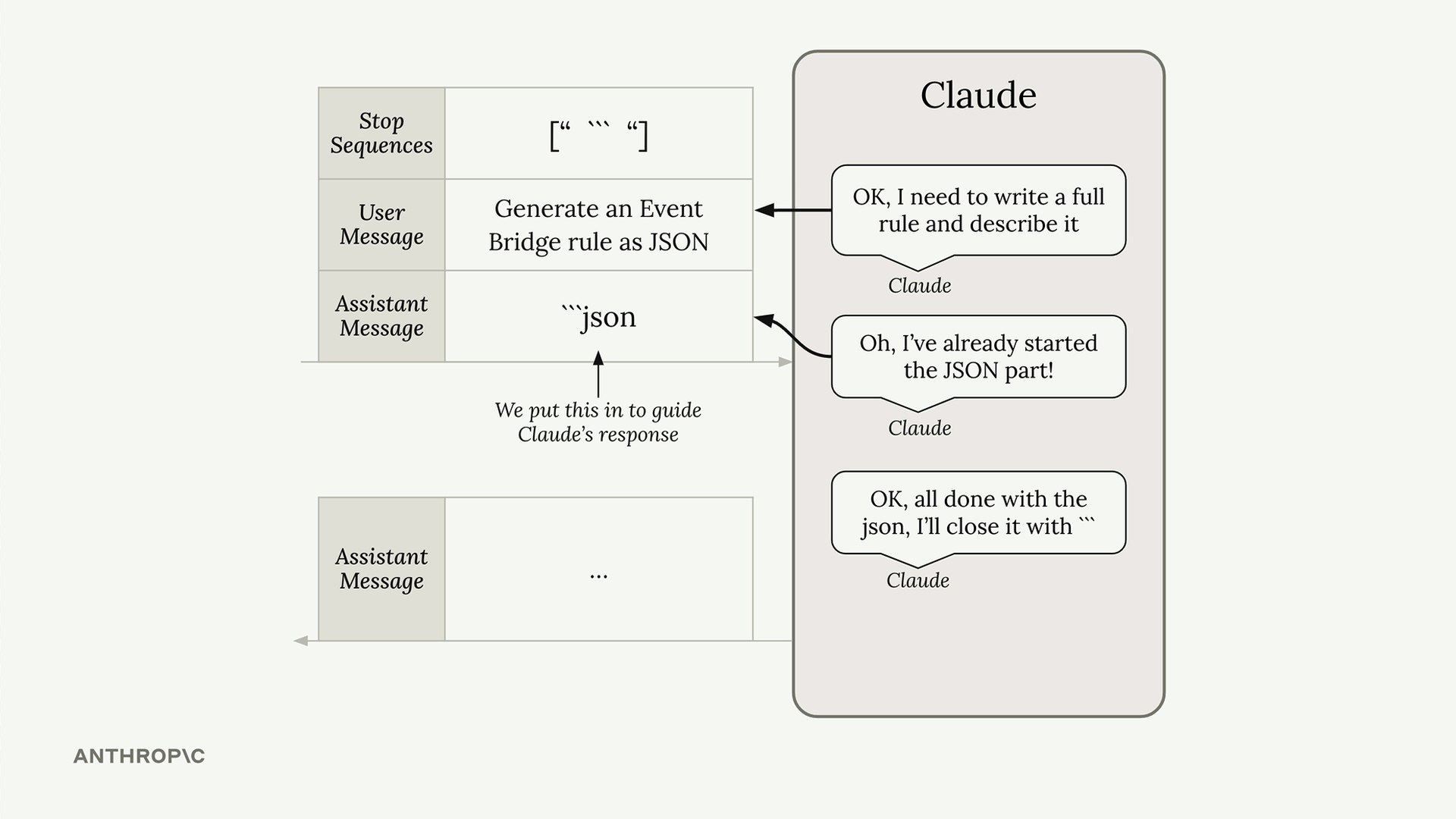
You can combine assistant message prefilling with stop sequences to get exactly the content you want. Here's how it works:
messages = []
add_user_message(messages, "Generate a very short event bridge rule as json")
add_assistant_message(messages, "```json")

text = chat(messages, stop_sequences=["```"])
This technique works by:
- Prefilling the assistant message with the opening markdown delimiter
- Setting a stop sequence to halt generation when Claude tries to close the code block
- Capturing only the content between these delimiters
How It Works Behind the Scenes
When Claude receives your request, it sees the prefilled assistant message and assumes it already started writing the JSON code block. Instead of adding its own header and opening delimiter, Claude jumps straight to generating the actual JSON content.
When Claude finishes the JSON and naturally wants to close the markdown code block with ```, the stop sequence immediately halts generation and returns the response. You get just the JSON content with no extra formatting.
Processing the Results
The returned text might contain some newline characters, but you can easily clean this up:
import json

parsed_data = json.loads(text.strip())

clean_text = text.strip()
Beyond JSON
This technique isn't limited to JSON generation. You can use it for any structured data where you want just the content without Claude's natural tendency to add explanatory text:
- Python code snippets
- Bulleted lists
- CSV data
- Configuration files
- Any format where clean, copyable output matters
The key is identifying what delimiters Claude would naturally use around your content type, then prefilling the opening delimiter and stopping at the closing one. This gives you precise control over the output format while leveraging Claude's natural formatting instincts.
🔁 Related lessons
- Next: Structured data exercise
- Previous: Controlling model output
- Same section: Overview of Claude Models · Accessing the API · Making a request
- Part of paths: Path C
- Reference docs: Glossary · Skills atlas · By use-case
📚 Source & attribution
- Original Anthropic Academy lesson: https://anthropic.skilljar.com/claude-in-amazon-bedrock/276724
- © 2025 Anthropic. Educational fair-use only.