📖 Lesson content
Summary
Resources in MCP servers allow you to expose data to clients, similar to GET request handlers in a typical HTTP server. They're perfect for scenarios where you need to fetch information rather than perform actions.
Understanding Resources
Think of resources as read-only endpoints that can return any type of data - strings, JSON, binary files, etc. You set a 'mime_type' to give the client a hint about what kind of data you're returning.
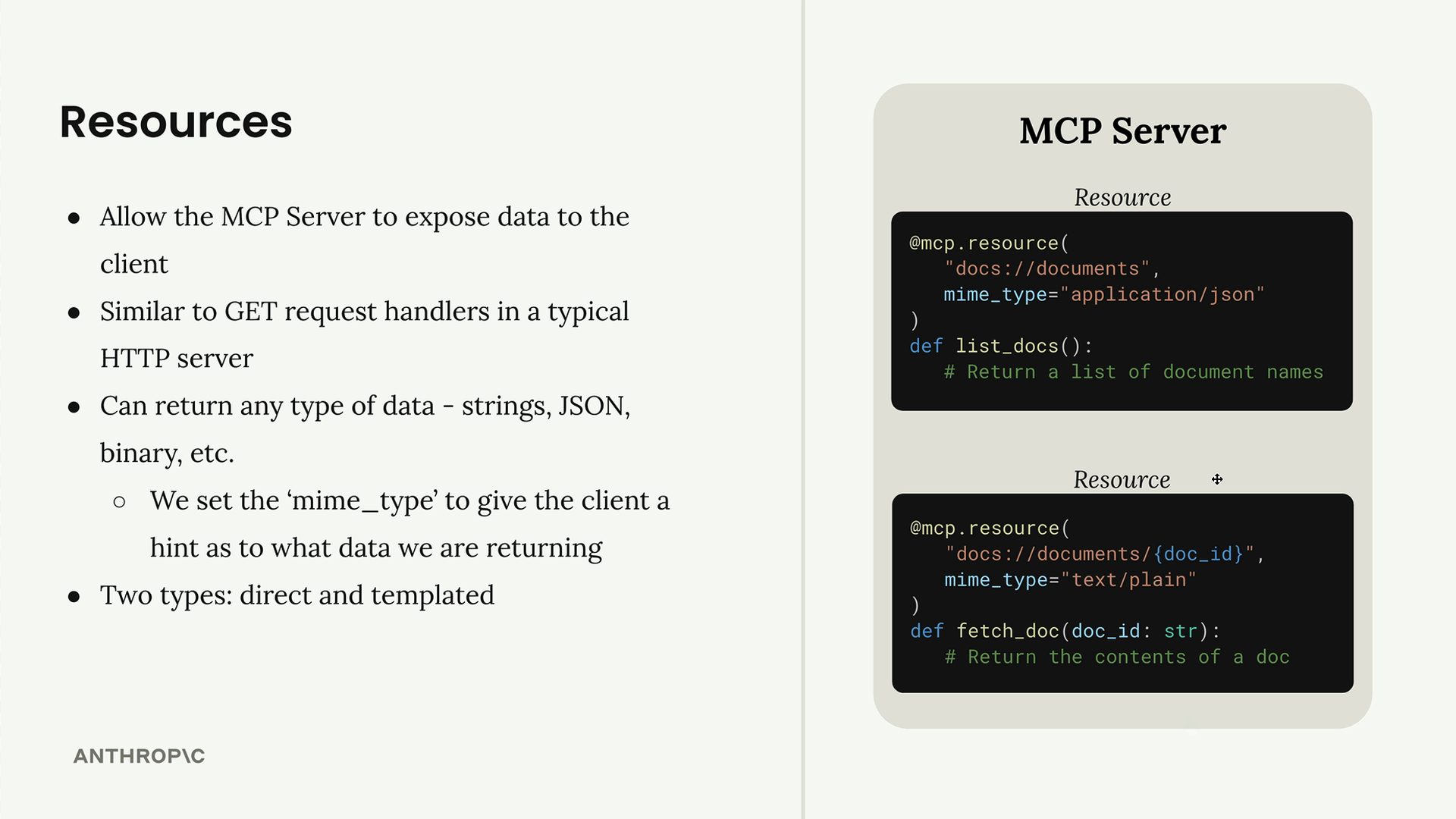
Resources work by defining a URI (like a URL) that clients can request. When a client needs data, it sends a ReadResourceRequest with the specific URI, and your server responds with a ReadResourceResult containing the data.
Two Types of Resources
There are two main types of resources you can create:
- Direct Resources - Have static URIs that don't contain any parameters (like "docs://documents")
- Templated Resources - Include parameters in their URIs that get parsed and passed to your function (like "docs://documents/{doc_id}")
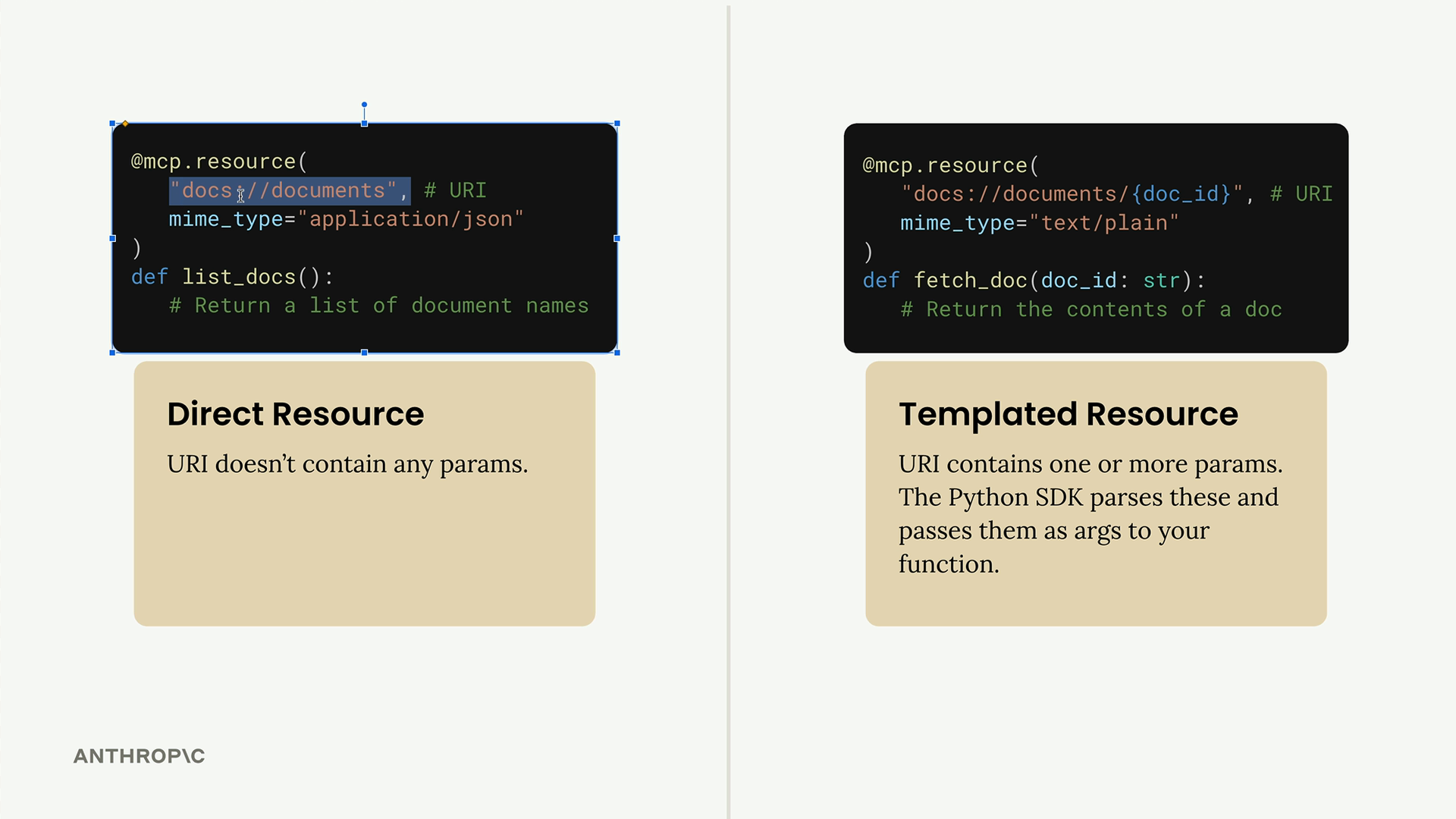
For templated resources, the Python SDK automatically parses parameters from the URI and passes them as keyword arguments to your function. The parameter names in the URI must match your function's parameter names exactly.
Creating Resources
Here's how to implement both types of resources:
@mcp.resource(
    "docs://documents",
    mime_type="application/json"
)
def list_docs() -> list[str]:
    return list(docs.keys())

@mcp.resource(
    "docs://documents/{doc_id}",
    mime_type="text/plain"
)
def fetch_doc(doc_id: str) -> str:
    if doc_id not in docs:
        raise ValueError(f"Doc with id {doc_id} not found")
    return docs[doc_id]
The MCP Python SDK automatically serializes whatever you return. You don't need to manually convert data to JSON strings - just return Python objects and the SDK handles the conversion.
Testing Your Resources
You can test resources using the MCP Inspector. Start your server with:
uv run mcp dev mcp_server.py
Then connect to the inspector in your browser. You'll see two sections:
- Resources - Lists your direct/static resources
- Resource Templates - Shows your templated resources
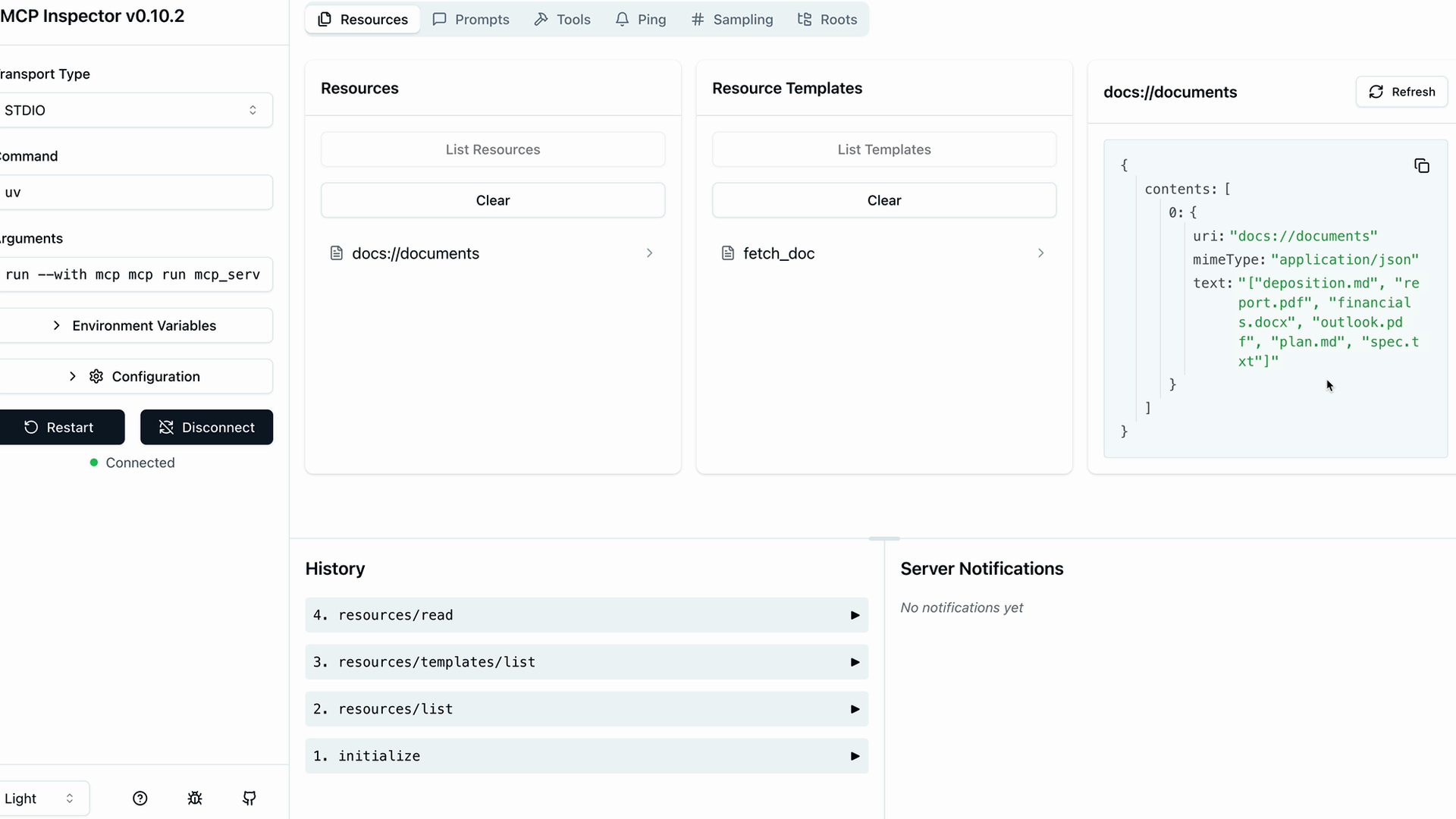
Click on any resource to test it. For templated resources, you'll need to provide values for the parameters. The inspector shows you the exact response structure your client will receive, including the mime type and serialized data.
Practical Use Cases
Resources are ideal for implementing features like document mentions in chat applications. For example, when a user types "@" to mention a document, you could:
- Use a direct resource to fetch a list of all available documents for autocomplete
- Use a templated resource to fetch the contents of a specific document when mentioned
This approach lets you preemptively inject document content into prompts without requiring the AI to use tools to fetch the information.
🔁 Related lessons
- Next: Accessing resources
- Previous: Implementing a client
- Same section: Making a request · Multi-turn conversations · Chat exercise
- Part of paths: Path C
- Reference docs: Glossary · Skills atlas · By use-case
📚 Source & attribution
- Original Anthropic Academy lesson: https://anthropic.skilljar.com/claude-with-google-vertex/289248
- © 2025 Anthropic. Educational fair-use only.