📖 Lesson content
Summary
Building an MCP server becomes much simpler when you use the official Python SDK. Instead of writing complex JSON schemas by hand, you can define tools with decorators and let the SDK handle the heavy lifting.
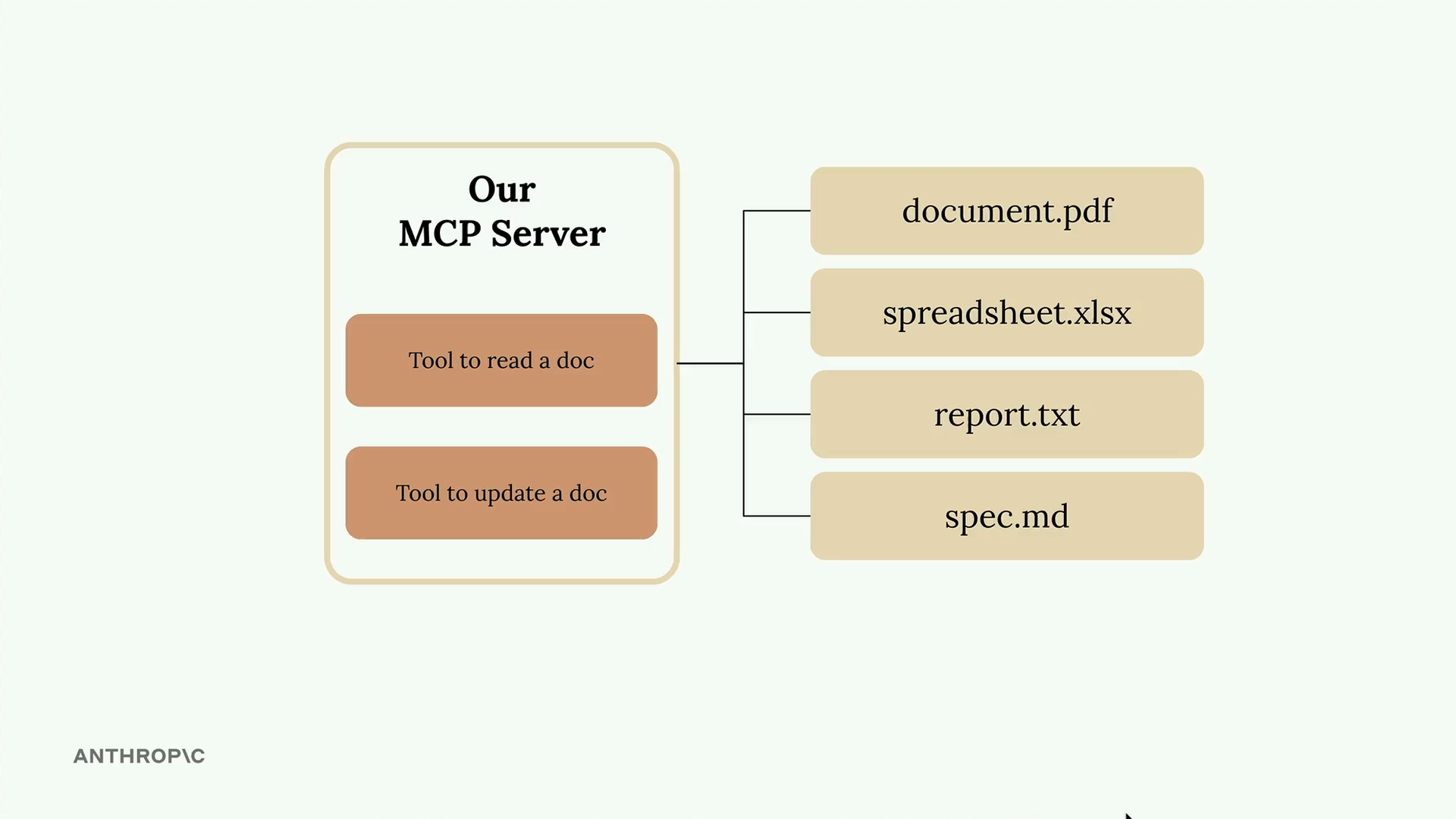
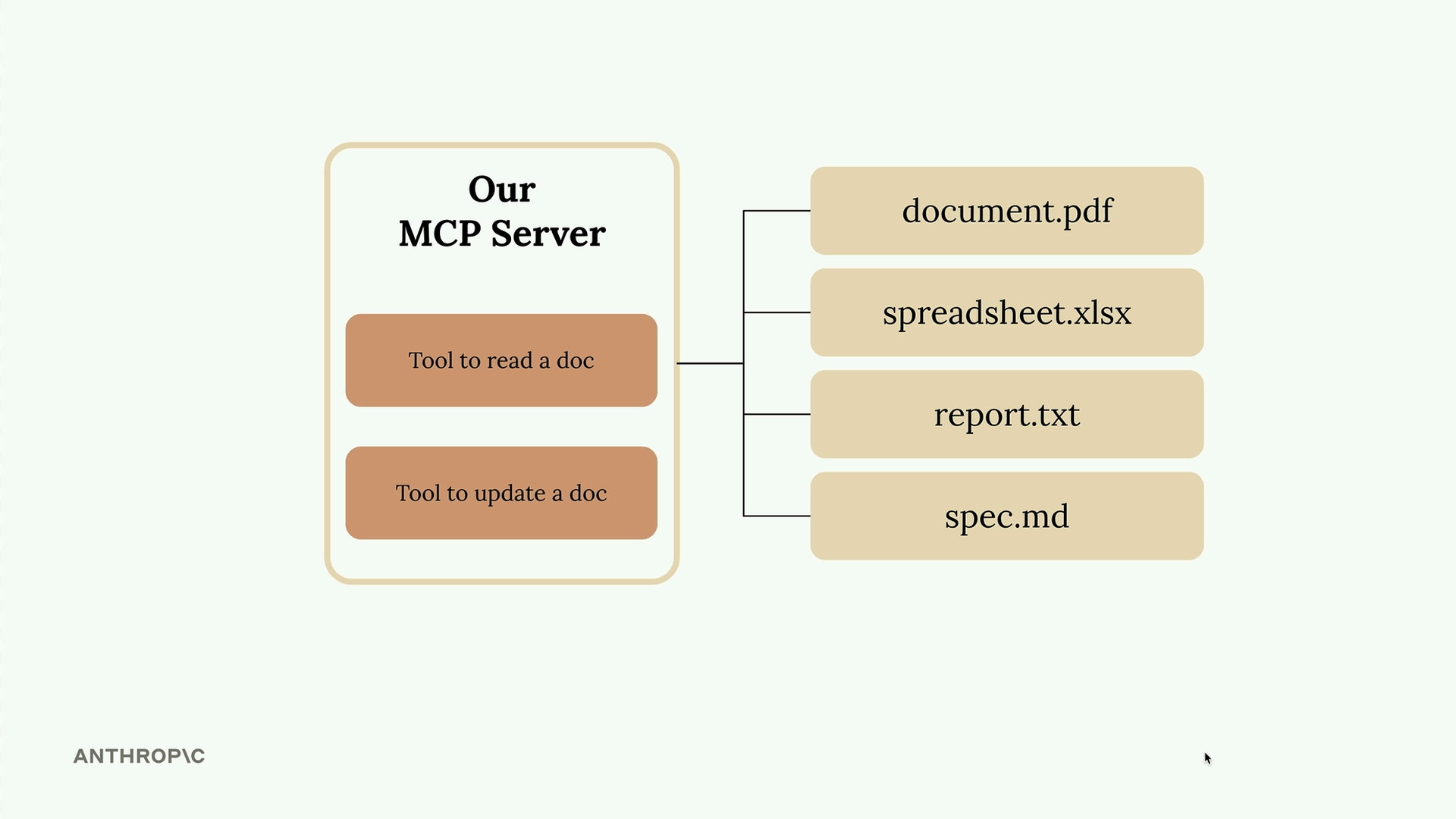
In this example, we're creating a document management server with two core tools: one to read documents and another to update them. All documents exist in memory as a simple dictionary where keys are document IDs and values are the content.
Setting Up the MCP Server
The Python MCP SDK makes server creation straightforward. You can initialize a server with just one line:
from mcp.server.fastmcp import FastMCP

mcp = FastMCP("DocumentMCP", log_level="ERROR")
This creates a fully functional MCP server that can handle tool definitions, client connections, and message routing.
Tool Definition with Decorators
The SDK's decorator approach eliminates the need for manual JSON schema writing. Here's how you define a simple tool:
@mcp.tool(
    name="add_ints",
    description="Add two integers together",
)
def tool_fn(
    a=Field(description="First number to add"),
    b=Field(description="Second number to add"),
) -> int:
    return a + b
Behind the scenes, MCP generates the complete tool schema that Claude needs to understand when and how to use your tool.
Building the Document Reader Tool
The first tool reads document contents by ID. It takes a document identifier and returns the corresponding content from our in-memory dictionary:
@mcp.tool(
    name="read_doc_contents",
    description="Read the contents of a document and return it as a string."
)
def read_document(
    doc_id: str = Field(description="Id of the document to read")
):
    if doc_id not in docs:
        raise ValueError(f"Doc with id {doc_id} not found")

    return docs[doc_id]
The function includes basic error handling to catch requests for non-existent documents. When Claude calls this tool with a valid document ID, it receives the full document content as a string.
Creating the Document Editor Tool
The second tool performs simple find-and-replace operations on documents. It requires three parameters: the document ID, the text to find, and the replacement text:
@mcp.tool(
    name="edit_document",
    description="Edit a document by replacing a string in the documents content with a new string."
)
def edit_document(
    doc_id: str = Field(description="Id of the document that will be edited"),
    old_str: str = Field(description="The text to replace. Must match exactly, including white space."),
    new_str: str = Field(description="The new text to insert in place of the old text.")
):
    if doc_id not in docs:
        raise ValueError(f"Doc with id {doc_id} not found")

    docs[doc_id] = docs[doc_id].replace(old_str, new_str)
This implementation uses Python's built-in string replace method, which requires exact matches including whitespace. The tool modifies the document in place within our dictionary.
Key Benefits of the SDK Approach
- No manual JSON schema writing required
- Type hints provide automatic parameter validation
- Field descriptions help Claude understand tool usage
- Error handling integrates naturally with Python exceptions
- Tool registration happens automatically through decorators
The MCP Python SDK transforms tool creation from a complex schema-writing exercise into straightforward Python function definitions. Your tools become more maintainable and easier to test, while Claude gets all the metadata it needs to use them effectively.
🔁 Related lessons
- Next: The server inspector
- Previous: Project setup
- Same section: Making a request · Multi-turn conversations · Chat exercise
- Part of paths: Path C
- Reference docs: Glossary · Skills atlas · By use-case
📚 Source & attribution
- Original Anthropic Academy lesson: https://anthropic.skilljar.com/claude-with-google-vertex/289235
- © 2025 Anthropic. Educational fair-use only.