📖 Lesson content
Summary
Now that we've covered the basics of RAG, text chunking, and embeddings, let's walk through the complete RAG pipeline step by step. This detailed example will show you exactly how all the pieces fit together in a real implementation.
Step 1: Chunk Your Source Text
First, we take our source document and break it into manageable chunks. For this example, we'll use two simple text sections:
- Section 1: Medical Research - "This year saw significant strides in our understanding of XDR-47, a 'bug' we have not seen before."
- Section 2: Software Engineering - "This division dedicated significant effort to studying various infection vectors in our distributed systems"
Step 2: Generate Embeddings
Next, we convert each text chunk into numerical embeddings. To make this easier to understand, let's imagine we have a perfect embedding model that always returns exactly two numbers, and we know what each number represents:
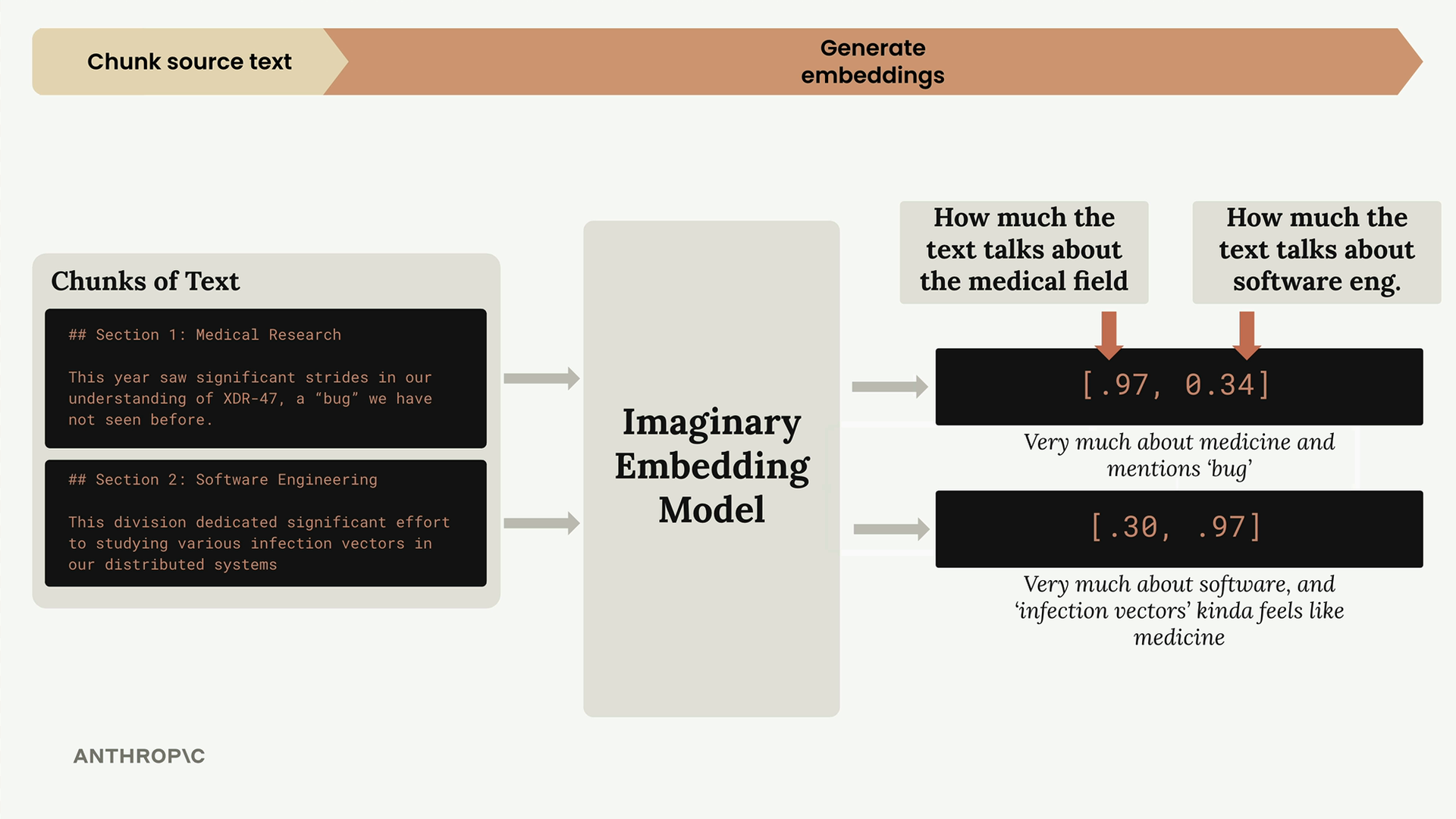
In our imaginary model:
- First number: How much the text talks about medicine
- Second number: How much the text talks about software engineering
So our medical research section gets [0.97, 0.34] - very medical, somewhat software-related due to the word "bug". The software engineering section gets [0.30, 0.97] - very software-focused, but "infection vectors" has medical connotations.
Normalization
Before storing these embeddings, they go through a normalization process that scales each vector to have a magnitude of 1.0. This is typically handled automatically by your embedding API, but it's important to understand it happens.
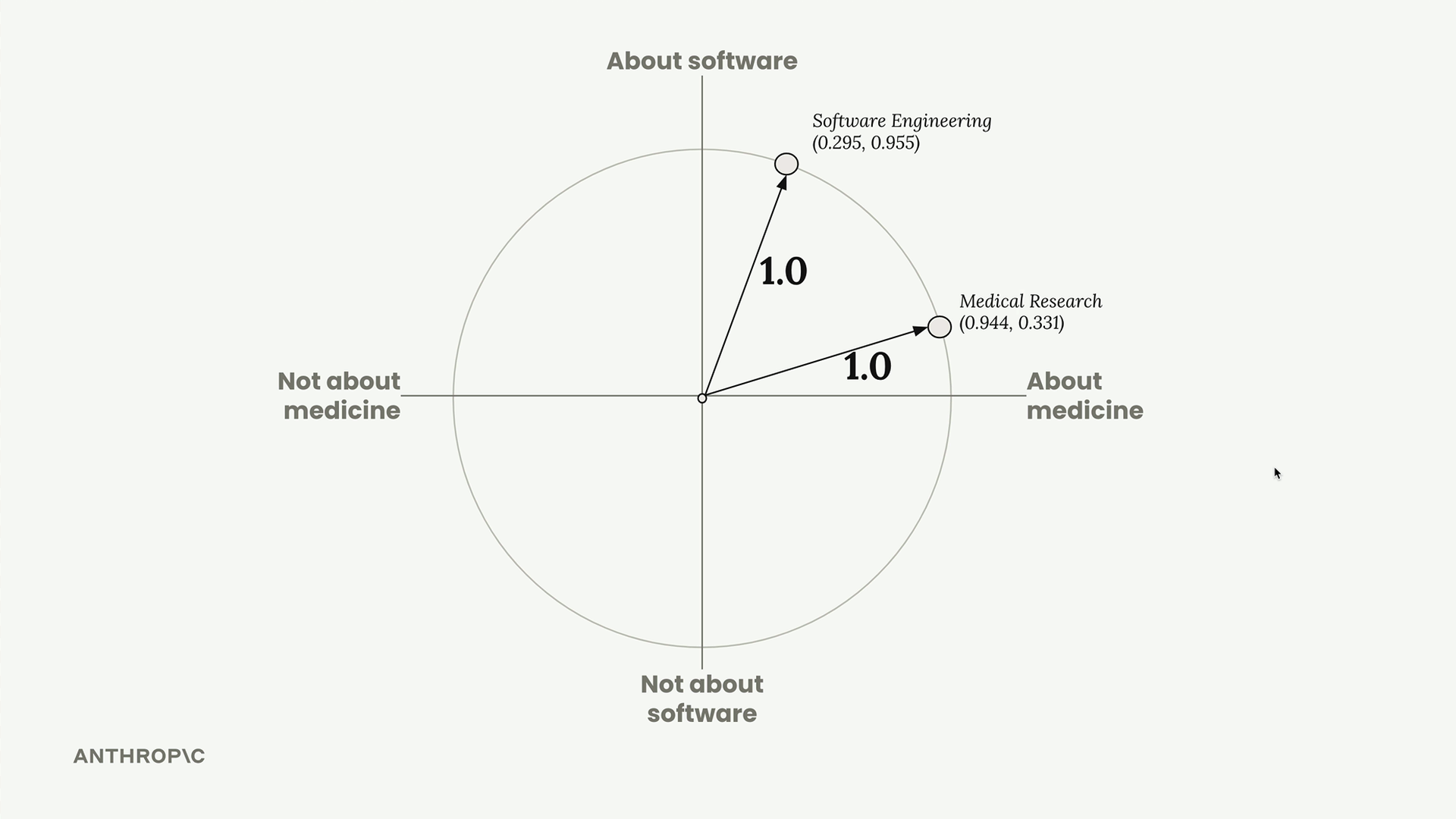
After normalization, our embeddings become [0.944, 0.331] and [0.295, 0.955]. We can visualize these on a unit circle where both points lie exactly on the circle's edge.
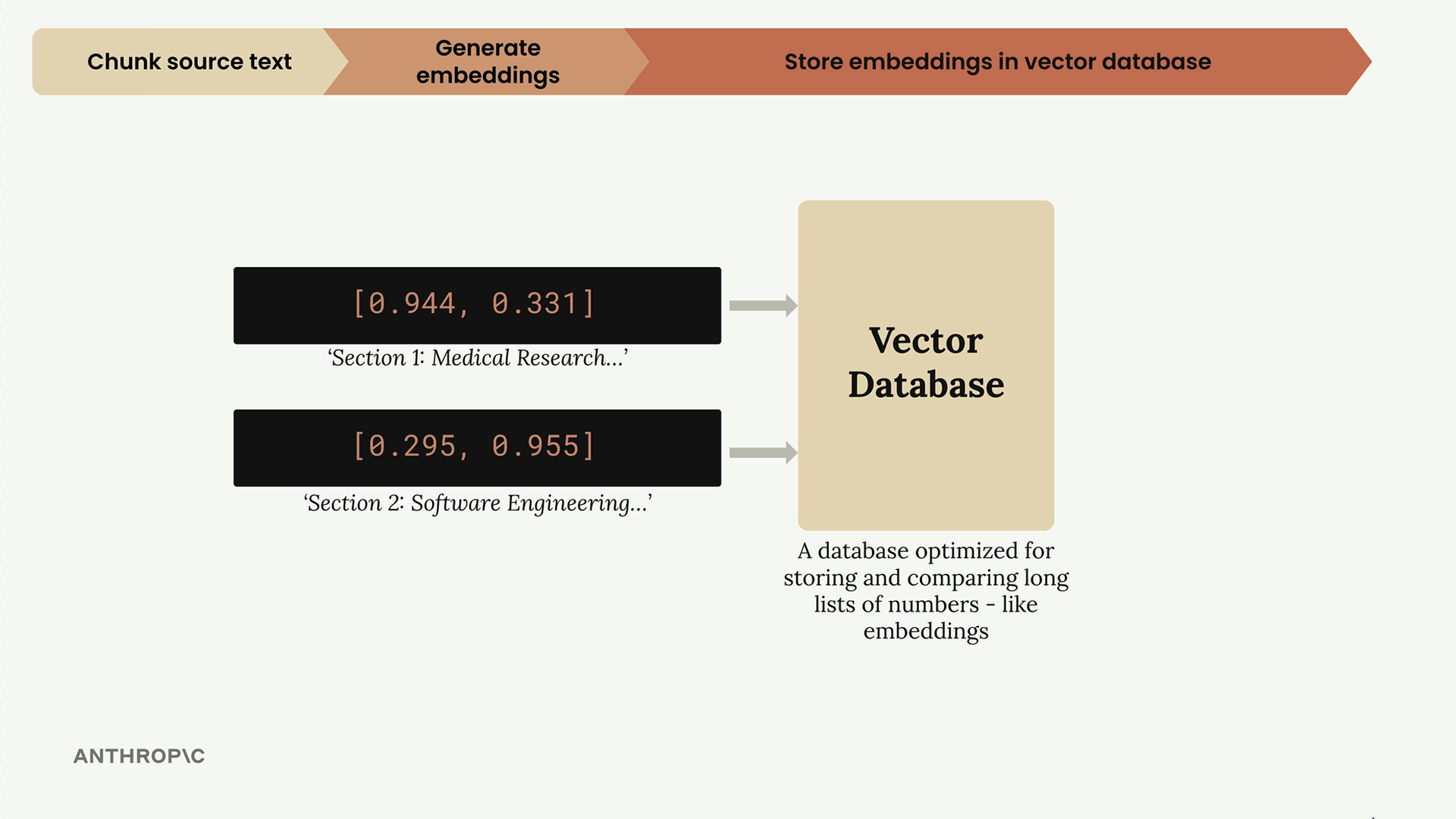
Step 3: Store in Vector Database
The normalized embeddings get stored in a vector database - a specialized database optimized for storing, comparing, and searching through long lists of numbers like our embeddings.
At this point, we pause. All the work so far has been preprocessing that happens ahead of time. Now we wait for a user to submit a query.
Step 4: Process User Query
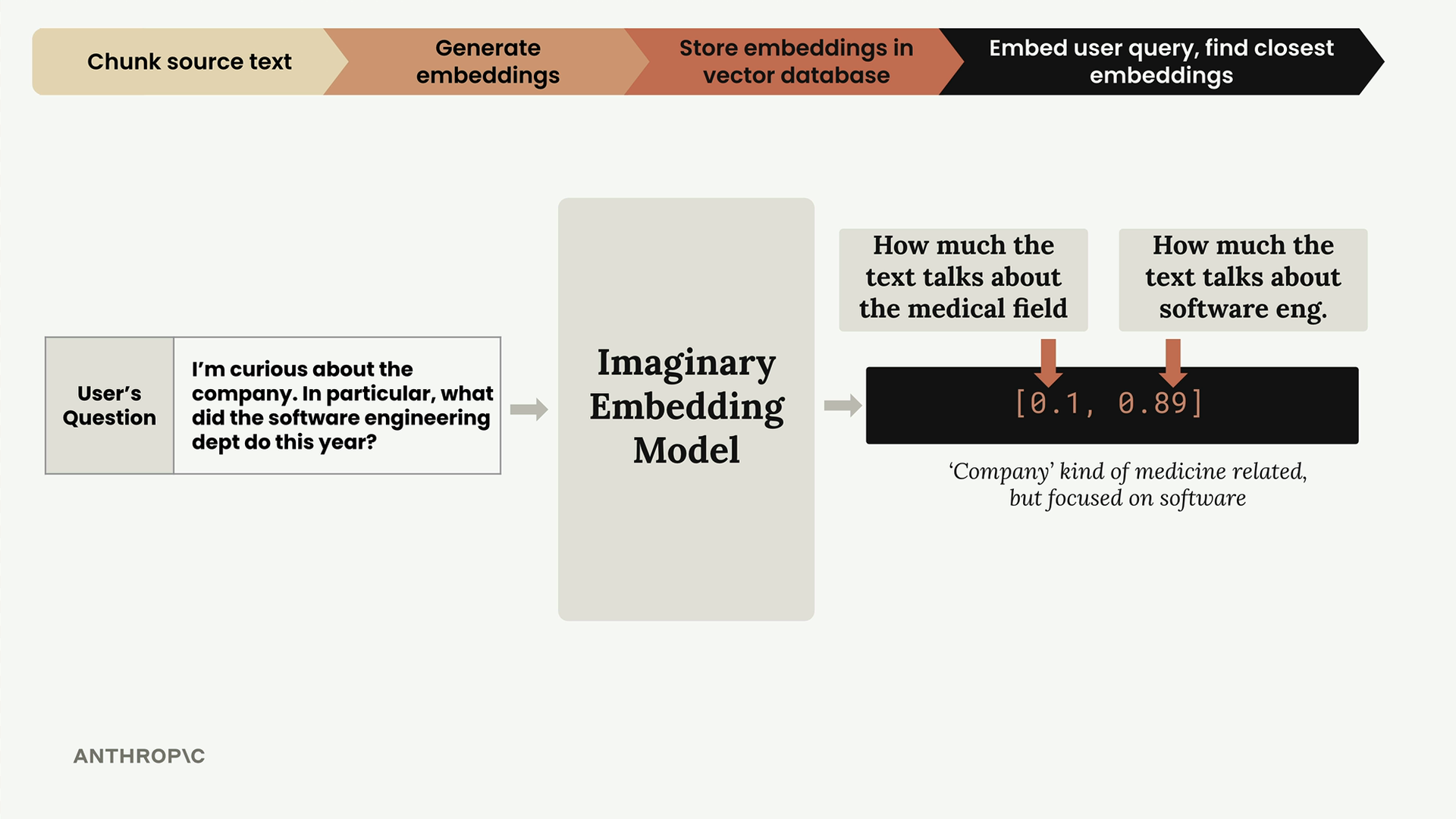
When a user asks a question like "I'm curious about the company. In particular, what did the software engineering dept do this year?", we run their query through the same embedding model.
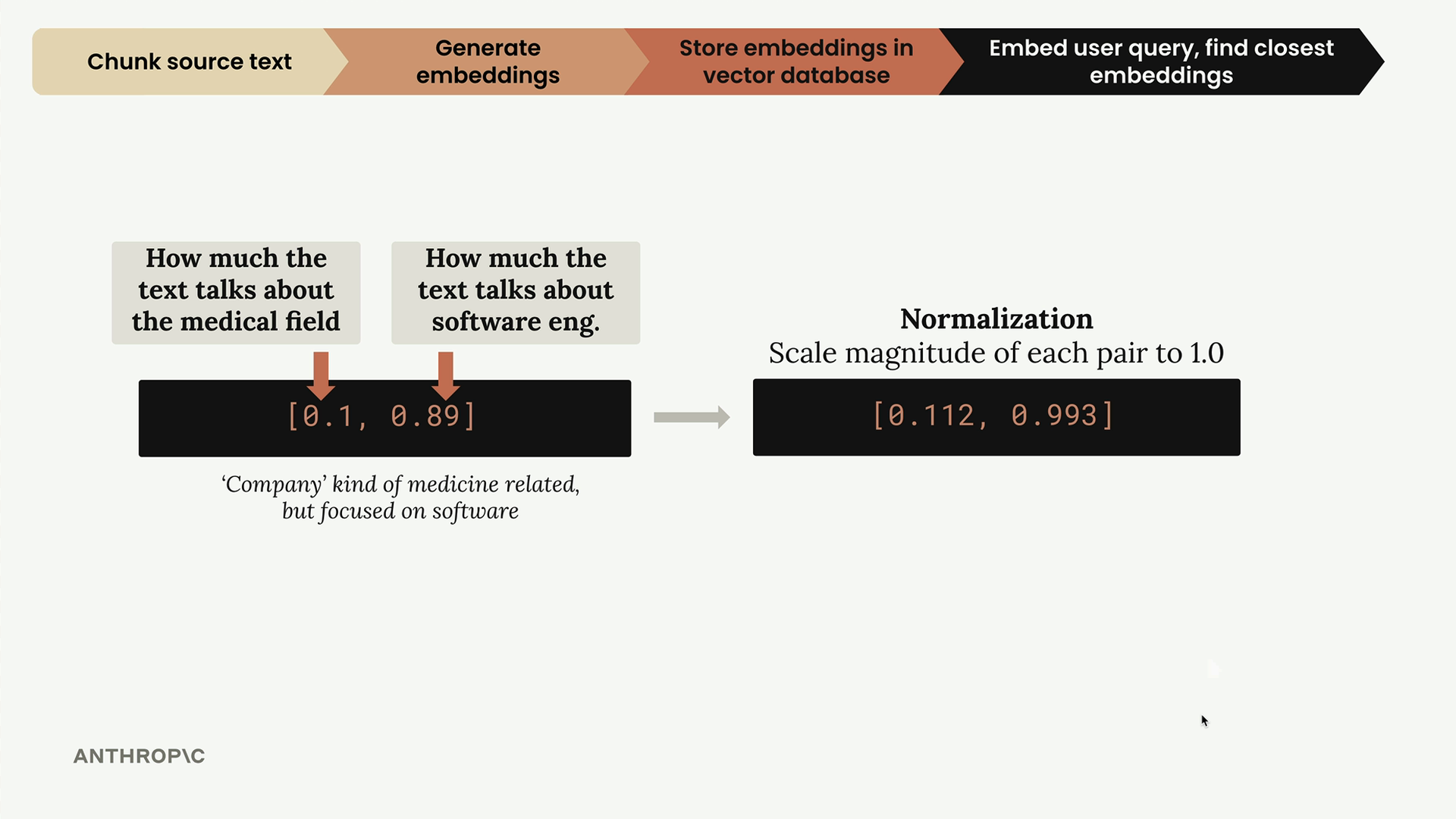
This query gets embedded as [0.1, 0.89] - low medical score, high software engineering score. After normalization, it becomes [0.112, 0.993].
Step 5: Find Similar Embeddings
Now we ask the vector database: "Find the stored embedding that's closest to this user query embedding." The database returns the software engineering section because it's the most similar.
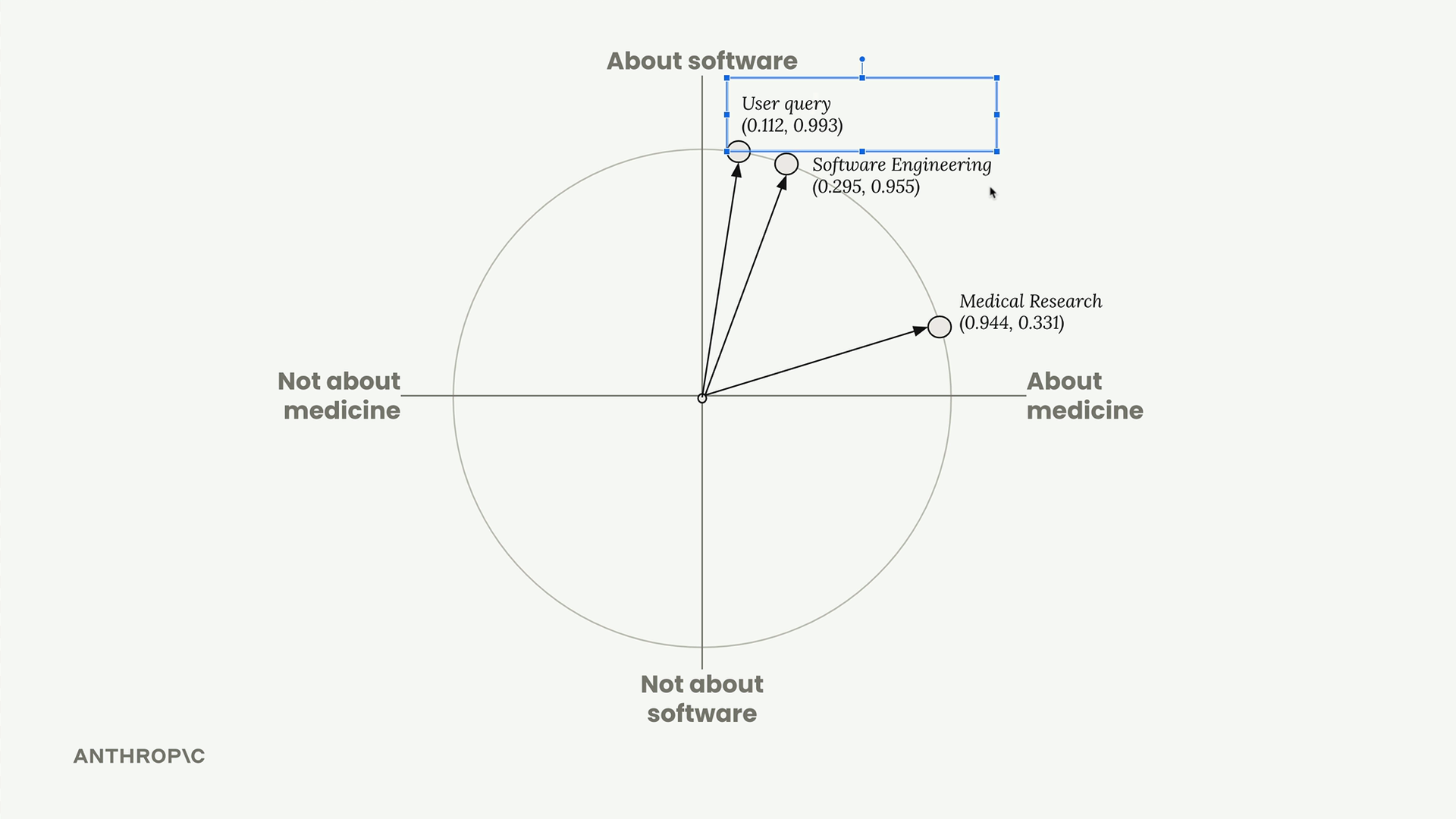
But how does the database determine "closest"? It uses cosine similarity.
Cosine Similarity
The vector database calculates the cosine of the angle between vectors to measure similarity. This gives us a number between -1 and 1:
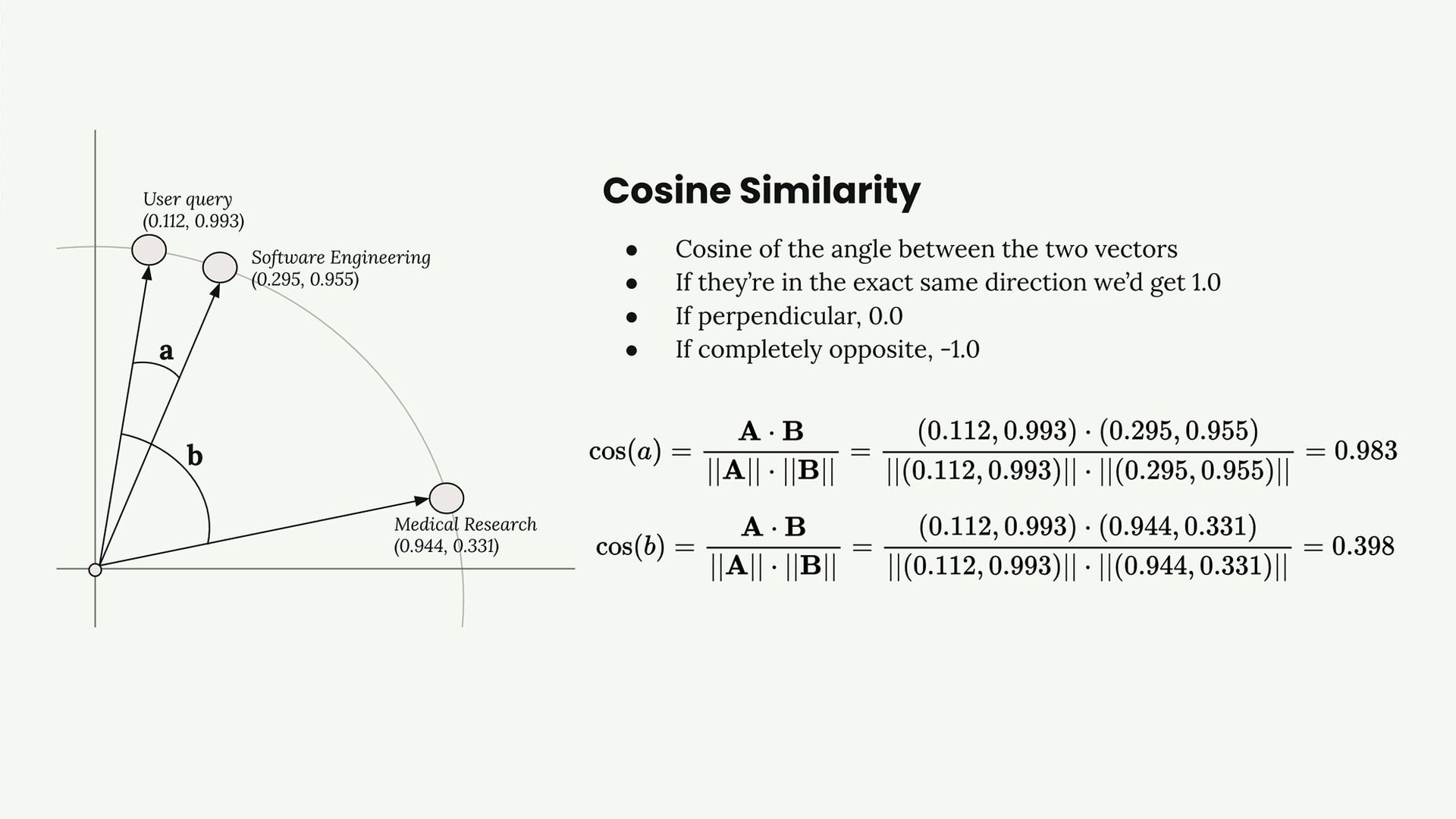
- 1.0 = vectors point in exactly the same direction (very similar)
- 0.0 = vectors are perpendicular (unrelated)
- -1.0 = vectors point in opposite directions (very different)
In our example:
- User query vs Software Engineering: cosine similarity = 0.983 (very similar!)
- User query vs Medical Research: cosine similarity = 0.398 (less similar)
Cosine Distance
You'll often see "cosine distance" in vector database documentation. This is simply 1 - cosine similarity, which flips the scale so that smaller numbers mean more similar:
- 0.0 = very similar
- 1.0 = perpendicular
- 2.0 = completely opposite
Step 6: Build the Final Prompt
Finally, we take the user's question and the most relevant text chunk (software engineering section) and combine them into a prompt for Claude:
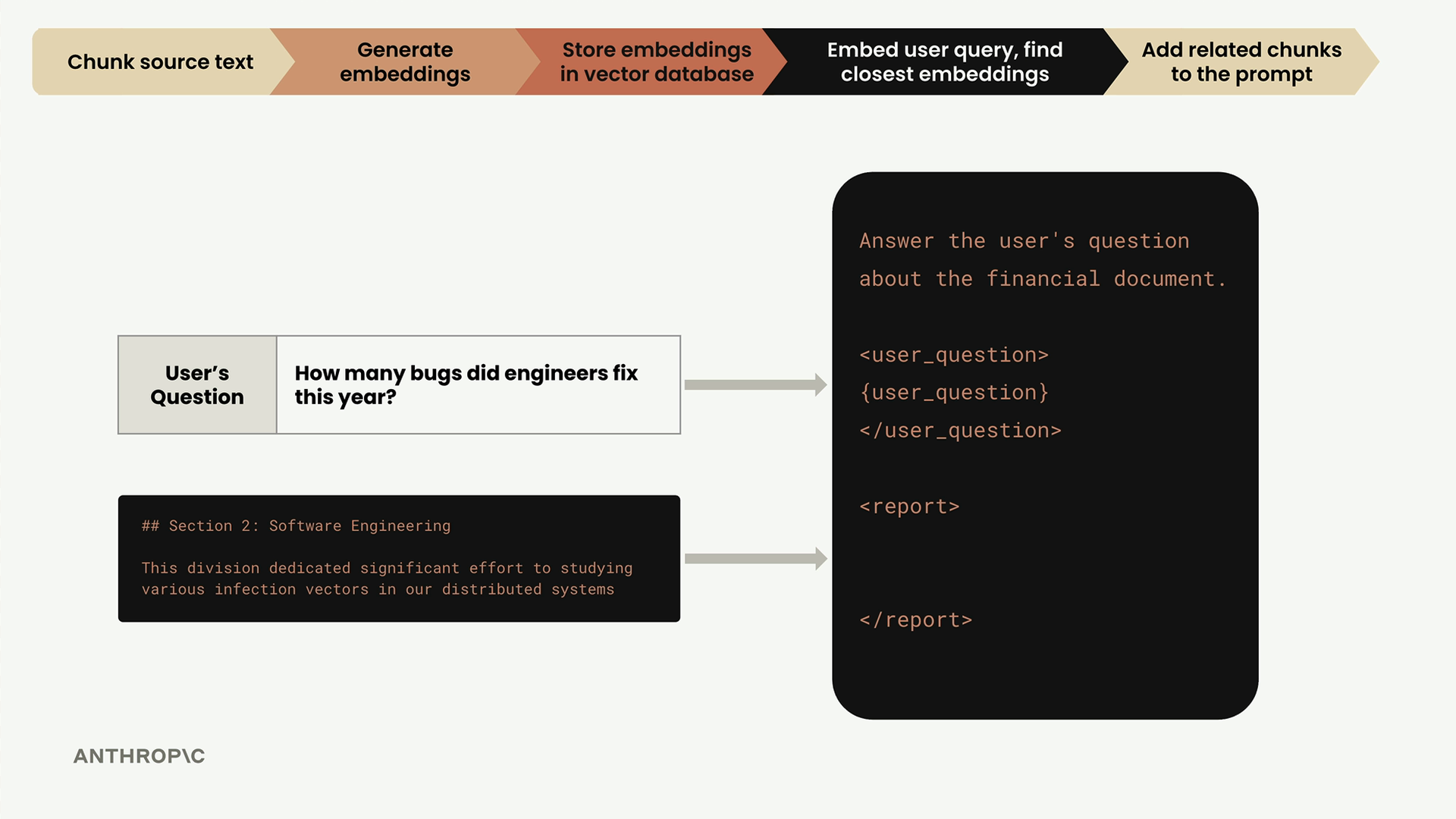
Answer the user's question about the financial document.

<user_question>
How many bugs did engineers fix this year?
</user_question>

<report>
## Section 2: Software Engineering
This division dedicated significant effort to studying various infection vectors in our distributed systems
</report>
And that's the complete RAG pipeline! The system successfully found the most relevant context for the user's software engineering question and provided it to Claude for generating an informed response.
This process happens automatically every time a user submits a query, allowing Claude to answer questions based on your specific documents rather than just its general training knowledge.
🔁 Related lessons
- Next: Implementing the RAG flow
- Previous: Text embeddings
- Same section: Making a request · Multi-turn conversations · Chat exercise
- Part of paths: Path C
- Reference docs: Glossary · Skills atlas · By use-case
📚 Source & attribution
- Original Anthropic Academy lesson: https://anthropic.skilljar.com/claude-with-google-vertex/289190
- © 2025 Anthropic. Educational fair-use only.