📖 Lesson content
Summary
Providing examples in your prompts is one of the most effective prompt engineering techniques you'll use. This approach, known as "one-shot" or "multi-shot" prompting, involves giving Claude sample input/output pairs to guide its responses.
How Examples Work
Let's look at a sentiment analysis example. Say you want Claude to categorize whether a tweet is positive or negative:
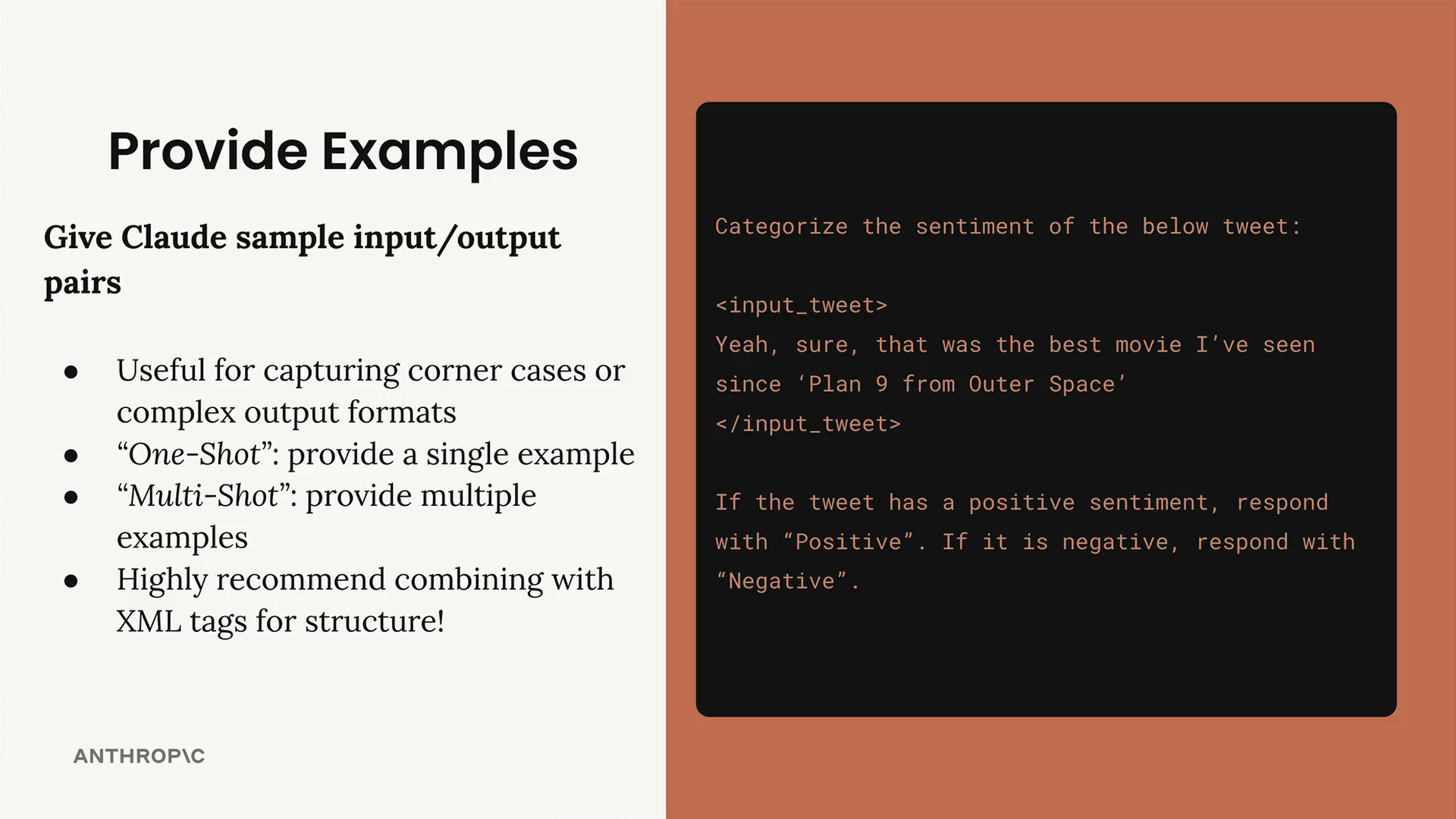
The challenge here is sarcasm. A tweet like "Yeah, sure, that was the best movie I've seen since 'Plan 9 from Outer Space'" appears positive on the surface, but it's actually sarcastic and negative (Plan 9 is famously terrible).
Adding Examples to Your Prompt
To handle this, you can add examples that show Claude how to respond correctly:
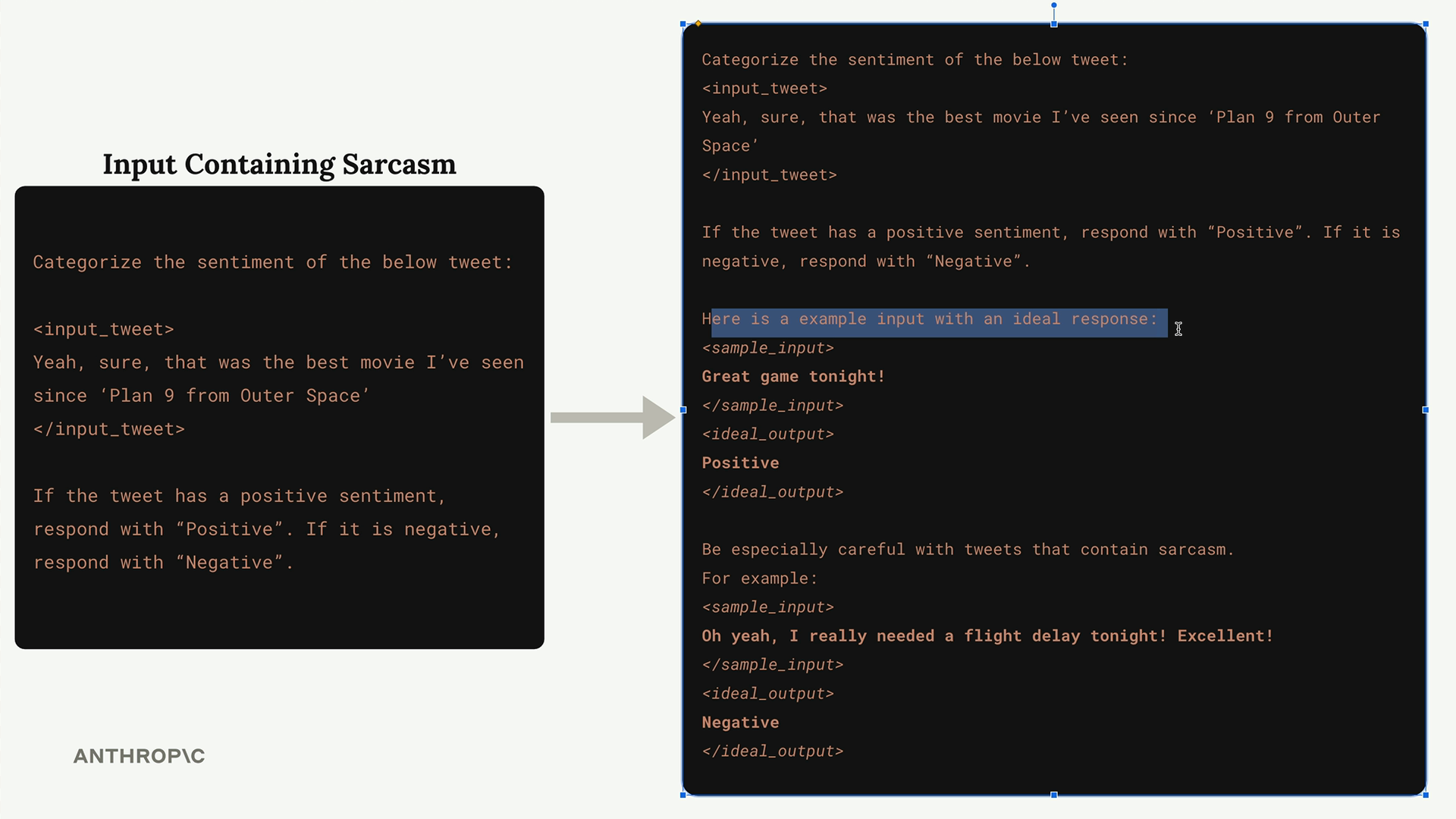
The key elements are:
- Clear introduction: "Here is a example input with an ideal response"
- XML tags for structure:
<sample_input>and<ideal_output> - Concrete examples that demonstrate the desired behavior
Handling Corner Cases
Multi-shot prompting shines when dealing with edge cases. For the sarcasm problem, you might add:
Be especially careful with tweets that contain sarcasm.
For example:
<sample_input>
Oh yeah, I really needed a flight delay tonight! Excellent!
</sample_input>
<ideal_output>
Negative
</ideal_output>
This gives Claude a clear pattern to recognize sarcastic content that might otherwise be misclassified.
Complex Output Formats
Examples are especially valuable when you need Claude to produce structured output like JSON objects or detailed reports. Instead of just describing the format, you show exactly what good output looks like.
Finding Good Examples from Evaluations
When running prompt evaluations, look for your highest-scoring outputs in the HTML report:
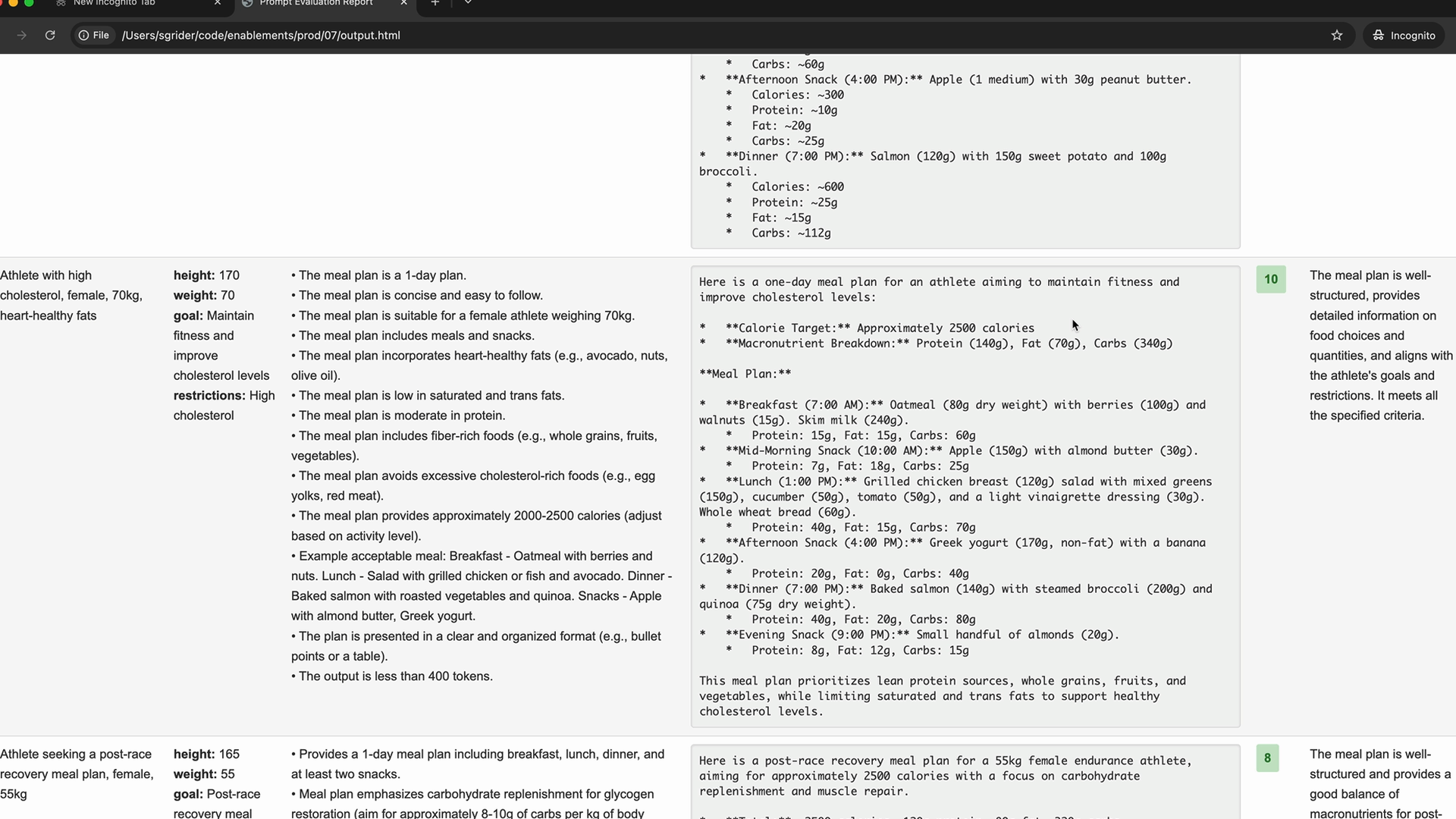
Find examples that scored 10 (or your highest available score) and use those input/output pairs as examples in your prompt. This helps Claude understand what "perfect" looks like for your specific task.
Adding Context to Examples
For even better results, explain why an example is ideal. After showing the sample output, add a brief explanation:
</ideal_output>
This meal plan is well-structured, provides detailed information on food choices and quantities, and aligns with the athlete's goals and restrictions.
This reinforces the specific qualities that make the output valuable.
Best Practices
- Use XML tags to clearly structure your examples
- Start simple with one-shot prompting, then add more examples as needed
- Focus on edge cases that Claude might struggle with
- Include reasoning about why examples are good when possible
- Test iteratively - add examples based on evaluation results
Examples are particularly powerful because they show rather than tell. Instead of trying to describe every nuance of what you want, you demonstrate it directly. This makes your prompts more reliable and helps Claude understand complex requirements that might be difficult to explain in words alone.
🔁 Related lessons
- Next: Exercise on prompting
- Previous: Structure with XML tags
- Same section: Making a request · Multi-turn conversations · Chat exercise
- Part of paths: Path C
- Reference docs: Glossary · Skills atlas · By use-case
📚 Source & attribution
- Original Anthropic Academy lesson: https://anthropic.skilljar.com/claude-with-google-vertex/289177
- © 2025 Anthropic. Educational fair-use only.