📖 Lesson content
Summary
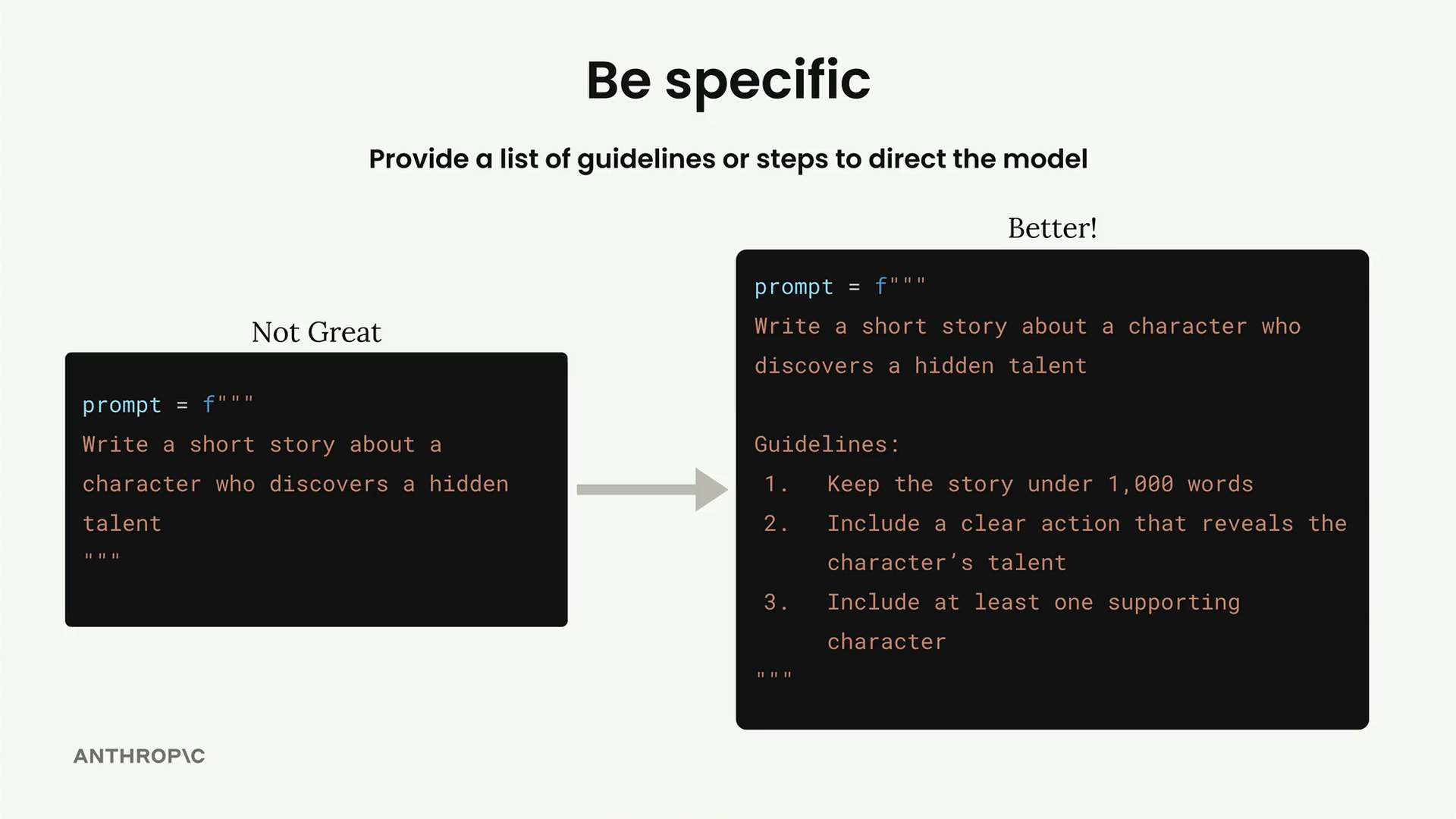
When working with Claude, one of the most effective ways to improve your results is to be specific about what you want. Instead of leaving everything up to the model's interpretation, you can provide clear guidelines or steps that direct Claude toward the kind of output you're looking for.
Think about it this way: if you ask Claude to "write a short story about a character who discovers a hidden talent," Claude could go in countless directions. The story might be 200 words or 2,000 words. It might have one character or five. It might focus on comedy or drama. Without guidance, you're rolling the dice on what you'll get.
Two Types of Guidelines
There are two main approaches to being specific in your prompts, and you'll often see them used together in professional applications.
Quality Guidelines
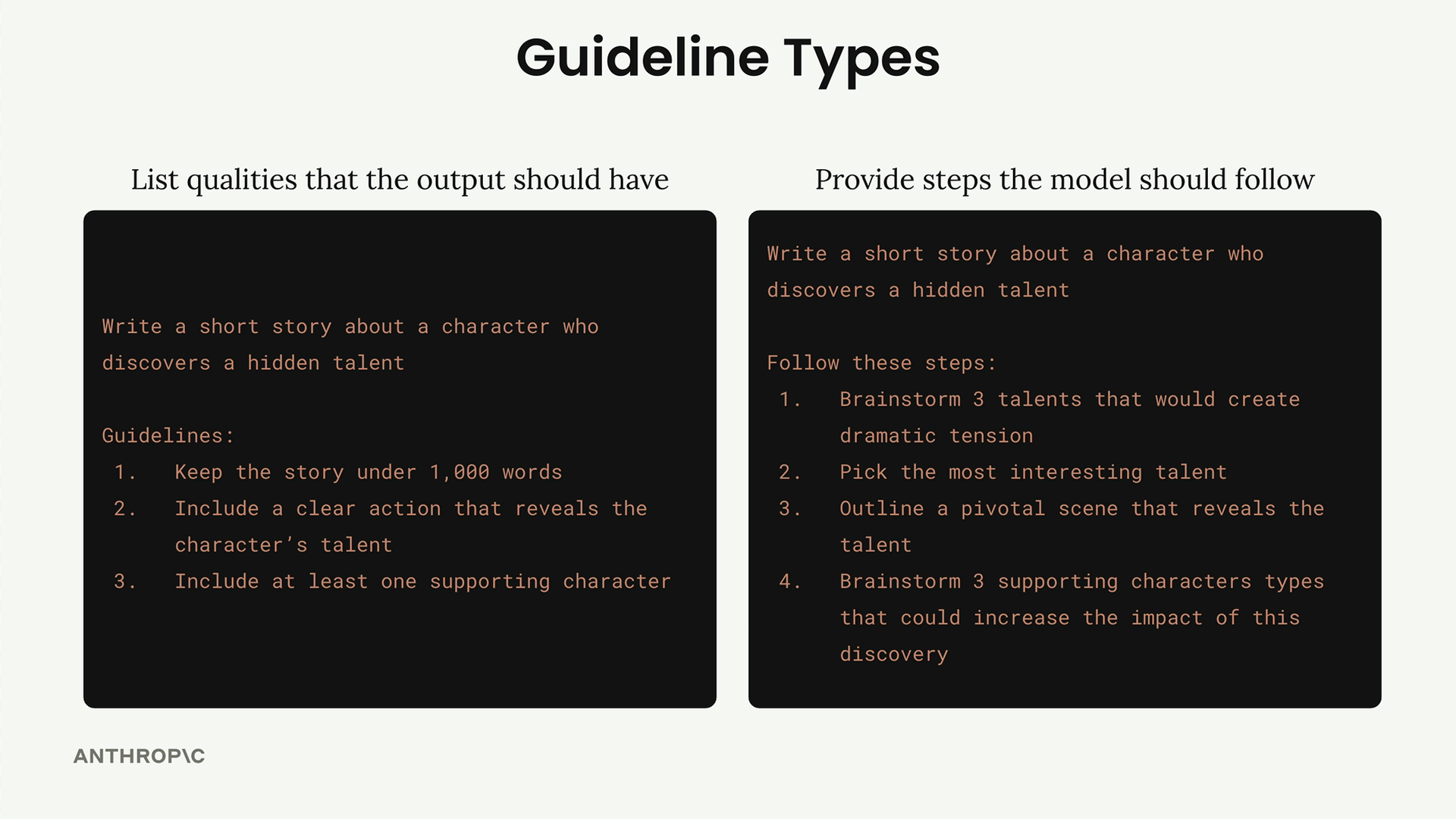
The first type focuses on listing qualities that your output should have. These guidelines control attributes like:
- Length constraints (keep under 1,000 words)
- Structural requirements (include a clear action that reveals the character's talent)
- Content specifications (include at least one supporting character)
Process Steps
The second type provides specific steps for the model to follow. This approach makes Claude think through different options and considerations before generating the final response. For example:
- Brainstorm 3 talents that would create dramatic tension
- Pick the most interesting talent
- Outline a pivotal scene that reveals the talent
- Brainstorm 3 supporting character types that could increase the impact of this discovery
Real-World Results
The impact of being specific can be dramatic. In testing a meal planning prompt, adding guidelines improved the evaluation score from 3.92 to 7.86 - more than doubling the quality of the output. Here's what that looked like in practice:
Generate a one-day meal plan for an athlete that meets their dietary restrictions.

- Height: {prompt_inputs["height"]}
- Weight: {prompt_inputs["weight"]}
- Goal: {prompt_inputs["goal"]}
- Dietary restrictions: {prompt_inputs["restrictions"]}

Guidelines:
1. Include accurate daily calorie amount
2. Show protein, fat, and carb amounts
3. Specify when to eat each meal
4. Use only foods that fit restrictions
5. List all portion sizes in grams
6. Keep budget-friendly if mentioned
When to Use Each Approach
Quality guidelines work well for almost any prompt you write. They're your baseline for ensuring consistent, useful output.
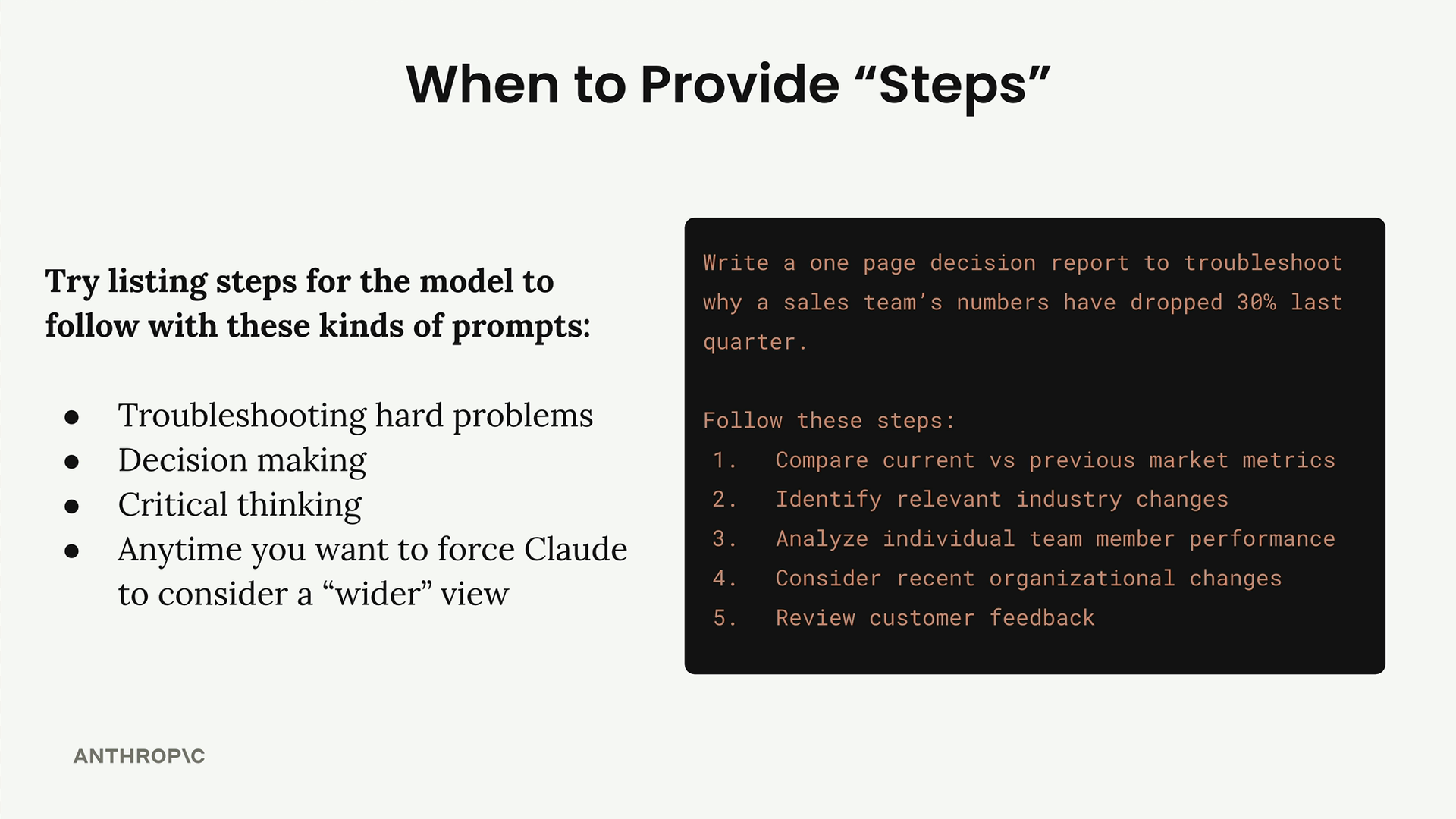
Process steps are particularly valuable when you're dealing with:
- Troubleshooting complex problems
- Decision making scenarios
- Critical thinking tasks
- Situations where you want Claude to consider multiple perspectives
For example, if you're asking Claude to analyze why a sales team's performance dropped 30% last quarter, you might want to force it to consider market conditions, individual performance, organizational changes, and customer feedback - areas it might not naturally explore without specific direction.
The key is recognizing that Claude, like any tool, works better when you give it clear instructions about both what you want and how to get there. Being specific isn't about micromanaging the AI - it's about setting up the conditions for success.
🔁 Related lessons
- Next: Structure with XML tags
- Previous: Being clear and direct
- Same section: Making a request · Multi-turn conversations · Chat exercise
- Part of paths: Path C
- Reference docs: Glossary · Skills atlas · By use-case
📚 Source & attribution
- Original Anthropic Academy lesson: https://anthropic.skilljar.com/claude-with-google-vertex/289165
- © 2025 Anthropic. Educational fair-use only.