📖 Lesson content
Summary
When you need Claude to generate structured data like JSON, Python code, or bulleted lists, you'll often run into a common problem: Claude wants to be helpful and add explanatory text around your content. While this is usually great, sometimes you need just the raw data with nothing else.
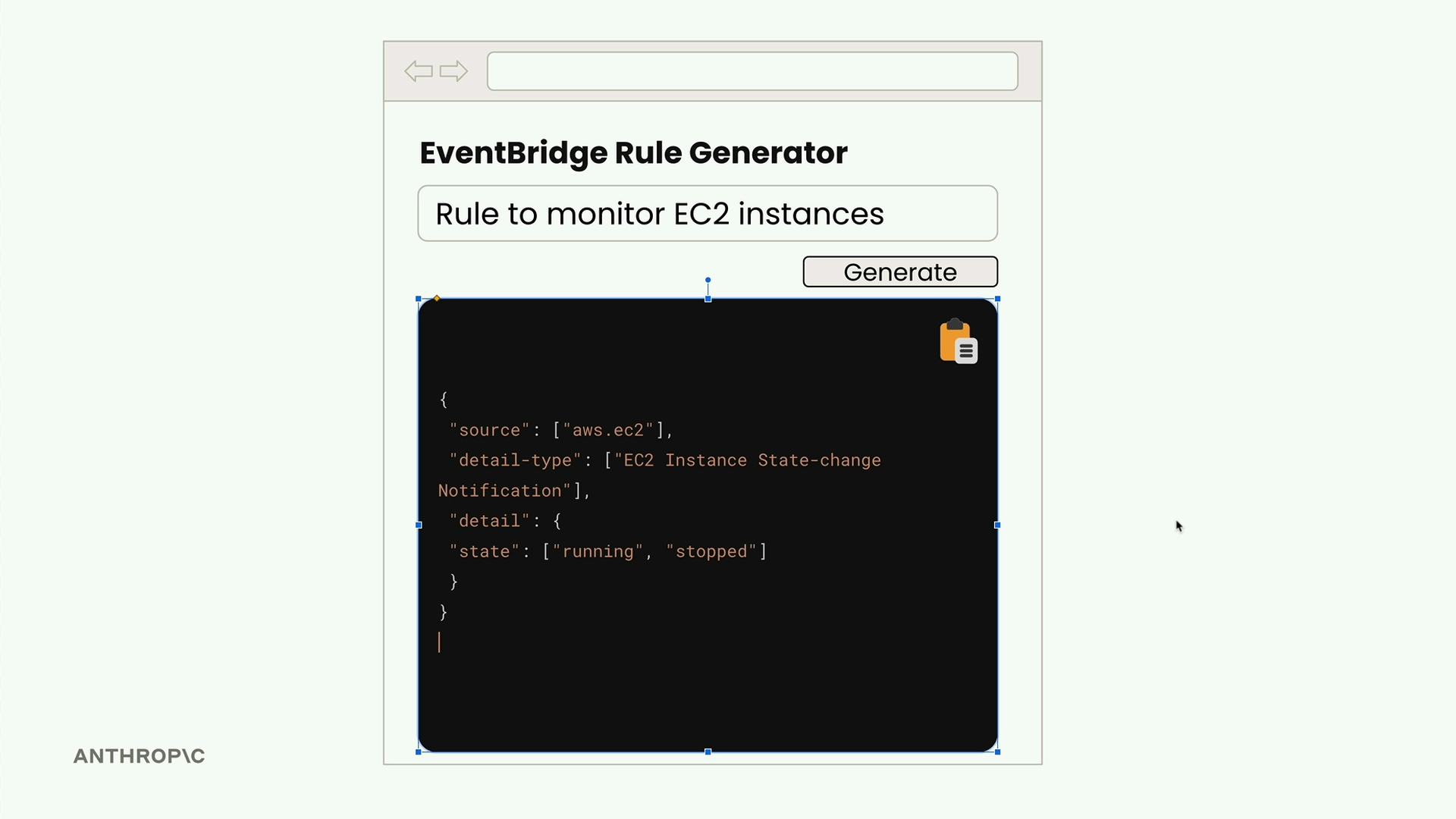
Consider building a web app that generates AWS EventBridge rules. Users enter a description, click generate, and expect to see clean JSON they can immediately copy and use. If Claude returns the JSON wrapped in markdown code blocks with explanatory headers and footers, users can't simply hit "copy all" - they'd have to manually select just the JSON portion.
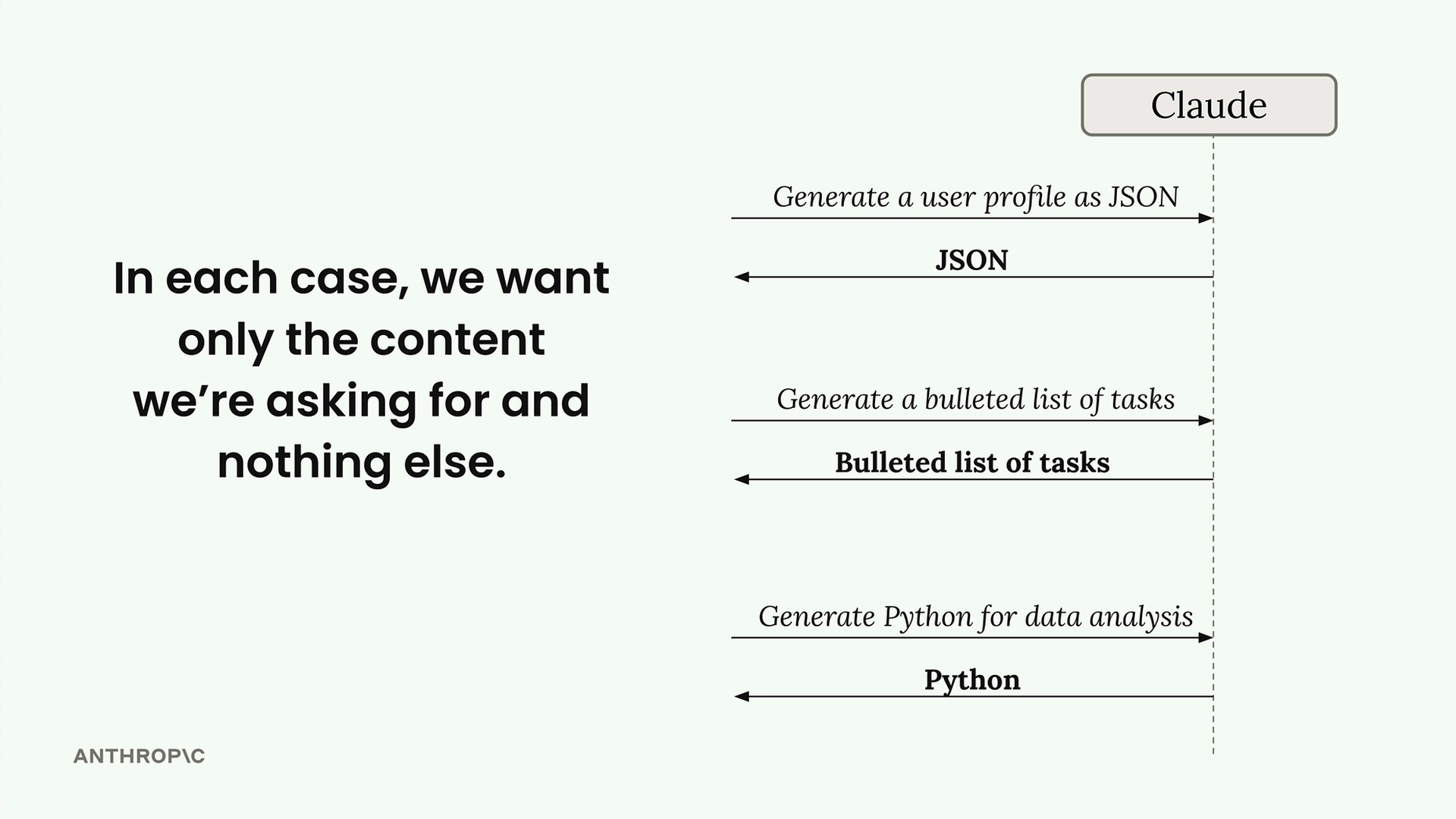
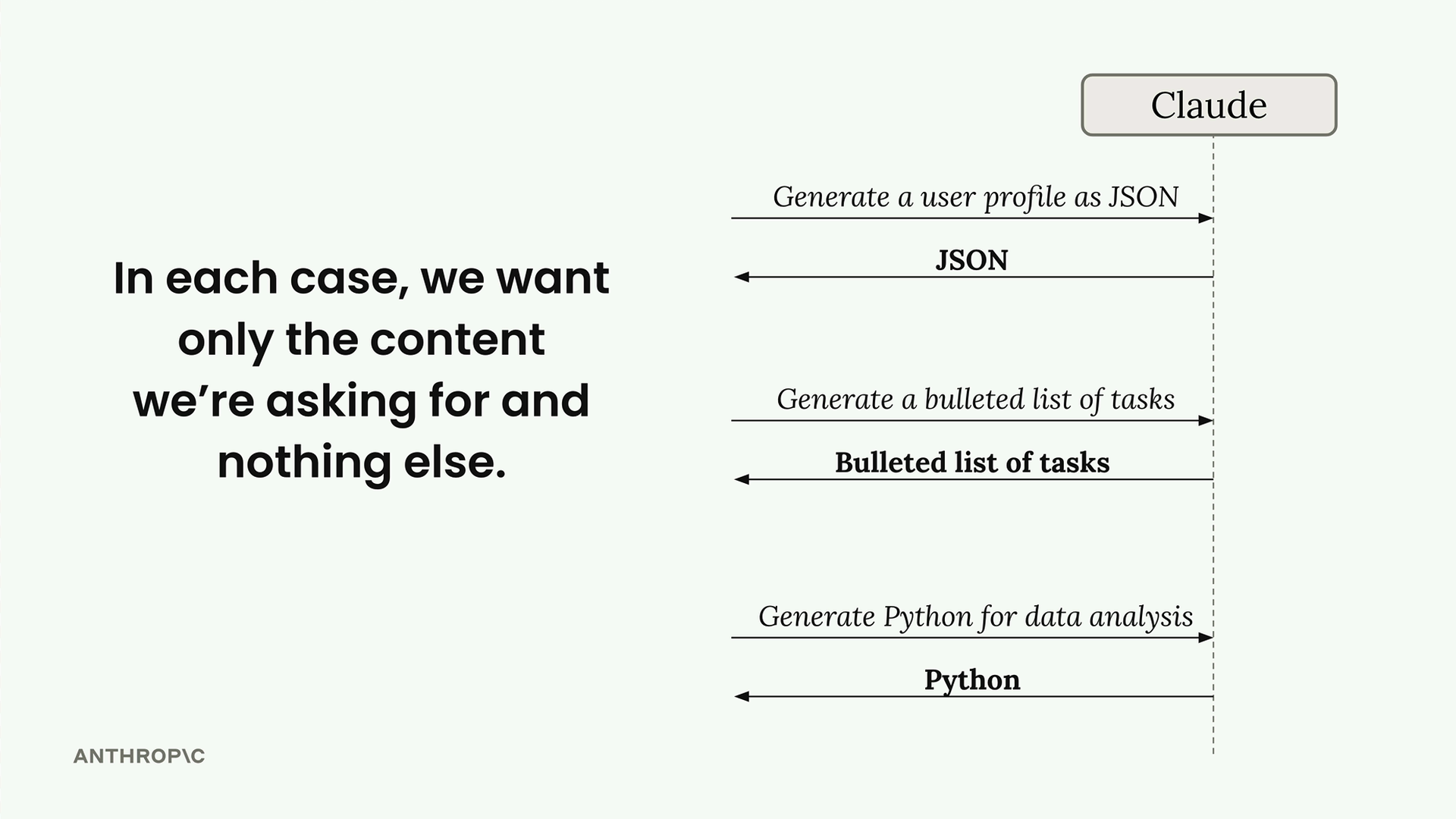
This pattern shows up whenever you're generating structured data. Claude naturally wants to explain its work, but in many cases, you want only the content you're asking for and nothing else.
Combining Stop Sequences with Assistant Message Prefilling
The solution combines two techniques we've covered: stop sequences and assistant message prefilling. Here's how it works in practice:
messages = []

add_user_message(messages, "Generate a very short event bridge rule as json")
add_assistant_message(messages, "```json")

text = chat(messages, stop_sequences=["```"])
When you run this code, you get back just the JSON content without any markdown formatting or additional commentary.
How It Works Behind the Scenes
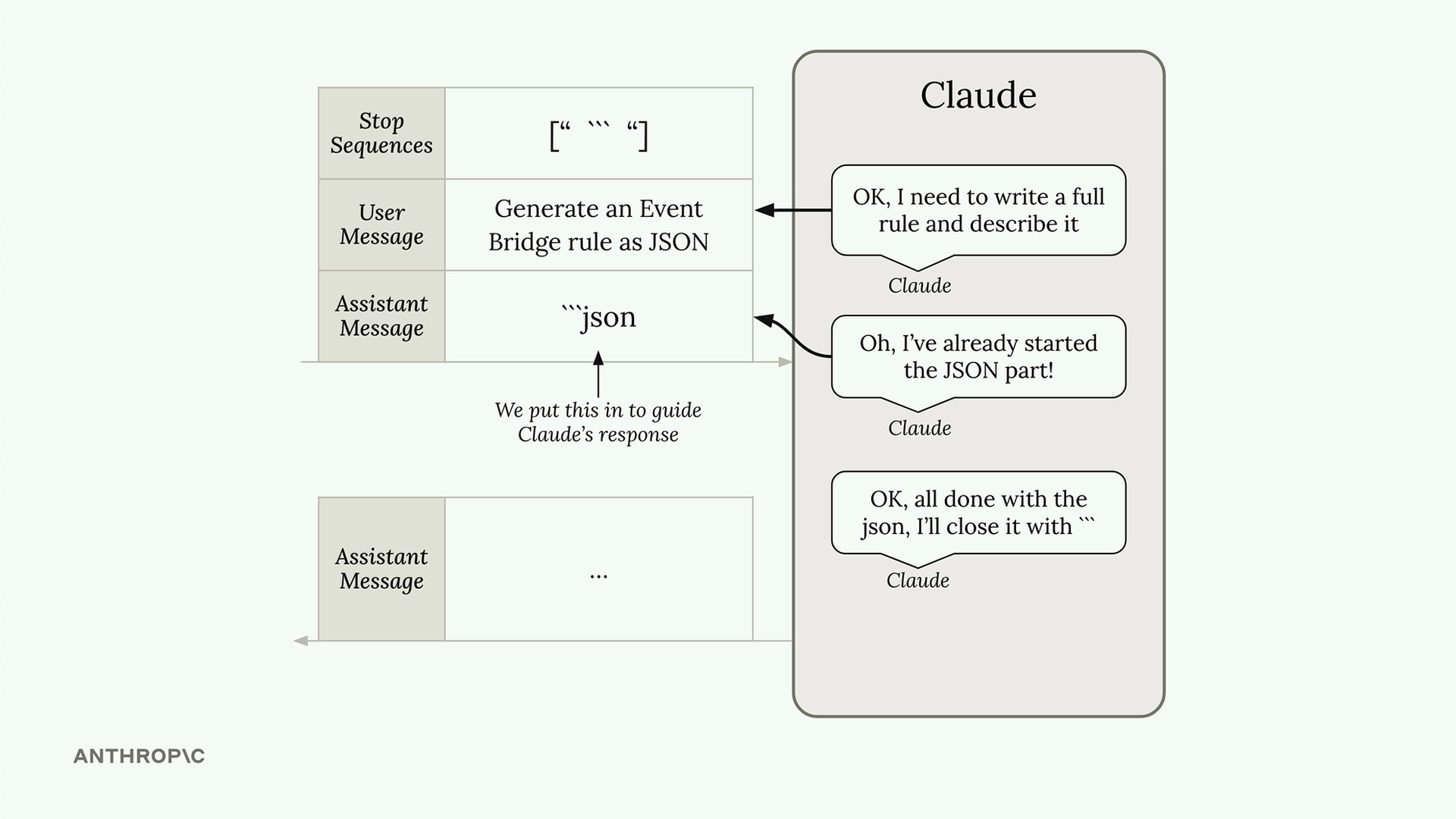
Here's what happens when Claude processes your request:
- Claude reads your user message and thinks "I need to write a full rule and probably describe it"
- It sees the prefilled assistant message and assumes it already started writing the JSON markdown block
- Claude thinks "Oh, I've already started the JSON part, so I just need to write the actual JSON content"
- It generates the JSON content
- When Claude tries to close the markdown block with
```, it hits the stop sequence and generation stops immediately
The result is that you get everything between the prefilled start and the stop sequence - exactly the content you wanted.
Cleaning Up the Output
The returned text might have some extra newlines, but you can easily clean this up:
import json

parsed_json = json.loads(text.strip())
This technique works for any structured data format, not just JSON. Whether you're generating Python code, bulleted lists, or any other specific content format, you can use assistant message prefilling to start the response and stop sequences to end it exactly where you want.
This approach gives you precise control over Claude's output format, ensuring your applications get clean, usable data without extra formatting or commentary that might interfere with downstream processing.
🔁 Related lessons
- Next: Structured data exercise
- Previous: Controlling model output
- Same section: Making a request · Multi-turn conversations · Chat exercise
- Part of paths: Path C
- Reference docs: Glossary · Skills atlas · By use-case
📚 Source & attribution
- Original Anthropic Academy lesson: https://anthropic.skilljar.com/claude-with-google-vertex/289158
- © 2025 Anthropic. Educational fair-use only.