📖 Lesson content
Summary
Temperature is a powerful parameter that controls how predictable or creative Claude's responses will be. Understanding how to use it effectively can dramatically improve your AI applications.
How Claude Generates Text
Before diving into temperature, it's helpful to understand Claude's text generation process. When you send Claude a prompt like "What do you think?", it goes through three main steps:
- Tokenization - Breaking your input into smaller chunks
- Prediction - Calculating probabilities for possible next words
- Sampling - Choosing a token based on those probabilities
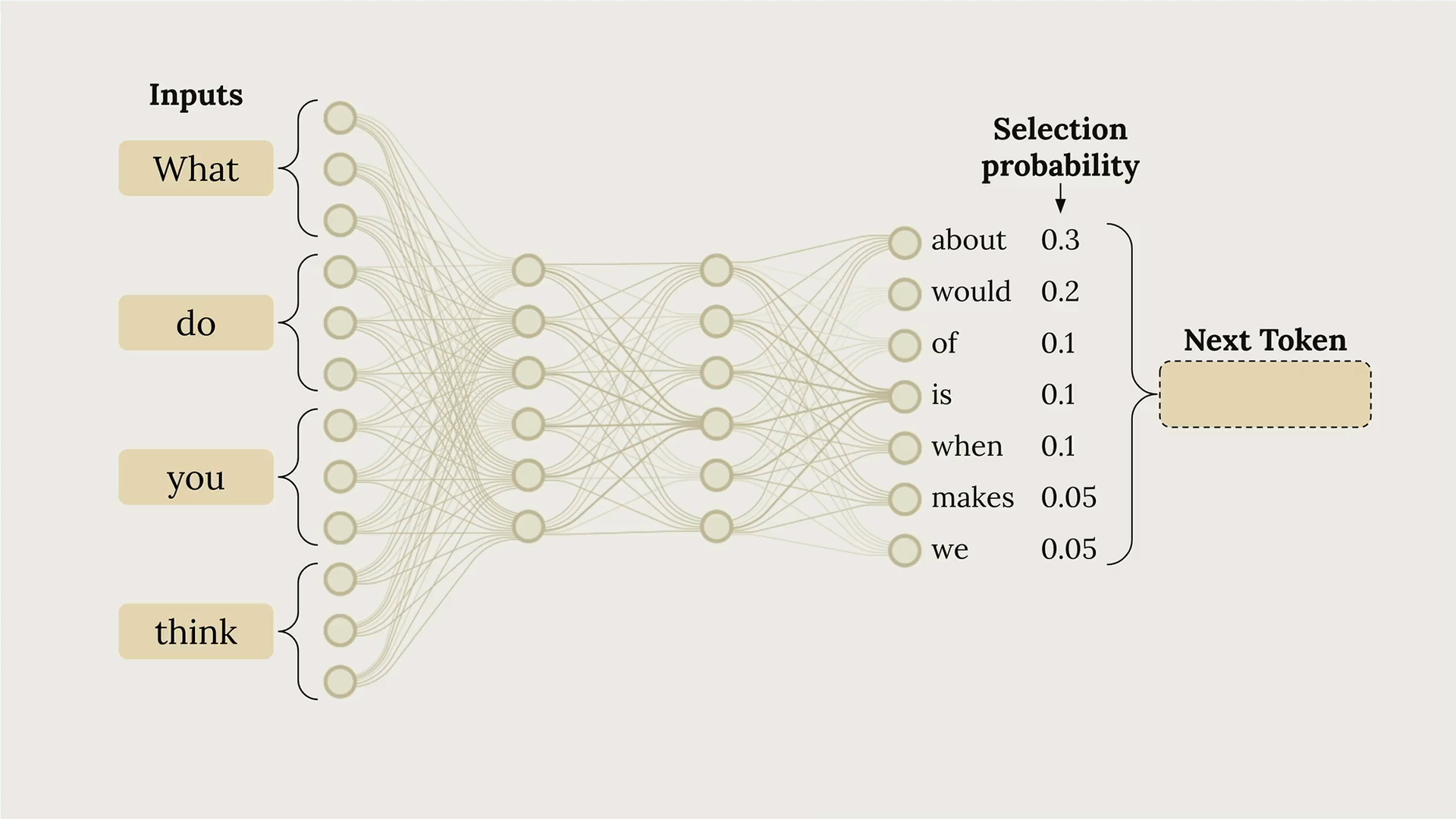
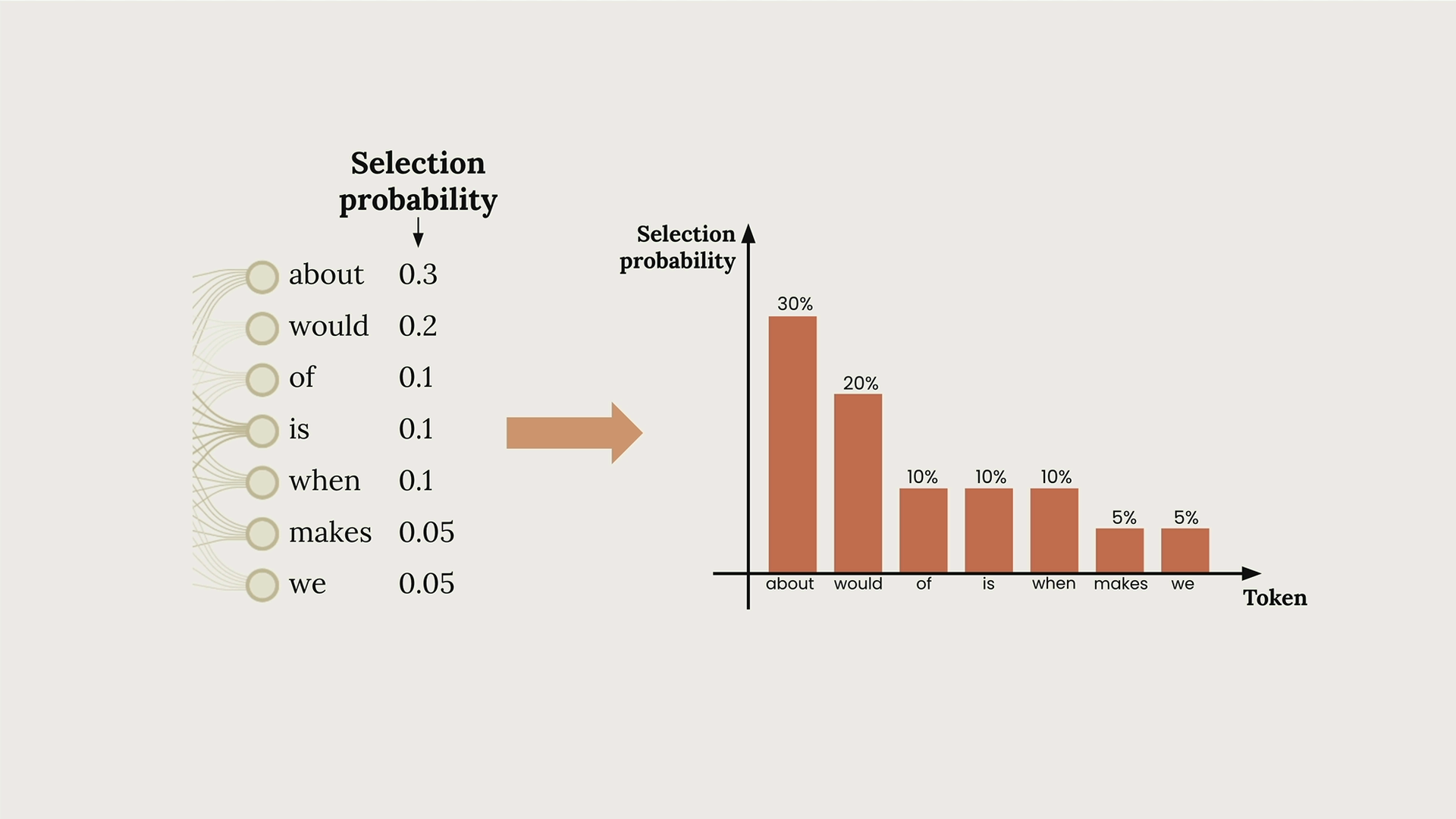
In this example, Claude might assign a 30% probability to "about", 20% to "would", 10% to "of", and so on. The model then selects one token and repeats this process to build complete responses.
What Temperature Does
Temperature is a decimal value between 0 and 1 that directly influences these selection probabilities. It's like adjusting the "creativity dial" on Claude's responses.
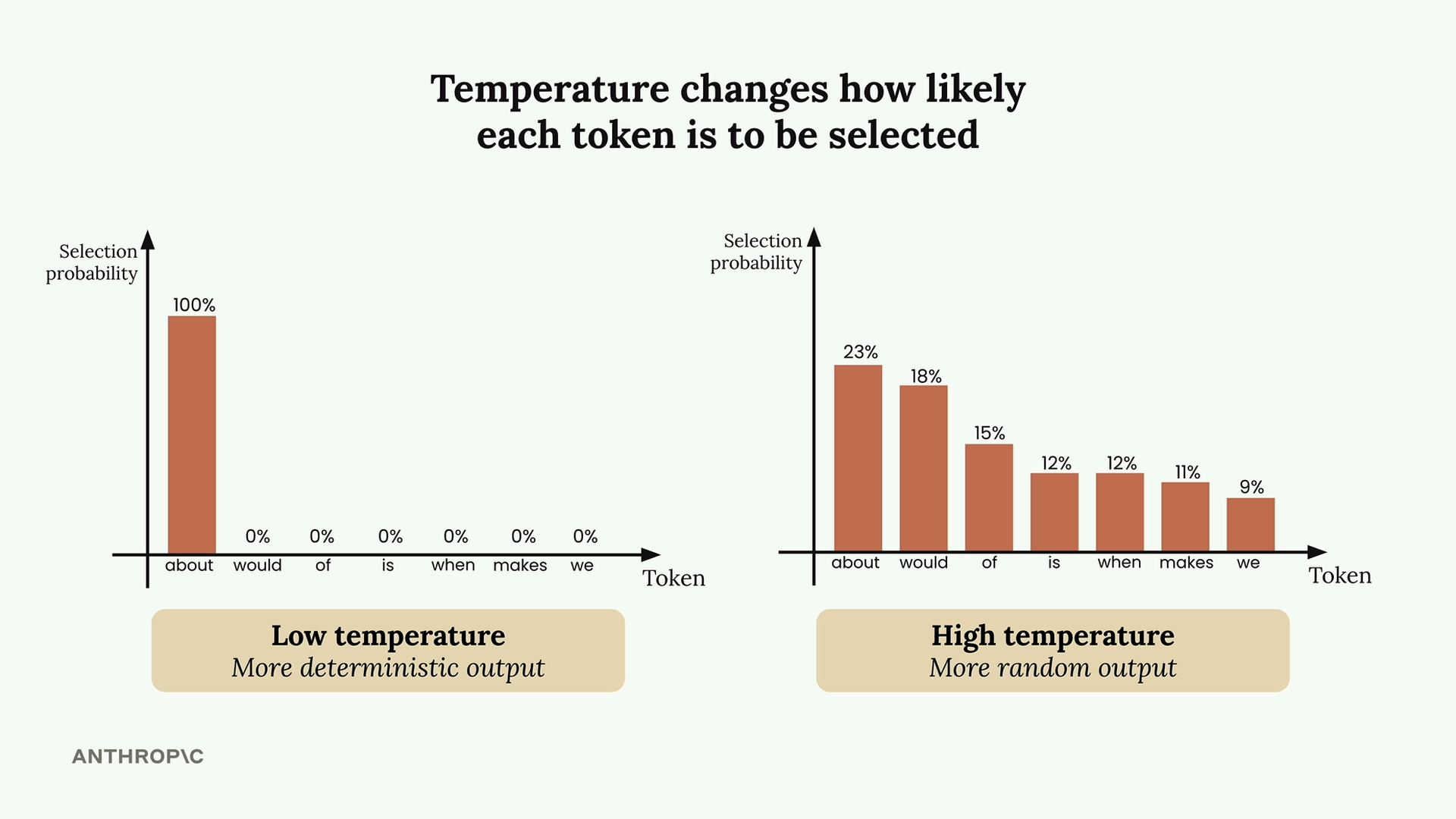
At low temperatures (near 0), Claude becomes very deterministic - it almost always picks the highest probability token. At high temperatures (near 1), Claude distributes probability more evenly across options, leading to more varied and creative outputs.
Temperature Ranges and Use Cases
Different tasks call for different temperature settings:
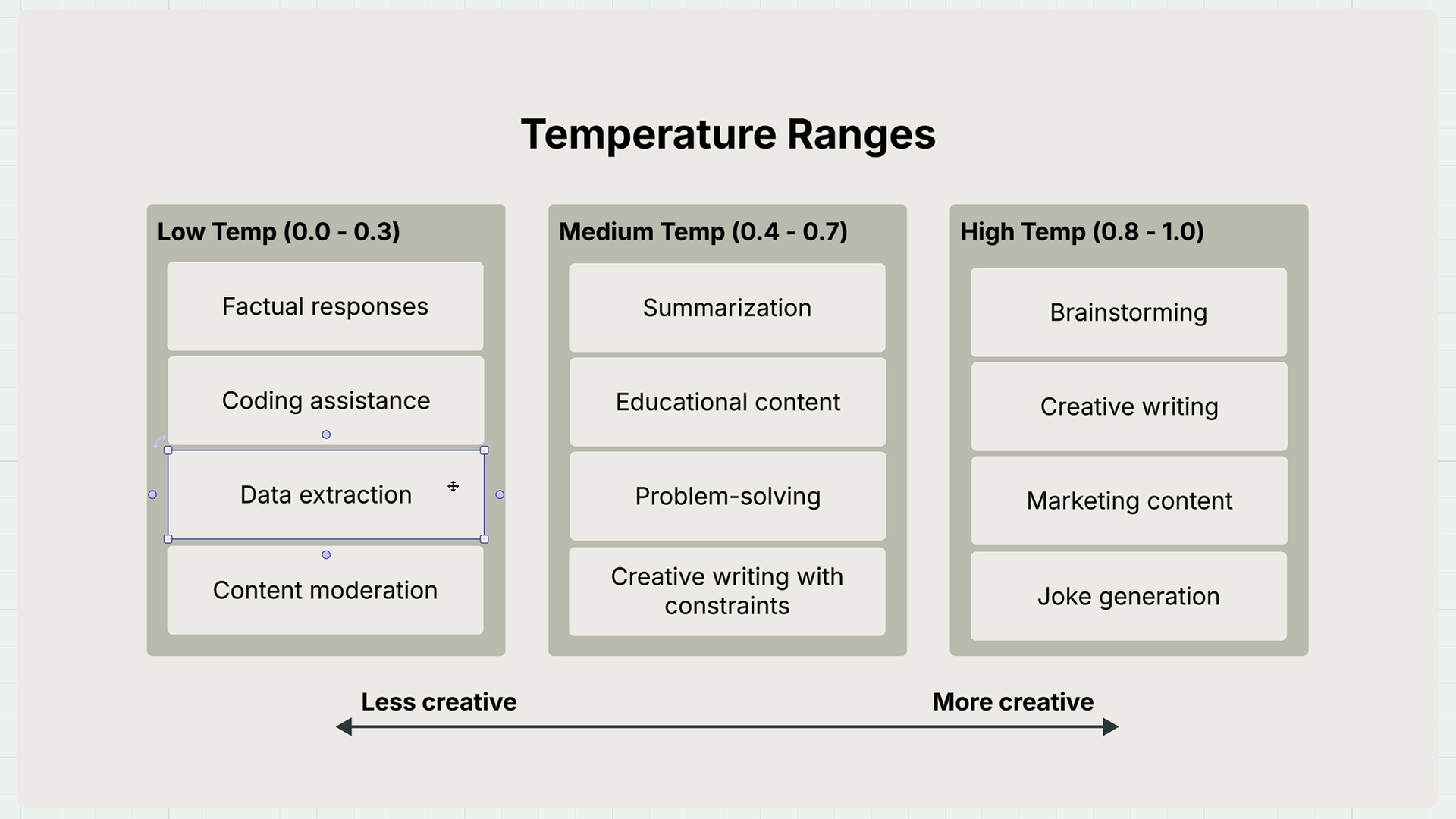
Low Temperature (0.0 - 0.3)
- Factual responses
- Coding assistance
- Data extraction
- Content moderation
Medium Temperature (0.4 - 0.7)
- Summarization
- Educational content
- Problem-solving
- Creative writing with constraints
High Temperature (0.8 - 1.0)
- Brainstorming
- Creative writing
- Marketing content
- Joke generation
Implementing Temperature in Code
Adding temperature support to your chat function is straightforward. Here's how to modify your existing function:
def chat(messages, system=None, temperature=1.0):
    params = {
        "model": model,
        "max_tokens": 1000,
        "messages": messages,
        "temperature": temperature
    }

    if system:
        params["system"] = system

    message = client.messages.create(**params)
    return message.content[0].text
The key changes are adding temperature=1.0 as a parameter and including "temperature": temperature in the params dictionary.
Testing Temperature Effects
To see temperature in action, try generating movie ideas with different settings:
answer = chat(messages, temperature=0.0)

answer = chat(messages, temperature=1.0)
With temperature=0.0, you might consistently get responses like "A time-traveling archaeologist must prevent ancient artifacts from being stolen." With temperature=1.0, you'll see much more variety in the creative concepts generated.