📖 Lesson content
Summary
Prompt caching in Claude works by storing the computational work done on messages so it can be reused in follow-up requests. This makes subsequent requests both cheaper and faster to execute, but only when you're repeatedly sending the same content.
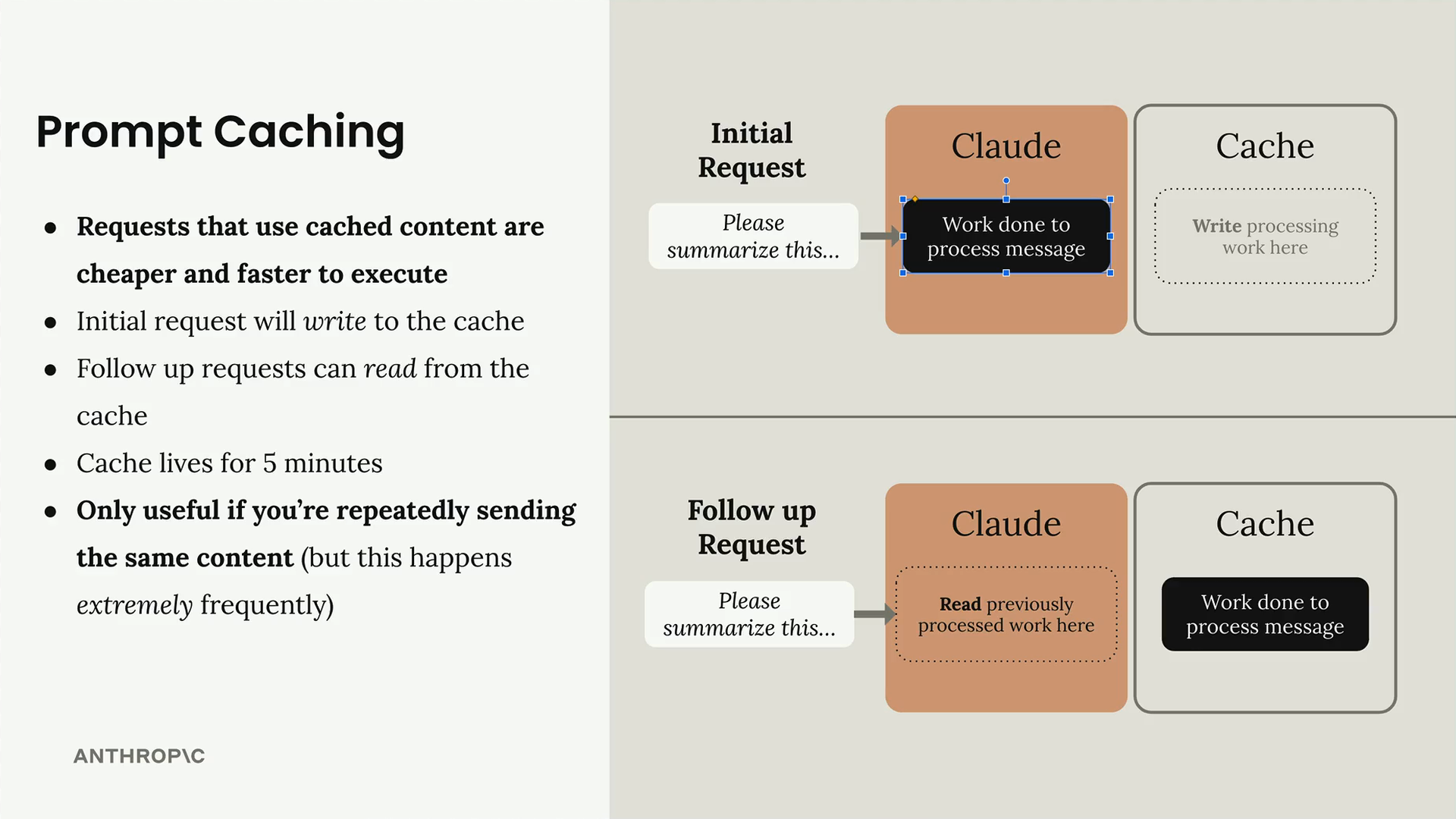
The process follows a two-phase pattern: the initial request writes to the cache, and follow-up requests can read from it. The cache only lives for 5 minutes, so this feature is most useful when you're sending the same content repeatedly within a short timeframe.
Cache Points
Prompt caching isn't enabled automatically - you need to manually add cache point message parts to control what gets cached. Cache points tell Claude to cache all the work done for everything before that point in your message.
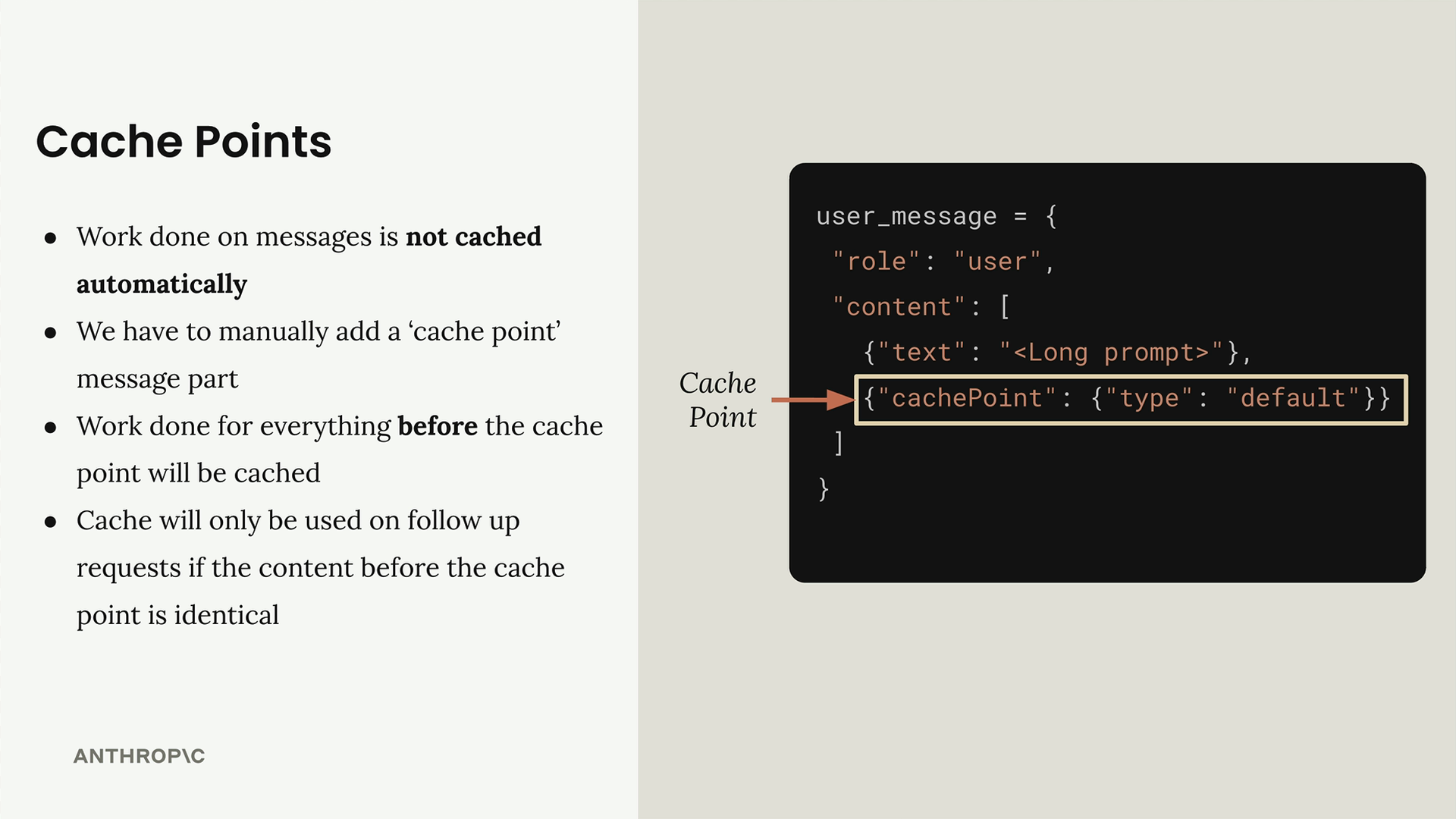
Here's how you add a cache point to a user message:
user_message = {
  "role": "user",
  "content": [
    {"text": ""},
    {"cachePoint": {"type": "default"}}
  ]
}
The key rule is that work done for everything before the cache point will be cached, but anything after the cache point won't be stored in the cache.
How Cache Points Work
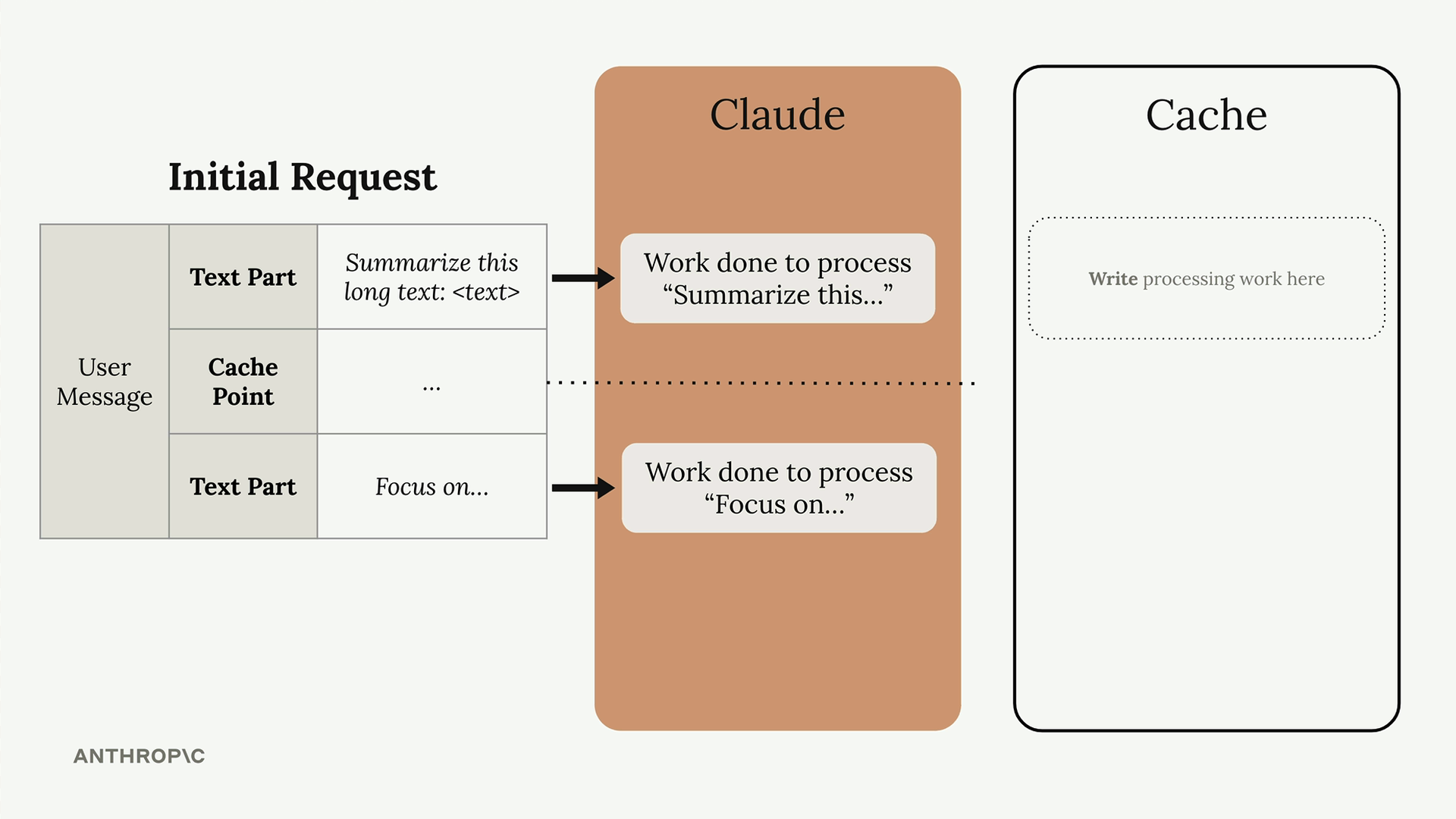
When you make an initial request with a cache point, Claude processes all the content and stores the work done up to that cache point. On follow-up requests, if the content before the cache point is identical, Claude reads the previously processed work from cache instead of reprocessing it.
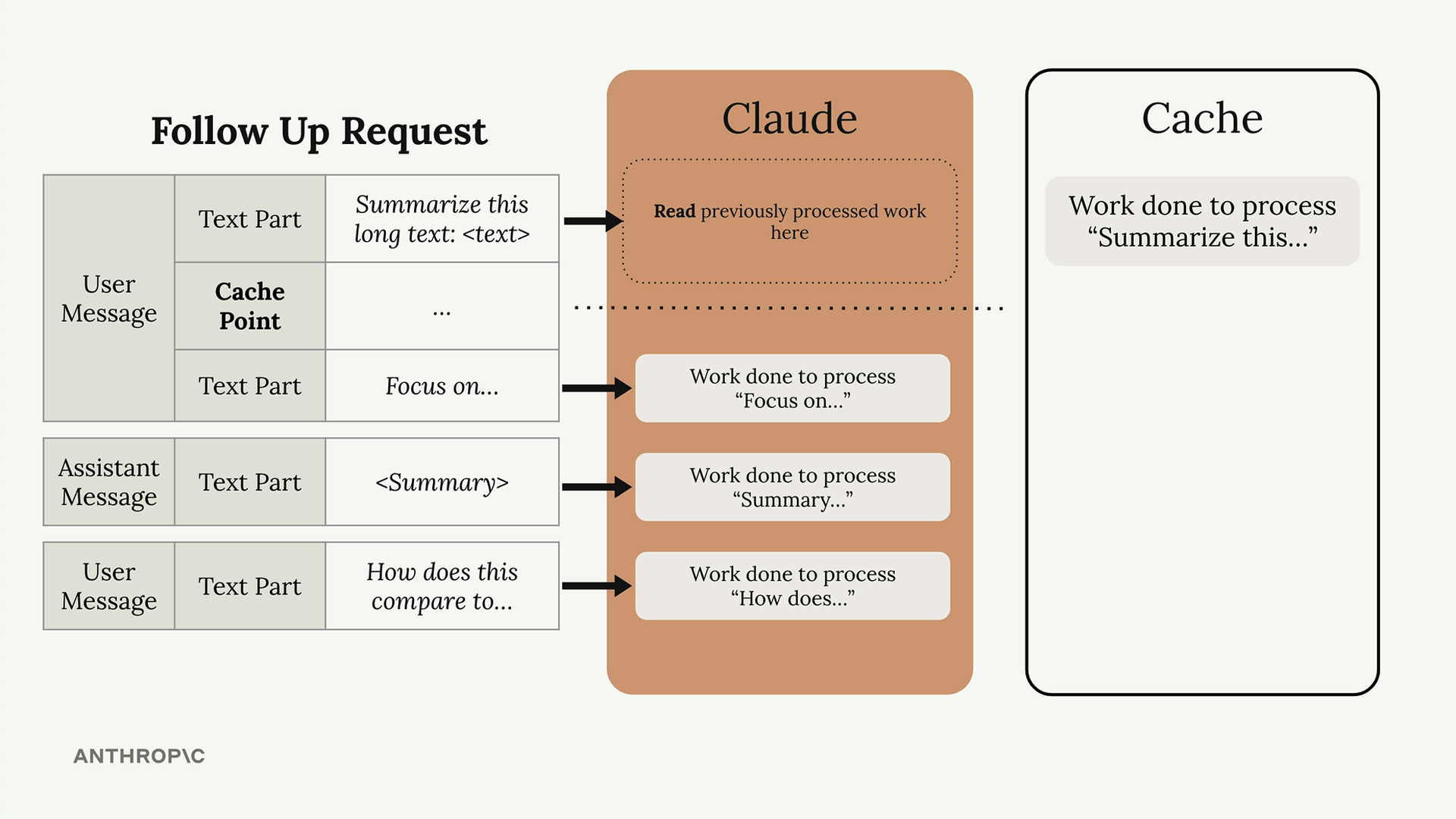
The cache will only be used if the content before the cache point is completely identical. Even small changes like adding "Please" to the beginning of your prompt will prevent cache usage, forcing Claude to process everything from scratch.
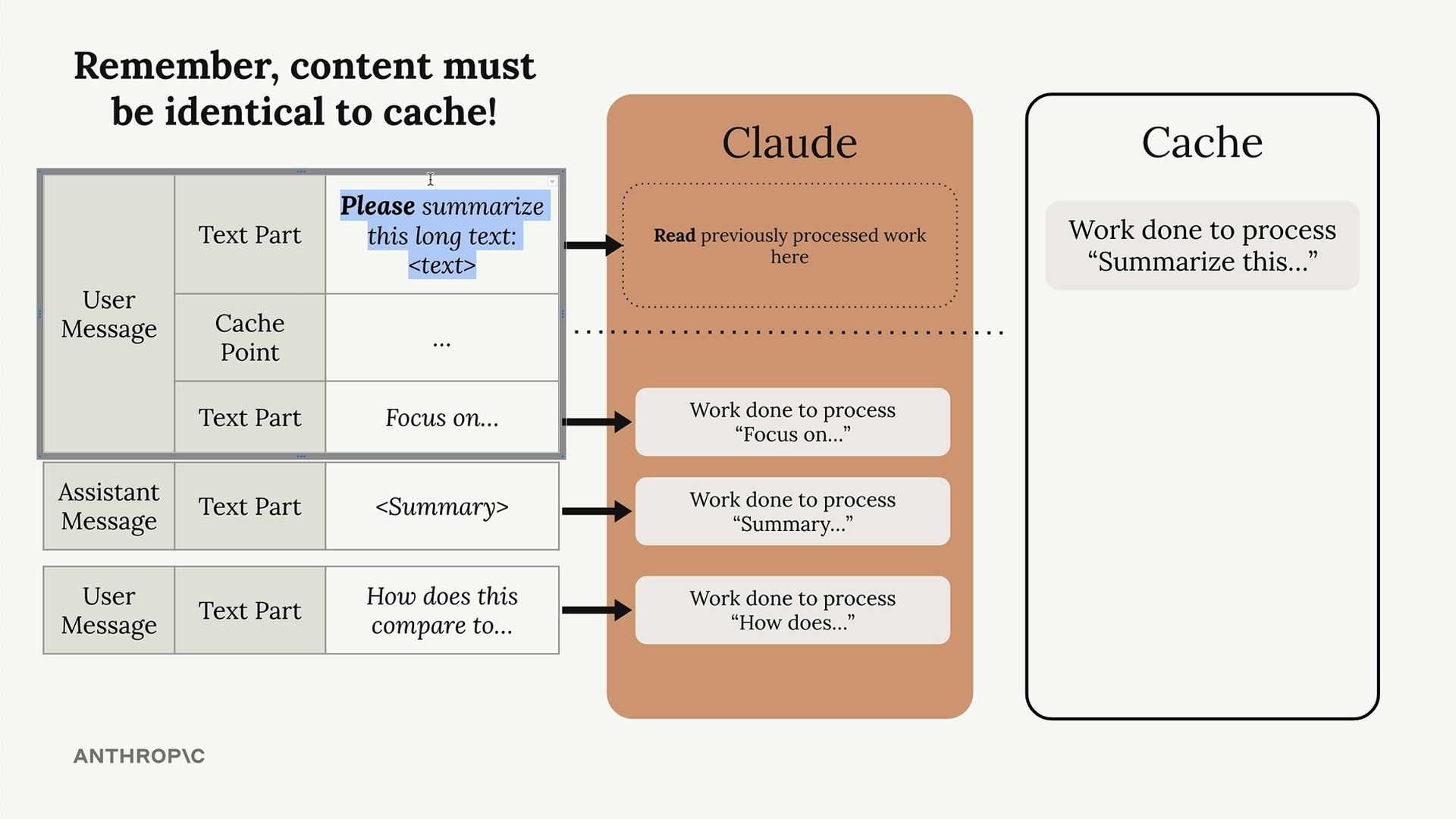
Caching Across Messages
Cache points can span multiple messages and even include assistant messages. This means you can cache entire conversation histories up to a certain point.
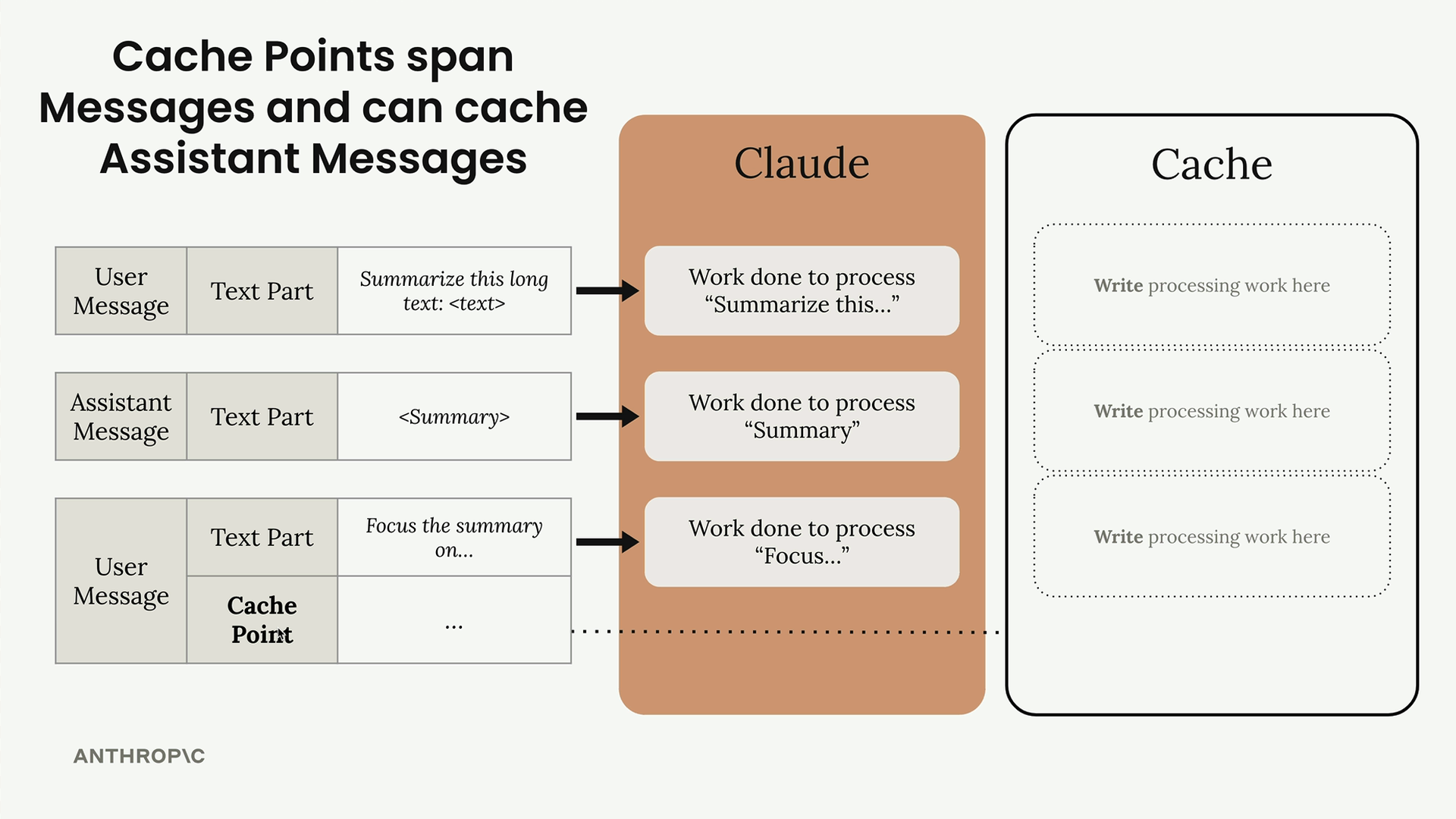
For example, you might have a conversation with a user message, assistant response, and another user message, with a cache point at the end. All the processing work for that entire conversation thread gets cached and can be reused.
Minimum Content Length
Content must be at least 1024 tokens long to be cached. This is the sum of all messages and parts you're trying to cache before the cache point.
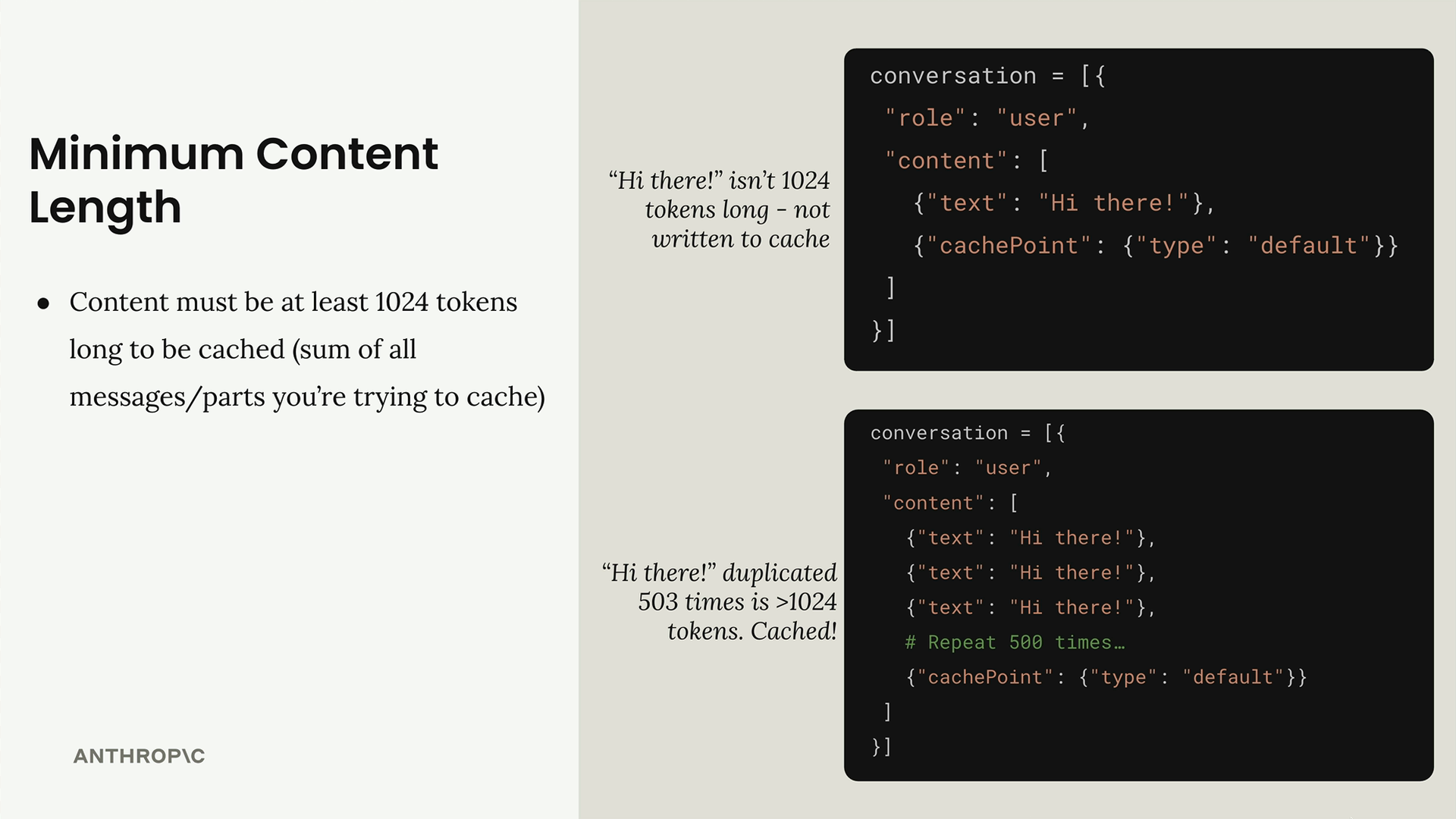
A simple "Hi there!" message won't meet the 1024 token minimum, so nothing gets cached. But if you repeat "Hi there!" 500 times, that would exceed 1024 tokens and qualify for caching.
Cache Point Locations
Cache points aren't restricted to user messages. You can add them to system prompts and tool definitions, which are actually the most common caching opportunities.
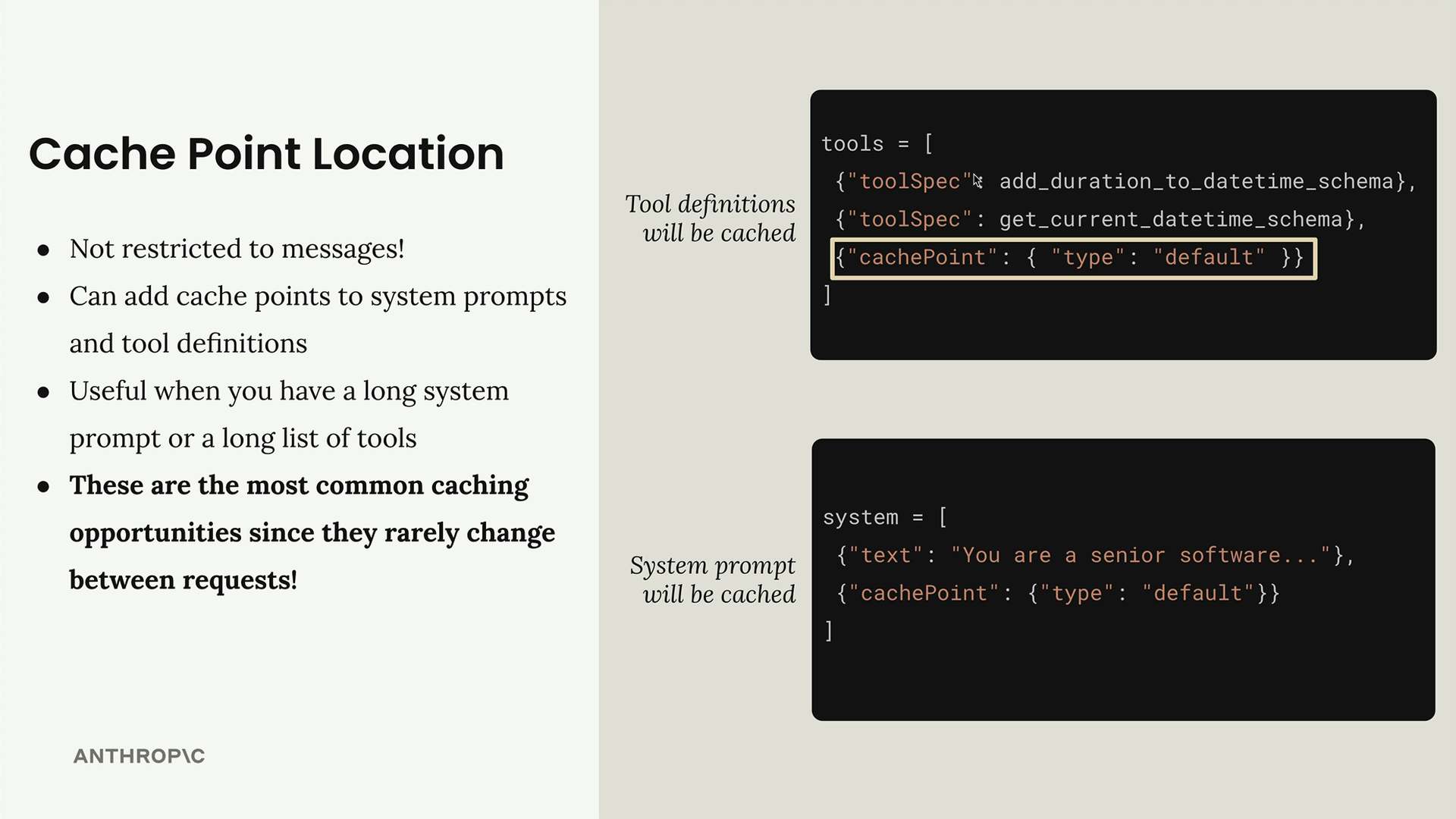
For tool definitions:
tools = [
  {"toolSpec": add_duration_to_datetime_schema},
  {"toolSpec": get_current_datetime_schema},
  {"cachePoint": {"type": "default"}}
]
For system prompts:
system = [
  {"text": "You are a senior software..."},
  {"cachePoint": {"type": "default"}}
]
These are the most valuable caching opportunities because system prompts and tool lists rarely change between requests, making them perfect candidates for caching.
🔁 Related lessons
- Next: Prompt caching in action
- Previous: Prompt caching
- Same section: Overview of Claude Models · Accessing the API · Making a request
- Part of paths: Path C
- Reference docs: Glossary · Skills atlas · By use-case
📚 Source & attribution
- Original Anthropic Academy lesson: https://anthropic.skilljar.com/claude-in-amazon-bedrock/276785
- © 2025 Anthropic. Educational fair-use only.