📖 Lesson content
Summary
Contextual retrieval is a technique that improves RAG pipeline accuracy by solving a fundamental problem: when you split a document into chunks, each chunk loses its connection to the broader document context.
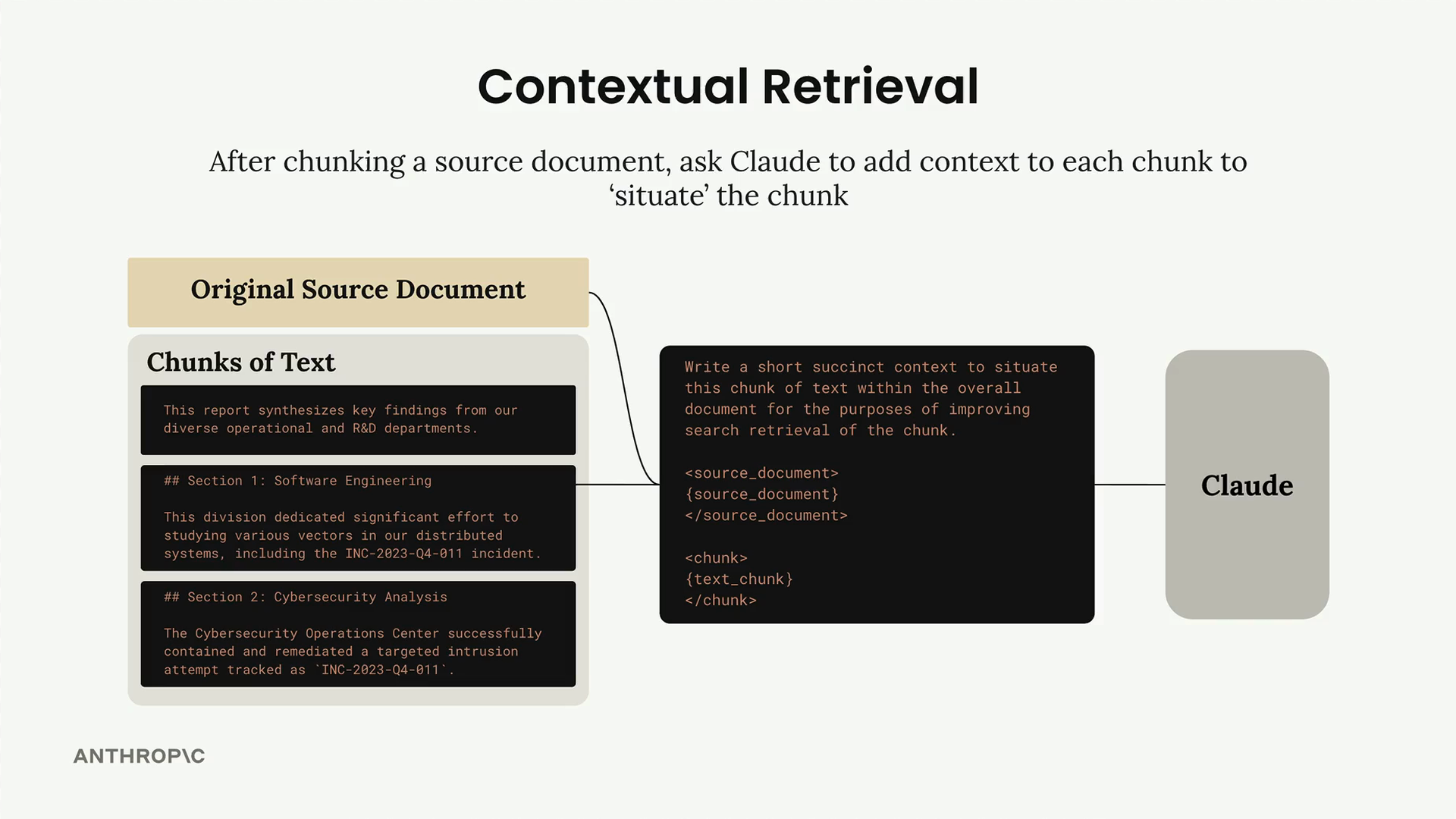
The basic idea is simple. After chunking your source document, you ask Claude to add context to each chunk before storing it in your retriever database. This pre-processing step helps "situate" each chunk within the larger document.
How It Works
For each text chunk, you send both the chunk and the original source document to Claude with a prompt like this:
Write a short and succinct snippet of text to situate this chunk within the
overall source document for the purposes of improving search retrieval of the chunk.

Here is the original source document:
<document>
{source_text}
</document>

Here is the chunk we want to situate within the whole document:
<chunk>
{text_chunk}
</chunk>

Answer only with the succinct context and nothing else.
Claude might generate context like: "This section is from a larger report about a cross-discipline group. It includes mention of INC-2023-04-011, which is also mentioned in the Cybersecurity Analysis section."
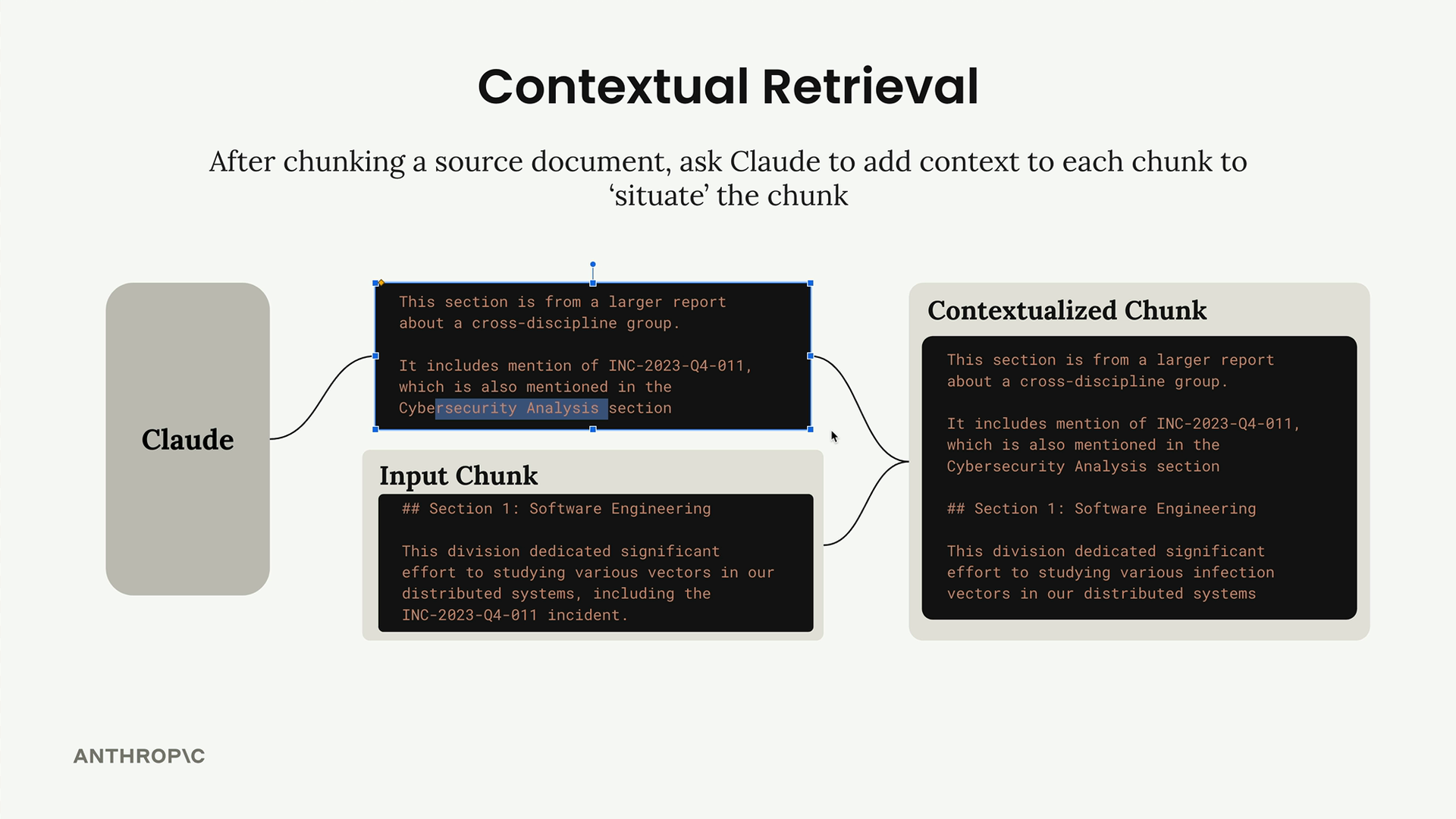
You then combine this generated context with the original chunk text to create a "contextualized chunk" that gets stored in your vector and BM25 indexes.
Handling Large Documents
If your source document is too large to fit in a single prompt, you can provide a reduced set of context instead of the entire document.
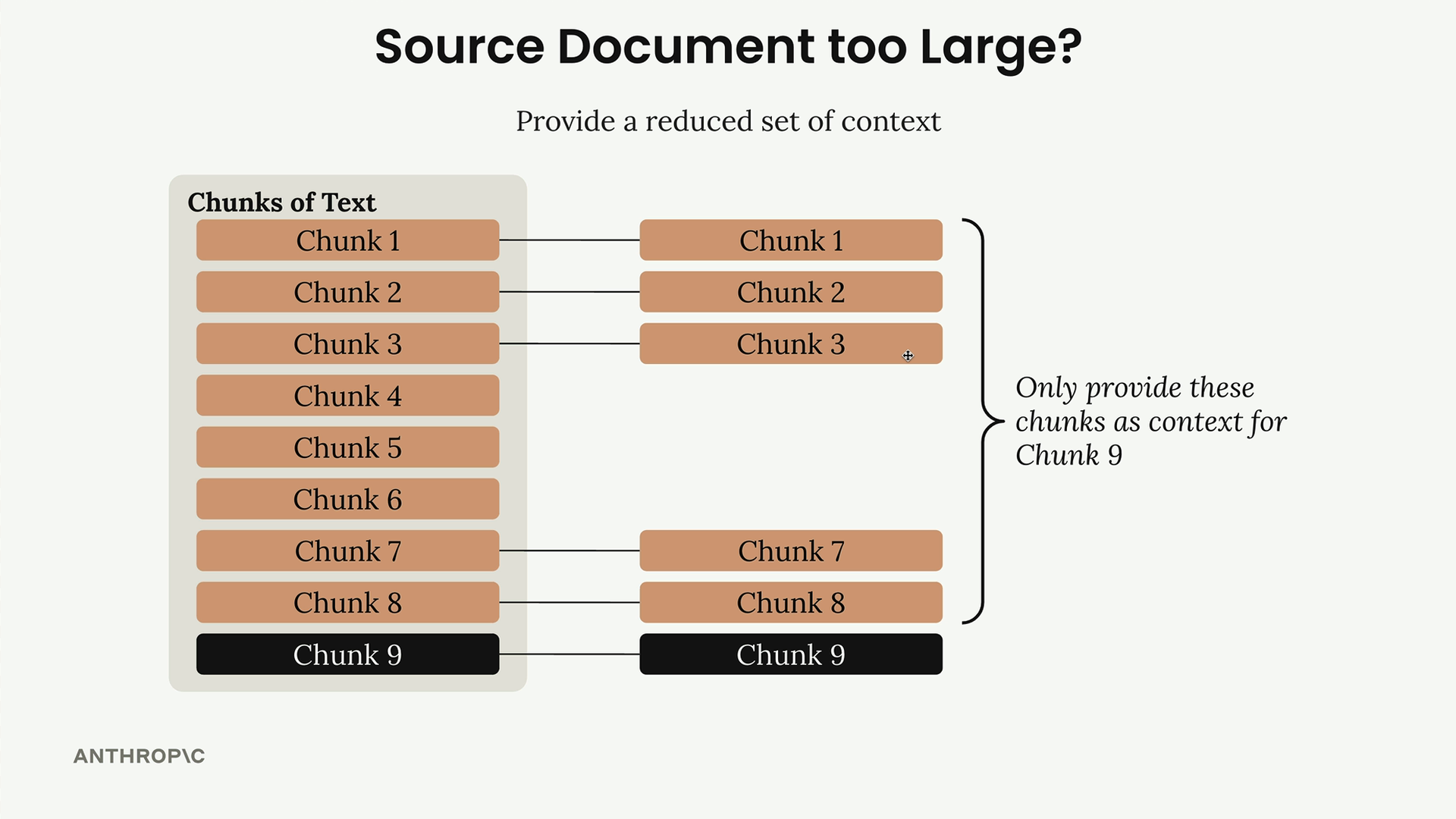
For any given chunk you're contextualizing, include:
- A few chunks from the start of the document (often containing summaries or abstracts)
- Chunks immediately preceding the target chunk (providing local context)
This approach gives Claude enough information to generate meaningful context without overwhelming the prompt with the entire document.
Implementation Example
Here's a basic implementation of the contextual retrieval function:
def add_context(text_chunk, source_text):
    prompt = f"""
    Write a short and succinct snippet of text to situate this chunk within the
    overall source document for the purposes of improving search retrieval of the chunk.

    Here is the original source document:
    <document>
    {source_text}
    </document>

    Here is the chunk we want to situate within the whole document:
    <chunk>
    {text_chunk}
    </chunk>

    Answer only with the succinct context and nothing else.
    """

    messages = []
    add_user_message(messages, prompt)
    result = chat(messages)

    return result["text"] + "\n" + text_chunk
When processing your document chunks, you'd loop through each one and generate contextualized versions:
for i, chunk in enumerate(chunks):
    # Build context from start chunks and preceding chunks
    context_parts = []
    context_parts.extend(chunks[:min(num_start_chunks, len(chunks))])

    start_idx = max(0, i - num_prev_chunks)
    context_parts.extend(chunks[start_idx:i])

    context = "\n".join(context_parts)

    contextualized_chunk = add_context(chunk, context)
    retriever.add_document({"content": contextualized_chunk})
Expected Results
The generated context provides valuable information about document structure and relationships. For example, Claude might describe a chunk as "Section 2 of an Annual Interdisciplinary Research Review, detailing software engineering efforts to resolve stability issues in Project Phoenix. It follows the Methodology section and precedes Financial Analysis, forming part of a comprehensive report that covers ten research domains across the organization."
This additional context helps the retrieval system better understand not just what each chunk contains, but how it fits into the larger document structure and relates to other sections. While you might not see dramatic improvements with simple documents, contextual retrieval becomes increasingly valuable as your documents become more complex with intricate cross-references and dependencies between sections.
Downloads
🔁 Related lessons
- Next: Quiz on Retrieval Augmented Generation
- Previous: Reranking results
- Same section: Overview of Claude Models · Accessing the API · Making a request
- Part of paths: Path C
- Reference docs: Glossary · Skills atlas · By use-case
📚 Source & attribution
- Original Anthropic Academy lesson: https://anthropic.skilljar.com/claude-in-amazon-bedrock/276778
- © 2025 Anthropic. Educational fair-use only.