📖 Lesson content
Summary
When you're building prompts that include a lot of content, Claude can sometimes struggle to understand which pieces of text belong together or what different sections are supposed to represent. XML tags provide a simple way to add structure and clarity to your prompts, especially when you're interpolating large amounts of data.
Why Structure Matters
Consider a prompt where you need to analyze 20 pages of sales records. Without clear boundaries, Claude might have trouble distinguishing between your instructions and the actual data you want analyzed.
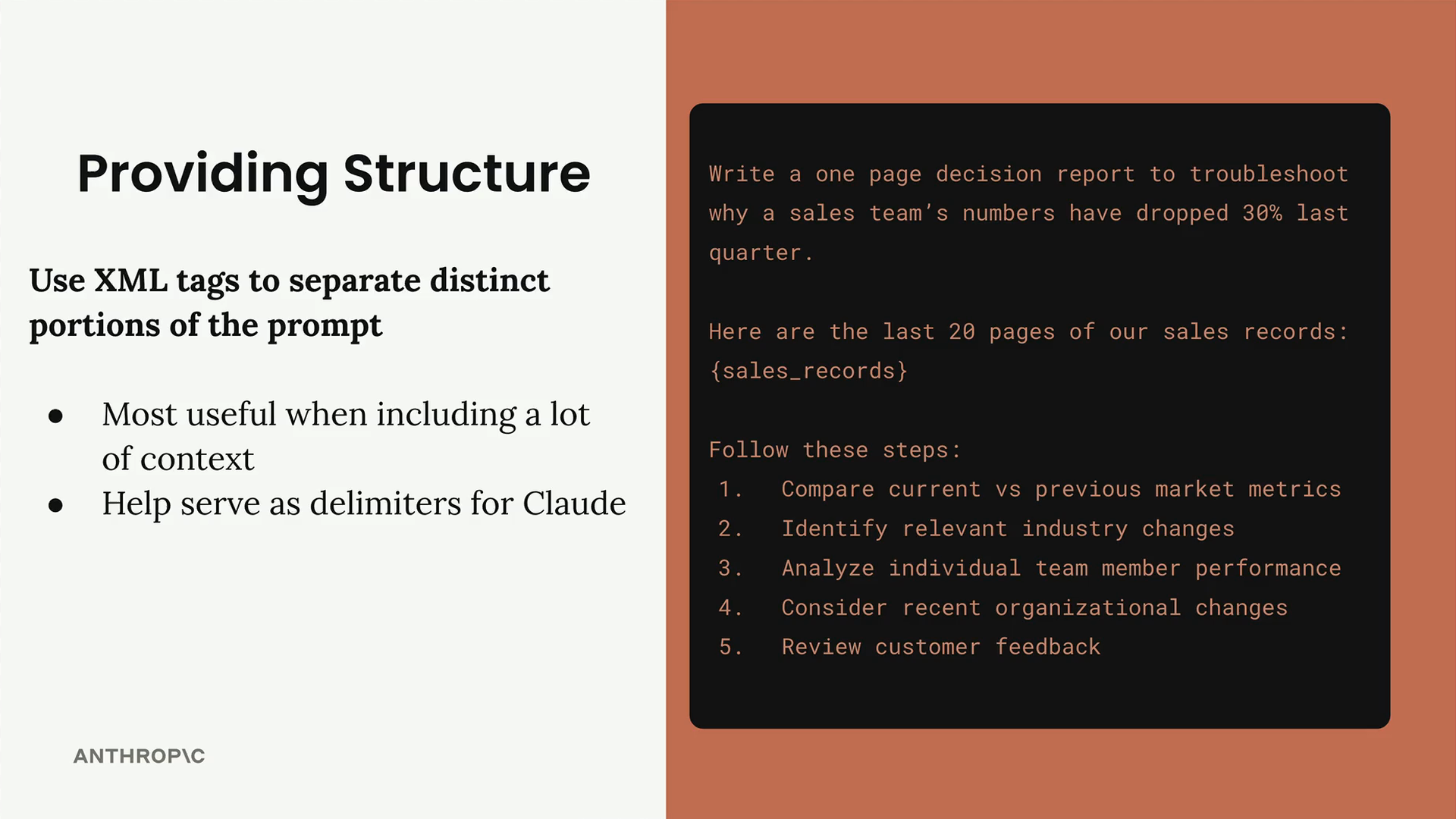
The example above shows how unclear boundaries can make it difficult for Claude to parse your intent. By wrapping the sales records in XML tags, you create clear separation between different parts of your prompt.
Using XML Tags for Clarity
XML tags act as delimiters that help Claude understand the structure of your prompt. You can create custom tag names that describe the content they contain:
<sales_records>
{sales_records}
</sales_records>
The tag names don't need to follow any official XML specification - you're free to create descriptive names like sales_records, data, or records. More specific names generally work better than generic ones.
A Practical Example
Here's a clear example of why XML tags make a difference. In the "Not Great" version, it's unclear what content represents the buggy code versus the documentation:
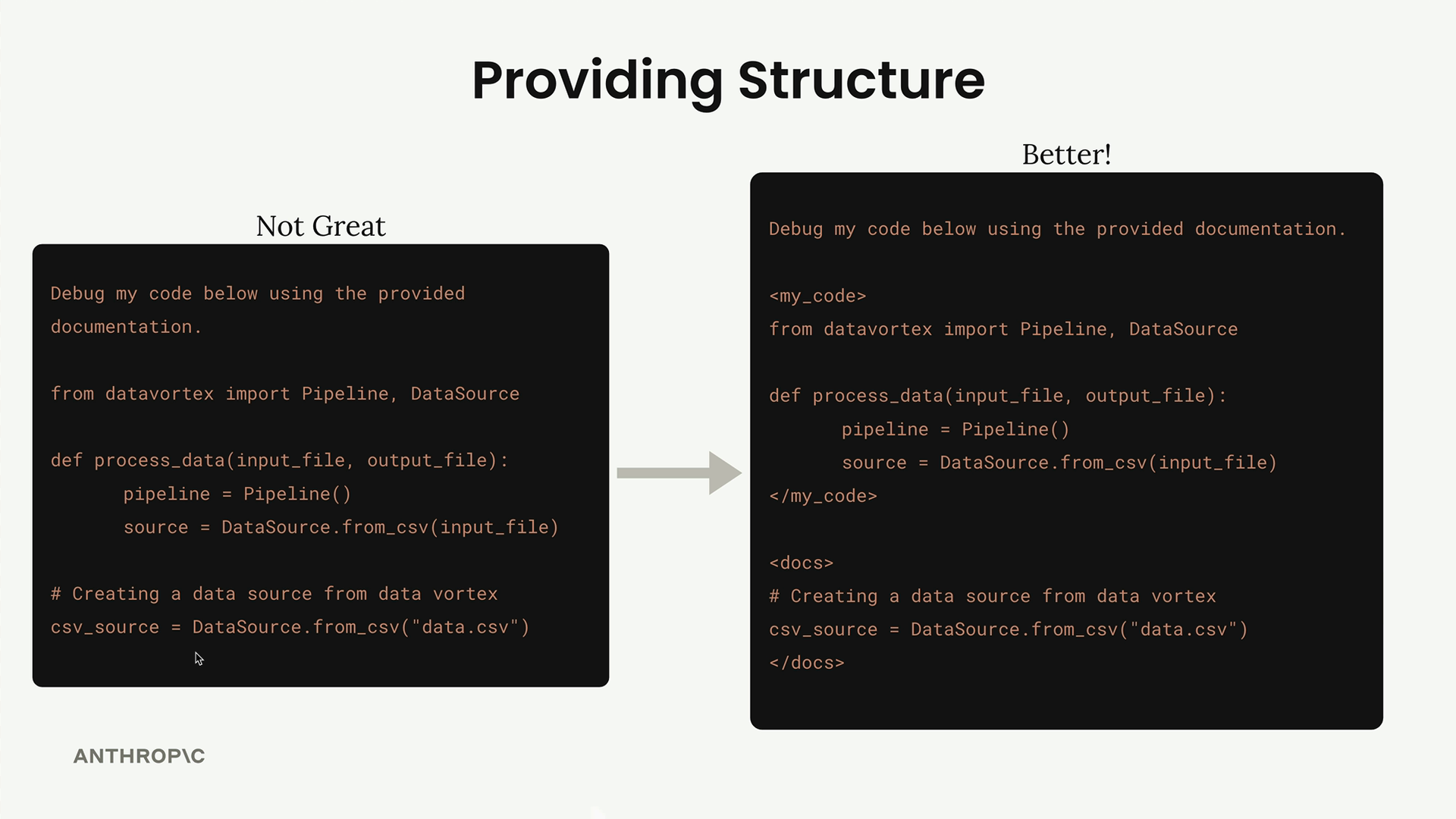
The improved version uses XML tags to clearly separate the different types of content:
<my_code>
from datavortex import Pipeline, DataSource

def process_data(input_file, output_file):
    pipeline = Pipeline()
    source = DataSource.from_csv(input_file)
</my_code>

<docs>

csv_source = DataSource.from_csv("data.csv")
</docs>
Now Claude can easily distinguish between the code that needs debugging and the documentation that should guide the debugging process.
Applying Structure to Your Prompts
Even when your interpolated content isn't massive, XML tags can still improve clarity. For example, when generating meal plans, you can group athlete information together:
<athlete_information>
- Height: {prompt_inputs["height"]}
- Weight: {prompt_inputs["weight"]}
- Goal: {prompt_inputs["goal"]}
- Dietary restrictions: {prompt_inputs["restrictions"]}
</athlete_information>
This makes it crystal clear to Claude that this block contains external input about the athlete that should inform the meal plan generation.
When to Use XML Tags
XML tags are most useful when:
- You're including large amounts of context or data
- Your prompt contains multiple distinct types of content
- You want to make the boundaries between different sections obvious
- You're interpolating content that might be confused with your instructions
While you might not see dramatic improvements with simple prompts, XML tags serve as delimiters that help Claude better understand your intent, leading to more consistent and accurate responses.
🔁 Related lessons
- Next: Providing examples
- Previous: Being specific
- Same section: Overview of Claude Models · Accessing the API · Making a request
- Part of paths: Path C
- Reference docs: Glossary · Skills atlas · By use-case
📚 Source & attribution
- Original Anthropic Academy lesson: https://anthropic.skilljar.com/claude-in-amazon-bedrock/276744
- © 2025 Anthropic. Educational fair-use only.