📖 Lesson content
Summary
MCP clients and servers communicate by exchanging JSON messages, but how do these messages actually get transmitted? The communication channel used is called a transport, and there are several ways to implement this - from HTTP requests to WebSockets to even writing JSON on a postcard (though that last one isn't recommended for production use).
The Stdio Transport
When you're first developing an MCP server or client, the most commonly used transport is the stdio transport. This approach is straightforward: the client launches the MCP server as a subprocess and communicates through standard input and output streams.
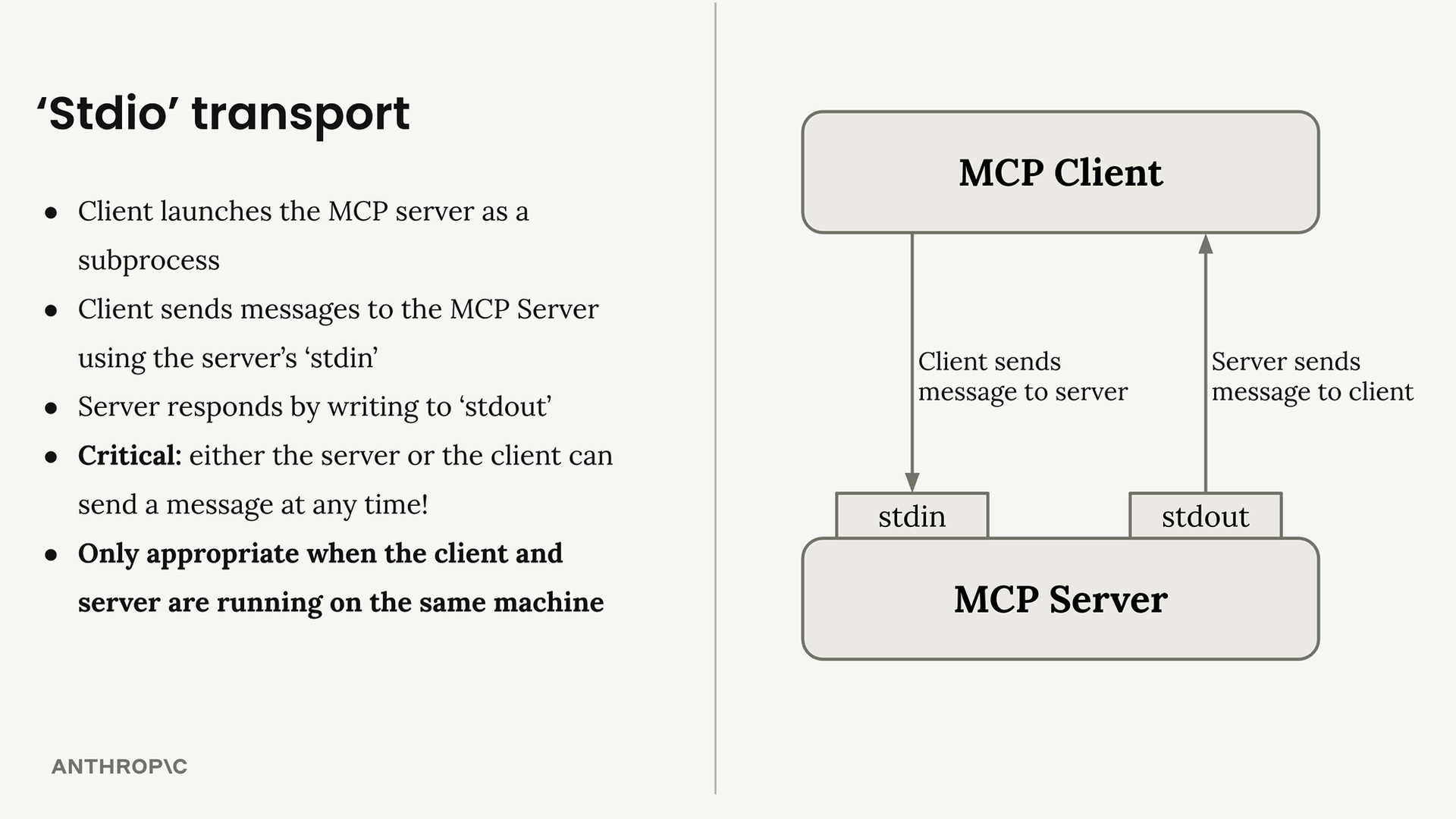
Here's how it works:
- Client sends messages to the server using the server's
stdin - Server responds by writing to
stdout - Either the server or client can send a message at any time
- Only works when client and server run on the same machine
Seeing Stdio in Action
You can actually test an MCP server directly from your terminal without writing a separate client. When you run a server with uv run server.py, it listens to stdin and writes responses to stdout. This means you can paste JSON messages directly into your terminal and see the server's responses immediately.
The terminal output shows the complete message exchange, including example messages for initialization and tool calls.
MCP Connection Sequence
Every MCP connection must start with a specific three-message handshake:
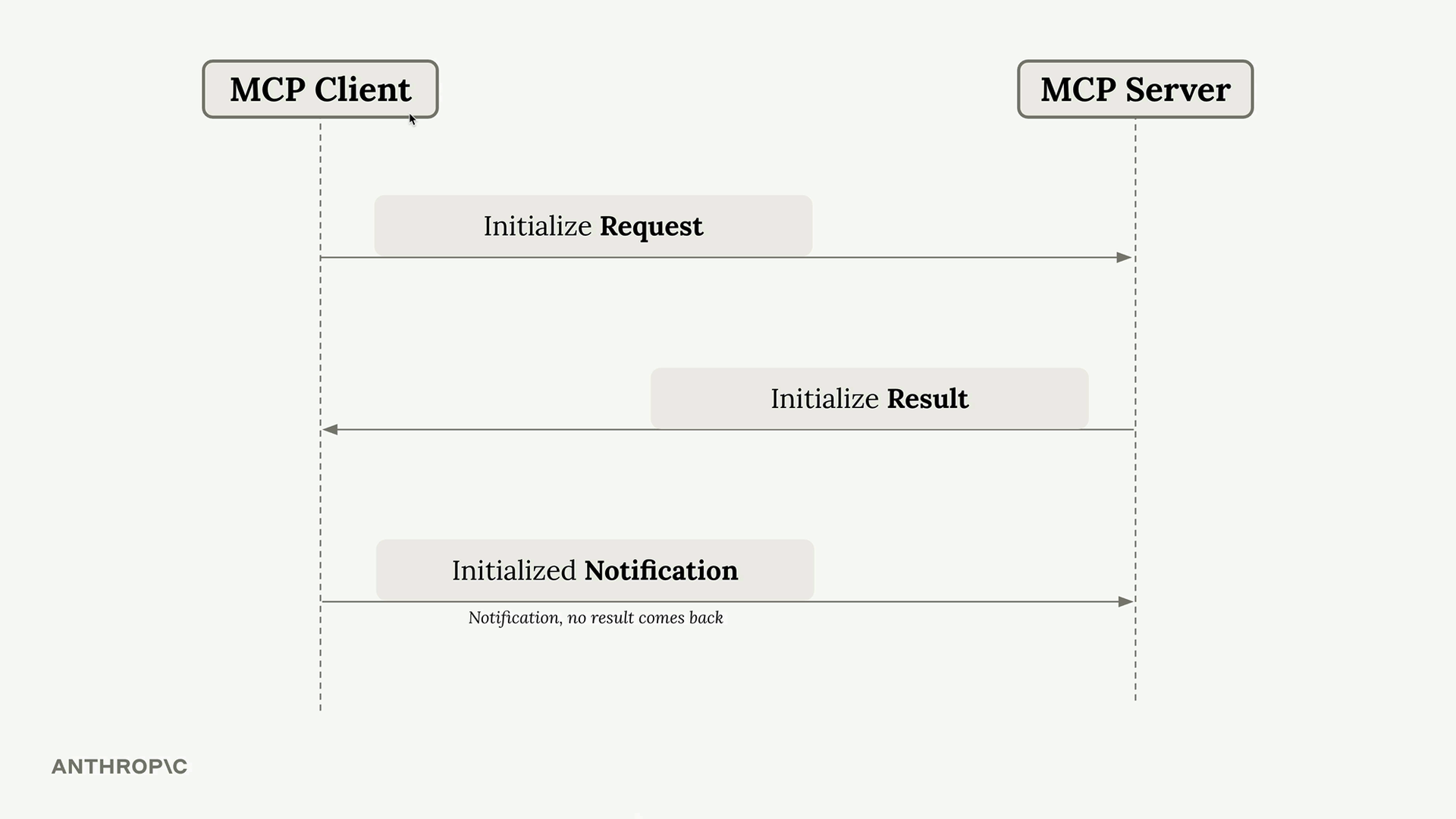
- Initialize Request - Client sends this first
- Initialize Result - Server responds with capabilities
- Initialized Notification - Client confirms (no response expected)
Only after this handshake can you send other requests like tool calls or prompt listings.
Message Types and Flow
MCP supports various message types that flow in both directions:
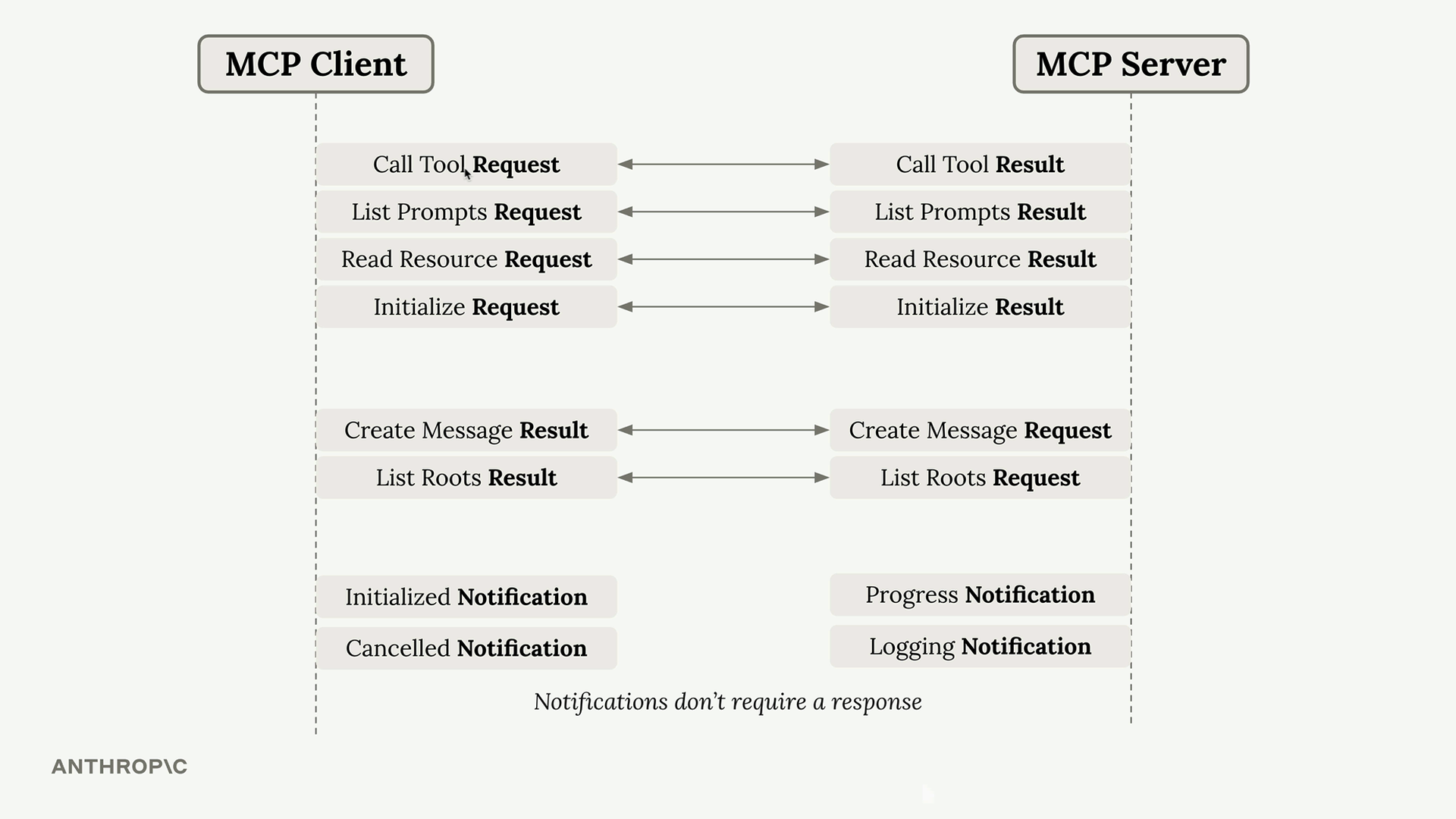
The key insight is that some messages require responses (requests → results) while others don't (notifications). Both client and server can initiate communication at any time.
Four Communication Scenarios
With any transport, you need to handle four different communication patterns:
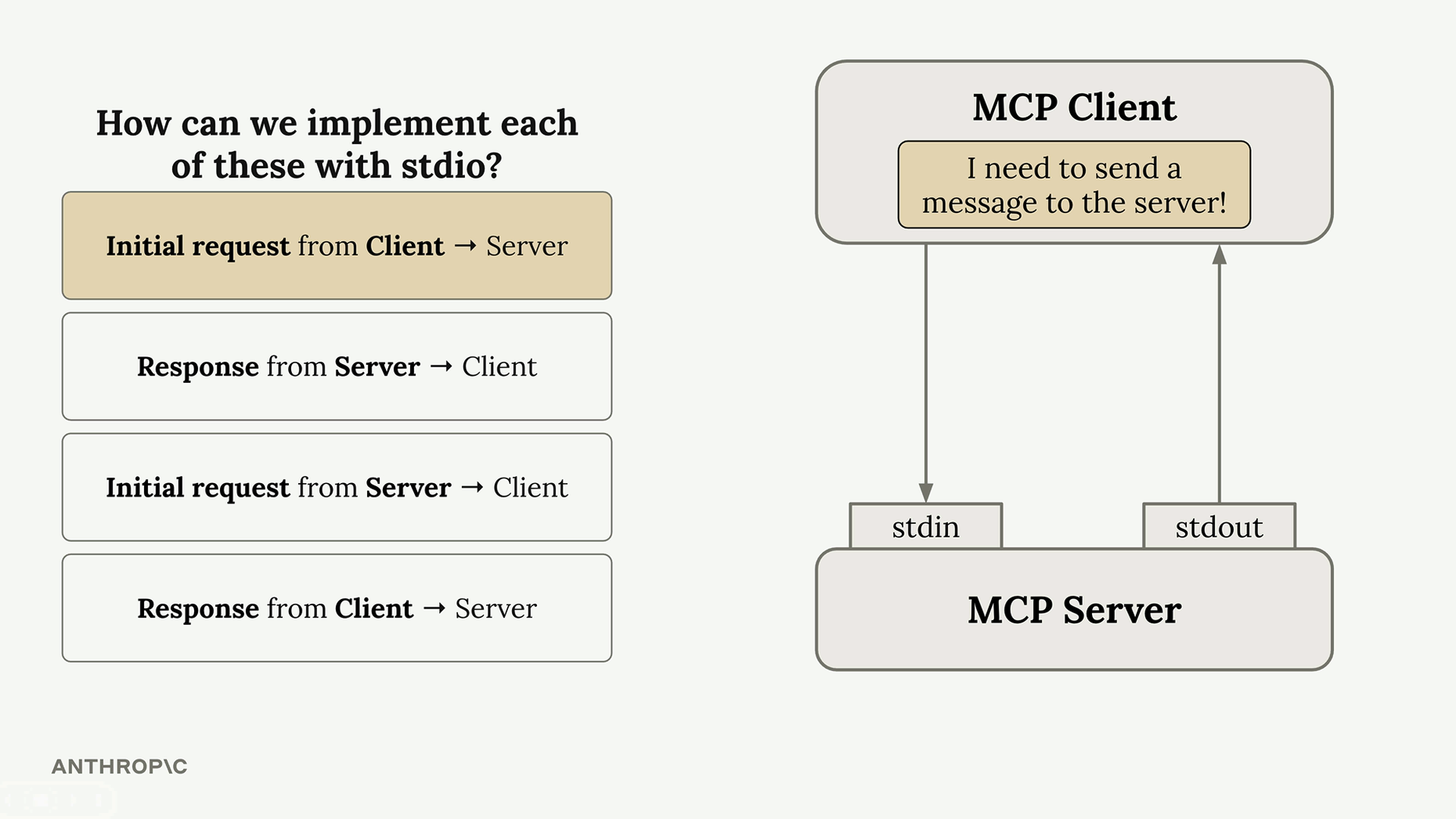
- Client → Server request: Client writes to stdin
- Server → Client response: Server writes to stdout
- Server → Client request: Server writes to stdout
- Client → Server response: Client writes to stdin
The beauty of stdio transport is its simplicity - either party can initiate communication at any time using these two channels.
Why This Matters
Understanding stdio transport is crucial because it represents the "ideal" case where bidirectional communication is seamless. When we move to other transports like HTTP, we'll encounter limitations where the server cannot always initiate requests to the client. The stdio transport serves as our baseline for understanding what full MCP communication looks like before we tackle the constraints of other transport methods.
For development and testing, stdio transport is perfect. For production deployments where client and server need to run on different machines, you'll need to consider other transport options with their own trade-offs.
🔁 Related lessons
- Next: The StreamableHTTP transport
- Previous: JSON message types
- Same section: JSON message types · The StreamableHTTP transport · StreamableHTTP in depth
- Part of paths: Path D
- Reference docs: Glossary · Skills atlas · By use-case
📚 Source & attribution
- Original Anthropic Academy lesson: https://anthropic.skilljar.com/model-context-protocol-advanced-topics/296291
- © 2025 Anthropic. Educational fair-use only.